
How to Improve Local SEO: Find the Weak Signal, Then Fix It
To improve local SEO, find out which of Google’s three local factors is holding your business back and fix that one first, instead of working through a generic checklist. Google says local results are “mainly based on relevance, distance, and popularity”, and its help page explains popularity under the heading of prominence. Relevance comes from a complete, accurate Google Business Profile and a website that describes your services clearly. Distance you mostly cannot change, so the job there is to describe your location and service area truthfully. Prominence comes from reviews, links and how well known the business is. The sections below show how to tell which one is weak and what to do about each.

Start with a ten-minute diagnosis
Most local SEO advice treats every business the same, which is why owners end up uploading photos every week while the real problem sits somewhere else. Before changing anything, search for your main service the way a customer would, from a phone, signed out or in a private window, while you are inside the area you serve. Then search again from a different part of the city, because the results move with the searcher. In Calgary, a business in the southeast can look strong to someone in Douglasdale and be missing entirely for someone in Tuscany, which is distance at work rather than a flaw in the profile. Note where you appear in the map results, who sits above you, and whether you show up at all when someone searches your exact business name.
| What you see | Factor that is probably weak | Where to start |
|---|---|---|
| You do not appear even for your exact business name | Profile not verified, suspended or duplicated | Check verification and look for duplicate profiles |
| You appear for your name but not for your main service | Relevance | Primary category, services, website service page |
| You rank near your address and vanish a few kilometres away | Distance (expected) plus prominence | Confirm the pattern from several locations; then reviews and links, and an area page only where there is something distinct to say |
| Competitors with similar profiles sit above you everywhere | Prominence | Review count and ratings, local links and mentions |
| You rank in the map results but get few calls | Not a ranking problem | Photos, hours, review replies and the page the profile links to |
The table is a practitioner’s shortcut, not a Google rule, but it saves a lot of wasted effort. A business that does not appear for its own name needs a profile fix before anything else is worth doing, and a business that ranks well but gets no calls needs a better listing and landing page, not more ranking work.
Relevance: make the profile describe the business exactly
Google’s local ranking page says businesses with “complete and accurate info are more likely to show up in local search results”, and it lists the details that matter: the address if customers visit, hours including special hours, the business category and attributes such as parking. Verification comes first, because Google says a verified profile is “more likely to show up in search results”. After that, in most practitioners’ experience, the primary category does more for relevance than any other field. Google’s guidelines say to “use as few categories as possible to describe your overall core business” and to choose categories that are “as specific as possible”, and they warn against using categories “solely as keywords”. In practice that means picking the narrowest category that truly describes the main service, adding secondary categories only for services you actually sell, and leaving out anything a customer would be surprised to see.

The business name is where many profiles break the rules without knowing it. Google’s guidelines say the name should reflect “your business’s real-world name, as used consistently on your storefront, website, stationery, and as known to customers”, and that “including unnecessary information in your business name isn’t permitted, and could result in the suspension of your Business Profile.” Adding “Calgary Furnace Repair” to a name that does not carry those words on its signage might move a listing for a while, but it puts the whole profile at risk, and a competitor can report it. Fill in services, a plain description, hours and attributes instead, and keep them current, since an outdated holiday schedule is a small thing that costs real visits.
Photos and videos belong here too. Google recommends adding them so customers can see what you offer, and pictures of real jobs, the storefront and the team help a searcher choose you once you appear. Treat them as a way to win the click rather than a ranking lever, because Google does not say that uploading more often improves position.
Distance: describe your location truthfully
Distance is the factor owners most want to change and the one they control least. Google describes it as “how far each business is from the customer who’s searching”, and when a searcher does not share a location, Google uses what it knows about where they are. Moving a pin, listing a virtual office or creating a profile at a friend’s address to reach another neighbourhood breaks Google’s guidelines, which say a service-area business cannot list a “virtual” office unless it is staffed during business hours, and co-working addresses need permanent signage, staff and customers received during business hours.
For a business that travels to its customers, such as a plumber, a cleaner or a mobile mechanic, Google’s rules are specific. If you do not serve customers at your address, Google asks you to remove the address from the profile and set a service area instead. You can add up to 20 service areas based on cities, postal codes or other areas, but you cannot set a radius, and the guidelines say a service area “shouldn’t extend farther than about 2 hours of driving time” from where the business is based, though larger areas may be appropriate for some businesses. A service-area business gets one profile for the whole area it serves, unless it has separate locations with their own staff and service areas.
Here is an illustrative example. A heating company based in Airdrie that lists Calgary, Cochrane, Chestermere and Okotoks as service areas has told Google where it works, which is accurate and useful, but it will usually find it harder to appear in southwest Calgary map results than a company based there, because the service area describes coverage rather than moving the business closer to the searcher. Its route into those searches is prominence and a strong website page for each area where it has something distinct to say, with paid search covering the gap.
Prominence: earn reviews and local mentions
Google says prominence “means how well-known a business is” and that it is based partly on “how many websites link to your business and how many reviews you have”, adding that “more reviews and positive ratings can help your business’s local ranking.” That makes a steady flow of genuine reviews the most reliable prominence work most local businesses can do. Google’s own advice is to remind customers to leave a review through a Google link or QR code that you create in the profile, and to reply to reviews. A request sent by text or email soon after the job is finished, with the link in it, is the simplest system, and the details of building that habit are covered in this guide to asking for and answering reviews.

The rules around reviews are stricter than many owners realise. Google’s Maps content policy says merchants may not “offer incentives, such as payment, discounts, free goods and/or services” in exchange for a review, may not “discourage or prohibit negative reviews, or selectively solicit positive reviews from customers”, and should not set staff quotas or ask for specific content in the review. So the common trick of sending happy customers to Google and unhappy ones to a private feedback form is out, and so is a discount for a five-star rating. Ask every customer the same way and reply to the critical reviews calmly, since the people reading the exchange are future customers deciding whether to call.
In Canada there is one more check. If a review request goes out by email or text, and especially if it also mentions an offer or a service, treat it as a commercial electronic message under Canada’s Anti-Spam Legislation (CASL). A purchase within the previous two years can give implied consent through an existing business relationship under section 10 of the Act, and you need to be able to show that relationship. The message still has to identify your business, give contact information and include an unsubscribe mechanism, as section 6 requires. This is general information rather than legal advice, so check the Act or a lawyer if your situation is unusual.
Links and mentions from local sources round out prominence. The realistic sources for a small business are the ones it already has a relationship with: a business association or chamber membership, a community event or team it sponsors, suppliers and partners that list the businesses they work with, and local news when there is something worth reporting. In practice, a handful of these from genuinely local sites tends to do more for a local business than a pile of generic directory links, and none of them involves buying a link for ranking purposes, which Google’s spam policies treat as link spam (a link that comes from a sponsorship should be marked as sponsored).
Make the website back up the profile
The Business Profile and the website work as a pair. Google draws on information from around the web, the website included, to understand what the business does and where, and the page the profile links to is where most searchers decide whether to call. For a single-location business that page is usually the home page or a main service page, and it should state the service, the area, the business name, address (if customers visit) and phone number in plain text, with the phone number tappable on mobile. A business serving several towns needs a page for each area only where it has something distinct to say about working there, because Google’s spam policies name “pages targeted at specific regions or cities that funnel users to one page” as doorway abuse. The step-by-step version of the website side of local SEO, including title tags and location pages, has its own guide.
Two technical details are worth the time. LocalBusiness structured data on the page that carries your business details helps Google read the name, address, phone and hours, and Google’s documentation asks you to use the most specific LocalBusiness sub-type that fits. Google’s LocalBusiness markup requires a physical address, so a service-area business that hides its address should not invent one for the markup. The page should also load quickly and read easily on a phone, since many customers search and call from a phone and a slow page loses the call.
Keep your business details consistent everywhere
Citations are mentions of your business name, address and phone number on other sites, such as Bing Places, Apple Business Connect, Yelp, Yellow Pages and the directories specific to your trade. Google does not list citations as a ranking factor on its help page, so treat them as a way to make your details consistent and easy to confirm, which supports both relevance and prominence, rather than as a numbers game. The most useful work is fixing the listings that already exist, especially after a move, a phone change or a rebrand, because an old address on a well-used directory can send customers to the wrong place and muddy the picture Google builds of the business. More on finding and cleaning these up is in the guide to citations and NAP data.
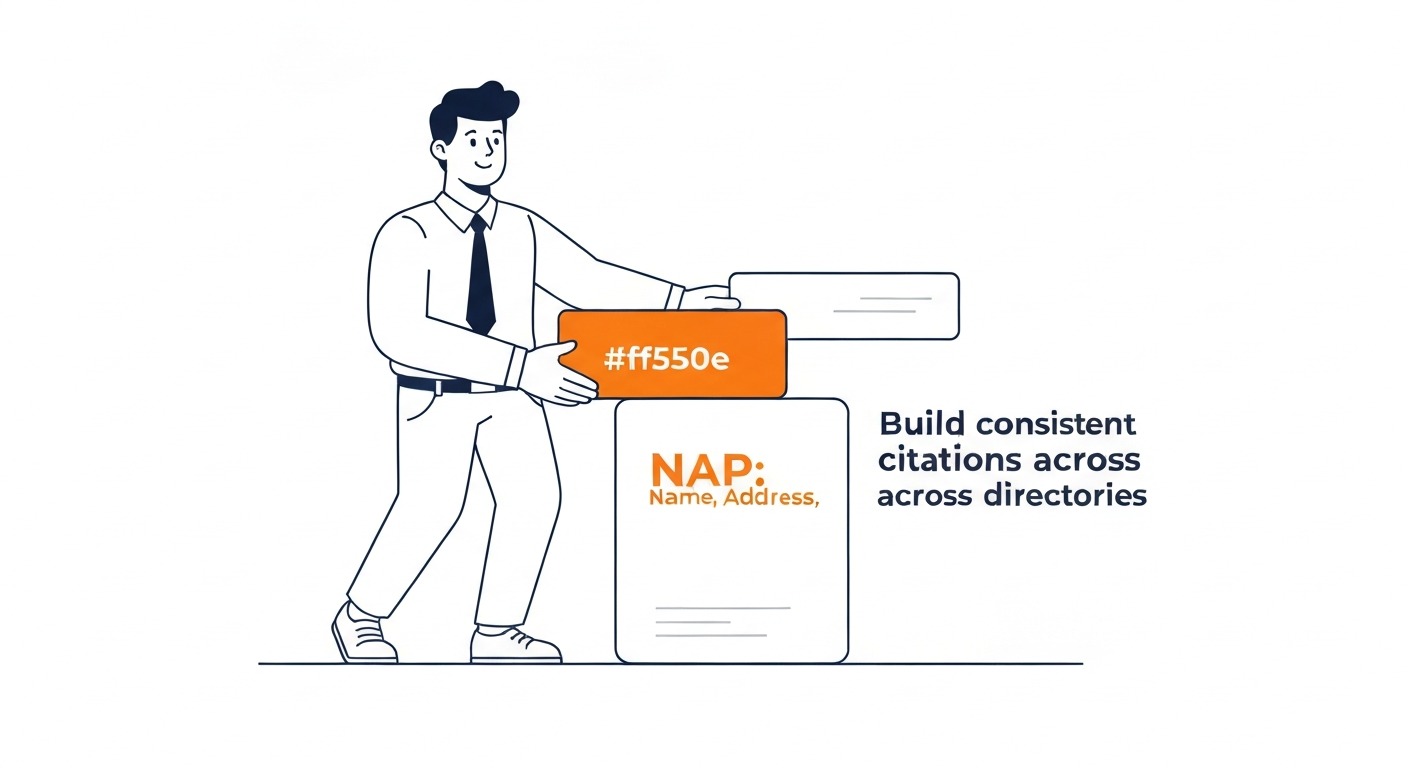
Use one exact version of the name, address and phone number, and write it the same way on the website, the Business Profile and every directory. Small differences such as “Suite” and “Ste.” are unlikely to cause trouble on their own, but a second phone number, an old address or a different trading name causes real confusion. Google requires the phone number to be under the direct control of the business, so a call-tracking number you own that rings through to you is generally acceptable, and Google asks for a local number rather than a central call centre wherever possible.
Measure local results the right way
Local rankings change with the searcher’s location, so a single check from the office tells you very little. Use the performance report in the Business Profile to see searches, calls, direction requests and website clicks over time, and Google Search Console for the website’s organic queries and pages. For positions, check the same handful of service searches each month from several points in your service area, either by hand or with a rank tracker that supports a grid of locations, and keep the results in one sheet so you can see trends rather than daily noise. Each location or service area needs its own tracking, because strength in one part of the city says nothing about another.

Expect this to take months rather than weeks, and expect the order of improvement to follow the diagnosis: a profile fix can show sooner, while prominence builds as reviews and links accumulate. The pace depends on the market, the competition and how far behind the profile started. Google is clear that “there’s no way to request or pay for a better local ranking”, so a business that needs calls now can run Google Ads for its main services while the map and organic positions build, and use the search terms that convert in the ads to decide which services deserve the most SEO work.
Common mistakes that hold local rankings back
A few mistakes come up again and again, and most of them break Google’s rules as well as wasting time. Adding keywords or city names to the business name risks suspension. Creating a second profile for the same business, or one at an address where it does not operate, breaks Google’s one-profile rule and puts the listings at risk of suspension. Paying for reviews, offering a discount for them, or filtering who gets asked breaks Google’s review policy, and Google’s policy lists unusual volumes or patterns of reviews as rating manipulation. Publishing a page for every nearby town with the same text and a swapped city name is the doorway pattern Google describes in its spam policies. Treating local SEO as a one-time setup is the quieter mistake, since reviews, hours, photos and details all go stale while competitors keep working.
Where to go from here
Run the diagnosis, fix the weakest factor first, then keep a monthly routine for reviews, profile updates and ranking checks. SEO Company To-The-TOP! is a Calgary SEO practice founded in 2007 and run by one person, so the person who reviews your profile and website is the same person who does the work, and clients get monthly position reporting. A public portfolio of ranked keywords is at to-the-top.ca/portfolio.
If you would rather have someone else work out which factor is holding your business back, a local SEO audit covers the profile, the website, reviews and citations together. To talk it through, call (403) 308-5949.
Contact Calgary SEO Company To-The-TOP!
Questions about anything in this article, or about your own rankings? Talk to a Calgary SEO specialist directly.
Phone: (403) 308-5949
Address: 1509 14 Ave SW, Calgary, AB T3C 0W4
Hours:
Monday to Friday: 10:00 am – 7:00 pm
Saturday: 12:00 pm – 4:00 pm
Sunday: closed