
What Are Negative Keywords? A Plain Guide for Google Ads
Negative keywords are words or phrases you add to Google Ads so that your ad does not show for searches that match them, with the match type deciding exactly which searches count. Google defines a negative keyword as “a type of keyword that prevents your ad from being triggered by a certain word or phrase”, and its own example is the word “free”: add it to a campaign and your ad stops showing for searches that contain “free”. Your regular keywords decide which searches your ad can enter, and negative keywords remove the ones you already know will not turn into customers, so you stop paying for clicks from people looking for something else.

How negative keywords work
Every keyword you bid on can match a range of searches, and the broader the match type, the wider that range gets. A Calgary furnace company bidding on “furnace repair” can find its ad showing for “furnace repair course”, “furnace repair jobs” and “how to repair a furnace yourself”, and those searches usually point to training, job hunting or do-it-yourself plans rather than someone ready to book a technician. Adding “course”, “jobs” and “yourself” as negatives takes the ad out of those searches, while every other “furnace repair” search can still trigger it.
Google’s help page gives the classic case of an optometrist who sells eyeglasses and adds “wine glasses” and “drinking glasses” as negatives. The point of the example is that good negatives are usually close to your real keywords. They share a word with what you sell but describe a different product, a different need or a different person, which is exactly why the broad end of Google’s matching picks them up.
Why negative keywords matter
On a Search campaign you pay when someone clicks, so every click from the wrong searcher is spend with no chance of a return. Negatives are the main control you have over that, and they work before the click happens: if a search matches a negative, your ad is simply not eligible for it, so there is no impression and no charge. Google describes the aim as excluding search terms so you can “focus on only the keywords that matter to your customers”.
There is a second benefit that is easy to miss. Irrelevant searches drag your numbers down in two ways: impressions that nobody clicks lower your clickthrough rate, and clicks that never convert lower your conversion rate. Both make a campaign look weaker than it is and harder to read. Removing them gives you cleaner data on what your real keywords are doing. If you also watch Quality Score, keep in mind that Google bases it on past impressions for exact searches of your keyword and describes it as a diagnostic tool, not an input in the ad auction, so negative keywords are not a lever for it.
Negatives also keep campaigns from overlapping. If one campaign advertises furnace repair and another advertises air conditioner installation, adding each service’s terms as negatives in the other campaign makes it much more likely that each search lands on the ad and landing page written for it.
The three negative match types
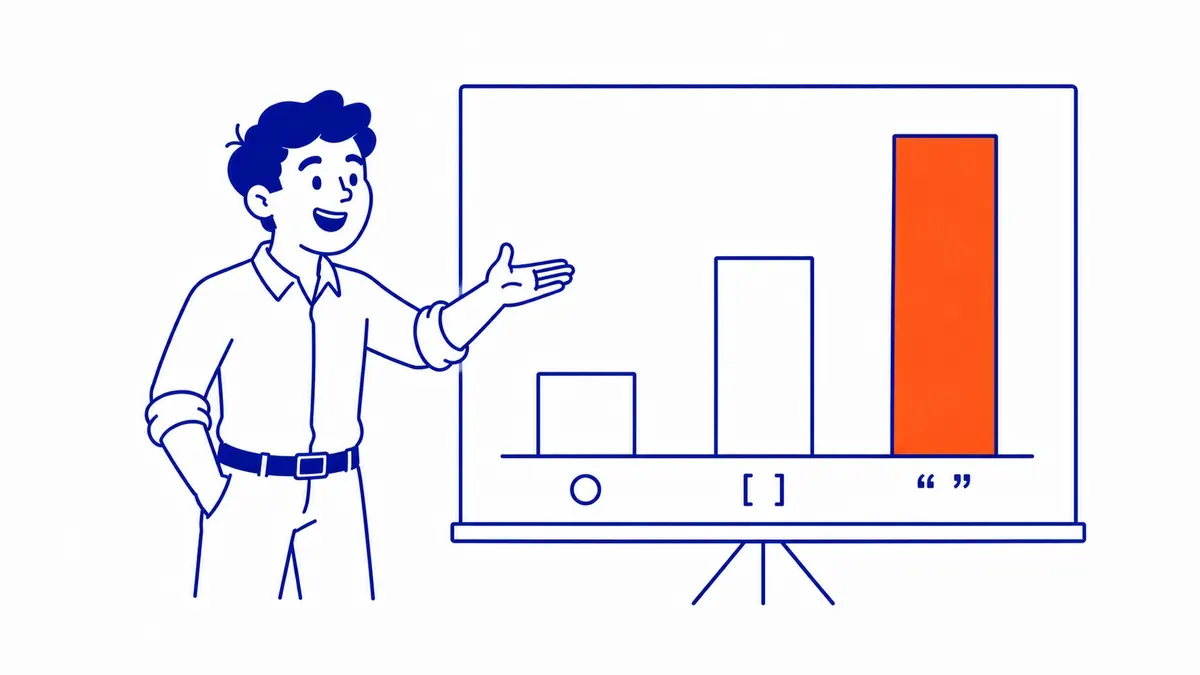
For Search campaigns, negative keywords come in broad, phrase and exact match, and they look like the match types you use on the keywords you bid on. They do not behave the same way, though. Positive keywords can match close variants and related meanings, while negative keywords match only the words you actually entered. If you have read about how the same three match types work on the keywords you bid on, set that model aside here. The table uses Google’s own example, the negative “running shoes”.
| Search | Negative broad: running shoes | Negative phrase: “running shoes” | Negative exact: [running shoes] |
|---|---|---|---|
| running shoes | Blocked | Blocked | Blocked |
| blue running shoes | Blocked | Blocked | Ad can show |
| shoes running | Blocked | Ad can show | Ad can show |
| running shoe | Ad can show | Ad can show | Ad can show |
| blue tennis shoes | Ad can show | Ad can show | Ad can show |
Negative broad match is the default when you type a term with no symbols. It blocks a search that contains all of your negative’s words in any order, but not a search that contains only some of them. Negative phrase match, written in quotation marks, blocks a search that contains your words in the same order, even with extra words around them. Negative exact match, written in square brackets, blocks only the search that is exactly your words with nothing added.
For single words, broad and phrase behave the same, so most of the decision is about multi-word negatives. A practical rule is to use broad or phrase for a word that is wrong in any context, such as “jobs”, and keep exact for one specific search you want gone without touching the longer searches around it. A furnace company might use exact match on [furnace] alone, which is too vague to be worth paying for, while still showing for “furnace repair calgary”.
The rules that catch people out
Google documents several details that change how a negative list should be written. The first is that negatives do not match close variants or plurals. Google’s example is that a negative broad “flowers” blocks “red flowers” but not “red flower”, so if the singular and plural of a word both bring in the wrong people, you need both. The same goes for synonyms: blocking “jobs” does not block “careers”.
Casing and misspellings work the other way. Google states that negative keywords automatically account for them, so you do not need to add “Jobs” and “jbos” separately. Very long searches are another edge case. A negative that falls after the 16th word of a search does not block it, so on a long, rambling query your ad can still appear even though the excluded word is in there.
Display and Video campaigns follow different rules again, because Google says negative keywords work differently there than they do for Search. In Display campaigns, a set of negatives is excluded as an exact topic, which means your ad can be kept off a page whose subject is closely related to those terms even when the exact words never appear on it. The reverse can also happen, since Google warns that some places your ad appears may occasionally contain excluded terms, and it considers a maximum of 1,000 negative keywords at the account level for Display and Video ads. If you need tighter control over where those ads run, the content exclusion settings, along with placement and topic exclusions, are worth reviewing alongside your negatives.
Where negative keywords live
You can add negatives at four levels, and the right one depends on how far the block should reach. An ad group negative affects only that ad group, which suits a term that is wrong for one service but fine for the others. A campaign negative covers every ad group in the campaign, and that is where most general exclusions belong. If you want the click-by-click process, the step-by-step guide to adding negative keywords walks through it.
Negative keyword lists sit in the shared library. You build a list once, apply it to as many campaigns as you like, and any term you add later applies everywhere the list is used. Google allows up to 20 lists per account with up to 5,000 negatives in each. A common setup is one list of terms that are wrong for the whole business and a few themed lists, and there is a separate guide to building and applying a negative keyword list.
Account-level negatives are set in the account settings and apply automatically to all eligible Search and Shopping inventory in the relevant campaign types, with a limit of 1,000 terms. Google’s help page notes that account-level negatives can be used with Performance Max, and this level is the place for terms that must never trigger an ad anywhere in the account, such as job searches for a business that is not hiring through ads.
| Level | Reaches | Limit Google documents | Best for |
|---|---|---|---|
| Ad group | One ad group | Not stated on the pages cited | A term wrong for one service only |
| Campaign | Every ad group in the campaign | Not stated on the pages cited | Most general exclusions |
| Negative keyword list | Every campaign you apply it to | 20 lists, 5,000 terms each | Shared themes across campaigns |
| Account level | Eligible Search and Shopping inventory in relevant campaign types | 1,000 terms | Terms that are never wanted |
Whatever the level, check each new negative against your active keywords before you save it. Google’s own instructions warn that a negative overlapping one of your keywords “will cause your ad not to show”.

How to find negative keywords
The main source is the search terms report, found under Insights and reports. A keyword is what you bid on, and a search term is what a person actually typed when your ad showed, so the report shows you the real searches your keywords are matching. Read it with the cost and conversion columns visible, and for each term ask whether that person could plausibly become a customer. Terms that clearly could not are your negatives, and terms that keep converting are candidates for new keywords.
The report has a limit worth knowing. Google lists only search terms “used by a significant number of people“, and it leaves low-volume searches out of the report for privacy reasons, so some of the searches you paid for will never appear in it. That is why a good negative list is partly written before any data exists. Before launch, think through who else uses your words: job seekers, students, do-it-yourselfers, people looking for something used or free, and people searching for a place you do not serve. The Keyword Planner’s related ideas for your main keywords are a useful prompt, because the wrong meanings of a word usually show up there too.
How often to review depends on spend, age and how many new search terms are coming in. As a starting point, look more often at a new campaign or one using broad match, since that is where unfamiliar terms tend to appear, and space the reviews out on a settled campaign running phrase and exact match, adjusting the schedule as you see how quickly useful data builds up. The list never really finishes, because new services, seasons and search habits keep producing new terms.
A starter list for Calgary businesses
The right list depends on the business, so treat these as categories to think through rather than a list to paste in. Some are wrong for nearly every service business, and others depend on what you sell.
- Jobs and training: jobs, careers, hiring, salary, resume, apprenticeship, course, certification. For trades, apprenticeship and training searches usually come from people looking to learn the work rather than hire it, unless training is something you sell.
- Do it yourself: diy, how to, tutorial, yourself. Leave these alone if you sell parts or guides to people who do their own work.
- Free and used: free, used, second hand, Kijiji, Marketplace, if you only sell new or paid work. Be careful with “free”, which is covered in the next section.
- Places you do not serve: for a Calgary service-area business, the names of other cities and towns you do not cover, such as Edmonton, Red Deer or Lethbridge. A person who is physically in Calgary falls inside a Calgary location target whatever town they type, so someone in Calgary searching for a plumber in Red Deer can still see a Calgary ad.
- Wrong meanings of your words: the “wine glasses” problem, which is different for every business and only shows up when you look at your own words closely.
Competitor names and terms such as “reviews” or “complaints” are judgement calls. Some advertisers want those searches and some do not, so decide on purpose rather than adding them by habit.
Common negative keyword mistakes
Over-blocking is an easy mistake to miss, because the searches you lose never show up in a report. A broad negative on “free” blocks “free estimate” and “free quote”, which are searches many Calgary service businesses want, so a business that offers free estimates should add phrases such as “free download” or “for free” instead of the single word. Before saving any one-word negative, ask what good searches contain that word too.
Conflicts are the second mistake. A negative that matches one of your own keywords stops that keyword from showing, and the usual sign is a campaign whose impressions drop sharply after a round of edits. If that happens, the newest negatives are the first thing to check.
The third is forgetting the plural, synonym and spelling gaps covered above. The last is building the list once and never looking again, which matters most on campaigns using broad match, since broad match keywords can reach a wider range of searches and their search terms deserve closer attention.
An illustrative weekly review
This is an illustrative example, not a real account. Picture a Calgary furnace company in its second week, with phrase and broad match keywords around furnace repair and furnace replacement. The search terms report shows “furnace repair calgary” and “furnace not turning on” converting into calls, which are exactly the searches the campaign is for. It also shows “furnace technician apprenticeship alberta”, “used furnace for sale” and “furnace filter sizes” with clicks and no calls.
The review would add “apprenticeship” and “used” as campaign or account negatives, since they are wrong for every service. “Furnace filter sizes” is better handled with a phrase negative such as “filter sizes” than with the single word “filter”, because a customer might search for a furnace filter replacement as part of a service call. It would also check for the plural and synonym gaps, adding “apprenticeships” and “training” while the list is open. Nothing in this review needs a bigger budget, and the next week’s report shows whether the changes held.
Getting negative keywords right
Negative keywords will not fix a weak offer or a landing page that does not convert, but they decide how much of your budget reaches people who could actually buy. Write a starter list before launch, add the plurals and synonyms Google will not add for you, choose the level by how far each block should reach, and read the search terms report on a schedule. SEO Company To-The-TOP! is a Calgary-based, Google Ads certified practice working in search since 2007, and the person who reviews your account is the person who does the work. If you would like a second look at your search terms and negatives, or at Google Ads management more generally, call (403) 308-5949.
Contact Calgary SEO Company To-The-TOP!
Questions about anything in this article, or about your own rankings? Talk to a Calgary SEO specialist directly.
Phone: (403) 308-5949
Address: 1509 14 Ave SW, Calgary, AB T3C 0W4
Hours:
Monday to Friday: 10:00 am – 7:00 pm
Saturday: 12:00 pm – 4:00 pm
Sunday: closed