
How to Improve CTR for SEO and Get More Clicks From the Rankings You Have
To improve CTR for SEO, start in Google Search Console: find the pages and queries that earn plenty of impressions but few clicks compared with your other results at similar positions. Then rewrite the title and the opening of the page so they match what those searchers want, give Google a meta description worth using, and make sure the page delivers what the title promises. Change one thing at a time and compare equal periods afterwards, because a single week of data tells you very little. Search Console defines click-through rate (CTR) as clicks divided by impressions, so every step below works on one side of that fraction or the other.
If you want the definition and the arithmetic first, the guide to what click-through rate measures covers it. This page is about raising the number for pages that already rank. It will not lift a page from page five to page one, because a result nobody sees gets no clicks however well it is written, but for pages already in the top ten it is often the quickest traffic gain available.

Find the pages worth fixing in Search Console
Open the Performance report in Google Search Console, select clicks, impressions, CTR and average position, and look at the last three months by page and then by query. Sort by impressions and work down the list. The pages that matter are the ones with real impressions, a position in roughly the top ten, and a CTR well below your other pages at a similar position for a similar kind of query. A page with 15 impressions and no clicks is not a CTR problem yet; it is a page with almost no data, and any change you make will be lost in the noise.
Be careful with the industry CTR curves that many articles quote, the ones that say position one gets a certain percentage and position five another. Google’s help page on how impressions, position and clicks are counted explains why those curves rarely fit your situation. Ads do not occupy a search position, so a “position 1” organic result can sit below several ads. An AI Overview occupies a single position, with every link inside it assigned that position, and a featured snippet typically takes position 1. Average position is also an average of every impression, so a page that shows at position 2 for one query and 40 for another can report a misleading middle value. Comparing a page with your own pages for similar queries is far more useful than comparing it with a chart built from someone else’s data.
Split branded searches from the rest before you judge anything. People searching your business name already intend to click your result, so branded queries carry a high CTR that can hide a weak one on the searches that bring new customers. In the Performance report, a query filter that excludes your brand name gives you the non-branded picture.
| What you see in Search Console | Likely cause | What to check first |
|---|---|---|
| Top-ten position, CTR well below similar pages | The title or snippet does not match the query | The title Google shows and the snippet text for the main query |
| High impressions, average position above 20 | A visibility problem, not a CTR problem | Content and links, not the title |
| Good CTR on branded queries, poor on everything else | Branded demand is hiding a weak result | Non-branded queries on their own |
| CTR fell while position held steady | A change on the results page (ads, a map pack, an AI Overview) or a new title link | Search the query yourself and look at the page |
Rewrite the title for the query
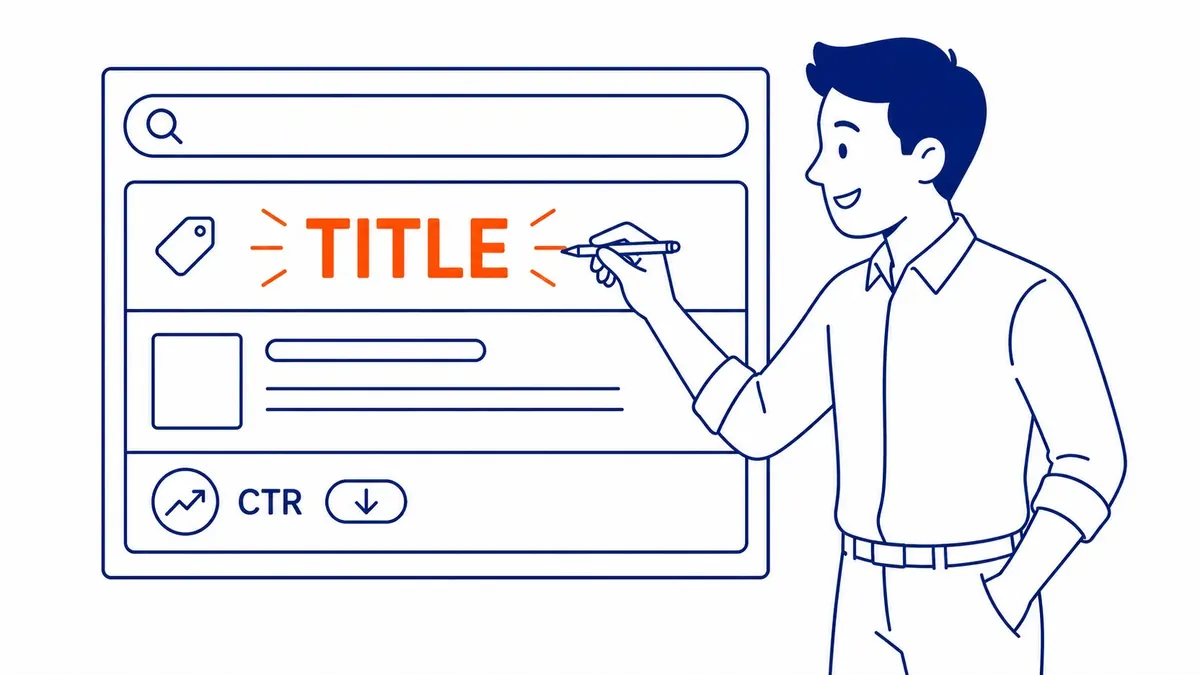
The title tag is usually the biggest single lever, because it becomes the clickable headline in the results. Google’s documentation on title links asks for titles that are descriptive and concise, warns against vague descriptors, keyword stuffing and repeated boilerplate, and suggests branding titles concisely, for example with the site name at the start or end. It also notes that there is no character limit, but that the title link is truncated as needed to fit the device width, so the words that earn the click belong at the front.
Write the title for the query the page actually ranks for, which is often not the phrase you had in mind when you published it. Search Console’s query list for the page shows you the wording people use. Then say plainly what the page gives them. As an illustrative example, a Calgary heating company whose service page is titled “Services | Home | Example Heating Ltd. – Calgary’s Most Trusted Heating Company” could test “Furnace Repair in Calgary: Prices, Response Times and Warranty | Example Heating”, provided the page really covers those three things. The second version names the service, the city and the questions a searcher is weighing, and it drops a superlative that every competitor also uses.
Google does not always use your title. Its title link page lists the sources it draws on, including the title element, the main visible heading, other headings, og:title, prominent text on the page and anchor text from links to the page, and it describes the common reasons for replacing a title: half-empty titles, obsolete dates, titles that do not reflect the content, and repeated boilerplate. If the title shown in the results is not the one you wrote, the fix is usually to make the title element and the H1 tell the same story. Google also says it has to recrawl and reprocess a page to notice these changes, which can take a few days to a few weeks.
Fix the snippet, not only the meta description
Many CTR guides treat the meta description as the second lever, and it matters, but Google’s snippet documentation is clear that snippets are primarily created from the page content itself. Google uses the meta description only when it gives a more accurate description of the page than text taken from the page, and it may show different snippets for different searches. That means the opening paragraph of the page is part of your CTR work. If the first lines are a slow preamble, that preamble can become the snippet.
Write a description for every important page that summarizes it accurately and gives a reason to click: the answer in brief, what the page covers, or the details a searcher will compare, such as service area or hours. Google’s guidance asks for unique descriptions for each page and notes that descriptions made of long strings of keywords are less likely to be shown. There is no length limit in Google’s documentation, but the snippet is truncated to fit the device, so keep the useful part early. The site’s guide to writing meta descriptions goes into wording and examples.

Rich results and result details that still show in 2026
Structured data is often sold as a CTR shortcut, and much of that advice is now out of date. According to its documentation updates log, Google added a deprecation notice to its FAQ rich result documentation saying the feature would no longer appear in Google Search from May 7, 2026, and in June 2026 it removed the documentation because the feature is no longer shown. How-to rich results were retired earlier. Adding FAQPage markup to a service page in the hope of expanding dropdowns under your listing will not do anything today.
Review stars have their own limits. Google’s review snippet documentation excludes self-serving reviews for LocalBusiness and Organization types, so a business cannot mark up the testimonials on its own site and expect stars to appear. Markup that still matters depends on the page type, for example product, recipe or event data where it genuinely applies, plus the Article and breadcrumb data most WordPress SEO plugins already add.
Some smaller details are easy to miss. Google shows a favicon beside results, and its favicon guidelines ask for a square icon of at least 8×8 pixels, preferably larger than 48×48, that Googlebot can crawl. Google also shows a site name and sometimes a date, and its guidance on byline dates asks for a visible “Published” or “Last updated” date that matches the structured data. A blurry favicon, a site name Google could not work out, or a date from 2021 on a guide about this year’s rules can all make a result look less trustworthy next to its neighbours.
Local results, ads and AI Overviews
Before rewriting anything, search the query yourself from Calgary, on a phone as well as a computer, and look at what sits above your result. For local service searches such as “plumber Calgary” or “dentist near me”, the map pack often appears before the first organic result, and many searchers choose a business there without scrolling further. Google’s Business Profile help says local results are based mainly on relevance, distance and popularity. For a local business, improving CTR therefore includes the profile: an accurate category, current hours, real photos and steady reviews, because that listing is often the result people actually click.
AI Overviews change the picture for informational queries. When an AI Overview answers the question at the top of the page, fewer people may need to click at all, and Search Console counts any links inside it as a single position. A falling CTR at a steady position on a “what is” or “how to” query can be a change in the results page rather than a weakness in your listing. In that case the better response is to make the page worth visiting for the detail an overview cannot give, such as worked examples, local specifics and decision rules.
Paid results matter too. If competitors bid on your best queries, their ads push your organic listing down without changing its reported position, and your own ads can take clicks that would otherwise have gone to the organic result. Paid CTR is a separate metric with its own benchmarks, which the guide to click-through rate on paid ads covers. If you run a Google Ads campaign on the same terms, look at paid and organic clicks together before concluding that organic CTR has dropped.

Keep the promise the title makes
A title that wins the click but leads to a page that does not deliver is a poor trade. Google’s How Search Works page on ranking says it uses aggregated and anonymized interaction data to assess whether search results are relevant to queries, turning that data into signals for its machine-learned systems. Google does not say that a single page’s CTR moves its ranking, and the debate about how much clicks matter is not settled. The practical conclusion holds either way: write titles the page can back up, because a result that disappoints people is unlikely to keep its place.
That rules out most clickbait. “The one trick Calgary agencies won’t tell you” may earn a few extra clicks, but if the page is a standard checklist the visitor leaves disappointed, and nothing has been gained. Match the page type to the query as well. A searcher who types “how to” wants steps, a searcher who types “cost” wants a number or a range, and a searcher who types a service and a city usually wants a business they can call. In practice, services that sell clicks or bot visits to “boost CTR” buy noise in your reports and do nothing for the customers you are trying to reach.
Test one change at a time
CTR work only pays if you can tell what worked. Record the date of each change, change one element per page (the title, or the description, or the opening paragraph), and wait until Google has recrawled the page and shows the new title before you start counting. Then compare two windows of equal length that cover the same days of the week, and check that the query mix has not shifted, because a page that starts appearing for a new, broader query can see its CTR fall even when the rewrite worked.
Here is an illustrative example with round numbers, not client data. A page averages position 3.8 over 28 days, with 1,200 impressions and 14 clicks, a CTR of about 1.2%, while the site’s other pages at similar positions on similar queries earn about 4%. The title is rewritten to match the main query, and after the new title appears in the results the next 28 days show 1,150 impressions and 41 clicks, about 3.6%, at a similar position. With impressions and position stable, the title is the likely cause of the change. With only 100 impressions in each window, the same percentages would rest on a handful of clicks and would prove very little.
Watch for seasonal swings, which are strong in Calgary. A furnace repair page compared from October to December, or a landscaping page from March to May, will show changes in demand that have nothing to do with your title. Comparing the same period a year earlier, or comparing the changed page with a similar page you left alone, helps separate the two. A change that does not help after a fair test can simply be reversed.
Putting it together
Improving CTR for SEO comes down to a short routine: find pages with real impressions and weak clicks in Search Console, look at the live results page to see what is competing for attention, rewrite the title and the opening so Google has something accurate and appealing to show, keep the page’s promise, and measure the change over a fair window. It costs far less than earning new rankings, and the gains carry over to every query the page already ranks for.
SEO Company To-The-TOP! has worked with Calgary businesses on SEO since 2007, and the person who reviews your Search Console data is the person who does the work. If you would like a second opinion on your titles, snippets and the pages that are losing clicks, the SEO for a Calgary business page explains how To-The-TOP! works, or call (403) 308-5949.
Contact Calgary SEO Company To-The-TOP!
Questions about anything in this article, or about your own rankings? Talk to a Calgary SEO specialist directly.
Phone: (403) 308-5949
Address: 1509 14 Ave SW, Calgary, AB T3C 0W4
Hours:
Monday to Friday: 10:00 am – 7:00 pm
Saturday: 12:00 pm – 4:00 pm
Sunday: closed