
How to Improve SEO for SaaS Companies
If you are working out how to improve SEO for SaaS companies, work in this order: measure the accounts that pay rather than the trials, build a keyword map around how software buyers search, weigh each keyword against what a signup costs you to serve, publish the comparison, integration and use-case pages buyers look for, fix the technical gaps that apps tend to create, make your documentation searchable, and earn links with things only your product can produce. Most guides give a similar list. The difference in results usually comes from the first and third steps, because a software company can win traffic that costs it money.

This guide takes each step in turn, with the checks a practitioner would run and the mistakes that are common on software sites. If you want the background first, this page explains what SaaS SEO is and why it differs from local service SEO. Everything below assumes the product exists, has a marketing site, and offers some kind of trial, freemium plan or demo.
Start by measuring the accounts that pay
Most SaaS SEO reports count sessions, rankings and signups, and stop there. That is a problem, because a signup is not revenue and organic visitors can sign up in large numbers without ever becoming customers. Before changing a single page, decide which event in your product best predicts payment. For a self-serve tool it might be a user who completes setup and invites a colleague, for a sales-led product it is usually a booked demo, and for any product it can simply be the first paid invoice.

Then make that event visible next to the landing page that started the visit. In Google Analytics 4 the events you mark as most important to your business are called key events, and Google Analytics Help explains how to mark an event as one. If the event that matters happens inside the app or in your billing system rather than on the marketing site, connect it through your product analytics or CRM so that, where the data allows, each paying account can be traced back to its first organic landing page. That link between landing page and paying account is what makes every later decision in this guide possible.
Once the data exists, report three columns per landing page: organic sessions, trials or demos, and qualified or paying accounts. A page with modest traffic and a steady flow of paying accounts is worth more attention than a page that tops the traffic chart and converts nobody. Without those columns, SEO work on a software site tends to drift toward whatever grows fastest, which is rarely what pays.
Build the keyword map around the buyer
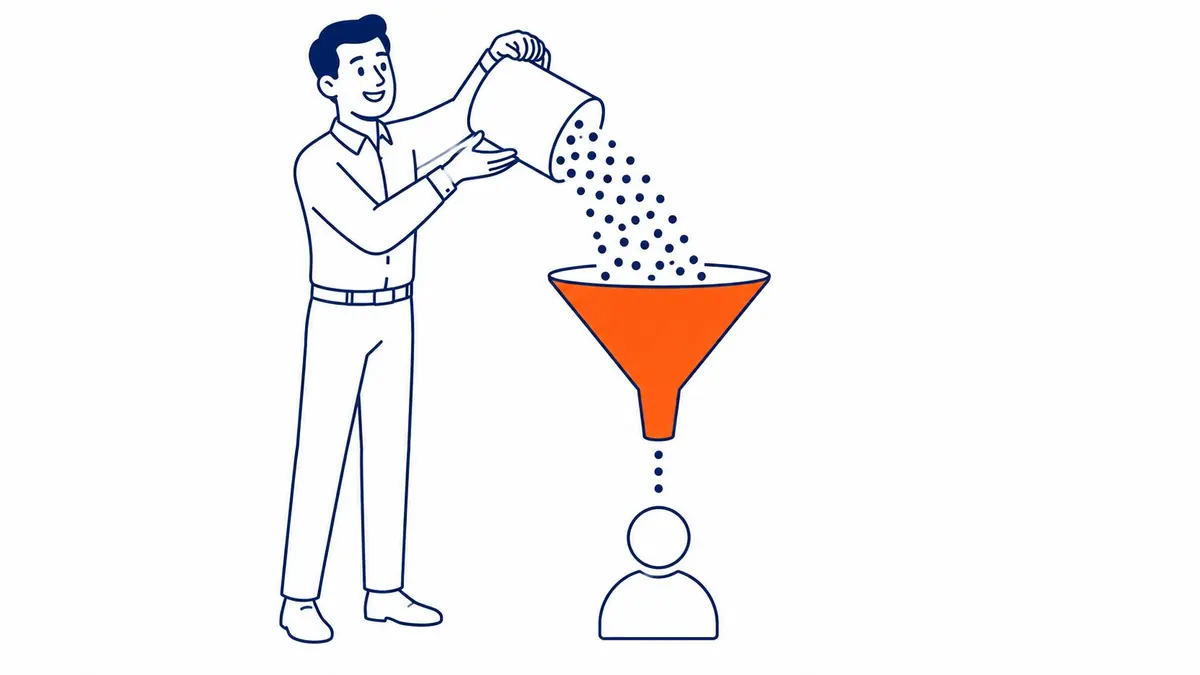
Software buyers search in recognizable stages, and each stage needs a different kind of page. Good keyword research for a SaaS company starts by listing the problems the product solves, the category name buyers use for it, the competitors you lose deals to, the tools it connects with and the industries that use it. Search volume matters, but it comes after fit. A phrase with a few dozen searches a month from people who are ready to compare vendors can be worth more than a phrase with thousands of searches from students.
The table below is an illustrative map for an imaginary scheduling tool. The keywords are examples of each type, not researched volumes.
| Buyer stage | Example search | Page that fits |
|---|---|---|
| Problem aware | how to stop double-booking staff | Practical guide that solves the problem, with the product as one option |
| Category | employee scheduling software | Category page or feature overview |
| Comparison | [your product] vs [competitor] | Fair comparison page with a table |
| Alternatives | [competitor] alternatives | Alternatives page that names several options, including yours |
| Integration | scheduling app that syncs with [payroll tool] | Integration page with setup steps |
| Use case or industry | scheduling software for dental clinics | Use-case page with industry details |
| Brand and pricing | [your product] pricing | Pricing page that states the plans clearly |
Map each keyword to one page, and only one, so that two of your own pages are not competing for the same search. Where a keyword does not fit any page you would want a buyer to land on, leave it off the list.
Weigh each keyword against what a signup costs you
This is the step most SaaS SEO guides leave out. For a plumber or a dentist, a visitor who arrives for the wrong reason costs almost nothing: they read, they leave, and nobody is billed. On a software site, the wrong visitor can start a trial, and a trial is not free. It uses server capacity, triggers onboarding emails, can reach the support inbox and, on a sales-led product, may take a person’s time for a demo or a migration call.

So before chasing a high-volume keyword, ask who is searching it and what happens if they sign up. As an illustrative example, suppose a broad informational keyword brings 400 trials a quarter, only four of which become paying accounts, and each trial costs about $15 in support and infrastructure to serve. That keyword costs roughly $6,000 a quarter in service costs before you count the content, and those four accounts have to cover it. A narrower keyword bringing 40 trials and the same four paying accounts may be the better result even though the report shows less traffic.
The size of that cost is a fact about your product, not about SaaS in general. A fully self-serve product where nobody touches a new account may find that one extra signup costs close to nothing, and then volume really is good news. The calculation matters most where a person has to touch every new account. Your own trial data from last quarter will tell you which kind of product you run, and no industry average can answer that for you.
Publish the pages software buyers look for
Once the keyword map exists, the pages that tend to matter most on a SaaS site are the ones close to a buying decision. Comparison and alternatives pages are searched by people who already know the category and are choosing between vendors. They work when they are fair: a clear table, the cases where the competitor is the better choice, and dated information that you keep current. Readers recognize a one-sided page quickly, and Google’s guidance on helpful content asks whether a page provides substantial value compared with other pages in the results, which a sales sheet dressed as a comparison rarely does.

Integration pages are the second group. Every tool your product connects with is a search someone may run, usually phrased as the two product names together, and a page that explains what the integration does, who it suits and how to set it up answers that search better than a logo in a grid. Use-case and industry pages follow the same logic for the way buyers describe their own situation. A pricing page that states the plans plainly is part of SEO too, because “[product] pricing” is a search many buyers run before they talk to sales, and a page that hides the numbers sends that searcher to a review site instead.
Problem-aware guides sit at the top of the map. They can bring a lot of traffic, so this is where the cost-to-serve test from the previous section matters most. Write the guides that your best customers would have searched before they found you, and be selective about the rest.
Fix the technical gaps that apps tend to create
Software sites share a set of technical problems that brochure sites rarely have, mostly because the marketing site, the app, the documentation and the blog are often built on different systems by different teams. The checklist below covers the common ones.

The largest is JavaScript. Google’s “Understand JavaScript SEO Basics” page describes crawling, rendering and indexing as separate phases and says Googlebot queues pages for both crawling and rendering, which means content that only appears after JavaScript runs can be seen later than content in the served HTML. The same page says server-side or pre-rendering is “still a great idea” because it makes the site faster for users and crawlers, and because not all bots can run JavaScript. Google also documents the older practice of serving a separate pre-rendered version only to bots, and calls it “a workaround and not a recommended solution”. If your marketing pages are built as a single-page app, compare the served HTML with the rendered page in Search Console’s URL Inspection tool, and read this explainer on JavaScript problems in SEO before deciding what to change.
| Check | What goes wrong on SaaS sites | What to do |
|---|---|---|
| Rendering | Marketing pages built as a single-page app show little content in the served HTML | Render on the server or pre-render public pages; check with URL Inspection |
| Subdomains | Marketing site, app, docs and blog sit on separate subdomains with separate settings | Make sure public pages are crawlable and linked from the main site; keep app screens out of the index |
| Staging and test copies | A staging site or preview deploys get indexed alongside the real site | Protect staging with a login, not only a robots.txt rule |
| Duplicates | Tracking parameters, plan selectors and localized copies create several URLs for one page | Set a canonical URL as Google’s canonicalization guide describes |
| Login walls | Help content that buyers search for sits behind a login | Make public answers public; keep account-specific content private |
Make the documentation work for search
Documentation and help centres can be among the busiest parts of a software site and are often the least looked after. They answer exact questions that buyers and users search, such as how to connect one tool to another or how to export a report, and a well-organized docs section can attract searches that no blog post would. The common failure is structural: docs hosted on a separate platform with its own templates, generic page titles like “Article 1043”, no internal links back to the product pages, and old versions of the same page left live.

Treat the docs like any other section of the site. Give each article a descriptive title and heading that match how people ask the question, link the most-read articles to the relevant feature or integration page, and retire or redirect superseded versions so that one current page answers each question. Ask your support team which questions arrive most often, because those are usually the searches worth answering in public.
Earn links with things only your product can produce
Links still help a page compete, and the SERP for most SaaS topics is crowded with high-authority sites. The links that last tend to come from material other people want to cite: original data that your product generates (with customer consent and properly anonymized), free tools or templates related to the problem you solve, integration partners who list you in their own directories because the integration is real, and clear answers that journalists and bloggers can quote. Customer stories help too, as long as the customer agrees to be named and the results are real.

Avoid shortcuts. Google’s spam policies list buying or selling links for ranking purposes, excessive link exchanges, and links with optimized anchor text placed in guest posts or press releases on other sites as examples of link spam. A software company that buys a batch of links can lose more than it gains, because Google treats those arrangements as link spam and can rank affected pages lower or apply a manual action, and a paid placement that is a genuine advertisement should carry rel=”sponsored” or rel=”nofollow”.
What changes for a Canadian SaaS company
Most SaaS SEO guides are written for American companies, and a few details change for a software business in Calgary, Edmonton, Vancouver or anywhere else in Canada. Check whether your buyers search for pricing in Canadian dollars; if they do, a pricing page that shows only American dollars, or that leaves the currency unstated, can lose them to a competitor that answers the question directly. Buyers in regulated or public-sector work often ask where data is stored and how it is handled, so a clear, public page on data residency and privacy can answer searches that a security PDF behind a form cannot.

If the product sells into Quebec, French-language pages are worth checking for real search demand rather than assuming either way. Translate the pages that matter to buyers, such as the product, pricing and key integration pages, rather than every blog post, and give each language its own URL, connecting the English and French versions with reciprocal hreflang annotations. None of this replaces the steps above. It simply means that the keyword research should include how Canadian buyers phrase the question, which is not always how a guide written in another country assumes they do.
How long it takes and how to report it
SEO for a software company takes months, and the order of results is usually traffic first, trials next and paying accounts last, because buyers often visit several times before they commit. That gap makes the middle of the work hard to read, which is one more reason to set up the three-column report before anything else. Nobody can promise a fixed timeline for SEO results, so be wary of anyone who quotes one.
If the product needs signups sooner than organic search can deliver them, paid search can run alongside the SEO work while the pages are built. The same keyword map and the same cost-to-serve test apply, and a Google Ads management campaign aimed tightly at comparison, integration and brand-plus-pricing searches, with negative keywords and regular search-term reviews, is often a quicker way to see which searches bring paying accounts than waiting for rankings, although paid results will not predict organic rankings exactly.
Getting help with SaaS SEO
Many software companies handle the content in-house and bring in outside help for the keyword map, the technical review and the measurement. If you are deciding between options, this guide on what to look for in a SaaS SEO agency covers the questions worth asking, including whether the agency reports on paying accounts or only on traffic.
SEO Company To-The-TOP! has worked in search engine optimization since 2007 as a Calgary-based solo practice, so one person does all the client work, with White Hat methods only and monthly position reporting. Its public portfolio lists keywords that have ranked. If you would like a second opinion on your keyword map or your technical setup, call (403) 308-5949 to talk it through.
Contact Calgary SEO Company To-The-TOP!
Questions about anything in this article, or about your own rankings? Talk to a Calgary SEO specialist directly.
Phone: (403) 308-5949
Address: 1509 14 Ave SW, Calgary, AB T3C 0W4
Hours:
Monday to Friday: 10:00 am – 7:00 pm
Saturday: 12:00 pm – 4:00 pm
Sunday: closed