
How to Track PPC Campaign Performance: Trust the Data, Then Watch It on a Routine
To track PPC campaign performance, start by confirming that your conversion tracking records real enquiries and sales, because every useful number depends on it. Then judge each campaign mainly on conversions and cost per conversion, measured against what a customer is worth to you, and treat clicks, click-through rate and Quality Score as clues to why those numbers move. Finally, check the account on a fixed routine: a quick look at spend and conversions most days, a weekly review of search terms and ads, and a monthly review that ties Google’s figures to booked work. The sections below cover each step for a Google Ads account.

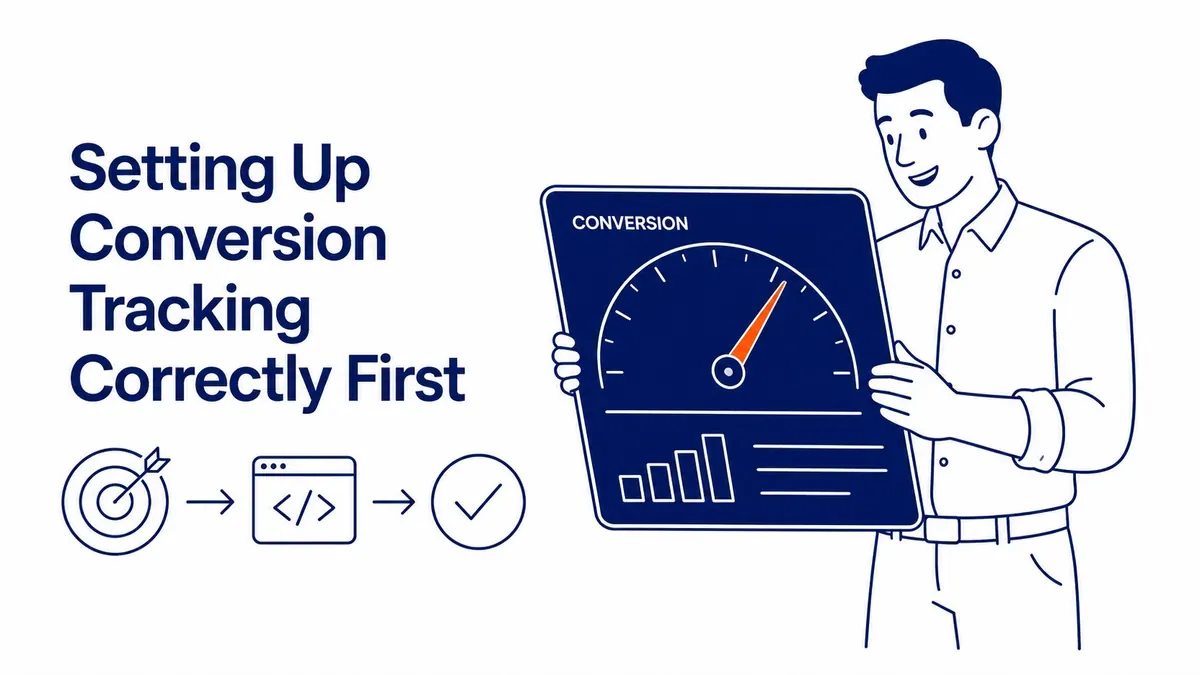
Make the data trustworthy before you read it
Many tracking problems are not analysis problems at all. A campaign looks wonderful or terrible because the conversion count is wrong, and nobody checked before acting on it. Google’s own guidance is to confirm that the tags are correctly implemented, using Google Tag Assistant, and to look at the status of each conversion action under Summary in the Goals menu. Google notes that an “Unverified” or “Inactive” status is normal for a new tag and changes to “Active” only after Google Ads records its first conversion or a successful test event, so a status that never changes is your first warning.
Next, look at what is being counted. The “Conversions” column counts only primary conversion actions in the goals a campaign optimises toward, and it is the column Smart Bidding works from, so a page view or a newsletter sign-up set as primary in one of those goals will inflate it and steer your bids toward the wrong people. If you use Google Analytics, conversions now come from GA4 key events imported into Google Ads, since the old Analytics goals no longer exist. Submit a test enquiry yourself and confirm it arrives, then check that your conversion tracking is working properly before you trust a month of reports. Phone calls deserve the same attention, since a service business that takes most of its work by phone and tracks only forms will undercount every campaign.
The numbers that matter, and the ones that explain them
Once the data is sound, a short list of metrics does most of the work. The first group tells you whether the campaign is paying off. The second group helps you find out why, and none of them should be read on its own.
| Metric | What it tells you | How to read it |
|---|---|---|
| Conversions | How many valuable actions the ads produced | The main outcome; only as good as the tracking behind it |
| Cost per conversion | What each of those actions cost | Compare it with what a customer is worth, not with another business’s figure |
| Conversion rate | Conversions divided by ad interactions | A drop with steady clicks points at the landing page, the offer or the tracking |
| Clicks and click-through rate | Whether people who see the ad choose it | A low rate usually means the ad or keyword does not match the search |
| Cost per click | The price of each visit | Useful for budgeting, but a low-priced click that never converts costs more than it saves |
| Impression share | How often you showed when you were eligible | Tells you whether budget or Ad Rank is holding you back |
In the Campaigns view, add the Cost, Conversions, Cost / conv., Conv. rate, Conv. value / cost, Search impr. share, Search lost IS (budget) and Search lost IS (rank) columns, and use the date range comparison to set two complete periods side by side.
Google defines conversion rate as conversions divided by ad interactions, which for a search campaign is mostly clicks, so a rate built from sessions in another tool will not match. Be wary of industry benchmarks for click-through or conversion rate. They mix industries, countries and campaign types, and a Calgary trades business has more to learn from its own last three months than from a global average.

Cost per conversion, value and return
Cost per conversion only means something next to the value of a conversion. A $90 cost per lead is expensive for a business whose average job is worth $150 and a bargain for one whose average job is worth $8,000, so work out what a new customer is worth before deciding whether a campaign is doing well. If your conversion actions carry values, Google Ads can report conversion value and return on ad spend directly, which lets you compare campaigns that chase different goals on the same scale.
For most local service businesses, a lead is not yet a sale, and a tidy cost per lead in Google Ads hides how many of those leads turned into paying work. That is why the monthly review further down ties leads to booked jobs. Remember too that ad spend is only part of the cost. Management fees, tools and the time spent answering enquiries all come out of the same margin, so set your target cost per conversion with the whole bill in mind. For the arithmetic, see how to calculate PPC return on investment once the counts are reliable.

Where Quality Score and impression share fit
Quality Score is often treated as a target, but Google describes it differently. Its help page calls Quality Score “a diagnostic tool”, says it “is not an input in the ad auction”, and adds that it “is not a key performance indicator and should not be optimized or aggregated with the rest of your data”. Its three parts, expected click-through rate, ad relevance and landing page experience, are worth reading at the keyword level because a “Below average” rating tells you where to look: the ad text, the match between keyword and ad, or the page people land on. What decides each auction is Ad Rank, which Google calculates from your bid, the quality of your ads and landing page measured at auction time, and several other factors, so improve the ad and the page for the searcher and let the diagnostic follow.
Impression share answers a different question: how often did your ads show out of the times they were eligible to? Google splits the missed share into Search lost IS (budget), the share lost because the budget ran out, and Search lost IS (rank), the share lost because of Ad Rank. A campaign losing mostly to budget may deserve more money if its cost per conversion is healthy. A campaign losing mostly to rank needs better ads, better landing pages or a different bid, and more budget alone will not fix it. Google reports the budget figure at campaign level only, so check it there.

Reading the right period: conversion lag, time zone and learning
Three timing details catch out almost everyone who tracks their own account. The first is conversion lag, because Google states that the primary conversion columns are calculated based on the time of the click, not the time of the conversion, so someone who clicks today and calls next week adds a conversion to today, not to next week. When customers take a while to convert, the last few days of a report will therefore look worse than they finally turn out, and comparing “the last seven days” with “the previous seven days” quietly penalises the recent week. Compare complete periods that ended at least a week or two ago, or allow for the lag your own customers show. When you match Google Ads against a CRM or call log, Google suggests the “All conv. (by conv. time)” column, which reports conversions by when they happened.
The second is the account time zone. Google says it determines how your data is recorded, and that time zone changes are no longer supported in standard accounts, so the only fix is a new account. An account opened on Toronto or Vancouver time reports Calgary’s days on that clock, which matters when you compare Google Ads with a booking system. The third is the “Learning” status, which Google shows after major changes such as a new or reactivated bid strategy or adding and removing campaigns from it, but not after budget, target or targeting changes. Google says it lasts no more than seven days while your ads continue to run as normal, although performance can take a full conversion cycle to settle, so a week of wobbly figures after a major change is expected rather than a reason to change everything back.
A monitoring routine that fits a small account
PPC monitoring works best as a habit with a fixed shape, so problems are caught early without anyone reacting to every daily swing. The routine below is a practitioner’s rule of thumb rather than a Google requirement, and it scales down well to a small account with a modest budget.
- Most days: confirm spend is in line with the daily budget, that conversions are still arriving, and that no campaign or ad has been disapproved or paused. Google Ads can do part of this for you: automated rules, under Rules in the Tools menu, can send an email when a condition you set is met, such as spend passing a limit or conversions falling to zero.
- Weekly: read the search terms report to see the searches that triggered your ads (Google leaves out low-volume terms for privacy), add negatives for the irrelevant ones, and look at ads and keywords that have spent well past your target cost per conversion without converting, over a period long enough to cover your usual conversion delay.
- Monthly: compare full months (or full four-week periods) for conversions, cost per conversion and impression share, reconcile tracked leads with booked jobs, and decide where budget should move. Once or twice a year, or when you inherit an account, step back for a full PPC audit of structure, settings and tracking.
Whenever results jump or fall, open change history before you change anything else. Google’s change history lists the changes made to the account, campaigns and ad groups over the past two years, including who made them, which makes it far easier to tie a shift in performance to a cause. Changing one thing at a time, and noting the date, makes the next comparison readable.

Comparing campaigns and choosing an attribution model
When an account runs several campaigns, compare them on cost per conversion and conversion value over the same complete period, not on clicks or click-through rate. A brand campaign will usually look cheaper than a campaign chasing new customers, because many people searching your name would have found you anyway, so judge each campaign against its own job. Segmenting by device and location within a campaign is often more revealing than comparing whole campaigns, since a single blended figure can hide a mobile problem or an area that never converts.
Attribution decides which click gets credit when a customer clicks more than one of your ads before converting. Google’s documentation now says the first click, linear, time decay and position-based models are no longer supported, and conversion actions that used them were upgraded to data-driven attribution. That leaves two choices: data-driven, which Google describes as the default for most conversion actions and which uses your account’s data to share credit across the path, and last click, which is still supported and gives all the credit to the final click. Whichever you choose, keep it consistent when comparing periods, because switching models changes the numbers without changing anything real.

Connect conversions to booked work
Google Ads can tell you that a form was submitted or a call lasted long enough to count. It cannot tell you, unaided, whether that enquiry became a job. For a service business, closing that gap is the single most useful tracking improvement after getting conversions right, and it can be as simple as recording in your CRM or a spreadsheet which leads came from Google Ads and which of them booked. Google also offers enhanced conversions for leads, which it describes as a way to measure sales that happen off the website from website leads, so that, once the website data collection and an offline conversion import or CRM connection are set up, qualified leads or closed sales can be matched back to the ads that produced them.

Here is an illustrative example, with made-up figures and no client data. A Calgary plumbing company spends $1,500 in a month and Google Ads reports 40 conversions, a cost per conversion of $37.50. Its own log shows that 10 of those enquiries became booked jobs, so the cost per booked job is $150. If an average job brings in $600 of revenue, the month produced $6,000 in revenue from $1,500 in ad spend, before the cost of the work itself and any management fee are taken into account. Two campaigns with the same $37.50 cost per conversion can look identical in Google Ads and very different in that log, which is why the monthly review should always include it.

Tracking that leads to decisions
Good PPC tracking is less about the number of reports and more about trusting the few that matter. Verify the conversion data, judge campaigns on conversions and cost per conversion against what a customer is worth, read complete periods, check on a routine, and tie leads to booked work every month. Done that way, the decision about where the next dollar goes rests on evidence rather than on whichever metric looks best this week.
SEO Company To-The-TOP! has worked in Calgary search since 2007, and its Google Ads management is run by a solo, Google Ads certified practitioner, so the person who reads your numbers is the person who builds the campaigns. With any provider, To-The-TOP! included, ask for the management fee and the ad spend as two separate numbers before you compare offers. If you would like a second opinion on how your account is tracked, call To-The-TOP! at (403) 308-5949.
Sources: Google Ads Help, About conversion measurement; Understand your conversion tracking data; Troubleshoot your conversion tracking status; Create conversions from Google Analytics events in Google Ads; Conversion rate: Definition; About Quality Score for Search campaigns; Get impression share data; About your Google Ads time zone setting; About Smart Bidding learning; About change history; Set up automated rules; About the search terms report; About attribution models; About enhanced conversions (all checked 2026-11-06).
Contact Calgary SEO Company To-The-TOP!
Questions about anything in this article, or about your own rankings? Talk to a Calgary SEO specialist directly.
Phone: (403) 308-5949
Address: 1509 14 Ave SW, Calgary, AB T3C 0W4
Hours:
Monday to Friday: 10:00 am – 7:00 pm
Saturday: 12:00 pm – 4:00 pm
Sunday: closed