
How to Use a Headless CMS for SEO Optimization
The standard answer is a checklist. Model your meta fields. Render the pages on the server. Generate a sitemap. Watch your load times.
All of it sound. Most of it covered properly elsewhere here, so none gets repeated. The rendering question has its own page. What almost nobody asks is the question underneath it. Where do those fields come from?
What This Page Leaves Alone

No setup walkthrough. Nothing about which product to buy, nor whether headless suits your business.
A Headless CMS Stores Records, Never Pages

Open an ordinary CMS and the thing in front of you is a page. Everything about it sits on one screen. The words. A title. The address it will live at.
That software knows what a page is. So it knows what a page owes a reader.
Then open a headless one. What sits there is a record. An article with a headline and a body. A service with a name and a price beside it.
Nothing on that screen is a page. Rather it is a set of fields, handed out to whatever comes asking. Something else builds the page. Even a link between two records is a reference until the front end decides to draw one.
So a Headless CMS Has No View About SEO

Nothing is broken there. Only notice what has gone.
A traditional CMS ships with a view about what a page needs. Somebody there decided a page wants a title, then built a box for one. That box was there before you arrived.
A headless CMS carries no such view of its own. It was made to hold whatever you tell it to hold. So it has no opinion about SEO for the same reason it holds none about your logo. Nobody ever asked it about pages.
Every SEO Field Is One Somebody Invented

Which leads somewhere the checklists step over.
In a headless build, a meta description exists for one reason. Somebody added it. A developer sat down with the content model and typed a field onto the article type.
No plugin prompted that. Nothing nagged anybody. There was no traffic light, and no default already sitting there.
Same story for the title. Whatever your search result ends up showing got there the same way.
Every one of them is a decision. Taken once, by a person, in advance.
The Model Gets Drawn Before a Single Page Exists

Now ask when that decision happens.
A content model gets drawn near the start of a build. Somebody lists what the interface has to display, then turns that list into fields. It is among the earliest jobs on the project.
Picture the room on that day. No pages exist yet. Nothing ranks for anything. Often no writer has been hired.
So the fields deciding how your business appears in search come off a list of what the app needs. Search seldom makes that list. Nobody left it off deliberately. It had nothing to say yet.
Somebody Will Point at the SEO Plugin

Plenty of headless products offer one. A field group you can install, or a starter model with the boxes already in place.
Fair enough. Then look at what installing one is.
Somebody chose it. Picked that template, on the day the model got drawn, out of guesses about businesses in general.
That is this argument with a nicer interface. The surface still got designed. Only quicker.
Somebody Will Point at the Framework
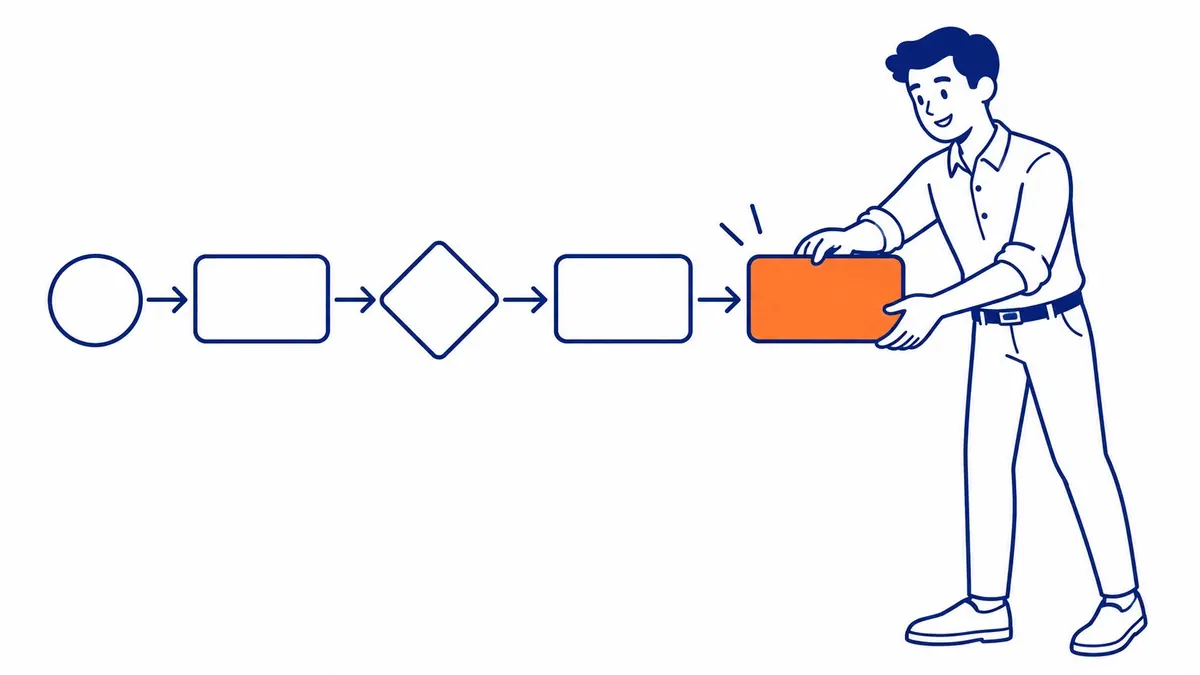
Modern front ends handle metadata well. A developer can set a title in code without touching the content model.
True. Then read where that puts the title.
It lives in a repository now. Whoever writes your service page writes the words in one system. Meanwhile the sentence a stranger reads in the results sits somewhere the writer may never open.
An Empty Box Asks to Be Filled. A Missing One Asks Nothing.

Here is the part that stays quiet for years.
In an ordinary CMS, a description nobody wrote is an empty box. It sits there blank, in front of whoever is publishing. Empty things ask to be filled.
A field nobody modelled is no box at all. Nothing is blank anywhere. That editor screen is complete and correct.
So the absent half leaves no gap to notice. Nobody skipped it. There was never anything there to skip.
What a Headless CMS Hands Back

Now the half running your way. Bigger than the warning.
Nothing is assumed here. Which also means nothing gets imposed.
A traditional CMS hands you a title field shaped by somebody else’s idea of one. Then a plugin scores you against rules nobody at your company wrote. You work inside a shape you inherited.
A headless build carries none of that. What you get is the fields you drew. Where somebody did think about it, the fit beats anything a plugin offers. A plugin was written for everybody.
So it is the one setup where your search surface gets designed rather than inherited. Worth a great deal, that. It only asks somebody to do the designing.
Where the Headless CMS Argument Stops

None of this says a headless build ranks worse. What produced a page is not something search engines hold against it.
Nor is any of it about rendering. That question is real, with answers on another page here.
This claim is narrower than it sounds. Your search surface is whatever somebody modelled. Nothing in the software will ever mention what got left out.
Read Your Own Content Model

Take one page you care about. Then write down what a search result shows about it. The title. That line underneath. The address.
Now open the content model and find where each one comes from.
Should all three trace back to a field somebody can edit, your build was drawn by people who thought about this. Go and worry about something else.
Should one turn out to be generated off the headline, you have found the thing this page is about. Same for anything fixed where nobody in marketing can reach it. That got settled years ago, by somebody solving a different problem.
No statistic about other people’s builds tells you which of those you hold. Yours is one screen away.
Headless Builds and Businesses Across Calgary

That content model turns up often enough at SEO Company To-The-TOP!, drawn by a developer who has moved on. Nobody did anything wrong. The fields simply answer a question nobody was asking that month.
Often the first useful hour goes on reading it rather than the pages. Which fields exist. Who can edit each one. What a search result gets built out of.
To-The-TOP! has been doing this work in Calgary since 2007. Search engine optimization on a custom build is the same patient job as anywhere else. No guarantees. Positions move over three to six months.
The portfolio shows the keywords this work has reached. Aim still comes from keyword research. A Google Ads campaign fills the wait for anybody who cannot sit through it.
Common Questions About a Headless CMS and SEO
Is a headless CMS bad for SEO?
No. It carries no penalty by itself. What it carries is fewer assumptions, so more of your search surface rests on decisions taken while building it.
Which SEO fields should a content model include?
At minimum, somewhere to write a title and a description for every type that becomes a page. An address you control helps too. Anything beyond depends on what your pages have to do.
Can you add an SEO field later?
Yes, and usually a small job. The difficulty is rarely the work. It is that nothing prompts anybody to notice the field was never there.
Does a headless build need a developer for SEO changes?
For the model, often. Some products let you add one through an interface instead. Either way it is a change to the model rather than to a page. Which is why the fields worth having get drawn early.
Is WordPress better than a headless CMS for SEO?
WordPress arrives with assumptions about pages already made, which suits plenty of businesses. A headless build makes you supply them. Neither ranks better for being what it is.
Contact Calgary SEO Company To-The-TOP!
Questions about anything in this article, or about your own rankings? Talk to a Calgary SEO specialist directly.
Phone: (403) 308-5949
Address: 1509 14 Ave SW, Calgary, AB T3C 0W4
Hours:
Monday to Friday: 10:00 am – 7:00 pm
Saturday: 12:00 pm – 4:00 pm
Sunday: closed