
What Are SEO Keywords? How They Drive Search Rankings
SEO keywords are the words and phrases people type into a search engine, and the terms you choose to build a page around so that it can appear for those searches. When someone in Calgary types “furnace repair near me” or “what are SEO keywords”, that exact string is a keyword, and Google’s ranking systems then weigh many signals, from the words of the query to the relevance and usability of each page, to decide which results to show. Keywords drive rankings by connecting a person’s question to a page that covers it, which is why choosing them well comes before almost every other part of SEO.
That connection works in two directions. On the searcher’s side, a keyword carries an intent (what the person is trying to do) and a particular way of phrasing it. On the business side, a keyword is a decision about which searches a page should answer, and a poor choice can mean months of work ranking for phrases nobody uses. SEO Company To-The-TOP! is a Calgary SEO practice founded in 2007, and the sections below explain how keywords work, what Google itself says about them, and how to pick ones your site has a real chance with.

What SEO Keywords Actually Are

A keyword is any query a person might type, but an SEO keyword is one you have deliberately decided to target. Someone with a broken furnace types “emergency furnace repair Calgary”, while someone planning ahead types “how long does a furnace last”. Both are keywords, and they call for very different pages, because the first person wants to phone someone today and the second wants an explanation.
Google’s own SEO Starter Guide puts the idea simply: think about the words a user might search for to find your content, and remember that people who know a topic well often use different words from beginners. Its example is that some people search for “charcuterie” while others search for “cheese board”. The job of keyword selection is to find the words your customers use, which are often not the words your business uses internally.
Can SEO keywords be phrases?
Yes, and many of the most useful ones are. A single word such as “plumber” or “SEO” says very little about what the searcher wants, whereas a phrase usually spells out a more specific need. Length alone does not make a keyword valuable, though, since a short local search can come from someone ready to hire and a long question can be purely informational, so what matters is the intent behind it and how well it fits what you offer. Google’s own Keyword Planner accepts keywords of up to 10 words and 80 characters, which shows how normal multi-word keywords are. You will sometimes see “keyphrase” used for a multi-word keyword, as the Yoast plugin does, but in everyday SEO practice the two terms mean the same thing.

How Google Matches Keywords to Pages
Organic traffic is the traffic a site earns from unpaid search results, and keywords are the bridge between what people search and what your pages cover. Google does not rank a page because it repeats a phrase. It tries to work out what the searcher means and which pages answer that best, and the words on the page are one of its main clues. A page that never mentions the subject a person is searching for gives Google little reason to show it, which is why keywords still matter even though exact repetition matters far less than it once did.
Google documents that its “language matching systems are sophisticated and can understand how your page relates to many queries, even if you don’t explicitly use the exact terms in them.” In practice that means a page about furnace repair can rank for “furnace not heating” or “furnace blowing cold air” without stuffing those phrases in, as long as it covers the problems they describe. It is also the reason the long-running debate over whether keywords still matter usually ends in the same place: the keyword tells you what to cover, and covering it well is what earns the ranking.
Several old beliefs about keywords no longer hold, and Google has said so directly. The table below sets out what its documentation states on the points beginners most often ask about.
| Belief | What Google documents | Source |
|---|---|---|
| The meta keywords tag helps rankings | “The meta-keyword tag is not used by Google Search, and it has no effect on indexing and ranking at all.” | Search Central, Meta tags that Google supports |
| Repeating a keyword many times helps | Keyword stuffing, “filling a web page with keywords or numbers in an attempt to manipulate rankings”, is a violation of Google’s spam policies | Search Central, Spam policies |
| The keyword must be in the domain or URL | Keywords in the domain name or URL path “alone have hardly any effect beyond appearing in breadcrumbs” | SEO Starter Guide |
| The meta description is a ranking place | Snippets are “primarily created from the page content itself”; Google sometimes uses the meta description when it describes the page better | Search Central, Control your snippets |
| You must use every variation of a term | Google says not to worry about anticipating every variation, because its systems understand related queries | SEO Starter Guide |
Types of Keywords in SEO
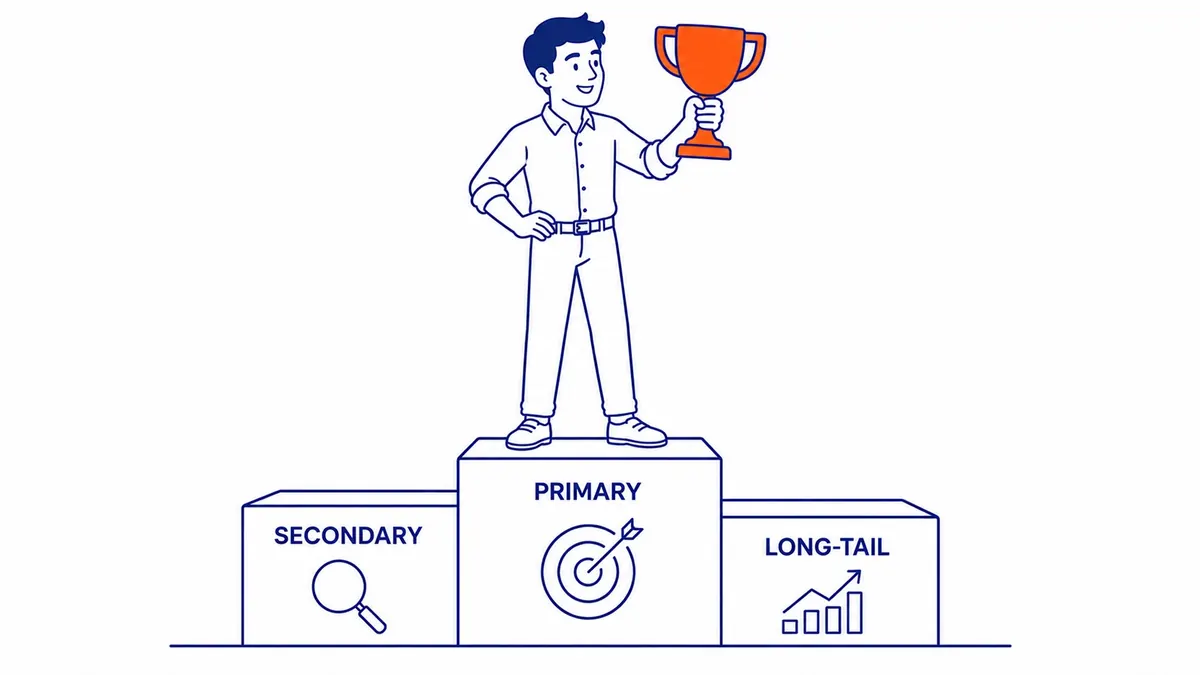
Keywords behave differently depending on how broad or specific they are and the intent behind them, and the differences decide whether a business has any realistic chance with a phrase. Knowing the types stops a site from spending months on terms where it cannot compete, or on terms that bring visitors who will never buy.
Short-tail and long-tail keywords
Short-tail keywords, sometimes called head terms, are broad searches such as “SEO”, “plumber” or “marketing”. They usually attract large numbers of searches, but the searchers’ needs are vague and the top results are usually held by major publications and software companies with years of authority. A newer site targeting “SEO” on its own is competing with Moz, Semrush and every large resource on the web, which is rarely a good use of a small business’s time.
Long-tail keywords are specific searches that each draw comparatively few searches, such as “how to choose keywords for a small business” or “24 hour furnace repair Calgary”. They are often longer than head terms, although the label is really about how specific and how rarely searched a phrase is rather than how many words it has, so a short query can be long-tail and a long one can still be searched often. There are a great many of them, and together they can bring more visitors than a single broad term. Because the searcher has said exactly what they want, these phrases often bring visitors who are closer to acting, so a page that answers one of them precisely can be worth more than a page that ranks tenth for a broad word.
Keyword intent
Intent describes what the searcher is trying to do, and understanding the intent behind a search matters as much as the words. Informational searches such as “what are SEO keywords” come from people who are learning. Commercial searches such as “best furnace brands” come from people comparing options, and transactional searches such as “book furnace repair Calgary” come from people ready to act. Navigational searches are for a specific brand or page. Each needs a different kind of page, and a page that misreads intent will struggle to satisfy the people searching, however well its keywords are placed.
What Makes a Keyword Worth Targeting
Three things decide whether a keyword belongs on your list: how many people search for it, how hard it will be to rank for, and how closely it matches what you sell. A good keyword has enough searches to justify the work, a realistic path to page one for your site, and a close enough link to your business that the visitors it brings are potential customers.
Search volume is the estimated number of monthly searches for a phrase, and tools such as Google Keyword Planner, Semrush and Ahrefs all report it. The figure you see depends on the location the tool is set to, and Google’s Keyword Planner documentation says its average monthly searches reflect the location and network settings you select. That matters in Canada, because many volume figures quoted in articles and tool screenshots are for the United States. A Calgary service phrase that shows only a handful of searches a month can still be an excellent target if one customer is worth thousands of dollars to you, while a phrase with large US volume may bring almost no one you can serve.
Ranking difficulty is a score that third-party tools such as Semrush and Ahrefs calculate, each in its own way, usually from link and authority measurements of the pages already ranking. It is not a Google figure, so compare scores within one tool and then look at the actual results before choosing a keyword. A high-volume phrase that your site has no realistic chance with is often a worse choice than a smaller one where the current results are weak and local. Relevance is the factor people skip most often, because a high-volume phrase that attracts people looking for something you do not offer is wasted effort however well it ranks. Weighing these three against each other is where careful keyword research earns its keep, and it is usually cheaper than months spent on the wrong terms.
How to Find Keywords for Your Site
Start with the words your customers use. Type your main service into Google, stop before pressing Enter, and read the autocomplete suggestions, then look at the “People also ask” box and the related searches at the bottom of the results page. These cost nothing and often surface the plain-language phrasing that a business would never think of, although they are not search-volume reports. Google says autocomplete does not simply show the most common searches, and its predictions also reflect things such as location, trending topics and, for signed-in users, their own search activity. Asking customers how they described their problem before they found you works just as well, because their words are your keyword list.
Tools add numbers to those ideas. Google Keyword Planner is a free tool inside Google Ads, although Google requires you to complete your account setup, including billing information, before it shows keyword ideas. It was built for advertisers, so its figures are a guide for SEO rather than a precise count. The same keywords drive paid search, where you bid to appear for them rather than earning the position, and if paid traffic is part of your plan, Google Ads management works from the same research. Semrush and Ahrefs add difficulty scores and show which pages already rank for each phrase, which also reveals the terms your competitors rank for that your site does not.
Google Search Console is worth checking early, because it shows the searches your site already appears for and its average position for each. Treat what it shows as a prompt for questions rather than a verdict. A valuable query where your page sits around the second page with steady impressions suggests the page is close, but whether it needs better content, more links, a merge with a competing page on your own site or a technical fix depends on what you find when you look. A page with no impressions for its target after a few months may be aimed at a phrase few people search, or written in the wrong format for that search, but it may also not be indexed, may be losing out to another of your own URLs, or may simply rank too low for anyone to see it. Check the page in the URL Inspection tool, look at what currently ranks and confirm there is real demand before deciding whether to revise the page or choose a different keyword.
A worked example for a Calgary business
Here is an illustrative example of how one service becomes a keyword list. A Calgary heating company might describe its work as “high-efficiency furnace installation” and “heat exchanger replacement”, but homeowners with a problem rarely search that way. They type “furnace not working”, “furnace repair Calgary”, “furnace repair near me” or “furnace blowing cold air”, and some add a neighbourhood or a nearby town such as Airdrie or Cochrane. Closing that gap between trade vocabulary and searcher vocabulary is most of the work.
The next decision is which page each phrase belongs on. Phrases that show someone ready to hire, such as “furnace repair Calgary” or “emergency furnace repair”, belong on the service page, because that is the page that answers them. Questions such as “why is my furnace blowing cold air” or “how long does a furnace last” are informational, so they suit a helpful blog post that links to the service page. A phrase such as “furnace repair cost Calgary” sits between the two and needs a look at what currently ranks before you decide. Each page then gets one main keyword and a few close variations, rather than several pages competing for the same search.

Where Keywords Belong on a Page
Start with the page title. Google’s guidance is to give every page a descriptive, concise title, and including the main phrase people search for helps them recognise that the result answers their question, although Google builds the title link from several sources, including the title element and the main heading, and may not show your title exactly as written. Use the keyword or a close variation in the main heading and early in the opening paragraph, since that is where a reader decides whether they are in the right place. After that, write naturally and cover the related questions and secondary keywords a full answer needs, using subheadings where they help the reader find their way.
Some other places are worth using for the reader’s sake more than for rankings. A meta description that includes the search term can make your snippet more relevant when Google chooses to show it, although Google documents that most snippets come from the page content itself. Descriptive alt text helps Google understand what an image shows and makes the image accessible to people using screen readers, so describe the image accurately rather than repeating a keyword. A short, readable URL is good practice, although Google says keywords in the URL path alone have hardly any effect on ranking. The old meta keywords tag can be ignored altogether.
Keyword stuffing is the mistake to avoid. Google’s spam policies describe it as filling a page with keywords in an attempt to manipulate rankings, and give examples such as blocks of text listing every city a page is trying to rank for. Beyond the policy risk, stuffed copy is tiring to read and makes a business look careless to the very people it wants to win over. If a sentence only exists to fit a phrase in, take it out, and let the page read as if it were written for a person, because that is who decides whether to call you.
Contact Calgary SEO Company To-The-TOP!
Questions about anything in this article, or about your own rankings? Talk to a Calgary SEO specialist directly.
Phone: (403) 308-5949
Address: 1509 14 Ave SW, Calgary, AB T3C 0W4
Hours:
Monday to Friday: 10:00 am – 7:00 pm
Saturday: 12:00 pm – 4:00 pm
Sunday: closed