
Which SEO Tools Help Brands Rank in AI-Generated Answers?
The SEO tools that help a brand appear in AI-generated answers fall into three groups. Google Search Console, Bing Webmaster Tools and a site crawler check that your pages can be found and quoted at all. Search Console and Bing’s free AI Performance report then show what actually happened, with Bing counting how often Copilot and its AI summaries cite your pages. Paid prompt trackers such as Semrush’s AI Visibility Toolkit, Ahrefs Brand Radar, HubSpot AEO, Peec AI, Otterly.AI and Profound ask AI assistants a list of questions on a schedule and record whether your brand comes up. None of them places you in an answer, so it helps to know which job each one does before you pay for one.

The tools at a glance
AI answers do not hold positions the way a results page does, because each one is generated for the person asking and can change when the question is worded differently. That is why the useful tools sort by what they tell you rather than by a ranking score. The table groups them by job, with the vendor details as each company described them on its own page in November 2026.
| Job | Tools | Cost | What it tells you |
|---|---|---|---|
| Make pages eligible | Google Search Console (URL Inspection), Bing Webmaster Tools, a site crawler, your robots.txt file | Free (crawlers have free and paid versions) | Whether Google, Bing and AI search crawlers can reach and index the page, and so whether it can be quoted at all |
| Measure real AI traffic and citations | Search Console Performance report, Bing Webmaster Tools AI Performance, Google Analytics | Free | Clicks and impressions from Google’s AI features (inside the Web totals), citation counts from Copilot and Bing’s AI summaries, visits referred by AI assistants |
| Track brand mentions on a prompt list | Semrush AI Visibility Toolkit, Ahrefs Brand Radar, HubSpot AEO, Peec AI, Otterly.AI, Profound | Paid subscriptions, some with trials | How often your brand is named or cited when the tool asks its prompts, compared with competitors, over time |
Most businesses need the first two rows before the third. A tracker can report that a competitor is named and you are not, but only the eligibility and first-party tools can rule out a blocked or unindexed page and show which pages are actually cited.

Tools that make your site eligible
Google is unusually direct about this. Its page “AI features and your website” (last updated 2025-12-10) says there are no additional requirements to appear in AI Overviews or AI Mode, and that a page must simply be indexed and eligible to be shown with a snippet. It adds that you don’t need to create “new machine readable files, AI text files, or markup” or any special schema. So the first tool is Search Console’s URL Inspection, which shows whether a page is indexed and what Googlebot saw, and the first check is that your robots.txt file, your host and any CDN let Googlebot through. If a tool sells you an AI text file or a special markup package as the way into Google’s AI answers, Google’s own guidance says you can skip it.
ChatGPT has its own crawler rule. OpenAI’s crawler documentation says that sites opted out of OAI-SearchBot will not be shown in ChatGPT search answers, and that a robots.txt change takes about 24 hours to reach its systems. OAI-SearchBot is separate from GPTBot, the crawler for model training, so a business can block training and still allow search. Open your robots.txt (yourdomain.ca/robots.txt) and read it line by line, or run a site crawler such as Screaming Frog to see which pages are blocked, redirected or thin. Bing Webmaster Tools covers the same ground for Bing, and since its AI Performance report depends on the site being verified there, it is worth setting up at the same time.

Free tools that show real AI data
Search Console already contains your Google AI traffic. Google documents that sites appearing in AI Overviews and AI Mode are included in the Performance report within the “Web” search type. Its help page on impressions, position and clicks explains the counting: a click on a link in an AI Overview counts as a click, an AI Overview occupies a single position and every link inside it gets that same position, and a follow-up question in AI Mode counts as a new query. The limitation is that these figures sit inside the normal Web totals, so you see the effect on your clicks and impressions without a separate AI line to read.
Bing goes further. In February 2026 Microsoft introduced AI Performance in Bing Webmaster Tools as a public preview, showing how often a site’s content is cited across Microsoft Copilot, AI-generated summaries in Bing and select partner integrations. It reports total citations, the average number of your pages cited per day, citation counts for each URL, and a sample of the “grounding queries” the AI used when it retrieved your content. Bing is careful to say these counts do not indicate ranking or placement within an answer. In June 2026 it added Intents, Topics, Citation Share and Compare in preview globally, so you can see which kinds of questions your citations come from and how your share compares with other cited sources.
Google Analytics completes the free set. Its default channel groups now include an AI Assistant channel for visits from assistants such as ChatGPT, Gemini, Copilot and DeepSeek, while visits from Google’s AI Overviews and AI Mode stay in Organic Search, which lets you see whether AI visitors fill in forms or call. Together with Search Console and Bing, this is data about real people searching and visiting rather than a sample of prompts, which is why the free reports deserve a look before any subscription does.
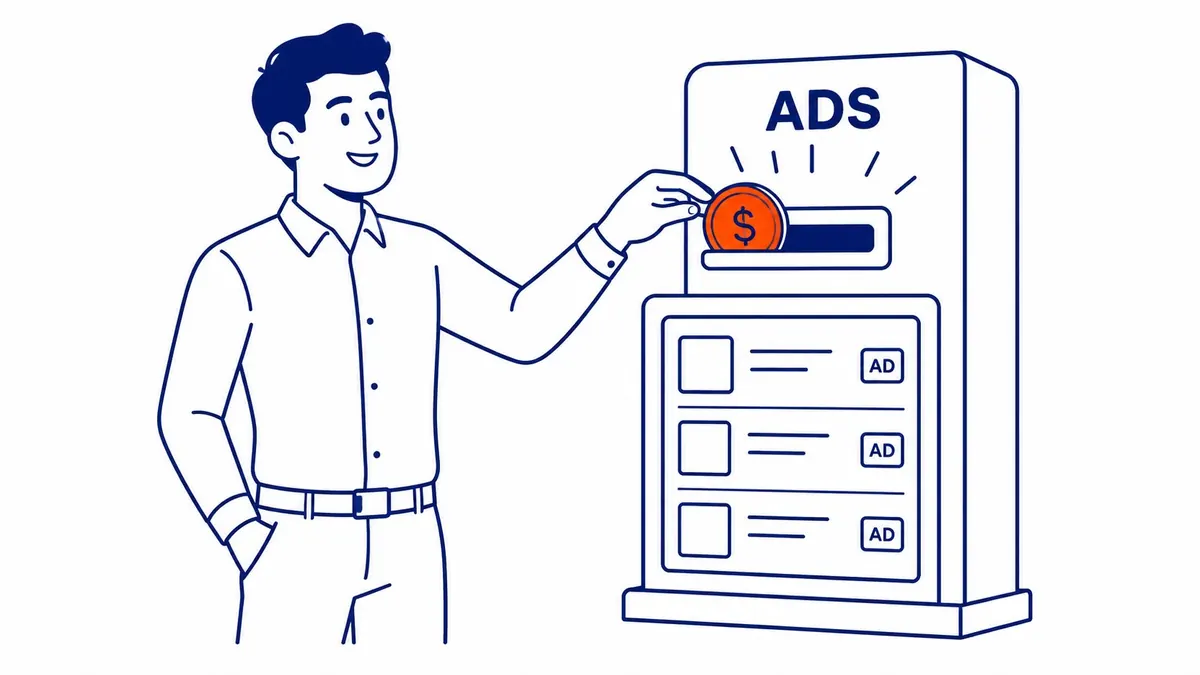
Paid tools that track prompts
A prompt tracker does not watch answers that real people receive, because those conversations are private. It writes a set of questions, asks them of the AI assistants on a schedule and counts how often your brand is mentioned or your site is cited. The vendors say so plainly. Ahrefs describes Brand Radar as running more than 538 million search-backed prompts through AI Overviews, AI Mode, ChatGPT, Perplexity, Gemini and Copilot, with visibility “calculated from how often your brand is mentioned or cited in those responses”, and it also lets you add your own prompts. Peec AI says it runs each prompt once every 24 hours on every model you select, and lets you add prompts and track them by country.
The others work the same way with different scope. Semrush’s AI Visibility Toolkit draws on its database of prompts across eight regions and tracks up to 25 prompts daily, according to Semrush’s own April 2026 article, and its knowledge base adds a check for technical issues that block AI crawlers and lists Canada among the countries its visibility reports cover. HubSpot AEO, labelled beta on its page, tracks ChatGPT, Gemini and Perplexity, suggests prompts based on your company, competitors and industry, and lists 25 prompts in its base plan. Otterly.AI covers ChatGPT, Perplexity, AI Overviews, AI Mode, Gemini and Copilot and offers a seven-day trial, while Profound presents itself as a broader AI marketing platform and lists Claude, Microsoft Copilot and DeepSeek among the assistants it covers. Features and limits change often, so treat these as November 2026 descriptions and check each vendor’s page, and the companion guide on what each of these tools costs has dated list prices.
How to choose a prompt tracker
Because every tracker measures by asking, the list of prompts decides what the score means. Two tools can give the same business two different visibility figures in the same week without either being wrong, simply because they asked different questions. The score is also a share of the prompts the tool chose, not a share of your customers, since nobody outside the AI companies can count how often people really ask a given question. That makes four questions more useful than any feature comparison.
First, can you write your own prompts, and how many are included? A prompt database built from keyword data is a reasonable start, and good keyword research gets you part of the way, but people word a question to a chatbot differently from a search box. Second, does the tool cover Canada, and can it set a location or at least handle prompts that name a city? Vendors list the countries they support and the lists differ, so a Calgary business should confirm that Canada is one of them before buying. Third, how often does it re-run each prompt, since one answer on one day tells you very little and the value is in the trend. Fourth, which assistants does it cover, and are those the ones your customers use?
Here is an illustrative example, not a client result. A Calgary roofing company could write fifteen prompts from the way customers phrase things on the phone, such as “who repairs hail damage on a roof in Calgary”, “do I need a permit to replace my roof in Calgary” and “how long does a shingle roof last in Alberta weather”. Tracked weekly, those prompts show which questions name the company, which name a competitor and which cite a page from the company’s own site. A generic prompt database may contain none of them, which is why the custom prompt option matters more than the size of the database.

Test it by hand before you buy
You can run a rough version of what a tracker does, once and for free. Open a fresh chat in the assistant your customers are most likely to use and ask a question a customer asked you last week, in their words. Then open a second window and ask it again, worded a little differently, and compare the two answers side by side. If your business appears in neither, a subscription will confirm the problem but not fix it. If it appears in one and not the other, you have seen by hand the variation that trackers average over many runs. Note the assistant, the date and whether you were logged in, since saved memory and location can colour the answer.
For a business that serves one city with a few services, a monthly manual check and the free reports above may be enough. A subscription starts to earn its money when you cover several cities or many services, need a weekly record that shows change over time, or want to compare yourself with named competitors, because doing that by hand quickly becomes a chore. The record is what you pay for, since a single answer on a single day is not a measurement.

What the tools cannot do
None of these tools puts your brand into an answer. A tracker reports what the assistants said, and as the companion piece on why a monitor watches but does not change anything explains, the work that changes the answer happens on your site and across the wider web. Google says the same thing in its own words: the SEO best practices that apply to Search overall apply to AI Overviews and AI Mode, including allowing crawling, clear internal links, a good page experience, important content in text form and structured data that matches the visible page.
In practice that means ordinary search engine optimization, done well and kept up over months. Pages that answer a real question clearly, a Business Profile that is current, and a site that crawlers can read without obstacles are what earns citations, and the free reports above are where you would see them, although no one can guarantee that a page will be cited. A tool is worth paying for when it shows you where that work is missing, and it is wasted money when it becomes a number to watch instead of a list of pages to fix.
If you want to know what stands between your site and AI answers, a website audit is the place to start, because it checks the crawling, indexing and content problems that every one of these tools depends on. SEO Company To-The-TOP! has worked on search visibility for Calgary businesses since 2007, and because it is a solo practice, the person who prices the work is the person who does it. To ask what an audit of your site would cost, call (403) 308-5949.
Contact Calgary SEO Company To-The-TOP!
Questions about anything in this article, or about your own rankings? Talk to a Calgary SEO specialist directly.
Phone: (403) 308-5949
Address: 1509 14 Ave SW, Calgary, AB T3C 0W4
Hours:
Monday to Friday: 10:00 am – 7:00 pm
Saturday: 12:00 pm – 4:00 pm
Sunday: closed