
Why Track Keyword Rank?
Why track keyword rank? Because it tells you when your positions in Google change, and the date of a change is what lets you connect it to a cause. A single reading of “position 4” tells you very little, since the number differs by location, device and searcher, but a record kept over weeks shows when a page rose, slipped or was overtaken, and that is the information you can act on. Google says much the same thing in its own Search Console Help: a position number “can mean different things in different situations”, so it recommends that you “monitor change in position over time, particularly sudden position changes, as well as absolute position.”
If you are still getting comfortable with the term itself, there is a separate page explaining what a keyword ranking is and how Google counts it. This page covers why the habit of tracking is worth the effort, how to read a change when you see one, and which keywords deserve a place on the list.

Five reasons to track keyword rank
1. It puts a date on your wins and losses
Most of the useful questions in SEO are about cause and effect. Did the rewritten service page help? Did the site redesign hurt anything? Did the new location page start to rank in the area it was written for? None of these can be answered from today’s position alone, because you need to know where the page stood before the change and when it started to move. A rank record gives you that timeline, and once a rise or drop has a date, you can set it beside what happened that week on the site, in the market and at Google.
The point applies in both directions. A rise that lines up with a content update suggests the update helped, especially if competitors and Google’s update calendar explain nothing else, and that is a reason to do more of the same. A rise with no change on your side, on the other hand, may simply be a competitor slipping. Without the dates, both look identical in a monthly summary.
2. It tells a normal wobble from a real drop
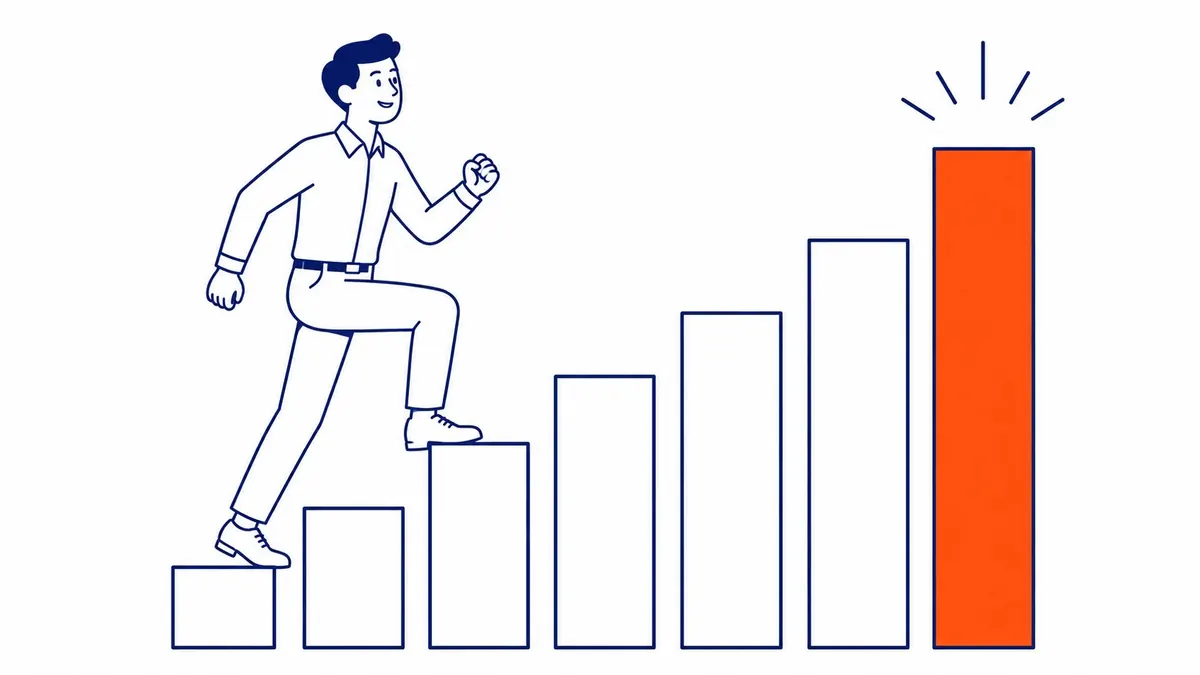
Positions move all the time, and most movement means nothing. Google’s guide to debugging traffic drops is unusually direct on this. It describes a small drop as a shift within the top results, with the example of a query moving from position 2 to 4, and says small fluctuations “can happen at any time (including moving back up in position, without you needing to do anything).” It goes on to recommend “avoiding making radical changes if your page is already performing well.” A large drop is different: Google’s example is a fall from position 4 to 29 across a wide range of terms, and in that case it suggests reviewing the whole site against its helpful content guidance.
You can only tell which kind of movement you are looking at if you have a history. A page that sits between 3 and 5 for months and touches 6 for a week is behaving normally, whereas a page that held 3 and is now at 18 for every related query needs attention. Tracking is what stops you from rewriting a good page in a panic, and it is also what catches the real problem early.
3. It lets you line moves up with Google’s updates
Google publishes its notable ranking updates on the Search Status Dashboard, with start dates and durations. In 2026, for example, the dashboard lists a March core update beginning 27 March, a May core update beginning 21 May and running for 11 days and 21 hours, spam updates in March, June, August and September, and a November core update beginning 10 November. When a tracked keyword moves during one of those windows and nothing changed on your site, the update is one of the first things to check. When it moves outside any window, look first at your own changes, competitors, technical reports and demand, though smaller unannounced shifts happen all the time.
As an illustration, imagine a Calgary furnace repair company whose service page has held position 3 or 4 for “furnace repair Calgary” since the spring and drops to 9 in the week of 10 November. The date points to the core update before anything else, and Google’s guidance is that there might not be anything fundamentally wrong with the content. It recommends waiting until the update has finished and then at least a full week more before comparing with a week before the rollout began, so the sensible first move is to watch the related keywords rather than rewrite the page. Without a dated record, the same drop might be blamed on whatever was edited most recently.

4. It shows what competitors are doing
Your position for a keyword depends partly on everyone else’s pages. If a page slips by two places and your own week explains nothing, the next question is who moved above you and why. Checking the same keywords for two or three direct competitors turns that into a quick answer: a rival who published a stronger guide, opened a location closer to the searcher or earned a few good links will show up as a climb on their line at the same time as the dip on yours. Rank data shows who moved, and looking at their page tells you what may have changed.
This also helps with priorities. A keyword where a competitor sits one or two places above you is usually a better use of effort than one where three national brands hold the top of the page.
5. It keeps a history that Search Console will not
Google Search Console is the most reliable free source of position data, because it reports where your pages actually appeared for real searches. Its Performance report covers the last 16 months, though, and Google’s own debugging guide notes that to go beyond 16 months you can pull the data out through the Search Analytics API or bulk data exports and store it yourself. Exporting Search Console data each month is the simplest version of that, and a rank tracker set to a fixed location adds a separate, longer series of its own. Either record lets you compare this November with the November before last, which is the comparison that matters for seasonal businesses such as snow removal, landscaping or tax preparation.
One common belief about Search Console is also wrong. The Performance report is not limited to a 28-day average: Google’s Help page describes hourly, daily, weekly and monthly views, and recommends the daily view for spotting issues and the weekly or monthly view for longer trends.
How to read a keyword rank change
A move in a tracked keyword is a prompt to check something, and the shape of the move tells you where to look first. The table below sums up the common patterns, drawing on Google’s debugging guide for the likely causes.
| What you see | Likely meaning | What to check |
|---|---|---|
| One keyword moves two or three places and comes back | Normal fluctuation | Nothing yet; note it and wait a week or two |
| Several related keywords drop together and stay down | A page-level change, a competitor gain or an algorithmic update | Recent edits to the page, competitors’ positions, the Search Status Dashboard |
| Most keywords across the site fall sharply at once | A site-wide technical, security or spam problem, or a broad update | The Page indexing and Crawl stats reports, Security issues, Manual actions |
| Positions hold but clicks fall | Lower demand, a less appealing title and snippet, or other results with richer features | Google Trends for the query, your title and snippet, the live results page |
| A keyword rises with no change on your side | A competitor dropped, or an update favoured your page | Competitors’ positions and the update dates |
Two of those checks deserve a word. Seasonal demand changes clicks without changing rank, so a slow January is not a ranking problem, and comparing your Search Console clicks for the query with Google Trends shows whether interest fell everywhere or only for you. And when a drop is real, Google says some changes take effect in a few days while others take several months, so the fix is rarely visible the following week. The steps for recovering lost rankings are covered in a separate guide.
Why one check is not tracking
Typing a keyword into Google once and noting where your page appears is a useful way to confirm that a new page has been indexed and shows up somewhere. It is not a measurement you can compare over time, because Google tailors results. Its How Search Works page says it uses “your location, past Search history, and Search settings” to decide what is most relevant, and Search Console Help explains that your own search can differ from the reported average “because of many variables, such as your search history, location, and so on.”
That is why tracking relies on the same keyword checked the same way at regular intervals, either through Search Console or through a tracker set to a fixed location and device. If you want the details of how rank trackers collect their numbers and why they disagree with Search Console, that is covered separately. It is worth knowing that Google’s spam policies class automated queries sent to Google, including “scraping results for rank-checking purposes”, without express permission as machine-generated traffic, which is one reason Search Console, as Google’s own data, makes the safest baseline.
For Calgary businesses, local results add another layer. Google’s Business Profile Help says local results are “mainly based on relevance, distance, and popularity”, and that distance means how far each business is from the person searching. A map-pack check from an office in the Beltline tells you what a searcher downtown might see, not what a homeowner in Evanston or Mahogany sees, so local tracking works best from several points across the area you serve. Paid ads are separate again: Search Console Help states that ads do not occupy a search position, and Google Ads reports paid placement through its own measures, such as the top and absolute top impression rates.
Rank, traffic and leads
Rank is not the goal. A business is paid by enquiries and sales, and position 1 for a phrase nobody searches is worth nothing. Tracking rank still earns its place, because it is one of the earliest and most specific signals of SEO work on the searches you care about. Traffic and leads are also affected by seasons, advertising, word of mouth and the economy, so they are harder to tie to one change on one page.
The sensible approach is to read the three together. Rank tells you whether a page is visible for the searches you chose, Search Console clicks tell you whether that visibility brings visits, and enquiries tell you whether the visits are the right people. If rank rises and enquiries do not, check the clicks first, then whether the keyword brings the right searchers and whether the page turns visits into calls. There is a longer discussion of the case against treating rank as the goal for readers who want the other side of the argument.

Which keywords are worth tracking, and how many
Track the keywords tied to pages that bring enquiries, not every phrase a tool can find. A good list starts with the main service pages and the one or two searches each is meant to win, adds the location versions that matter for the areas you serve, and includes a handful of informational searches only where a guide supports a service. The list should come out of proper keyword research, because a keyword that nobody searches will hold a steady position and teach you nothing.
How many depends on the business rather than on a fixed number. As an illustration, a Calgary plumbing company with three core services (drain cleaning, water heater installation and emergency plumbing) might track one main phrase for each, a “Calgary” and a “near me” version of each, and the same list for two competitors. That is nine keywords, checked for the business and two competitors, which is enough to see every pattern in the table above without drowning in data. A multi-location business needs the same list per location, and an online store with hundreds of category pages needs a larger list, grouped by category so the patterns stay readable.
Checking weekly suits most small businesses. Daily checks mostly show the small fluctuations Google describes as normal, so they are worth it mainly around a site launch, a migration or a known Google update.

Rank tracking with To-The-TOP!
SEO Company To-The-TOP! has been based in Calgary since 2007, and every client receives monthly position reporting. One person does the client work, so the person who reads the report is the person who made the changes and knows what happened in the weeks when a line moved. Keywords that already rank are listed in a public portfolio of ranked keywords.
If your rankings moved and you cannot see why, or you are not sure which keywords are worth watching, a conversation is a reasonable place to start. Call (403) 308-5949, and bring the keywords and the dates you are curious about.

Contact Calgary SEO Company To-The-TOP!
Questions about anything in this article, or about your own rankings? Talk to a Calgary SEO specialist directly.
Phone: (403) 308-5949
Address: 1509 14 Ave SW, Calgary, AB T3C 0W4
Hours:
Monday to Friday: 10:00 am – 7:00 pm
Saturday: 12:00 pm – 4:00 pm
Sunday: closed