
How Can I Build an SEO-Friendly Sitemap for Law Websites?
Open a browser. Put your firm’s domain in, then add /sitemap_index.xml on the end. Try /sitemap.xml where that returns nothing.
Something loads either way.
Most people expect one long column of addresses. Plenty of law firm sites return a short menu instead. Four files. Maybe six, each one holding a different kind of page.
That menu is most of the answer. An SEO-friendly sitemap on a law website is not a tidier list of URLs. Rather it is a list broken into pieces your firm can read separately.
Your Plugin Already Built the File

Nobody writes a sitemap by hand now. WordPress has shipped one in core since version 5.5, released back in 2020. Yoast and Rank Math replace that with their own. Legal industry platforms generate one too, usually without telling anybody they did.
So the build question was never about producing the file. It was always about the shape the file arrives in.
Here is where a law website parts company with a plumber’s website. A plumbing company publishes fifteen pages doing one job. Meanwhile a law firm runs four separate publishing operations under a single domain.
Practice area pages, written once and left standing. Lawyer bios that change whenever somebody joins. Then the client updates on legislation, which lawyers have been writing since long before the web. Last comes the ordinary furniture. Fees and contact. A careers page nobody reads.
Those four are not variations on a theme. Different authors work on different schedules, and the reasons for publishing barely overlap.
Yet nearly every firm hands the whole lot to Google as one undivided list.
One Sitemap Reports on Four Kinds of Page
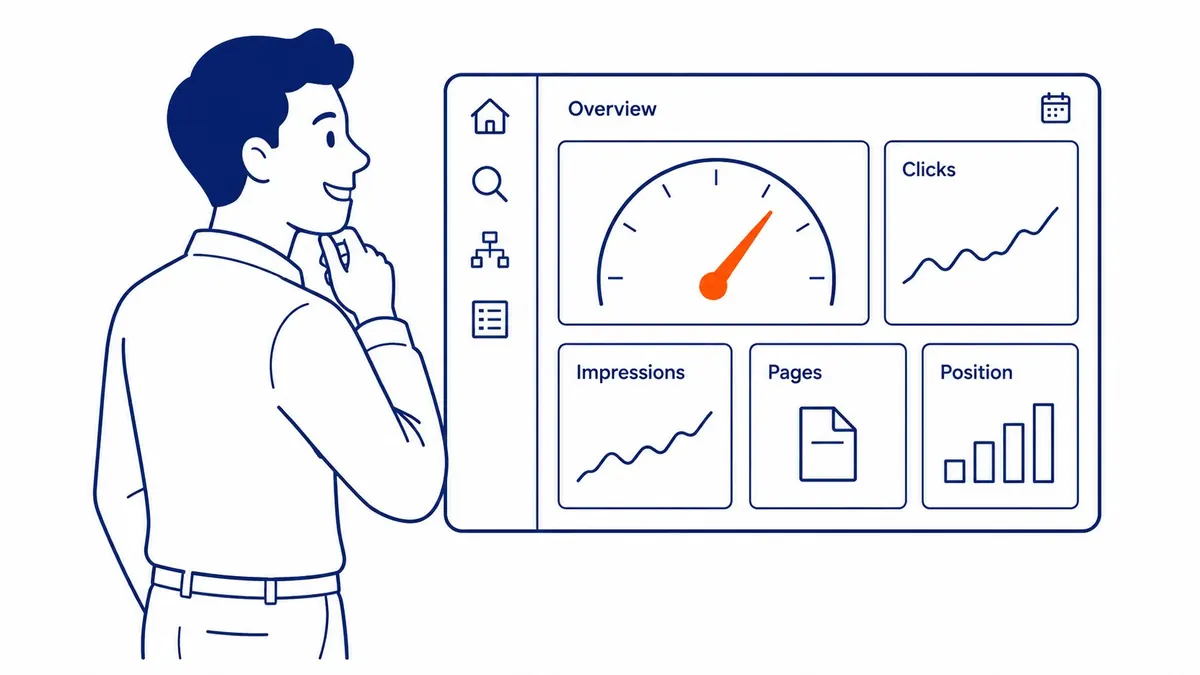
Search Console holds a report almost nobody opens properly. Indexing, then Sitemaps. Click the file itself rather than skimming the summary row.
Two numbers come back. How many URLs you submitted. Then how many of them Google indexed.
Say your site shows three hundred and twelve submitted. Two hundred and forty-four indexed.
Now what?
Nothing, is the truthful answer. That ratio averages four unrelated things together. The missing pages might be legislative notes from 2014 nobody needs indexed. Or they might be your entire employment law section.
Same number on the screen. Opposite emergencies underneath it.
Split the file by page type and the ambiguity dies in a glance. Practice areas come back at twelve of twelve. Bios, nine of nine. Updates run well under half.
Only one of those rows deserves a Monday morning. Now you can tell which one.
Somebody Will Say the Split Changes Nothing for Google

That objection is correct. It is also the reason to bother.
Google reads the same URLs either way. One file or six, the crawler finishes holding an identical set of addresses. Nothing about the split alters crawling. Position does not shift either.
So the split has to earn its keep on the other side of the transaction. It changes what you can see.
Notice how little that costs. You are not tuning an input to an algorithm. Instead you are building a measuring instrument out of a file the generator was going to produce regardless. The cost is an afternoon of settings.
Somebody will raise the size limit as well. Fair point. A single sitemap file caps out at fifty thousand URLs, so genuinely large sites have no choice about splitting. Your firm sits nowhere near that ceiling. Still, the limit only explains why splitting exists. It says nothing about why splitting is useful to you.
The Files a Law Firm Site Should Submit

Four, for most firms. Sometimes five.
Practice area pages take the first file. A stranger with a problem lands on these. So their indexing rate is the only one that should ever read as a crisis.
Lawyer bios take the second. Names get searched more often than firms expect. Somebody heard a recommendation over dinner, then typed a surname into Google that same evening.
Client updates and blog posts take the third. Expect a lower indexing rate there permanently, and treat that as normal rather than broken.
Everything else fills the fourth. Fees and contact. Office locations, plus whatever the careers page has become.
A fifth file makes sense where the firm serves several cities from separate pages. Keep those apart so their indexing rate stays legible on its own.
None of this is heavy configuration work. Yoast already emits one file per post type. Your job is checking that the post types line up with those groups. Where a legal theme has dumped practice areas into ordinary WordPress pages, the fix is a custom post type. That is a developer afternoon rather than an SEO project.
What a Normal Reading Looks Like on Each File

The practice area file should sit at every page indexed. No exceptions worth accepting. These pages are few. Every one sits in the main menu, rewritten more carefully than anything else on the site. A gap there means something is actively wrong. Usually a stray noindex tag left over from a staging build.
Bios should sit at full marks too. Firms rarely check, though, so this is where the surprise turns up.
The updates file behaves differently, and firms panic about it needlessly. Hundreds of short notes, many describing law that moved on years ago. Google indexes a portion and skips the rest. Sixty percent is unremarkable. So is forty.
The number that matters there is the trend rather than the level. A file that read seventy percent last spring and reads thirty now had something happen to it. Perhaps a template change. Or a plugin update that quietly flipped a setting.
The location file, where a firm has one, answers a different question altogether. Those pages get built in batches by somebody who was paid per page. Their indexing rate tells you what Google made of the batch. Somebody’s keyword research should have decided how many of those pages were worth building.
The Sitemap File That Comes Back Missing

Bios. Nearly every time.
Legal website themes store lawyers in a custom post type. Something named team, or perhaps attorney. Then the SEO plugin only lists post types that are marked to appear in search results.
Leave a theme default in place and the bios never reach the sitemap at all. Usually they carry a noindex tag at the same time, since one switch controls both.
Checking takes twenty seconds. Load the sitemap index and read the filenames. No attorney file means your most searchable pages sit invisible to the only report that would have told you.
Then run one search to confirm it.
site:yourfirm.ca smith
Nothing back means the bio never got indexed. A firm loses those calls quietly, since the person searching already knew the name and simply could not find the page.
The Rest of the File Is Already Correct

People arrive at this question expecting a technical checklist. Valid XML. Absolute URLs rather than relative ones. A reference line in robots.txt so crawlers find the file unprompted. Every entry returning a live page instead of a redirect chain.
All of that is real. None of it is your job. Your generator handles the lot, and has done for years.
So the checklist collapses down to two decisions nobody else can make for you. Which pages belong in the file. Then how those pages get grouped.
One habit is worth adopting anyway. Load the sitemap index once a quarter and click through to a file at random. Read ten URLs. Anything you do not recognize is a page type you forgot your site publishes.
Firms find odd things doing that. A duplicate set of practice pages left behind by an old theme. An events archive from a seminar series that ended in 2019. Neither one shows up in a menu, so neither one gets noticed any other way.
What Stays Out of a Law Website’s Sitemap

A sitemap should list pages you want in search results. Anything else muddies the reading.
Law sites carry a specific crop of those. Intake form confirmation pages. Gated PDFs of retainer terms. Portal logins for existing clients. Tag and author archives the CMS invented on its own.
None of them harm anybody by existing. They wreck the numbers you were about to read, though. Google declines to index them. Your report then counts every decline as a miss.
Mark them noindex instead. A properly configured generator then drops them from the file by itself, because it only lists what you marked indexable.
Where the Sitemap Argument Stops on a Legal Website

Worth saying plainly. None of this moves a position by itself.
A sitemap gets pages found. Found is the entry step, and every firm you want to outrank cleared it years ago. So the ceiling on this work sits low.
What you end up holding is a report you can act on. Then search engine optimization proper starts somewhere else entirely. Personal injury firms reach that ceiling fastest, where the technical tidying finished years ago.
A proper website audit asks why a page went missing, rather than only which one did. Good keyword research decides whether the missing page was worth having in the first place.
Build the Sitemap So You Can Read It

Go back to the sitemap index. Write the filenames down.
Then open Search Console and click each file in turn. Note the submitted count. Then the indexed count beside it.
Where a filename matches no real group of pages on your site, you have found the build task. A gap in the practice area file gives you the priority instead.
Half an hour covers most firms. That makes it the shortest audit anybody will ever run on a law website. At the end of it you hold a report nobody at the firm has ever seen.
Sitemaps for Law Websites With SEO Company To-The-TOP! in Calgary

Calgary firms usually arrive with a sitemap that works fine. That is rarely the problem. The problem is that nobody ever read it, so a missing practice page sat unnoticed for two years.
To-The-TOP! has done Calgary SEO this way since 2007. Solo practitioner, no junior handoff anywhere in it. Whoever opens your Search Console is whoever writes the fix afterwards.
Timelines get said straight here. Indexing a found page can happen within days. Moving that page somewhere worth reporting takes three to six months.
Some legal queries are worth buying while the organic work matures. Paid coverage through Google Ads management gives a cost per call you can actually watch. No guarantees on either side.
Common Questions About Sitemaps for Law Websites
Do law firm websites need a special kind of sitemap?
No. The XML format is identical for every industry. What differs is how many distinct page types a firm publishes. Splitting the file by type therefore pays off more on a law website.
Should a law firm submit one sitemap or several?
Several, grouped by page type. Google treats them the same either way. Search Console reports on each file separately, and that separate reporting is the whole benefit.
Why are our lawyer bios missing from the sitemap?
The bios usually sit in a custom post type set to stay out of search results. One setting controls the noindex tag and the sitemap listing together. Switch it on and the bios appear in both.
Does submitting a sitemap get a law firm page ranked faster?
It can get the page found faster. Position still depends on the page and its competition, so being found is only the entry step.
Should old legal updates stay in the sitemap?
Keep them while their URLs are live and indexable. Redirect a note first where the firm is retiring it. Your sitemap should describe the site as it actually stands.
How often does a law firm sitemap need updating?
Never by hand. Current generators rebuild the file the moment you publish. Manual resubmission is not needed either.
Contact Calgary SEO Company To-The-TOP!
Questions about anything in this article, or about your own rankings? Talk to a Calgary SEO specialist directly.
Phone: (403) 308-5949
Address: 1509 14 Ave SW, Calgary, AB T3C 0W4
Hours:
Monday to Friday: 10:00 am – 7:00 pm
Saturday: 12:00 pm – 4:00 pm
Sunday: closed