
Do Subdomains Hurt SEO?
Subdomains do not hurt SEO by themselves. Google does not penalize a site for using blog.example.com or shop.example.com, and its crawling and indexing FAQ says that, from an indexing and ranking perspective, it has no preference between subdomains and subfolders, so you should choose whatever is easiest to organize and manage. What a subdomain does change is that some of Google’s systems treat each hostname as a separate site, so the subdomain has its own robots.txt, its own sitemap scope and its own crawl budget. Whether that matters depends on what you put there. A store, an app or a separate language version on a subdomain is usually fine, while a business blog on a subdomain is often harder to make work for the business, for practical rather than ranking reasons.

Subdomain or subdirectory: what the difference is
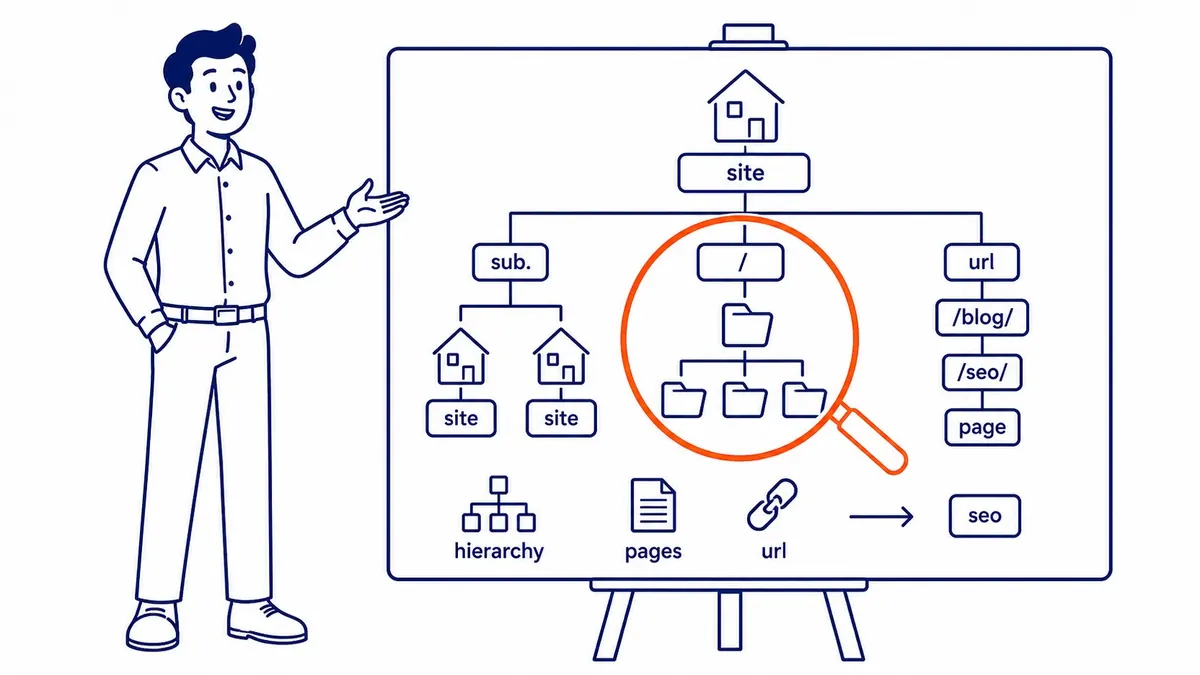
A subdomain is a prefix in front of your domain name: in blog.example.com, “blog” is the subdomain and example.com is the domain. A subdirectory, also called a subfolder, is a path after the domain, as in example.com/blog/. Technically, a subdomain is a separate hostname that can point to a different server, run different software and be managed by a different company, while a subdirectory is part of the same host as the rest of your site. That flexibility is the reason subdomains exist, and it is also the reason search engines handle them a little differently.

Visitors rarely care which one you use, and a subdomain gets crawled and indexed like any other site as long as Google can find links to it and nothing blocks it. The question is not whether a subdomain can rank, because it can. The question is whether splitting your content across two hostnames helps or hinders the business, and for most small business sites one host is simpler to grow. That decision is part of planning the overall structure of a site, which covers navigation, folders and internal linking in more depth.

What Google treats as a separate site, and what it does not
“Google treats subdomains as separate sites” is repeated on almost every page about this topic, but it is more useful to know exactly where that is true. The table below is drawn from Google’s current documentation.
| Area | How a subdomain is handled | Source |
|---|---|---|
| Crawl budget | Google’s crawling infrastructure defines a site as a unique hostname, so www.example.com and code.example.com have separate crawl budgets | Google, “Optimize your crawl budget” |
| robots.txt | Rules apply only to the host, protocol and port where the file sits; a robots.txt on a subdomain is only valid for that subdomain | Google’s robots.txt specification |
| Site name in results | Site names are supported for a domain or a subdomain home page, but not for a subdirectory | Google, “Site names in Google Search” |
| Sitemaps | A sitemap posted on one host covers that host, unless it is cross-submitted for verified sites through Search Console or robots.txt | Google, “Build and submit a sitemap” |
| Search Console | A Domain property collects data for the domain and all of its subdomains; a URL-prefix property covers only one host | Search Console Help, “Add a website property” |
| Site diversity in results | Generally treated as part of the root domain, so a subdomain and the main domain count as one site when Google limits how many listings one site gets; sometimes treated separately when Google deems it relevant | Google, “A guide to Google Search ranking systems” |
| Spam policies | Using new or existing subdomains, subdirectories or sites to keep violating Google’s policies is named as circumvention, so the rule applies to folders as much as to subdomains | Google, “Spam policies for Google web search” |

A few points stand out. The Search Console row corrects a common belief: you do not have to manage each subdomain as a separate property, because a Domain property, verified once through DNS, shows the whole family of hosts together and lets you filter by subdomain in the Performance report. The site-name row is a real difference in how results look, since a subdomain such as news.example.com can show its own site name in Google while example.com/news cannot. The site-diversity row works the other way, because when Google limits how many results one site gets for a search, a subdomain and its main domain are generally counted together. Crawl budget, for its part, rarely matters for a small business site, since Google’s guide on it is aimed mainly at sites with 10,000 or more pages that change daily, or a million or more pages.

Google says directly that it has no indexing or ranking preference between the two, and its documentation does not say that links to a subdomain never help the main domain. How much benefit passes between a subdomain and its parent domain is not documented, so treat confident claims in either direction as opinion. Google does not document any loss from using a subdomain either. The practical risk is different: links, content and history on blog.example.com sit on a different hostname from your service pages, and when the two hosts share no navigation and link to each other only weakly, the connection between them is harder for visitors and Google to follow.
Where a subdomain does cost you
The blog is the classic case. A business publishes useful articles on blog.example.com, they earn links and rankings, and the service pages on example.com, which are the pages that actually bring in customers, sit on another host. Inside one site, a strong article can pass visitors and internal links straight to the relevant service page in the same navigation, and the site builds a clear picture of one business that covers a topic in depth. Split across two hosts, the blog can end up with a different design and menu, fewer links into the service pages and separate analytics, so the work does less for the part of the business that pays.

Overlap is the second cost. When the blog and the main site both publish pages about the same service, they compete for the same searches, and Google has to choose between them. A third cost is operational: two installations to update, secure and keep consistent, which is a real burden for a small team.
The subdomain problem most likely to hurt a small business, though, is one nobody chose on purpose: a staging or development copy of the site left open on a subdomain such as dev.example.com or staging.example.com. If Google finds it, it can index a full duplicate of your site, sometimes with test content, broken links or old prices. Google’s robots.txt documentation is clear that robots.txt is not a way to keep a page out of Google; to keep a staging site out of search results, it recommends noindex or password protection. For noindex to work, Google has to be able to crawl the page, so it fails on a staging host that is also blocked in robots.txt, and a password is usually the simpler choice. A quick check is to search Google for site:example.com and look for any hostname that should not be there; the results are not complete, so also check the Search Console Domain property and the hostnames set up in your DNS.
When a subdomain is the right choice
Subdomains are the right tool when the content is technically or commercially separate from the main site. The table gives a practitioner’s view by use case.
| Use case | Usual choice | Why |
|---|---|---|
| Business blog or articles | Subdirectory (example.com/blog/) | The blog exists to support the main site, so keep it on the same host |
| Online store on a separate platform | Subdomain is acceptable | Many store, booking and help desk platforms are set up on a separate hostname |
| Web app or customer login | Subdomain | It is software, not content meant to rank |
| Staging or test site | Subdomain, behind a password (or noindex, and not blocked in robots.txt) | It must never compete with the live site |
| French version of a Canadian site | Either; a subdirectory is easier to maintain | Google lists both as options with different trade-offs |
| A separate brand or business line | Subdomain or its own domain | It needs its own identity and site name |

Canadian businesses meet the language and country questions more often than most. Google’s page on multi-regional and multilingual sites compares the options directly: a subdomain such as fr.example.ca is easy to set up, allows a different server location and keeps the versions clearly separate, while a subdirectory such as example.ca/fr/ is easy to set up and low maintenance because it stays on the same host. Either works for search when each version is linked properly and carries hreflang annotations that tell Google which page is the French or English equivalent. For a Calgary business that also sells into the United States, the same page notes that a country-code domain such as .ca gives clear geotargeting but can only target a single country, which is why some businesses run a .ca and a .com while others serve both countries from folders on one domain.
The default for most small businesses
For a typical Calgary service business with a website, a blog and perhaps a few landing pages, the default is one host with folders: example.com/services/, example.com/blog/ and so on. Everything is in one navigation, internal links between articles and service pages are easy, and there is one robots.txt, one sitemap, one site name and one set of analytics to keep right. None of that guarantees rankings, but it removes a source of friction that brings no benefit when the content all belongs to one business.

As an illustration only: a home renovation company whose web designer set up the blog as a separate WordPress install on blog.renocompany.ca may find that the blog’s articles link to each other but rarely to the kitchen and basement renovation pages on the main site. Moving the blog into renocompany.ca/blog/ and adding links from each article to the matching service is a structural fix that makes the site easier for visitors and Google to follow. If a subdomain is unavoidable because the platform requires it, the same thinking still applies: link clearly between the hosts, keep the navigation and branding consistent, and make sure the subdomain is not publishing copies of pages that exist on the main site.
Moving a blog from a subdomain to a subdirectory
If a review shows the blog is cut off from the service pages, duplicates them or is costly to maintain, moving it can be worth doing, but it needs to be planned like any other SEO migration, because a move done carelessly can lose the rankings the blog has already earned.

- List every URL on the subdomain that matters: the pages in its sitemap, the pages Search Console shows with impressions, and any page with links from other sites.
- Map each old URL to its new address under the main domain and set up permanent 301 redirects one to one, not all to the blog’s home page.
- Keep the same article URLs after the folder where you can (blog.example.com/post-name/ to example.com/blog/post-name/). Google’s Change of Address help page notes that combining a move with a redesign of content and URL structure will probably cause some traffic loss while Google reassesses the pages.
- Update internal links in the articles and menus so they point to the new URLs directly instead of relying on the redirects.
- Update the main site’s sitemap to include the moved articles, and remove or empty the old subdomain sitemap once the redirects are live.
- Leave the redirects in place for at least a year, as Google advises, and ideally for good, and keep the subdomain’s DNS and hosting working, because a redirect only works while the old hostname still answers.
- Watch the moved pages in Search Console. A Domain property shows both hosts together, which makes it easy to see impressions shift from the old URLs to the new ones.
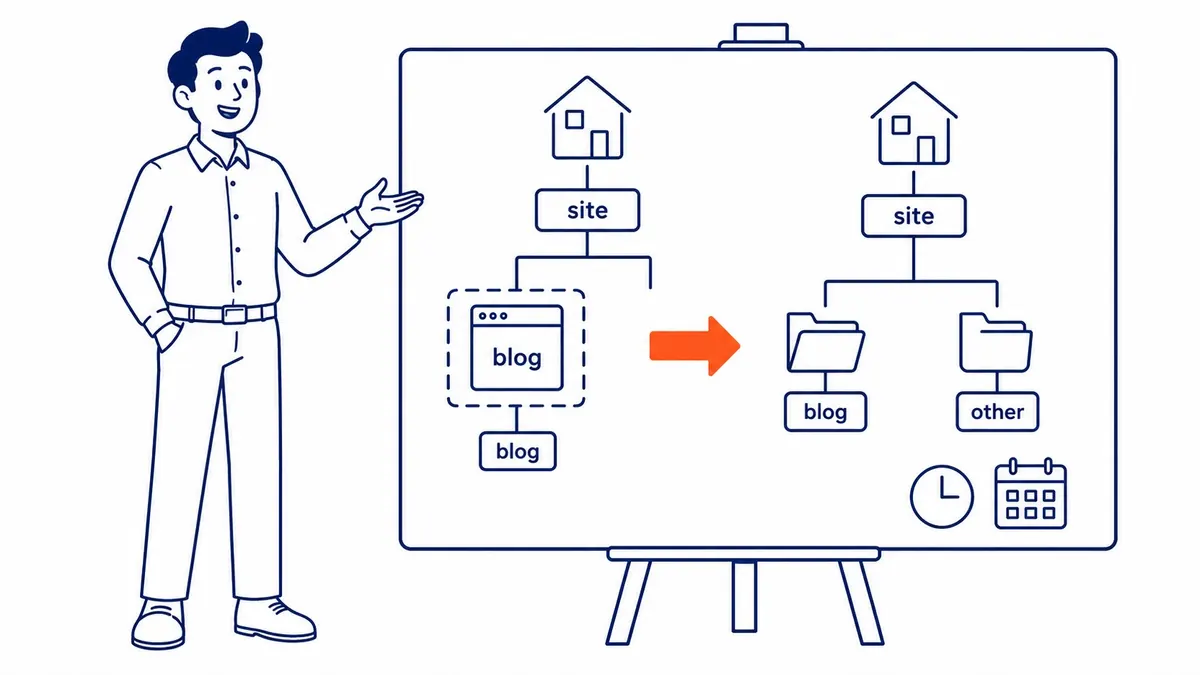
Two Google details are worth knowing before you start. The Change of Address tool in Search Console works on properties with no path segment, such as example.com or blog.example.com, and Google’s help page says it can be used to move a site into a path on another domain. It is not used for moving pages between folders on one host, where Google says to add redirects and update the sitemaps. For a blog moving off a subdomain, redirects and sitemaps do the main work either way; whether to also use the tool is worth checking against its requirements in Search Console. On timing, Google’s guidance on site moves says that for a medium-sized website it can take a few weeks or more before Google starts showing the new URLs instead of the old ones, and longer for larger sites. Plan for a quiet period and judge the move over months rather than days.
Getting a second opinion on your structure
If your site already has content spread across subdomains, the decision about what to move, what to leave and what to block is easier to make with the URLs and Search Console data in front of you. A review of the site covers structure alongside indexing, internal links and content. At SEO Company To-The-TOP!, one Calgary practitioner, in business since 2007, handles SEO and Google Ads work using White Hat methods only, and can tell you whether your subdomains are worth keeping. Call (403) 308-5949 to talk it through.
Contact Calgary SEO Company To-The-TOP!
Questions about anything in this article, or about your own rankings? Talk to a Calgary SEO specialist directly.
Phone: (403) 308-5949
Address: 1509 14 Ave SW, Calgary, AB T3C 0W4
Hours:
Monday to Friday: 10:00 am – 7:00 pm
Saturday: 12:00 pm – 4:00 pm
Sunday: closed