Are 301 Redirects Bad for SEO? | Calgary
No. 301 redirects are not bad for SEO when you set them up properly, and most of the time they protect rankings rather than sink them. I have run SEO Company To-The-TOP! since 2007, and I have lost count of the migrations where a clean set of redirects carried a site’s traffic across to new URLs with barely a wobble. The fear comes from the few cases that go wrong. A bulk redirect to the homepage, a chain five hops deep, a permanent redirect used where a temporary one belonged. Those break things. The redirect itself does not.
So this is the straight version of what a 301 does, when it actually hurts, and how to handle one without watching your organic traffic leak away. It is the same groundwork behind every project I take on at To-The-TOP!. No scare tactics. Just the part most blog posts skip past.

What a 301 Redirect Actually Does to Your Rankings
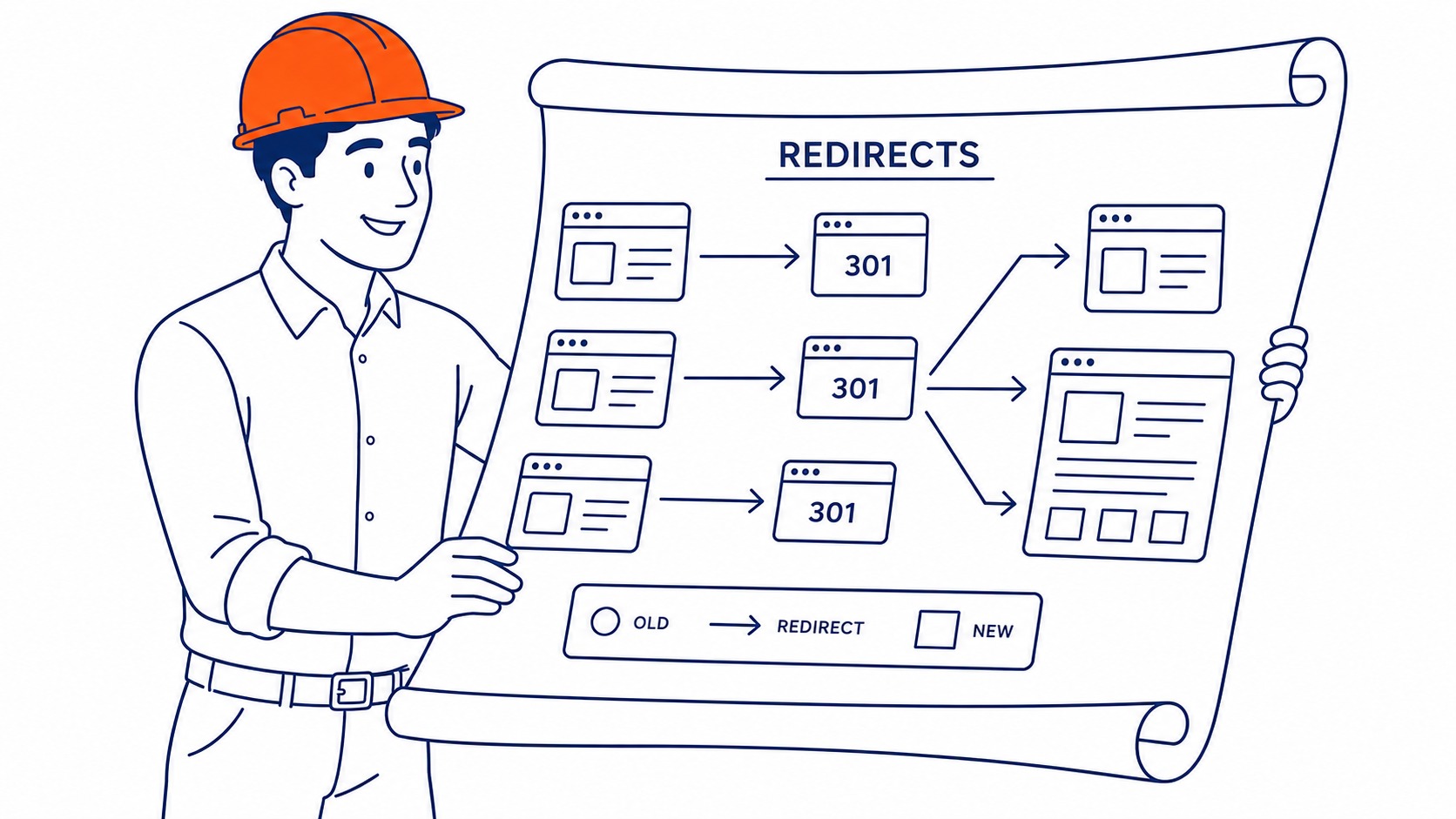
A 301 is the HTTP status code for “moved permanently.” Someone, or some crawler, requests an old URL, and the server answers: that page lives somewhere else now, go here instead. The browser follows the hop automatically. Most visitors never notice it happened.

For SEO the important part sits underneath that hop. A 301 redirect passes the ranking signals from the old URL to the new one. Link equity, the authority earned from backlinks, the history Google has built up against that address: all of it transfers to the destination page. Search engines read the 301 as a permanent instruction, so they drop the old URL from the index over time and credit the new one in its place. That is why a 301 is the right tool when you change a URL, merge two pages, or move a whole site to a fresh domain. It tells search engines exactly where the value should go. The same instinct about guarding authority shows up with outbound links, where plenty of site owners still wonder whether external links are good for SEO or quietly drain a page. The same question comes up about dead ends, meaning whether broken links affect SEO at all. 404 errors and rankings come up just as often on the other side of a redirect.
Do 301 Redirects Hurt SEO? The Straight Answer
Here is the myth worth killing first. For years people believed every 301 redirect bled off a slice of PageRank, so a redirected page always ranked a little weaker than the original. That used to be true. It stopped being true around 2016, when Google confirmed that 301 redirects pass full ranking signal with no loss. Gary Illyes from Google said it plainly: 30x redirects do not lose PageRank anymore.
So a correctly aimed 301 redirect does not hurt SEO. The destination inherits the authority, the rankings settle onto the new URL, and after a short adjustment period the search results catch up. I have watched this play out on client migrations dozens of times. There is usually a brief dip while Google reprocesses the change, then recovery. Patience matters more than panic here. The dip is the crawler re-reading your site, not the redirect punishing you. If the new page matches the old one in content and intent, rankings come back.

When 301 Redirects Actually Cause Problems
Now the plain part, because 301s can absolutely cause damage when they are used carelessly. The redirect is not the villain. Usually the decision behind it is.
Redirecting to an irrelevant page is the classic mistake. You retire an article about furnace repair and point its 301 at your homepage. Google looks at that and sees a mismatch, so it often treats the redirect as a soft 404 and passes nothing useful. The ranking signal evaporates. Map each old URL to the closest matching new page instead, one to one, content that answers the same question the original did. Bulk-redirecting a few hundred dead pages to a single landing page is the fastest way to throw away authority you spent years earning.
Migrations are the other danger zone. When a site moves to a new domain and somebody forgets to redirect a chunk of its old URLs, those pages simply die, and any rankings they held die with them. That is not the redirect failing. It is a missing 301. Before any move, crawl the existing site, list every URL that earns traffic or holds a backlink, and make sure each one has a destination waiting. The redirects you forget to write are the ones that cost you.
301 vs 302: Which Redirect to Use and When
This trips people up constantly, and getting it wrong does carry a ranking cost. A 301 says permanent. The 302 says temporary: the page has moved for now, but the original is coming back. Search engines treat the two very differently. A 301 transfers ranking signal to the destination and de-indexes the old URL. The 302 instead tells Google to keep the original URL indexed, holding the authority there because you have signalled the change is short-term.
So the problem with a 302 is misuse, not the redirect type itself. Reserve a 302 for a genuinely temporary move, like a product page parked during a sale or a page under brief maintenance. Use a 301 for anything permanent. Drop a 302 on a permanent change and you confuse search engines: they keep the dead URL in the index and hesitate to move the rankings across, which stalls the whole transfer. When in doubt about whether a change is forever, it usually is, so reach for the 301.

Redirect Chains and Loops Are the Real Threat
If anything about 301s genuinely hurts your rankings, this is it. A redirect chain is what you get when URL A points to B, B points to C, and C finally points to D. Every hop is a separate request, and every request adds latency before the visitor sees anything. Search crawlers dislike chains too. Google will follow a handful of hops, but a long chain wastes crawl budget and can leave the final page under-indexed.
Chains build up quietly over the years. A site gets redesigned, then re-platformed, then migrated again, and nobody flattens the old hops. So you end up with redirects pointing at redirects pointing at redirects. The fix is simple once you spot them: point every redirect straight at the final destination, collapsing the chain down to a single clean hop. Redirect loops are the uglier cousin, where A sends to B and B sends right back to A. That traps the browser and the crawler in a circle, and the page becomes unreachable. Slow hops also drag on load time, which feeds straight into how page speed affects SEO. Worth checking for both whenever you audit a site.
How to Set Up 301 Redirects Without Losing Rankings
The mechanics depend on your stack. On an Apache server, redirects live in the .htaccess file as RewriteRule lines. WordPress sites use a plugin like Redirection, or the one built into Yoast, which handles them through a simple interface with no code required. Larger sites manage redirects at the server or CDN level. Whatever the method, the rules that protect rankings stay the same across all of them.
Map old to new at a one-to-one level, matching each retired URL to its closest equivalent. Skip the lazy homepage dump. After the redirects go live, update your internal links so they point at the new URLs directly, because an internal link that fires through a redirect is just a self-inflicted extra hop. That cleanup matters more than people think, and it overlaps with how internal and external linking shapes the way authority flows through a site. Then leave the redirects in place. A 301 needs to stay live for at least a year, ideally permanently, so the ranking signal has time to fully migrate and any lingering backlinks keep resolving. Pull a redirect too early and you orphan everything that still points at the previous address.
Auditing the Redirects Already on Your Site
Most established websites are carrying redirects nobody documented. Finding them is step one of cleaning them up. Screaming Frog crawls a site and lists every redirect, every chain, and every loop in one pass. Ahrefs and Semrush flag redirect issues inside their site audit reports. Google Search Console quietly surfaces them too, in the way it reports pages that were not indexed because of a redirect.
What you are hunting for is short: chains to flatten, loops to break, and 302s that should have been 301s. Fix those three and most redirect-related SEO problems disappear. This kind of technical cleanup is a core piece of the technical SEO work that keeps a website crawlable, and it is exactly the sort of thing a proper website audit for SEO is built to catch before it costs you traffic. If you would rather not live inside crawl reports yourself, that is the work we take off clients across Calgary and beyond. Organic SEO takes its usual few months to compound, though, so while the rankings rebuild after a migration, a focused Google ad management campaign can hold your traffic steady in the meantime.
Do 301 redirects hurt SEO?
No, not when they are set up correctly. A 301 passes full ranking signal to the destination URL, with no PageRank loss since Google confirmed that back in 2016. Damage only shows up from misuse: redirecting to an irrelevant page, leaving long redirect chains, or using a 302 where a 301 belonged. The redirect type is rarely the problem.
What is a 301 redirect in SEO?
A 301 is the HTTP status code for a permanent move. It tells browsers and search engines that an old URL has been replaced for good and that all traffic, plus the page’s accumulated authority, should transfer to a new URL. Search engines drop the old address from the index over time and rank the destination in its place.
How many 301 redirects are too many?
There is no fixed cap. A site can run thousands of individual 301 redirects with no trouble, because each one is a clean single hop. The number that hurts is the number stacked into chains. One redirect firing into another into another is what wastes crawl budget and slows pages, not the raw total sitting in your config.
Is a 302 redirect bad for SEO?
Only when you use it for a permanent change. A 302 signals a temporary move, so search engines keep the original URL indexed and hold the authority there. That is correct for a page coming back soon. Apply it to a permanent move, though, and the ranking signal stalls instead of transferring. For anything permanent, use a 301.
Contact Calgary SEO Company To-The-TOP!
Questions about anything in this article, or about your own rankings? Talk to a Calgary SEO specialist directly.
Phone: (403) 308-5949
Address: 1509 14 Ave SW, Calgary, AB T3C 0W4
Hours:
Monday to Friday: 10:00 am – 7:00 pm
Saturday: 12:00 pm – 4:00 pm
Sunday: closed
