
How Are Google Ads Charged? Billing, Thresholds and Taxes Explained
Google Ads charges you for interactions with your ads rather than for the ads themselves, which on a Search campaign means you pay when someone clicks, and an ad that is shown but not clicked costs nothing. Those costs build up in your account, and on the postpay setting (Canada has no prepay option), Google charges your payment method whenever the balance reaches your payment threshold or on the first day of the month, whichever comes first. With a Canadian billing address, Google also adds GST/HST unless a GST/HST registration number is on your payments profile, which for an Alberta business means the 5% GST. The rest of this guide explains each piece, how to read your charges and what to check when one looks wrong.
What Google Ads charges you for
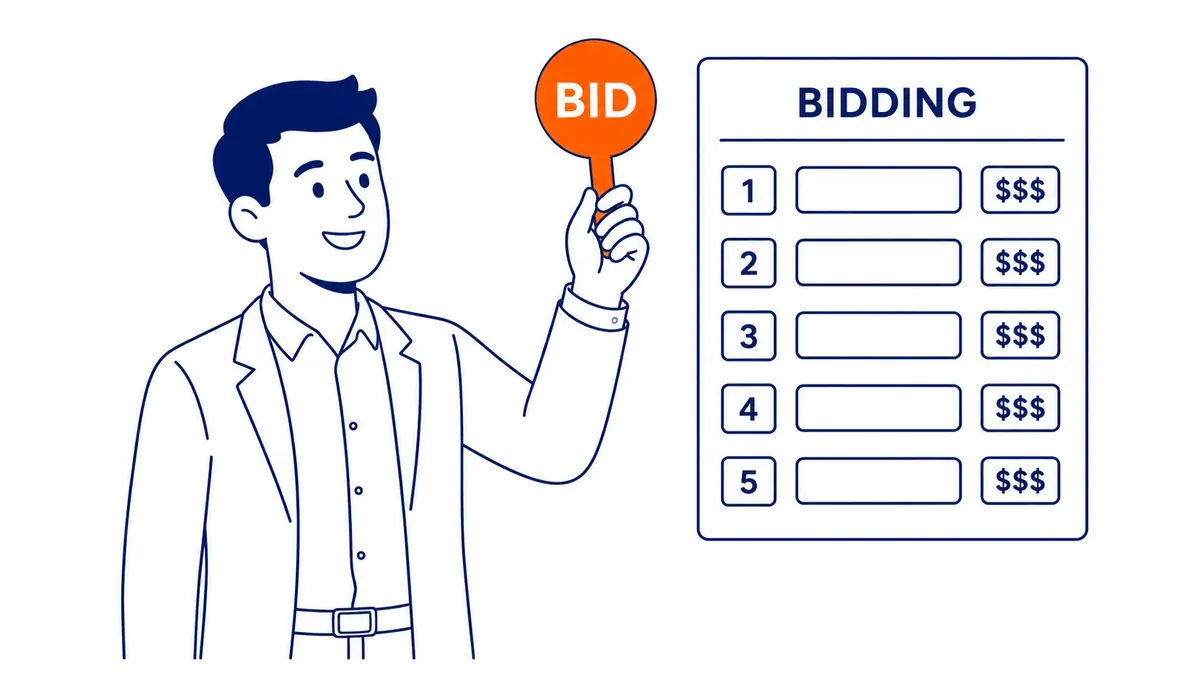
What triggers a cost depends on how the campaign bids. Google’s “Understanding bidding basics” page describes cost-per-click bidding as paying “only when someone actually clicks on your ad”, and that is how most Search campaigns work. Display campaigns can instead use viewable CPM bidding, where you pay for every thousand times the ad is shown in a viewable spot, and video campaigns can use cost-per-view bidding, which charges for views and some video interactions. Some eligible campaigns can use Google’s separate pay-for-conversions option, where you are billed for conversions rather than clicks, although bidding toward a target cost per conversion on its own still bills per click. So the question “does Google Ads charge for impressions” has a two-part answer: not on a cost-per-click campaign, but yes on a campaign that bids for viewable impressions.
The price of each click comes from the auction, which is worth understanding before you look at a bill. Ad Rank weighs your bid against the quality of your ad and landing page, measured at the moment of each search, along with Google’s minimum thresholds, the context of the search and the expected impact of your assets. Quality Score is a separate 1 to 10 diagnostic, and Google says plainly that it “is not an input in the ad auction“, although Google also notes that higher quality ads “can often lead to lower CPCs.” If you want the whole mechanism, the guide to how the Google Ads auction works covers it in more depth.
With manual bidding, your maximum cost per click is the most you will normally be charged for a click, and the actual charge is often lower. Google says you pay only what is needed to clear the Ad Rank thresholds and beat the Ad Rank of the advertiser directly below you, or the reserve price if nobody below you clears their thresholds. Bid adjustments can lift a click above your maximum CPC, and automated bid strategies set their own bid in each auction. Clicks that Google judges invalid, such as accidental clicks or clicks from bots, are filtered out and not billed, and if Google catches them after you have already paid, the credit appears on a later bill where that is possible.
When your card is charged: the payment settings
Google Ads has three payment settings, and which ones you can use depends on your billing country and currency. Canada matters here, because Google’s own list of countries where prepay is not available includes Canada (checked 2026-10-31). In practice that leaves Canadian advertisers with postpay, the old “automatic payments”, and, for larger accounts that qualify, monthly invoicing.
| Payment setting | How it works | Available in Canada? |
|---|---|---|
| Postpay | Costs accrue first, then Google charges your primary payment method at the payment threshold or on the 1st of the month | Yes, the usual setting |
| Prepay | You pay in advance and the ads stop when the credit runs out | No, Canada is on Google’s not-available list |
| Monthly invoicing | Google extends a line of credit and sends a monthly invoice | Only if the business qualifies |
Google’s Help page lists the monthly invoicing requirements as including, but not limited to, being registered as a business for at least a year, an active account in good standing for at least six months and spending at least $5,000 a month in any three of the last twelve months, an amount that “can vary by country.” A business that does not meet those requirements and get approved stays on postpay. Even on postpay, Google’s Help says you can make a manual payment at any time, and that money is used for future clicks, so it reduces or delays the next automatic charge. Payment methods also depend on your country and currency, and Google recommends adding a backup payment method so a declined card does not stop your ads.
How often Google Ads charges you: the payment threshold
The payment threshold is the balance that triggers a charge before the end of the month. Each time your account reaches it before the month ends, Google charges you right away and usually raises the threshold to the next level, up to a maximum. If the account never reaches the threshold in a month, the balance is charged on the 1st of the following month. That is why the answer to “does Google Ads charge monthly” is “at least monthly”, and why a busy account can see several charges in a single month. Google’s example follows an advertiser who starts with a $50 threshold:
| Date (Google’s example) | What happens | Threshold afterwards |
|---|---|---|
| October 1 | Account starts accruing costs | $50 |
| October 5 | Costs reach $50, so the account is charged | Raised to $200 |
| October 23 | Costs reach $200, so the account is charged again | Raised to $350 |
| November 1 | Costs accrued since October 23 are charged | $350 |
| November 20 | Costs pass $350 and are charged | Raised to $500 |
| December 1 | The next monthly charge | $500 |
Treat those figures as an illustration rather than a promise, because Google says thresholds “vary per account, country, and currency” and tells you to check your own account. A few details catch people out. The amount charged can be slightly more than the threshold when costs build up quickly, Google does not email you when your threshold rises, and a single charge covers your advertising costs plus any unpaid balance and applicable taxes, minus any credits. To see where you stand, open the Billing menu, choose Summary and look at the “Next automatic payment” card, which shows your threshold and the date of the next charge. Some accounts can raise the threshold themselves under Billing, Settings, “How you pay” and Edit threshold, which means fewer but larger charges, and if that option is missing, the system sets the threshold for you.
Daily budgets, spending limits and overdelivery
Your average daily budget is an average, not a hard cap for each day. Google lets a campaign spend up to twice its average daily budget on a busy day, which it calls the daily spending limit, and holds the month to a monthly spending limit of 30.4 times the average daily budget for most campaigns, 30.4 being the average number of days in a month. As an illustrative example in Canadian dollars, for most campaigns a $20 average daily budget means a daily spending limit of $40 and a monthly spending limit of $608. A campaign started partway through a month is paced on the days remaining, and changing the budget mid-month changes the limit for the rest of the month. Budgets are one of several levers covered in the guide to how Google Ads gives you control over spend.
Occasionally a campaign delivers more clicks than its limits allow. Google calls the value of everything delivered the served cost, and the amount you actually owe, after adjustments for overdelivery and invalid activity, the billed cost. You never pay more than the spending limits, so Google covers the difference. You can check this yourself in the Billed cost report, which sits under Report editor, Template gallery, Billing, and shows served and billed cost side by side for each campaign. If you are still deciding how much to put in, the guide to what Google Ads tends to cost and how to set a budget is the better starting point than a billing page.

Does Google Ads charge tax in Canada?
Yes. Google’s “Taxes in your country” page says GST/HST “applies to all Google Ads customers with billing address in Canada who have not added a GST/HST registration number to their payments profiles”, and that accounts served by Google Canada are subject to sales tax based on the billing address. The rate follows the province. Alberta has no provincial sales tax, so an Alberta business pays the 5% GST, while HST provinces pay their combined rate, and Google lists Québec Sales Tax at 9.975% for Québec advertisers who have not added a QST number.
If your business is registered for GST/HST, add the number in Google Ads under Billing, Settings, “Payer details”, “Canada tax info” and “Manage tax info”. Accounts on monthly invoicing have to send the number to Google’s support team instead. How the tax on your Google Ads charges should be treated in your own books is a question for your accountant, so keep the statements and receipts you can download from the Billing section.
Why did Google Ads charge me?
Before you call your bank about a surprise charge, it pays to check a few things in a set order. Start with the Balance card on the Billing Summary page, which shows what you owe and links to how it was calculated, and then match the charge to your bank statement. Google says the 10-digit customer ID often appears on the statement, which helps when you have more than one Google Ads account, and Google suggests checking each account in case the charge was applied to a different one than you expected. Charges can also land a day or two apart in Google Ads and at the bank simply because the two systems process payments at different times.

Google’s “Common questions about Google Ads charges” page explains three other common patterns. Two identical amounts are often an authorisation request that shows as pending and normally drops off within several days. Several charges in one month usually mean the account reached its threshold more than once, as in the timeline above. A charge after you stopped the ads is normal too, because ads can take several hours to stop completely, you are billed for costs accrued before they stopped, and the monthly cycle means the final charge can arrive weeks later. If you are thinking about pausing, removing or cancelling a campaign to stop charges, each option has different consequences for billing and for your data. If none of this explains the charge, Google asks for a screenshot of the statement showing the date, amount, currency and last four digits of the card, plus your customer ID, when you contact support.
Management fees are a separate bill
Everything above is what Google charges for media. If an agency or consultant runs the account, their fee is a separate cost, and it is easy to blur the two when comparing offers. With any provider, SEO Company To-The-TOP! included, ask for the management fee and the ad spend as two separate numbers before you compare quotes. To-The-TOP! is a Calgary-based, Google Ads certified practice run by one expert since 2007, so the person who reads your billing history is the person who runs the account. If you would like a second opinion on your account or on how its Google Ads management is set up, call SEO Company To-The-TOP! at (403) 308-5949.
Contact Calgary SEO Company To-The-TOP!
Questions about anything in this article, or about your own rankings? Talk to a Calgary SEO specialist directly.
Phone: (403) 308-5949
Address: 1509 14 Ave SW, Calgary, AB T3C 0W4
Hours:
Monday to Friday: 10:00 am – 7:00 pm
Saturday: 12:00 pm – 4:00 pm
Sunday: closed