
How Many AdWords Keywords Should You Use?
Most people asking how many AdWords keywords to use in Google Ads already have a campaign running. Something is not clicking. Costs are higher than expected, conversions are thin, or the whole thing feels like a guessing game.
Short answer: 5 to 20 per ad group, with most accounts performing better toward the lower end of that range. The longer answer involves match types, budget size, and whether your ad groups are built around coherent themes. Those factors matter more than any raw keyword count.
SEO Company To-The-TOP! has been running Google Ads management accounts for Calgary businesses since 2007. Keyword count comes up in almost every initial account review. Almost always, the problem is too many keywords spread across poorly structured groups, not too few.

What Google Actually Recommends
Worth knowing before the numbers.
Google’s official guidance: 5 to 20 keywords per ad group. That range is not arbitrary. Each group functions as a theme container. Pack in terms from different intents. The ad copy cannot speak precisely to any of them. Ad relevance drops. Scores follow. Costs climb.
The practical midpoint most accounts land on: around 10. Not because ten is some proven maximum. Still, at ten, a tight ad group stays coherent without running out of variation. Push past 20 and the cracks appear in the performance data, usually within the first few weeks of a campaign.
One thing this guidance assumes: your groups are properly themed. A poorly structured account with broad, undifferentiated groups will still struggle regardless of how many or few keywords are inside each one.

Why Too Many Keywords Hurt Google Ads Performance
The mechanism is predictable.
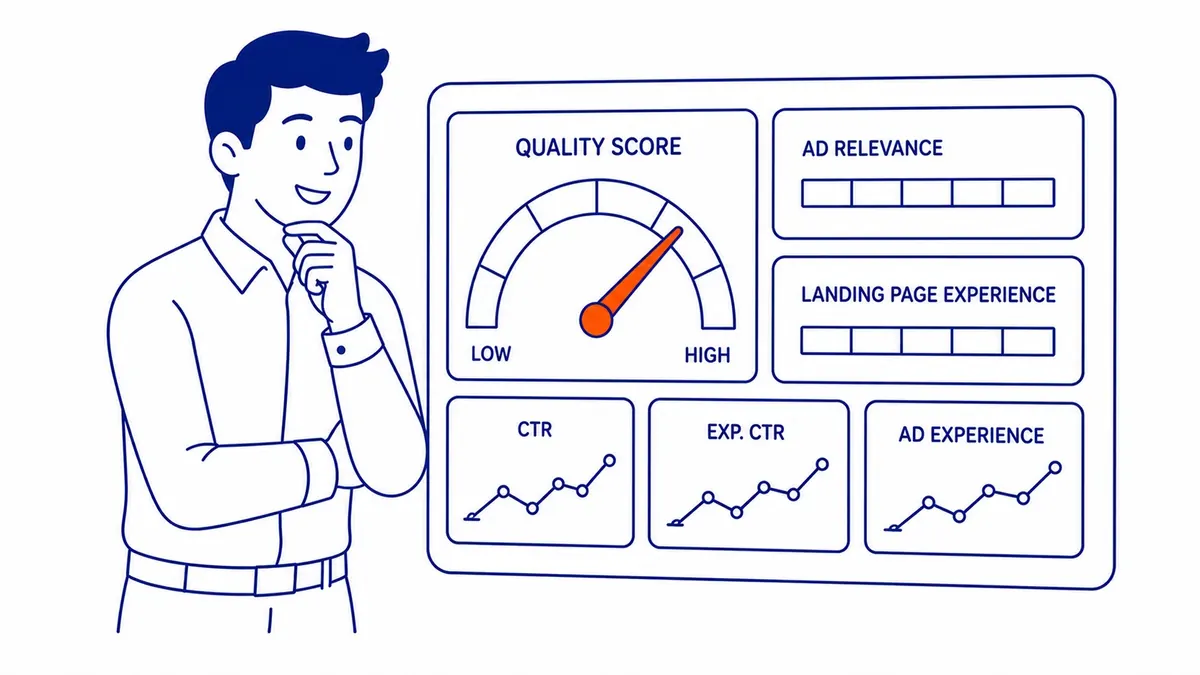
Quality Score (1 to 10) multiplies against your bid. Three factors go into it: keyword-to-ad match, landing page fit, and historical click-through rate. Load a single group with 40 keywords covering loosely related searches. No single ad copy speaks well to all of them. That relevance weakens. Quality Score drops. With lower scores, you pay more per click and land further down the page.
Quality Score and Keyword Dilution
Ad relevance is the factor advertisers lose first when groups overflow. Google measures how closely your keywords relate to the ads in that group. Twenty keywords covering a tight theme: strong relevance. Forty keywords mixing services, product types, and informational queries: diluted relevance across the board. The performance data already reflects this within weeks, not months.
Budget Fragmentation
A smaller problem, though still worth naming.
Thin spend follows thin campaigns. Forty dollars a day spread across 60 keywords generates roughly one impression per keyword per day. Google’s machine learning needs click data to optimise. That data, however, never accumulates. The campaign spends without learning. Wasted spend on irrelevant traffic, however, compounds week over week. Trim the list and the score recovers, since oversized keyword lists dilute every ad in the group. Tighter groups are the first move in how to improve PPC performance.
How Many Keywords per Ad Group?
Still, context matters here.
Practical range for most accounts: 5 to 15. At To-The-TOP!, new groups typically launch with 7 to 12 terms. That is enough variety to gather data without fracturing ad relevance.
Each ad group should cover one tightly defined service or product theme. A plumbing contractor would not mix emergency drain repair and water heater replacement in one group. Each service gets its own group, its own keyword list, its own ad copy. Mixing them saves setup time. It costs performance.
One ad group per theme is a more structural answer than a raw number, however. It is the one that holds up across different campaign types and budgets.

How Match Type Changes Your Keyword Count
Match type is where the count gets complicated.
Exact and Phrase Keywords
Exact match fires only on searches very close to your term. Phrase-type keywords expand slightly, triggering on searches that include your phrase with additional words around it. Both give you tighter control over which searches trigger your ads. More keywords are needed, however, to cover the same ground a single broad-targeting term would reach.
Most small to mid-size campaigns perform well starting with phrase and exact keyword types. Bidding is also more predictable. Wasted spend on irrelevant traffic stays lower. The keyword list grows longer, however. Managing it takes more time.
Broad Keywords
Broad targeting is where the count question inverts.
One broad-targeting keyword can do the work of a dozen exact-type terms. Google interprets it broadly and matches your ad to a wide range of related searches. Reach widens. Risk also widens: searches that trigger your ad may be only loosely related to what you sell.
Broad targeting works best with a healthy spend level and a strong negative keyword list. Advertisers who add broad-type keywords without first building out their negatives watch spend drift toward irrelevant traffic fast.

Budget Size and Your Keyword Count
Budget first, keywords second.
A $20 daily budget running across 50 keywords gathers almost no data on any individual term. Google needs clicks to learn. Each keyword needs at least 5 to 10 clicks per month before conversion trends become statistically meaningful. At $2 to $5 per click, a $20 daily budget actively supports maybe 4 to 8 keywords.
Smaller budget, smaller keyword list. That is not a constraint to work around. It is the right approach. Concentrated spend on a short, well-chosen list outperforms broad coverage on thin spend almost every time.
The question advertisers should ask is not how many keywords can fit in this campaign. It is how many keywords this spend level can actually support. Those are different numbers.

Negative Keywords in Google Ads: The List Most Advertisers Skip
Spend more time here than on adding terms.
Searchers who will not buy are still triggering your ads. Negative keywords filter them out before your budget pays for the click. Advertisers running service businesses typically block “free”, “DIY”, “how to”, “job”, and “career” early on. Each one also filters a category of non-buyer.
The search terms report inside your Google Ads account shows exactly where your spend went. Pull it once a week during the first 30 days of any new campaign. Add every irrelevant query to your negative keyword list. Those additions also compound quickly into real savings.
Tight keyword lists and clean negative keyword lists run together. Running them separately leaves money on the table.

Building Your Google Ads Keyword List
Start small and prune hard.
Google Keyword Planner is the starting point on any new campaign, whether you build the list yourself or have your keywords researched by a specialist. Search volumes, competition levels, and CPC estimates all surface at no cost. Ahrefs and SEMrush fill in the gaps, particularly on long-tail keywords with lower search volume but higher conversion intent.
Launch with the highest-confidence terms. Run the campaign for 30 days before reviewing performance data. Pull the search terms report and examine which queries actually triggered your ads. Add converting terms to the list. Block the irrelevant ones as negative keywords.
That cycle: launch, review, prune, expand. Keyword lists improve this way, not by building a larger list upfront. Real search data, when studied consistently, shapes what you keep.
Paid search keyword data also crosses into organic strategy. Terms that convert in Google Ads often point to pages worth building for Calgary SEO. The overlap is indeed real. Tracking both paid and organic performance together shows it quickly. Same discipline applies on the organic side when building a keyword list from scratch.

Frequently Asked Questions
What is the optimal number of keywords per ad group?
Between 5 and 15 for most campaigns, with tighter groups generally outperforming broader ones. Each ad group should cover one theme, with ad copy that speaks directly to the terms inside it. That coherence produces better Quality Scores, lower CPCs, and higher ad positions. Push past 20, however, and ad relevance fractures. The performance data already reflects it within the first few weeks.
Why use only 10 keywords in Google Ads?
Ten circulates as a practical ceiling because groups at or below that count tend to stay coherent. The official Google limit is much higher, however. Quality Score rewards tight keyword-to-ad relevance. At ten terms within a single theme, one ad copy can still speak to all of them. Thirty terms mixing different intents is a different problem entirely. Lower CPCs and better positions therefore follow from that coherence.
Is $20 a day good for Google Ads?
Depends on the industry and keyword costs in your market. Competitive service categories in cities like Calgary often run $3 to $8 per click. At $20 a day, that is 2 to 6 clicks. Workable if the keyword list is very tight and the campaign is well-structured. Not workable spread across dozens of terms. Keep the list to 4 or 5 active keywords at that spend level and review the search terms report weekly.
Too many keywords: what actually breaks?
Quality Score drops first. One ad trying to match too many different search intents weakens keyword-to-ad relevance. Budget fragmentation follows. Impressions per term drop. Clicks thin out. Conversions stop accumulating. The campaign generates wasted spend on irrelevant traffic without building the click data Google needs to optimise. Almost always, the fix is the same: trim the list, tighten the ad group themes, and let the budget concentrate on fewer, better terms.
Running ads without a clear keyword strategy is the most common reason campaigns overspend and underdeliver. If yours is doing exactly that, you can have us manage your Google Ads instead. At SEO Company To-The-TOP!, keyword selection for both paid and organic search has been part of the work since 2007. Worth a conversation if your current campaigns are spending but not converting.
For Calgary businesses also working on organic rankings, the SEO services Calgary page has more on how paid and organic search strategy connect.
Contact Calgary SEO Company To-The-TOP!
Questions about anything in this article, or about your own rankings? Talk to a Calgary SEO specialist directly.
Phone: (403) 308-5949
Address: 1509 14 Ave SW, Calgary, AB T3C 0W4
Hours:
Monday to Friday: 10:00 am – 7:00 pm
Saturday: 12:00 pm – 4:00 pm
Sunday: closed