
How to Add SEO Keywords in HTML Reddit
HTML carries six locations where keywords affect how search engines read your page. Not all of them carry equal weight. The title tag matters most. The meta description matters for click-through. Header tags signal content hierarchy. Alt text connects keywords to images. Body content is where the actual topic depth lives. Meta keywords: ignored by search engines since 2009, but still asked about constantly.
Adding keywords in HTML is not complicated. But the specific placement, syntax, and character limits matter. Getting one of them wrong does not tank rankings on its own. Getting all of them right creates a consistent signal that search engines use to classify your pages accurately.
The Title Tag: Most Important HTML Tag for SEO
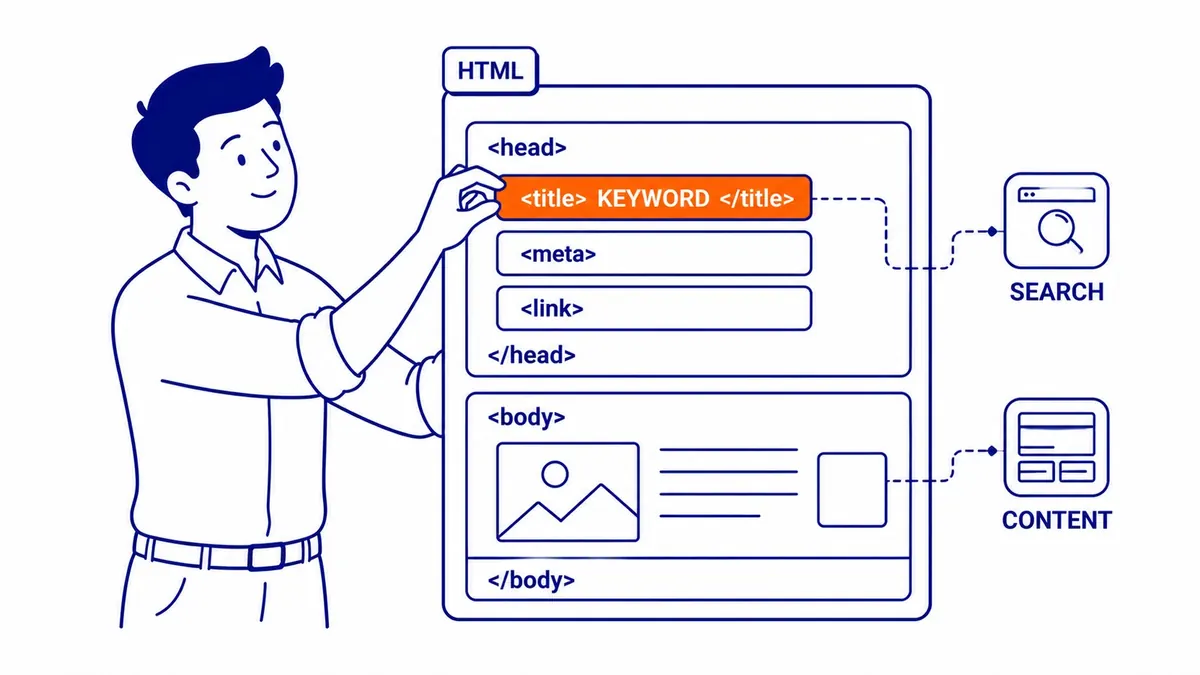
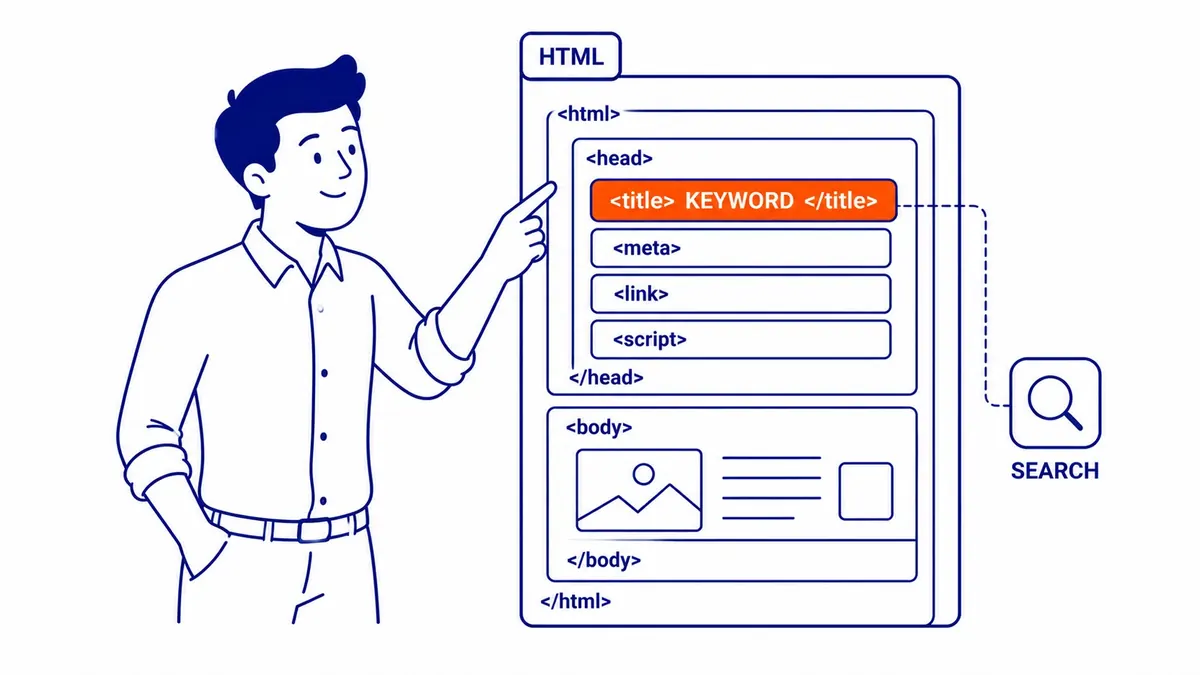
The title tag is the single most important HTML tag for SEO. It appears in the SERP as the blue clickable headline. Search engines read it as the primary signal for what each page is about. Place it inside the <head> section of your HTML document:
<title>Primary Keyword - Supporting Detail | Brand Name</title>Title tags should be 50–60 characters. Longer titles get truncated in the SERP. The primary keyword belongs at the start, not buried at the end. Best practices: one title per page, no keyword stuffing, each page gets a unique title. Search engines use this tag to categorise your pages in their index. It also sets the default text when someone bookmarks your page, so it works for users as well as for crawlers.
The Meta Description Tag
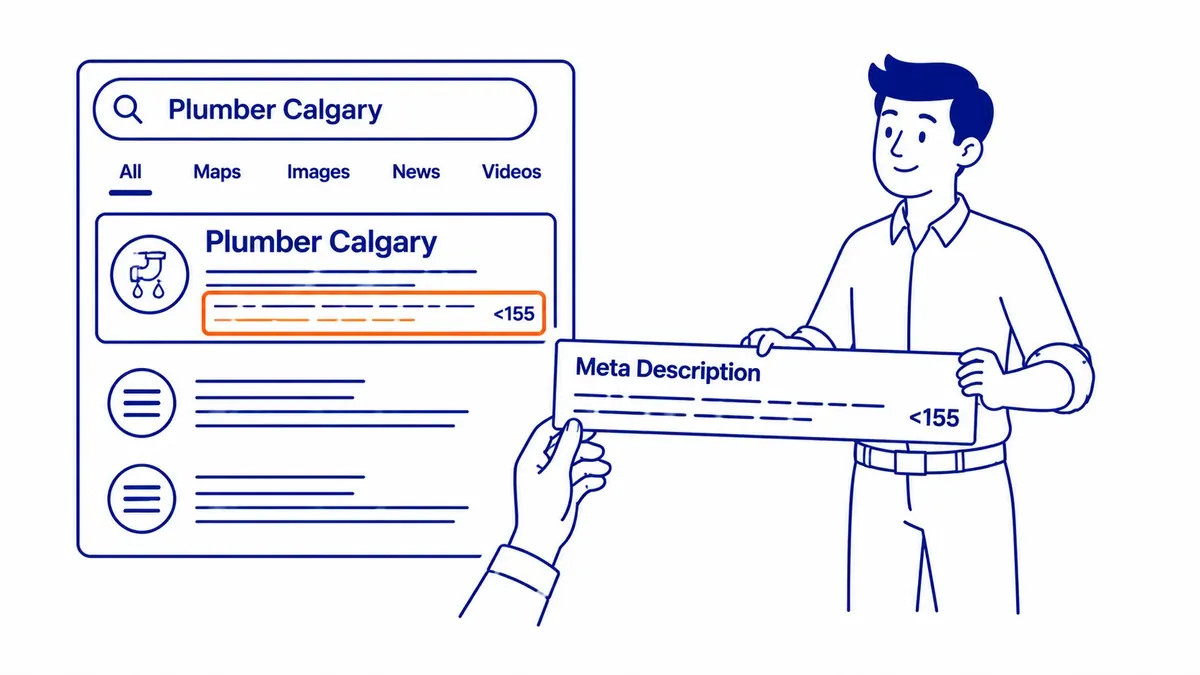
The meta description tag does not directly affect rankings. Search engines read it, but it is not a ranking factor the way title tags are. What it does affect: click-through rates from the SERP. A well-written meta description with the target keyword included often shows in bold when the searcher’s query matches, which pulls the eye. Format:
<meta name="description" content="Your description here, 150–160 characters max." />Meta descriptions over 160 characters are cut off with an ellipsis in search results. Keep them concise. Include the primary keyword naturally inside the content attribute. Each page needs a unique meta description, because duplicate content issues are more likely to flag when meta descriptions repeat across pages. The meta description functions as the organic ad copy for your page. Write it for the user, not just for search engines.
Header Tags: H1, H2, H3 in Your HTML Content
Header tags in HTML (<h1>, <h2>, <h3>) structure content and signal topic hierarchy to search engines. The H1 is the page title in your HTML. One per page. It should contain the primary keyword. H2 tags mark section headings. H3 tags mark sub-sections. All of them are opportunities to include keywords and related terms, but the primary purpose is content structure for users.
Search engines use header hierarchy to understand content organisation. A page with a clear H1 and logical H2 structure is easier to categorise than a page with undifferentiated body text. One way to decide which terms belong in H2 headings is to start from our keyword research, since the related searches around the main topic show which of them are worth a heading.
Alt Text in Image Tags
Search engines cannot read images. Alt text is the HTML attribute that tells them what each image shows. It also serves screen readers for accessibility. Place it inside the <img> tag:
<img src="image.jpg" alt="Descriptive text including your keyword here" />Alt text should describe what the image actually shows, with the keyword included where it fits naturally. Keyword stuffing in alt text is a flag. Write it so a user who cannot see the image gets useful information. Search engines weight alt text as a signal for image search rankings as well as the general page topic. Each image on your page should have a unique, descriptive alt attribute.
Meta Keywords Tag: Dead Since 2009
The meta keywords tag was designed to tell search engines what keywords a page targeted. Google stopped reading it in 2009. Bing followed. No major search engine uses it as a ranking signal today. The format looks like:
<meta name="keywords" content="keyword one, keyword two, keyword three" />Some site owners still include meta keywords out of habit or because older CMS plugins generate them by default. There is no harm in leaving them, but they do not contribute to SEO. Time spent managing meta keywords is better spent on title tags and meta description optimisation, which search engines still read and weight. Whether you are looking into Calgary Google Ads management or tuning organic pages that share the same keyword targets, the meta keywords tag is not the way to signal alignment to either platform.
Keywords in Body HTML Content
The body of your page is where keyword placement has the most room. Search engines read all text content inside your HTML, not just the meta tags. The primary keyword should appear in the first 100 words of your content. Related terms and synonyms belong throughout your content naturally, not forced in at an arbitrary density count.
Keyword stuffing in body content is penalised. Modern search engine algorithms read for topic relevance, not raw keyword repetition. One clear mention of each keyword variant, used the way a knowledgeable person would use it, outperforms five forced repetitions. Write for the user reading your page. Search engines have become accurate enough that what is genuinely useful to users is also what ranks.
The connection between HTML keyword placement and actual SERP positions is not instant. Work with an SEO agency Calgary businesses trust and the timelines come back consistent: meaningful ranking movement after three to six months for competitive keywords, faster for low-competition terms. The HTML keyword signals are one input into that process. Our website audit for SEO checks every HTML zone (title tags, meta descriptions, header structure, alt text and body content) to identify gaps before they become ranking problems.
Frequently Asked Questions
How to add keywords in HTML for SEO?
Six locations in your HTML carry SEO keyword value: the title tag (most important), the meta description (affects click-through from SERP), header tags (H1 through H3 for content hierarchy), alt text on image tags, the body content, and the URL itself. Search engines read all of these. The title tag and body content carry the most weight. The meta keywords tag is a legacy format that search engines no longer read.
How do I add SEO to HTML?
Start with the head section. Every page needs a unique title tag (50–60 characters, primary keyword at the front), a unique meta description tag (150–160 characters, keyword included naturally), and at minimum one H1 in the body matching the page topic. Add alt text to all images. Structure body content with H2 and H3 header tags. Make sure each page has a clean, keyword-relevant URL. Those six elements cover the core of how search engines read HTML for SEO.
How do I add SEO keywords to my website?
There is no single field to fill in. Keywords in SEO live across multiple elements on each page: the title, the meta description, the page headings, the body text, the image alt attributes, and the URL path. Each page targets one primary keyword and several related terms. Pages compete separately in search results, so keyword placement is a per-page task, not a site-level setting. Best practices: research which keywords have search volume for your topic, then use them naturally across those HTML elements on each relevant page.
What are the HTML tags for SEO?
The most important HTML tags for SEO: <title> for the page title, <meta name="description"> for the search result snippet, <h1> through <h3> for content hierarchy, <img alt=""> for image descriptions, and canonical tags (<link rel="canonical">) to prevent duplicate content issues when similar pages exist. Schema markup (structured data in <script type="application/ld+json">) is not a traditional HTML tag but lives in the head section and helps search engines understand page type and content. The meta keywords tag is not on this list because search engines ignore it.
Contact Calgary SEO Company To-The-TOP!
Questions about anything in this article, or about your own rankings? Talk to a Calgary SEO specialist directly.
Phone: (403) 308-5949
Address: 1509 14 Ave SW, Calgary, AB T3C 0W4
Hours:
Monday to Friday: 10:00 am – 7:00 pm
Saturday: 12:00 pm – 4:00 pm
Sunday: closed