
How to Increase SEO on Squarespace
Squarespace SEO gets a bad reputation it mostly does not deserve. I have heard it on sales calls for years. The site is beautiful, traffic is flat, and someone has decided the platform is the problem. Usually it is not. Most Squarespace sites underperform because nobody set the basics, not because Google quietly punishes the builder. That distinction matters, because the fix is in your hands.
SEO Company To-The-TOP! has been doing search work out of Calgary since 2007. Squarespace, WordPress, Wix, custom builds, we have ranked them all. This guide is the version I wish more business owners read before they panic-migrate to another platform. It walks through every lever that actually moves rankings on a Squarespace site, in roughly the order I would tackle them for a paying client.
No fluff about favicons saving your traffic. Real priorities. If you want a second set of eyes on your own site later, our Calgary SEO team is a phone call away. A quick word on expectations before we start. SEO is slow. Three to six months before meaningful movement, and that is the honest timeline for a site with some competition.
Anyone promising faster is selling something. Worth keeping that in mind as you work through the list below. Still wondering whether Squarespace hurts SEO after all that?
Can a Squarespace Site Actually Rank?
Short answer: yes, easily. I have Squarespace clients sitting in the top results for terms their WordPress competitors would love. Google does not read the CMS name and assign a penalty. It crawls the HTML. Reads the content. Weighs the links. Then ranks what it finds. Squarespace outputs clean, valid HTML. Sane heading structure. Mobile rendering baked in. For a small business, that is a head start, not a handicap. The honest part comes next.
Squarespace has a ceiling, and you should know where it sits before you invest months into the platform. You do not get server-level control. No access to the raw .htaccess file, limited redirect logic, no plugin marketplace to bolt on advanced technical fixes. Some navigation and content render through JavaScript, which is fine for Google but occasionally slows how fast new pages get understood. Schema beyond the built-in types means dabbling in code injection.
None of this stops a local service business or a portfolio site from ranking. It does start to bite once you need thousands of pages, faceted filtering, or surgical control over crawl budget. Here is the practical read. For maybe ninety percent of the businesses that call us, Squarespace is more than enough SEO platform. The site that ranks has better content and better links. Not the one on a fancier CMS.
So before anyone migrates: is the platform genuinely the bottleneck? It almost never is. The bottleneck is usually thin content and a near-empty backlink profile. Both fixable right where you are. One more point worth stating plainly before you spend a dollar elsewhere. The platform is not the variable that decides whether your website ranks. I have audited gorgeous Squarespace sites stuck deep in the results and plain ones sitting at the top, same industry, same city, same month.

The difference was never the CMS badge in the footer. It came down to depth of content and the strength of the backlink profile, every single time. So that is where your energy belongs. A website earns its position by being the most useful answer to a real query, not by running on fancier software. Migrating a thin site to WordPress just hands you a thin site on WordPress, with a new learning curve attached and the same ranking problem waiting at the other end. If you are already there, WordPress SEO improvements follow the same logic anyway.
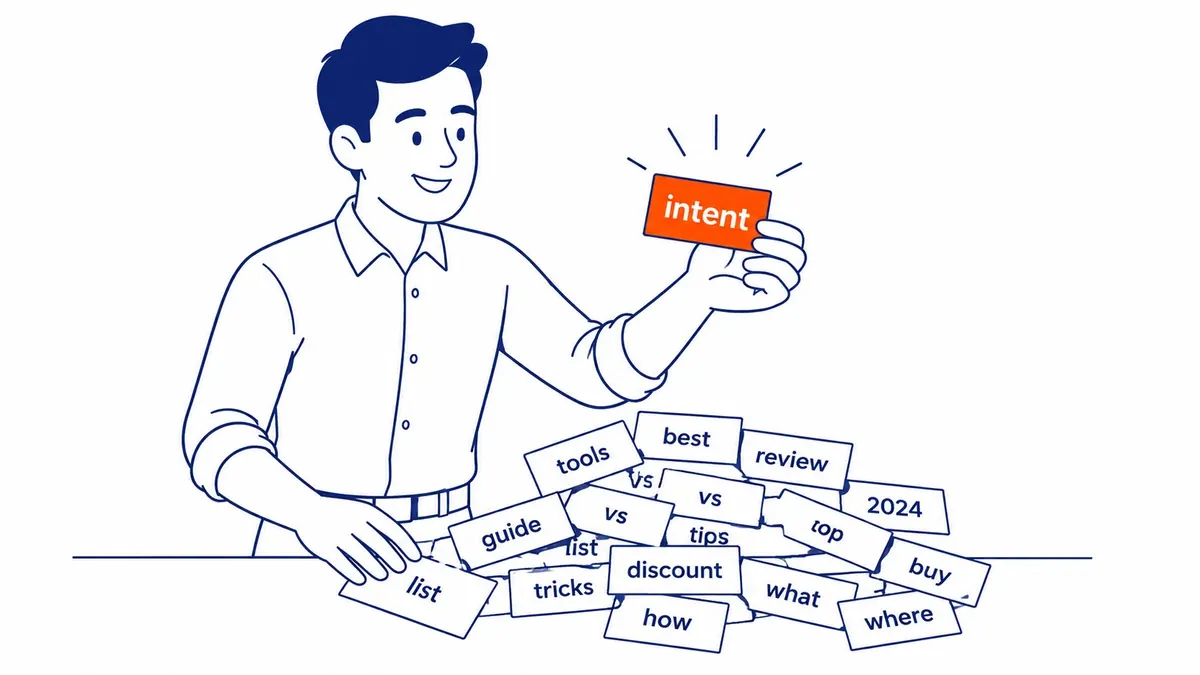
Start With Search Intent, Not a Keyword List
Intent beats keyword volume every time. The biggest jump I see on Squarespace sites does not come from a clever meta tag. It comes from matching what your website says to what a searcher actually wants. A search term is just the words. Intent is the job behind the words. Someone typing “wedding photographer Calgary” wants to see galleries, pricing, and availability. Or someone typing “how much does a wedding photographer cost” wants a straight answer and a range.
Same topic. Different jobs. One URL cannot serve both well, and trying to is how good photographers end up ranking for nothing. Match one page to one job. That clarity is what search engines reward. Niching down is the lever underneath all of this. There are millions of websites built on Squarespace, and you will not out-rank the whole internet for “marketing.” You can absolutely own “Squarespace designer for wedding photographers” or “bookkeeper for Calgary trades.” Narrower keyword, lower competition, far higher conversion.
The visitor who finds you already wants what you do. I would rather rank first for a phrase fifty people search than tenth for a phrase fifty thousand search. Fifty qualified visitors beat five thousand tourists. So before any keyword research happens, sit with the jobs your best customers were trying to do when they found you. Switching off a clunky old website. Looking more professional. Finally adding online booking. Each of those is a page waiting to be written.
Map it to the job first. Keywords come after, and they come easier. There is a second payoff to leading with intent that owners miss. It makes everything downstream easier. Once a URL is built around one clear job, the title writes itself, the headings fall into place, and the keyword work finally has somewhere to land. Fight the intent and you spend months forcing a phrase onto a website that was never structured to answer it.
I have re-pointed entire sites this way, not by adding pages but by clarifying what each existing one was actually for. Traffic that was scattered across half-relevant URLs consolidates onto the pages that deserve it. The site gets simpler and ranks better at the same time, which almost never happens in this work. Intent is the rare lever that pulls both directions at once. Where do those keywords actually go once the intent is clear on a Squarespace website?

Keyword Research That Fits a Squarespace Site
Keyword research sounds harder than it is. You build a short list of phrases real people type. Then match each one to a destination. Squarespace gives you the canvas. The phrases come from your customers, your competitors, and a free tool or two. Two kinds of keywords matter here. Head terms are the short, broad ones. Think “florist,” or “yoga studio,” or “accountant.” Long-tail keywords run longer and get specific. Something like “same-day flower delivery in Inglewood,” or “prenatal yoga classes northwest Calgary.” Head terms carry volume and brutal competition.
Long-tail phrases carry intent and a realistic shot at ranking. A new Squarespace site lives or dies on long-tail. Start there. Brainstorm before you refine. Open a notepad and dump every phrase a customer might use. Your products. The questions you get on the phone. Words competitors put in their headlines. Whatever synonyms a normal person reaches for. Your own analytics already holds gold here, the phrases that quietly bring people in today.
A workable starting target is three head terms and seven long-tail phrases. Ten total. Enough to plan a site around without drowning. Then refine. Cut anything you have no real chance at this year, and cut anything that does not match what you sell. Relevance over volume, always. A free keyword tool or even Google’s own autocomplete will tell you what people actually search instead of what you assume they search. Our keyword research team in Calgary does this with paid datasets, but you can get eighty percent of the value for nothing if you are patient.
Placement matters more than most people think. There is a rough order to it, as well. Where you place a keyword on Squarespace changes how much it counts. Domain and site title pull the most weight. The URL slug and SEO title come next, then the description and your headings. Body copy, categories, and image file names still matter, just less. Use the phrase where it reads naturally and stop. Stuffing the same term into all ten spots reads like spam to a human and to Google.
Write for the person. The algorithm is eavesdropping on a conversation meant for a reader. One trap to avoid: keyword cannibalization. Two pages chasing the same phrase do not double your odds. They split your authority and confuse Google about which one to rank, so neither does well. One phrase, one page. If two pages overlap, merge them or point one clearly at a different job.
Get Your Squarespace Titles and Descriptions Right
Titles do the quiet heavy lifting. They are the blue clickable line in search results and the label in a browser tab. Squarespace gives each one two of them, and confusing the two is one of the most common mistakes I find on audits. The navigation title is the short label in your menu. “About,” “Services,” “Contact.” Your SEO title is the longer line that actually shows in search results, keyword and all.

Squarespace lets you set them separately, and you should. Your menu can read “Services” while the SEO title reads “Bookkeeping Services for Calgary Trades and Contractors.” Clean menu, descriptive search listing. Set the SEO title under roughly sixty characters so it does not get chopped. Descriptions come next. The site description and the per-page SEO description are the grey snippet text under your listing. Google does not always use what you write, but it often does, and a sharp description lifts click-through even when your position does not move.
Keep these descriptions between fifty and three hundred characters, lead with the benefit, and work the term in once where it fits. Do not write the same meta description for every one. Each page, its own. A duplicated description across forty pages tells Google your pages are interchangeable, which is the opposite of what you want. Quick honesty note here. On their own, meta descriptions do not move rankings. They earn the click.
The title earns the ranking and the click. So spend your title effort first, then sharpen descriptions on the pages that already get impressions.
Structure Every Page With Proper Headings
Headings are page architecture. They tell a reader and a crawler how the page is organized, in descending order of importance. Get the hierarchy right and Google reads your website the way you intended. Botch it and the result reads as one undifferentiated wall. One H1 per page. That is the page’s main title, the single most important line, and it should carry the primary phrase for that page. Under it, H2s break the page into major sections.
Below those, H3s handle subsections, then H4s for finer points. Squarespace makes all four available in the editor. The mistake I see constantly is designers reaching for a style because of how big it looks, not because of what it means. A subheading styled as an H1 because the font was nicer. That scrambles the structure. Keep the order logical and the keywords natural. An H2 reading “Pricing and Packages” beats one reading “Stuff,” obviously.
Descriptive headings help the skimmers, and most of your visitors skim before they ever read. They also feed Google a clean outline of what the page covers. Work your secondary keywords into a subhead or two where it genuinely fits the section. Do not force the primary phrase into every single heading. That reads as manipulation and helps nobody.

Clean URLs and the Squarespace Slug Traps
URLs are small and easy to ignore. They also get indexed, shared, and read by search engines, so a tidy one helps. A good slug stays short and lowercase, hyphens between the words, the keyword in there, no dates or random junk. “yoursite.com/wedding-photography” beats “yoursite.com/page-2-final-v3” every time. Squarespace has a couple of slug traps worth knowing about. Blog collections historically buried posts under a dated path, something like “/blog/2021/04/12/post-name,” which ages your content visibly in the URL and makes it look stale two years later.
You can usually clean the slug down to the post name. Do it before the post earns links, because changing a URL after the fact means setting up a redirect or losing the equity. Speaking of which, Squarespace does give you a URL redirect tool. Use it every time you change a slug. A changed URL with no redirect is a broken link and a small ranking leak. Tag and category pages are the other trap.
Squarespace auto-generates them, and they often end up thin, near-duplicate, and indexed when they should not be. Same with internal config and search result pages. None of this sinks a small site, but on a content-heavy one it dilutes how search engines see your quality. Worth a tidy-up once your blog grows past a dozen posts. Keep the slug clean from day one and most of this never becomes a problem.
Images: The Easiest Ranking Points Most Sites Miss
Images are free SEO that almost everyone skips. A Squarespace site is usually gorgeous and full of photos. Those photos are uploaded with names like “DSC_4471.jpg” and zero alt text, which is a stack of small ranking points left on the table. Three quick wins live here. Alt text first. It is the written description of an image. Screen readers use it. So does Google, which cannot see a photo and leans on the words you attach.
Describe the image plainly and slip the keyword in only when it honestly fits. “Bride and groom under string lights at a Canmore wedding” beats “wedding photo” and beats an empty field by a mile. Alt text also drives image search, which sends real traffic for visual businesses. File names second. Rename the file before you upload. “calgary-wedding-photographer-canmore.jpg” tells Google something. “IMG_2025.jpg” tells search engines nothing. Two minutes per shoot, and it compounds across a gallery.
Compression third, and this one is about speed as much as relevance. Squarespace serves responsive image sizes automatically, which helps, but a forty-megabyte hero photo still drags your load time down. Keep image files under roughly five hundred kilobytes where you can. Resize before uploading rather than dropping a print-resolution file onto your website. Heavy images are the single most common reason a beautiful Squarespace site fails its Core Web Vitals, and that ties straight into the next section.

Worth tying this back to user experience, because Google increasingly does. A heavy, slow-loading website frustrates a visitor before they read a single word. That frustration leaves fingerprints all over your analytics. Quick bounces. Short sessions. People backing straight out to try the next listing. Lean, well-named images keep your website fast. A fast website keeps the user experience smooth. That quietly supports every other ranking signal you are working on. The same two minutes of compression buys two separate wins.
Accessibility is the third. Screen-reader users rely on that alt text to navigate, and a website that works for them tends to be a website Google reads cleanly too. Rarely does such small effort pay off in so many directions at once.
Build Content Depth With Pillars and Clusters
Content is still the engine. Every technical tweak in this guide is polishing a machine that runs on content. A Squarespace site with three thin pages will not rank no matter how clean the headings are. Depth and helpfulness are what earn the position and the links. Pillars and clusters are how I structure that depth. A pillar page is a broad, thorough resource on a core topic. Cluster pages are the detailed pieces that branch off it and link back.
Say a wedding photographer builds a pillar on “wedding photography in Calgary,” then clusters on engagement sessions, venue guides, timeline planning, and what to wear. The pillar covers the topic broadly. Each cluster goes deep on one slice. They link to each other. That web of related, internally linked content signals genuine expertise. This is also where E-E-A-T lives, that clunky acronym for experience, expertise, authoritativeness, and trustworthiness. You demonstrate it through the work, never just claim it in a tagline.
Focused pages beat catch-all pages. One bloated “Services” page listing eight things ranks for none of them. Eight focused pages, one per service, each targeting its own long-tail phrase, ranks for eight things and converts better because each one speaks to one need. I have watched a single focused service page out-earn an entire generic homepage. Split the catch-all up. Do not forget the content you already published. Old blog posts that have slipped to positions four through ten are your fastest wins, not the blank draft waiting for a new article.
Update them. Refresh the facts, expand the thin spots, add an internal link or two, republish. Google rewards freshness and depth. A post already sitting at tenth needs a nudge, not a teardown. Consistency beats raw volume here, by a wide margin. One genuinely useful post a month for a year beats twelve rushed posts in January and silence after.

Page Speed and Core Web Vitals on Squarespace
Speed is where Squarespace honesty earns its keep. The platform builds lovely sites, and lovely sites tend to be heavy. Big hero videos, parallax sections, multiple custom fonts, a slider nobody scrolls. Each one adds weight. Page weight is what kills Core Web Vitals. Those are the speed and stability scores Google now folds into ranking. Largest Contentful Paint is usually the culprit. It measures how fast the main content appears, and on a typical Squarespace homepage that is a giant hero image or video loading slowly on mobile.
Compress that hero. Trim the number of sections above the fold. Drop the autoplay background video if it is just decoration, because most visitors never register it and it costs you seconds. Cut your custom fonts to two families at most. Every extra font is another file the browser fetches before text renders. Mobile is where this gets decided. Google indexes the mobile version of your site first. Most of your visitors are on a phone anyway.
A Squarespace template that looks crisp on a desktop can stack awkwardly and load slowly on a small screen. Preview every important URL on an actual phone, not just the editor’s mobile view. Watch how long the first useful thing takes to appear. If it drags, the heavy images and scripts are usually why. You will not get a static, hand-tuned site’s speed scores out of Squarespace, and that is the trade-off for the convenience.
But you can get comfortably into the green for a normal business site by being disciplined about images, fonts, and section count. That is enough. Perfect speed scores do not rank a thin site, and a fast site with weak content still loses. Speed is a tiebreaker, not the whole game. One honest caveat on the tooling. Do not get hypnotized by a single score out of a speed test. Those tools grade a moment in time on one connection, and the number bounces around from test to test.
What matters is the real user experience. A real phone, a real network. That is what Google measures, through field data gathered over weeks. Chase the experience, not the gauge. Fix the obvious weight first. Start with the hero media. The font sprawl. Those third-party scripts nobody remembers adding. Then check whether your website actually feels quicker to load. It usually does. A website that responds the instant a visitor taps holds attention in a way no checklist number ever captures, and attention is what the rankings ultimately reward. Speed is one thread in how SEO increases web traffic, not the whole rope.
Technical Housekeeping That Search Engines Reward
Technical SEO on Squarespace is mostly housekeeping. Much of it is handled for you, which is the platform’s quiet advantage. A handful of items still need a human, and skipping them leaves easy signals unclaimed. Run through this list once and most of it stays done. SSL first. Squarespace issues a free SSL certificate, so make sure HTTPS is switched on under settings. That little padlock in the browser bar is a baseline trust signal, and a ranking one.

A site still serving over plain HTTP looks broken in modern browsers. Some users enable HSTS on top of it for stricter security. Worth a look, not urgent. Then submit your sitemap. Squarespace auto-generates an XML sitemap at yoursite.com/sitemap.xml. You do not build it. But you do hand it to the search engines. Verify your site in Google Search Console. Submit that sitemap. Do the same in Bing Webmaster Tools. Bing gets ignored constantly and still sends real traffic, plus it feeds other engines.
Two accounts, ten minutes, ongoing visibility into how you are indexed. A few more housekeeping items round it out. Deindex thin pages such as bare tag and category archives so Google judges you on your real content. Hunt down duplicate content, the same text living at two URLs, and consolidate it. Check for broken links now and then. A 404 on an internal link is a dead end, for crawlers and visitors alike.
Build a custom 404 page so a wrong turn keeps people on your site instead of bouncing. Schema markup is worth adding through code injection where it fits. A local business or article type, dropped in so Google grasps the page well enough to show rich results. Keep intrusive pop-ups off mobile too. Google has called out content-blocking interstitials as a ranking negative, and it means it. None of these are glamorous.
All of them are points Google hands out for free.
Internal Links, Outbound Links, and Link Building
Links are how authority flows. Three kinds matter, and Squarespace sites usually neglect all three. Internal links between your own pages. Outbound links to trusted sources. Inbound backlinks from other sites pointing at you. Each does a different job. Internal links come first because you control them completely. Linking your pages to each other helps Google crawl the site. It spreads ranking authority around. And it keeps visitors moving deeper instead of leaving.
Use descriptive anchor text, the actual topic, not “click here.” Link from your strong pages to the ones you want to lift. Point related blog posts at each other and at the relevant service page. A pillar-and-cluster structure does this naturally, which is half of why it works. The cleanest internal linking strategy I deliver for clients reads like a map of the site’s priorities, and you can build the same thing by hand.

Outbound links matter more than people expect. Linking out to a genuinely authoritative source, a research study, an official guide, signals that your content sits in good company and is trying to help. It will not cost you ranking, despite the old myth. Instead it adds credibility. Just keep outbound links relevant and sparing. Backlinks are the hard part and the high-leverage part. Other reputable sites linking to yours is still one of the strongest ranking signals there is, and it is the thing a clean Squarespace site most often lacks.
You earn them two ways: by being worth linking to, and by doing the legwork. Guest posts on relevant industry blogs. Local directory and association listings. Supplier and partner pages. Genuine outreach to the people who cover your space. Quality over quantity, every time. One link from a respected local outlet outweighs fifty from spun directories. The spammy stuff does not just sit there doing nothing, either; it actively hurts. This is the slowest part of SEO and usually the one that separates the top of the results from the bottom.
If you want it done properly without the risk, our SEO services in Calgary handle white hat link building as part of the work, no shortcuts.
Local SEO for a Canadian Business
Local SEO is a different game with its own board. If you serve a city or a region, this is often the highest-return work you can do, and most Squarespace sites barely touch it. The goal is showing up when someone nearby searches with intent, the “near me” and “in Calgary” queries that come from people ready to buy. Google Business Profile is the foundation for local search in this market. It is free.
And it powers the map pack and the knowledge panel on the right of the results. A complete, active profile will often outrank a prettier website that nobody maintains. Claim it, fill in every field, pick accurate categories, add real photos, and keep your hours current. Then collect reviews honestly and reply to them. Reviews are both a ranking signal and the thing that actually convinces a human to call. Consistency across the web does the rest.
Name, address, phone number. All three need to appear identically on your Squarespace site, on Google Business Profile, in Bing Places, and across every directory that lists you. Any mismatch weakens the local signal. An old suite number here, a different phone format there. It leaves Google guessing which version is real. Put your full address in the footer and on a contact page so both visitors and crawlers find it. For a business search engine optimization effort tied to a specific Alberta service area, that NAP consistency plus a strong Google Business Profile usually moves the needle faster than anything you do on the website itself.

Local is where small businesses win, because the pond is smaller and you can genuinely be the big fish. Platform matters less here than most people think, though how WordPress handles SEO comes up on every call. Same pond, different bait, which is roughly what podcasting adds to SEO for a local audience.
Video and Brand on Squarespace: Signals Most Lists Skip
Two signals get left off the standard checklist. Namely, video and brand. Neither is mandatory, both compound quietly, and Squarespace handles both perfectly well. I bring them up because the sites that pull ahead of their competitors usually do at least one. Short video keeps people on your website, and time on the page is a signal Google watches. A short explainer, a walkthrough, a real human talking instead of stock photos, all of it builds trust faster than text and gives visitors a reason to stay.
Embed it on the pages that matter. You can host on YouTube and embed, which also opens a second search channel, since YouTube is the second largest search engine going. I have watched a plain video guide out-rank a longer written article on the same topic, purely because people watched it through. Repurpose one video into clips, a blog post, and social and you have fed three channels from one effort. Brand is the slower, deeper play.
Google leans harder on trust every year. So branded search, people typing your actual business name into Google, becomes a signal all by itself. Circulate that name widely enough and Google starts treating you as a real entity worth ranking. Get the name into your content, your video outros, your local press, your partnerships. You can lose a head-to-head fight for a generic keyword and still own every search for your own name, and those branded searchers convert at the highest rate of anyone.
A portfolio of consistent, branded work, the kind we keep in our SEO portfolio, is what turns a name into an entity Google trusts.
SEO in the Age of AI Answers
AI changed the surface, not the foundation. Google now shows AI Overviews above the old blue links, ChatGPT and Perplexity answer questions outright, and plenty of business owners assume SEO is finished. It is not finished. Then it shifted. The same signals that rank a page, clear content, structure, authority, citations, are the signals that get it pulled into an AI answer. Generative engine optimization is the name people are putting on this.

The practical version is less exotic than it sounds. Structure the page so a machine can lift a clean answer out of it. Answer real questions directly. Write headings that match how people actually ask, drop in a short quotable line here and there, and use a list only where a list earns its place. Schema markup earns its keep here too. It spells out what a page means in a format machines read without guessing.
Keep your facts current. AI systems lean hard on fresh, well-sourced material. Brand mentions feed the AI layer more than most people realize. When your business gets cited across the web, on Reddit, in forums, in industry articles, those mentions raise the odds an AI names you in an answer. So the work overlaps almost entirely with good traditional SEO. You do not abandon what ranks pages to chase what feeds chatbots.
Instead you do both with the same content, because they reward the same things. The businesses panicking about AI are mostly the ones who never did the fundamentals. Do the fundamentals and you are already most of the way there. If paid visibility is also on the table while organic compounds, Google Ads management can hold the top of the results in the meantime.
Measuring Whether Your SEO Is Working
Measurement keeps you honest. Skip it and SEO turns into guesswork dressed up as strategy. You cannot tell a real gain from a random wobble. Two free tools tell you almost everything you need, and a third paid tier helps once you scale. Google Search Console is the one I open first, every time. It shows the actual queries bringing people in. Which pages earn impressions. Where you sit in the rankings.
What is climbing, and what is slipping. Which queries generate impressions. And which pages earn the clicks. Search Console surfaces both, for free, straight from Google. It also flags indexing problems and Core Web Vitals issues before they cost you. If you set up nothing else, set up this. Google Analytics handles the rest, the behaviour once people land. How long they stay, which pages convert, where they drop off, whether that traffic turns into phone calls and form fills.
Pair the two and you can connect a ranking gain to an actual business result, which is the only number that matters. Here is the part most checklists skip. Rankings are not the goal. Leads are. A number-one ranking for a phrase nobody valuable searches is a vanity metric. I have watched businesses celebrate rankings while the phone stayed quiet. Track impressions and clicks, yes, but tie them to enquiries and sales.

If position improves and leads do not, you ranked for the wrong thing. The fix is intent, not more links. For sites where the picture is murky, a proper SEO audit untangles what is actually driving results from what just looks busy. Monthly reporting that connects ranking shifts to traffic and conversion, then flags what needs attention next, is how we keep clients pointed at outcomes instead of vanity charts. A word on patience while you measure, because the data lies early.
The first few weeks after you optimize a website are noisy. Rankings wobble while Google re-crawls and re-weighs the whole field around you. Impressions jump and sag. It is genuinely easy to talk yourself into a panic, or a celebration, that the numbers do not support yet. Give a change a month before you judge it. Two months on a competitive term. Read the trend across that window, not the figure on any single morning, and weigh impressions and clicks against the only outcome that pays the bills, which is enquiries landing in your inbox.
Three good leads a month off a modest ranking beats first place for a phrase nobody who buys ever types. That same measuring habit settles most arguments about what Wix does well in search. Platform choice barely moves that number, though website builder SEO features do vary more than people assume.
When DIY SEO Stops Paying Off
Most of this you can do yourself. That is the honest truth, and I am not going to pretend otherwise to scare you into a contract. Titles, descriptions, headings, image alt text, internal links, a Google Business Profile, all of it is within reach for a motivated owner with a few weekends to spare. Do the work in this guide and your Squarespace site will rank better than it does today. Probably a lot better.
The question is what your time is worth. SEO is slow, technical in places, and never quite finished, because the competition keeps working and Google keeps shifting. The DIY path tends to stall at the same few spots. Link building stalls people first, because it needs relationships and persistence. Technical diagnosis stalls them next, because reading the symptoms takes experience. Then there is the strategy of knowing which of thirty possible tasks actually matters for your specific site this quarter.
That last one is where most self-taught efforts spin their wheels, doing busywork that feels productive and moves nothing. Usually that is the point to bring in help. Not because Squarespace is too hard, but because your hours are better spent running the business while someone who does this all day handles the search side. To-The-TOP! works as a solo expert-led practice, which means the person auditing your site is the person doing the work, no junior handoffs and no account manager relaying messages.

Nineteen years in, White Hat only, monthly position reporting you can actually read. Push on the specifics before you hire anyone for SEO. What does the audit cover, how long until movement, what gets reported. Worth asking before signing anything.
Squarespace SEO: Frequently Asked Questions
Is SEO dead, or just evolving in 2026?
Not dead. Evolving, as it always has. AI Overviews and answer engines changed how results look, but they run on the same underlying signals: relevant content, clean structure, authority, and citations. Page-level quality and schema matter more now, not less, because that is what AI systems pull from. Anyone declaring SEO dead usually means their old shortcuts stopped working. The fundamentals are doing fine.
What are the 3 C’s of SEO?
Content, code, credibility. That is the plain-terms version. The first is what you publish and how well it answers the search. Code is the technical side: structure, speed, crawlability, schema, the things that let Google read your website cleanly. Credibility is authority, the backlinks and brand signals that tell Google other people trust you. Some versions phrase it as content, technical, and links. Same three ideas. Get all three working together and rankings follow.
Is Squarespace any good for SEO?
Genuinely, yes. Clean HTML, mobile rendering, automatic sitemaps, free SSL, and a sane heading structure ship out of the box, which is more than a neglected WordPress install can say. The platform has limits at the high end, around server control and advanced technical work, but a typical small or local business will never hit that ceiling. Whichever site wins runs on better content and better links, not a different logo on the CMS. Squarespace is plenty.
How do I actually increase my SEO?
Start with intent, then work down the list. Match each page to one real search job. Write titles and descriptions that earn the click. Fix the headings. Clean the URLs. Optimize the images, then build content that actually has depth behind it. Tidy the technical basics next, the SSL toggle, the sitemap, Search Console. Build internal links and earn real backlinks over time. Nail local SEO if you serve an area. Then measure leads, not vanity rankings, and keep going. It compounds slowly and then all at once.
Contact Calgary SEO Company To-The-TOP!
Questions about anything in this article, or about your own rankings? Talk to a Calgary SEO specialist directly.
Phone: (403) 308-5949
Address: 1509 14 Ave SW, Calgary, AB T3C 0W4
Hours:
Monday to Friday: 10:00 am – 7:00 pm
Saturday: 12:00 pm – 4:00 pm
Sunday: closed