
What Are Sitelinks in Google Ads?
Sitelinks in Google Ads are extra links that appear under a search ad, each one taking the searcher to a different page on your website, such as a service, a booking form or your store hours. Google now calls them sitelink assets (they used to be sitelink extensions). The ones you create yourself, which Google calls manual sitelinks, are made up of link text of up to 25 characters, two optional description lines of up to 35 characters each, and a final URL, and Google can also add dynamic sitelinks of its own unless you switch them off. They cost nothing to add, and a click on a sitelink is charged the same as a click on the ad’s headline. The rest of this guide covers how they look, which ones show when you set them at more than one level, how to write them, and how to add them.
What sitelinks look like and where they show
Sitelinks sit below the headline and description of a text ad. Google’s Help page on sitelink assets says they can appear in ads at both the top and the bottom of the search results, so the old belief that only top-of-page ads get them is out of date. You need at least two eligible sitelinks for any to show. On a computer an ad can show up to 6, either stacked one below the other or side by side across one or two lines, and on a phone it can show up to 8 in a carousel that the searcher swipes through. An ad in the very top position on mobile can also get a more prominent layout with one sitelink per line.
Whether they show at all is decided auction by auction. Google’s About assets page explains that assets depend on your Ad Rank, which combines your bid, the quality of your ad and landing page, Ad Rank thresholds, the context of the search and the expected impact of assets. Position matters too, because there is limited room above the results and higher ads get the first chance to show more assets. Approval does not mean a sitelink will appear every time, and Google says plainly that a sitelink not showing on a given search does not mean something is wrong.
Sitelinks also work outside standard Search campaigns. Google lists them as compatible with Performance Max, Video campaigns on YouTube (up to 4 sitelinks, on mobile only, and not on Google video partners), Demand Gen (up to 4) and AdSense for Search. The rest of this article focuses on Search campaigns, where sitelinks appear with text ads on the results page.
Examples of Google Ads sitelinks
A good sitelink set reads like a short menu of the reasons people search for your business. Here is an illustrative set for a hypothetical Calgary plumbing company, written to fit Google’s limits. The character counts include spaces.
| Link text (max 25) | Characters | Description line (max 35 each) | Characters |
|---|---|---|---|
| Emergency Plumbing | 18 | Calls answered 24 hours | 23 |
| Water Heater Repair | 19 | Tank and tankless units | 23 |
| Drain Cleaning | 14 | Clear slow or blocked drains | 28 |
| Book a Service Call | 19 | Pick a time that suits you | 26 |
| Service Areas | 13 | Calgary, Airdrie, Cochrane | 26 |
Each link goes to a different page, each one serves a different reason for searching, and none of them repeats the headline. Someone with a flooded basement taps the first link, someone comparing water heaters taps the second, and the person who already knows they want a plumber can book without hunting through the site. The descriptions are illustrative too, and in a real account each one has to be true of the business, because a description promising 24-hour calls that nobody answers can waste clicks and frustrate the people who tap it.

Sitelinks at the account, campaign and ad group level
You can attach sitelinks to the whole account, to a campaign, to an ad group or, in Performance Max, to an asset group. This is where the most common question about sitelinks comes from: when sitelinks are set at both the account and the campaign level, which ones show? Under Google’s current Help page, both can. Google writes that sitelinks created at higher levels are eligible to serve alongside sitelinks created at lower levels when they are predicted to improve performance, so account-level sitelinks can appear next to campaign-level ones in the same ad. The rule that limits this is the “branch”. Only sitelinks on the same account, campaign and ad group path can appear together, so a sitelink attached to one campaign will never show in another campaign.
Older guides often give a different answer, saying that sitelinks at a more specific level replace the ones above it, so ad group sitelinks hide the campaign’s. Google’s own page is not fully consistent on this either, because its troubleshooting steps still say that removing ad group sitelinks makes the campaign-level sitelinks “return”, while the main explanation on the same page says that eligible sitelinks at every level of a branch can serve together. The main explanation is the one to work from when you set up an account, but if you are studying for a Google Ads certification, check the answer against the current course material rather than an older study guide, because the two may not agree.
The practical consequence is that account-level sitelinks need to make sense everywhere. Google’s own advice is to create sitelinks at a level that suits everything beneath it: a “Contact” or “Service Areas” link belongs at the account level, while “Water Heater Repair” belongs only in the campaign that sells water heater work. If an account-level sitelink is wrong for one campaign, Google’s instruction is to remove it from the account and add the links you want at the campaign or ad group level instead, since that is the route Google documents for keeping it out of one campaign.

Manual and dynamic sitelinks
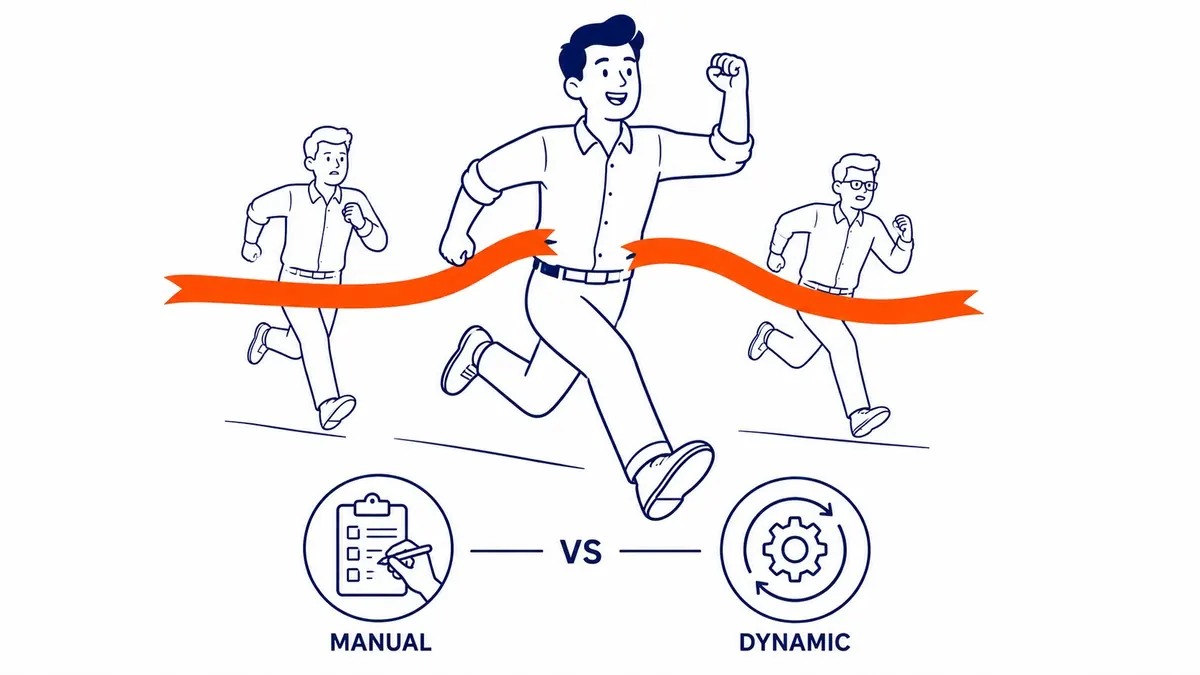
The sitelinks you write are called manual sitelinks. Google can also create sitelinks automatically from your site and account, which it calls dynamic sitelinks, and its Help page on them says they have the same format, can show alongside or instead of your own, and only show when they are expected to improve performance. You are not charged when they appear, only when someone clicks. Google also uses them to write descriptions for your existing sitelinks if you have left the description lines empty.
The older advice to turn them off and stick with manual sitelinks is too blunt. A more useful approach is to leave the feature on, then filter the Assets table by “Added by” and “Google AI” once a month to see what Google has created. Pause or remove any individual dynamic sitelink that points somewhere you would not send a buyer, such as a careers page or an old blog post. If you need strict control over every link, for example in a regulated industry, Google lets you switch the feature off for the whole account by setting Dynamic sitelinks to Off in the advanced settings for account-level automated assets.
What sitelinks cost and what they do for performance
Adding sitelinks is free. In Search and Performance Max campaigns, Google charges a click on a sitelink at the same price as a click on the headline of the same ad, and it states that you will not be charged for more than 2 clicks per ad impression, with rapid repeat clicks treated as duplicate or invalid. There is one nuance worth knowing before you call sitelinks “free traffic”. Google’s About assets page notes that ads showing more assets often have a higher actual cost per click, because the bigger ad is more prominent, although the extra cost is often lower than the cost of moving up a position.
The benefit is a larger ad with more ways in. Google’s own figure, from its internal data for May 15 to 24, 2025, is that advertisers who increase the number of sitelinks per campaign to 6 can see on average up to 3.5% more conversions at a similar cost per conversion. Treat that as Google’s claim about its advertisers as a whole rather than a promise for your account, and judge your own results from the account data. Google lets you segment clicks by whether they came from a specific sitelink or another part of the ad, and editing a sitelink keeps its performance statistics, so you can refine the wording without starting the history again.
How to write sitelinks people click
Specific link text is the whole game. “Learn More” and “Click Here” tell the searcher nothing, and Google’s policy on unclear relevance requires that link text accurately describes what is at the destination. Point each sitelink to a different page that does what the link promises, and make sure that page works as a landing page in its own right, because a sitelink that drops people on a generic home page wastes the click. Your website’s main navigation is a good place to start, which is Google’s own suggestion.
Google’s sitelink asset requirements set out three rules that can lead to a disapproval. You cannot use the same link text for more than one sitelink, even if each points to a different page. Sitelink URLs must normally match the domain of the ad’s final URL, with limited exceptions for links to select online retailers, a YouTube video or a social profile such as a Facebook page. In those cases the link text has to describe what is at the destination and include the full domain name, for example “Watch the video on YouTube.com”. And punctuation or symbols that only exist to draw attention, such as exclamation marks or a leading arrow, are not allowed. Sitelinks with the same or very similar text will not serve together either, so variety helps both approval and coverage.
Fill in both description lines. Google says descriptions do not reduce the number of links that can show, and both lines have to be filled in before a sitelink becomes eligible to show with its details. Keep the link text short as well, since shorter links let more of them fit, and the limit is 25 characters in most languages or 12 in double-width languages such as Chinese, Japanese and Korean. For seasonal offers, use the start and end dates and the asset schedule instead of rewriting links every few weeks; Calgary businesses with a spring and fall rush, such as furnace servicing in October or yard work in April, can line their sitelinks up with the season in advance. Whatever schedule you set, make sure it overlaps the ad schedule, because Google lists a mismatch between the two as a reason sitelinks do not show. If you are wondering whether keyword insertion works in sitelink text, that question has its own answer on this site.

How to add sitelinks in Google Ads
Google’s current steps for adding sitelinks at the account, campaign or ad group level are short.
- Open Assets within the Campaigns menu.
- Click the plus button, then choose Sitelink.
- In the “Add to” drop-down, choose the account, a campaign or an ad group.
- Choose Create new, or Use existing to reuse sitelinks you already have.
- Fill in the sitelink text, the two description lines and the URL, and click Add sitelink for each extra one.
- Click Save.

Google recommends at least 4 sitelinks at the account level that suit every campaign, and at least 6 with descriptions for your high-volume campaigns and ad groups. Keep in mind that editing a shared sitelink changes it everywhere it is attached, which Google spells out in its edit instructions, so check the Associations view in the Assets table before you change a link used by several campaigns. When you review the account each month, look at clicks and conversions by sitelink, replace links that earn impressions but no clicks once they have a fair sample, and check that every destination page still loads.
Sitelinks compared with callouts and other assets
Sitelinks add a short menu of links, each to a page you choose, and they sit alongside several other asset types that do different jobs. Callouts add short lines of non-clickable text, such as “Licensed and insured”, while structured snippets list items under a header Google provides, and call and location assets add a phone number or an address. Price and promotion assets can also send people straight to a particular product, service or offer on your site, although they are built around a price list or a specific deal rather than general navigation. They work together, and Google’s advice is to use every asset that is relevant to your business, since assets are free to add and only show when predicted to help. A walk through the other asset types and how to add them is a good next read if you are setting up a new campaign.
One newer change affects how many of your sitelinks you will actually see. Under what Google calls enhanced flexibility, up to 2 unused headlines from a responsive search ad, along with its description lines, can serve in the space that used to belong only to sitelinks, pointing to the same domain as the ad, and unused headlines and descriptions from other ads in the same ad group can fill it too, linking to those ads’ final URLs. Headlines and descriptions pinned to headline position 1 or 2, or to description position 1, keep showing in those positions. Your sitelinks are still eligible, but they now compete with your own headlines for that space, which is one more reason to write sitelinks that offer something the headlines do not.
Paid sitelinks and organic sitelinks are different things
The word “sitelinks” also describes the links Google sometimes shows under an organic search result, usually for a brand search. Those are not Google Ads assets and you cannot write them. Google Search Central says organic sitelinks are automated: Google’s systems pick them from the link structure of your site and show them only when they think they will be useful. What you can do is make them more likely to be good ones, using informative page titles and headings, a logical site structure, and concise internal link text. To keep a page out of organic sitelinks, Google suggests removing it or using noindex. Paid sitelinks, by contrast, are managed in your Google Ads account, where you write and schedule the manual ones and can pause, remove or switch off the dynamic sitelinks Google adds.
Getting sitelinks right in a live account
Sitelinks are one of the easiest improvements in a Google Ads account, and also one of the easiest to leave half-finished, with two generic links set at launch and never revisited. A short review every month, covering which links earn clicks, which levels they sit at and whether each destination page still does its job, keeps them working. SEO Company To-The-TOP! is a Calgary SEO and Google Ads practice founded in 2007, Google Ads certified, with one expert doing all the client work, and sitelinks are part of what gets looked at in a managed Google Ads account. If you would like a second opinion on how your sitelinks are set up, call (403) 308-5949.
Contact Calgary SEO Company To-The-TOP!
Questions about anything in this article, or about your own rankings? Talk to a Calgary SEO specialist directly.
Phone: (403) 308-5949
Address: 1509 14 Ave SW, Calgary, AB T3C 0W4
Hours:
Monday to Friday: 10:00 am – 7:00 pm
Saturday: 12:00 pm – 4:00 pm
Sunday: closed