
What Is Crawling in SEO?
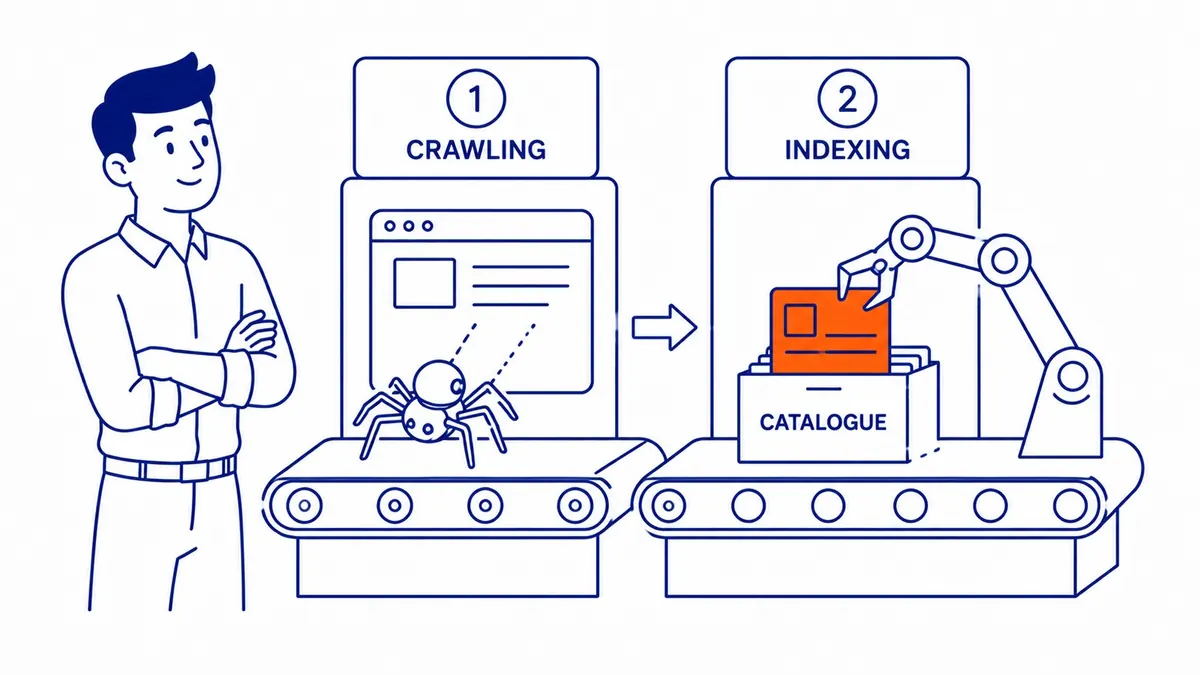
Crawling in SEO is the process search engines use to find and fetch the pages on your website. A program called a crawler, which Google calls Googlebot, requests a URL, downloads what the server sends back, and pulls out the links on that page so it can visit more pages later. Crawling is the first of three stages Google describes for Search: crawling, then indexing, then serving results. Google normally has to crawl a page before it can index what is on it, and a page that is not indexed cannot rank, so crawling is where almost every search result starts.
That makes it worth understanding even if you never look at a server log. Most “why is my page not on Google” questions turn out to be about one of these stages, and knowing which one saves a lot of guessing. This guide covers how crawlers find pages, how crawling differs from indexing, what you can and cannot control, and how to see what Googlebot is actually doing on your site.
How search engines discover pages
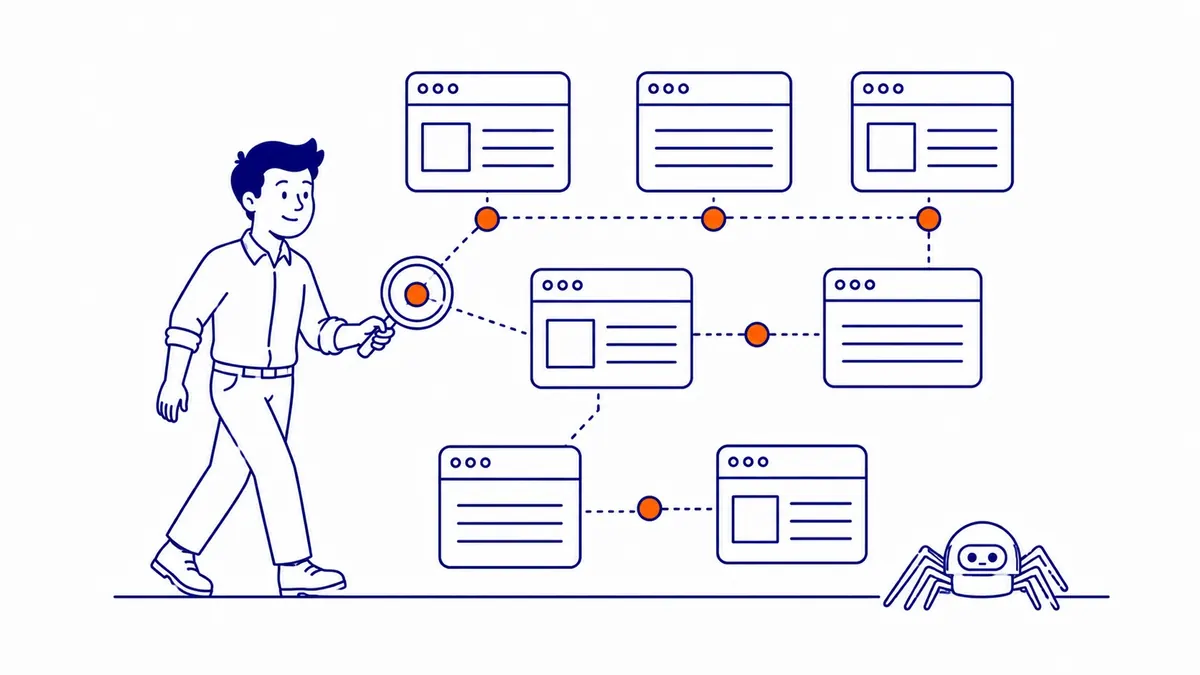
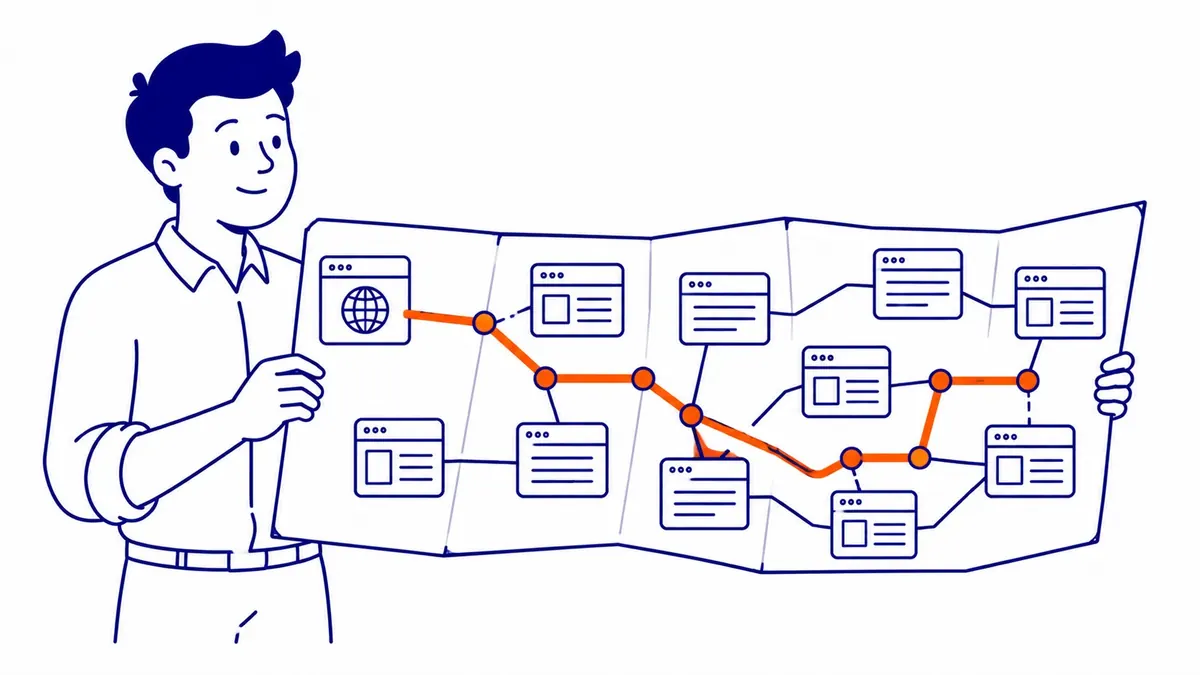
There is no central list of every page on the web, so Google has to keep looking for new and updated pages, a process its documentation calls URL discovery. Some URLs are already known because Googlebot has visited them before. Others are found when Google extracts a link from a known page, such as a services page that links to a new blog post, and others come from a sitemap you submit. Each newly found URL joins a list of pages to fetch, and Google says Googlebot uses an algorithmic process to decide which sites to crawl, how often, and how many pages to fetch from each.
Links are the main route, which is why the way they are coded matters. Google documents that it can reliably follow a link only when it is an <a> element with an href attribute; buttons or scripts that change the page on click without a real link may never be followed. For a site whose pages are all reachable from the menu or from other pages, Google can usually discover most of it without help, although an XML sitemap still gives it a tidy list of the URLs you care about. Google’s sitemap guide says a site of about 500 pages or fewer that is well linked internally may not need one, and that a sitemap does not guarantee every listed URL will be crawled.
Crawling is also continuous rather than a single scan. Google revisits known pages to pick up changes, and Search Console labels those visits “refresh” crawls, as opposed to “discovery” crawls of new URLs. How often a page is revisited depends on how much demand Google sees for it and how often it changes, so a busy home page may be fetched far more often than an old archive page. Google does not publish a schedule, and no setting forces a particular crawl frequency.
Googlebot itself comes in two types, a smartphone crawler and a desktop crawler, and because Google primarily indexes the mobile version of most sites, the majority of requests come from the mobile one. Google says Googlebot should not access most sites more than once every few seconds on average. It also reads only the first 2MB of an HTML file or other supported text file (64MB for a PDF), so content placed after an enormous block of inline code may never be seen, although ordinary small business pages are nowhere near that limit.
Crawling, rendering and indexing are different steps
These terms are often used as if they meant the same thing, but Google treats them as separate stages. Crawling is fetching the page. Rendering comes next: Google runs the page’s JavaScript in a recent version of Chrome, much as a browser would, so that content added by scripts can be seen. Indexing is the decision that follows, when Google analyses the text, images and other content and decides whether to store the page in its index at all.
The important point for site owners is that crawling does not mean indexing. Google’s crawl budget guide says plainly that not every page that is crawled will be indexed, because each page is evaluated and consolidated with similar pages first. That decision is its own subject, covered in more detail in the guide to how Google decides what to index, but you can tell which stage a page is stuck at from Search Console’s Page indexing report.
| Page indexing status | What it means | Stage | What to do |
|---|---|---|---|
| Discovered, currently not indexed | Google knows the URL but has not fetched it yet; Google says this is typically because crawling it was expected to overload the site, so the crawl was rescheduled | Crawling | Check server speed and errors in Crawl Stats, link the page from relevant pages, keep it in the sitemap |
| Crawled, currently not indexed | Google fetched the page and chose not to index it for now; Google calls this a common status that does not necessarily need attention | Indexing | Improve the page if it matters, check it is not a near copy of another page, then wait |
| URL blocked by robots.txt | Your robots.txt tells Googlebot not to fetch the URL | Crawling | Leave it if intentional; remove the rule if the page should be found |
| URL marked ‘noindex’ | Google crawled the page and found a noindex rule | Indexing | Remove the tag if the page should appear in search |
| Server error (5xx) | Googlebot asked for the page and the server failed | Crawling | Fix the server or hosting problem first |
If many important pages sit in the first row, the problem is crawling, and it is usually about the server, the way URLs are linked, or a site producing more low-value URLs than Google wants to fetch. If they sit in the second row, the pages are being crawled and the question is whether Google finds them worth indexing, which is a content and duplication question rather than a crawling one.
What controls crawler access, and what it does not
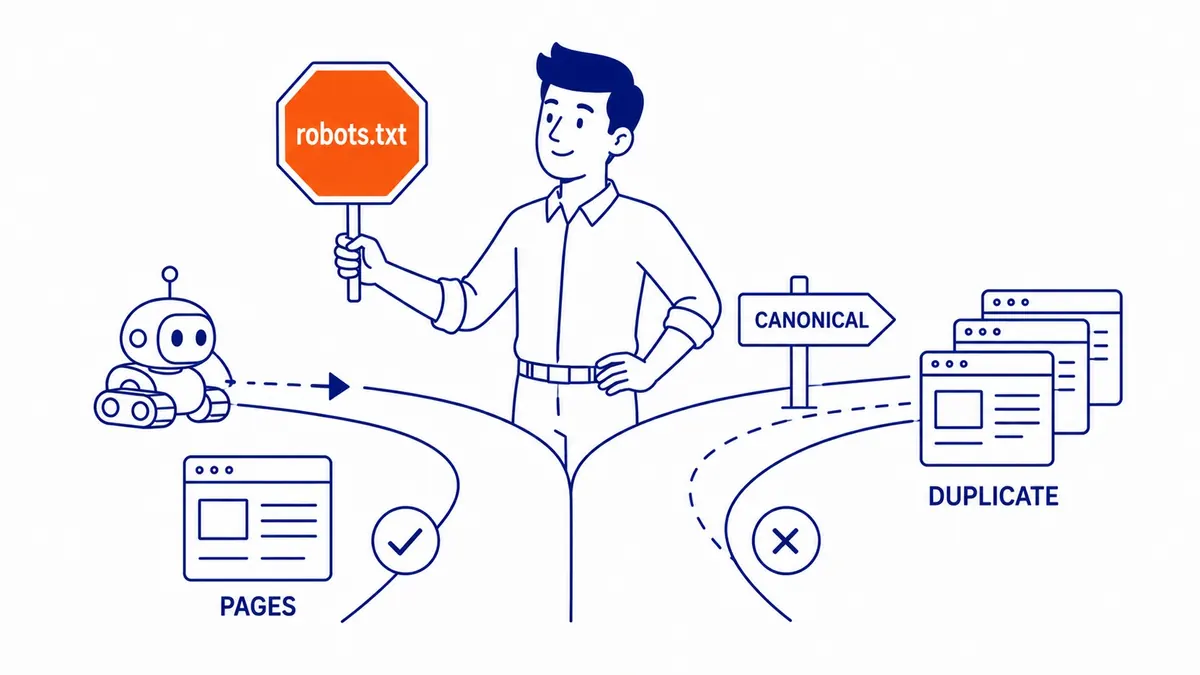
Three tools are often grouped together as crawl controls, but only one of them controls crawling. The robots.txt file at the root of your domain tells crawlers which URLs they may fetch. Google’s own introduction to robots.txt says it is used mainly to avoid overloading a site with requests and that it is “not a mechanism for keeping a web page out of Google”. A URL blocked by robots.txt can still appear in search results, without a description, if other pages link to it. Accidentally blocking an important section does stop Google from reading those pages, so the file deserves a check after every redesign, but it does not remove them from Google the way many guides suggest.
The noindex rule, set in a robots meta tag or an HTTP header, controls indexing rather than crawling. It only works if Googlebot can fetch the page and read it, so Google warns that a page blocked by robots.txt will never have its noindex seen. That makes the common habit of blocking a page in robots.txt and adding noindex to it self-defeating: pick one, and for a page that must stay out of search, use noindex or a password.
A related launch mistake is easy to make on WordPress. The “Discourage search engines from indexing this site” setting, often switched on while a new site is being built, has output a noindex,nofollow robots tag on every page since WordPress 5.3. If it is left on after launch, Googlebot can keep crawling the site while pages drop out of the index one by one as it reads the tag, and nothing on the site looks broken to a visitor. Checking that setting, and viewing the page source of the home page for a stray noindex, takes a minute after any site launch or move.
Link attributes are the third tool, and they are hints rather than commands. Google’s guidance on qualifying outbound links says links marked nofollow, sponsored or ugc “will generally not be followed”, but the linked pages may still be found through other means. For links between pages on your own site, Google recommends a robots.txt disallow rule instead of nofollow if you really want to keep Googlebot away from a URL. Canonical tags, which point duplicate URLs to a preferred version, belong to the indexing stage as well; they help Google group duplicates, but they do not stop Googlebot from fetching those URLs.
When crawl budget matters, and when it does not
Crawl budget is the amount of time and resources Google spends crawling a site. Google’s guide says it is set by two things: a crawl capacity limit, which keeps Googlebot from overwhelming your server and rises or falls with how quickly and reliably the server responds, and crawl demand, which depends on the site’s size, how often it changes, page quality and relevance compared with other sites.
Google is fairly specific about who needs to worry. Its crawl budget guide is written for large sites of 1 million or more unique pages that change about once a week, medium or larger sites of 10,000 or more pages that change daily, and sites with a large share of URLs in the “Discovered, currently not indexed” status. Google calls these figures rough estimates rather than exact thresholds. It adds that if your pages are usually crawled the same day they are published, you do not need the guide at all, and that keeping your sitemap current and checking the Page indexing report is enough. A Calgary trades or professional services site with a few dozen pages is nowhere near those figures, so for most small business sites crawl budget is not the reason a page is missing.
Where it does matter, the cause is usually too many URLs rather than too little crawling. Faceted navigation and filter combinations on online stores, calendar pages that create a URL for every date, session IDs in URLs and endless sort orders can multiply a few hundred real pages into tens of thousands of crawlable addresses. Google’s advice is to consolidate duplicate content, block URLs that should not be crawled with robots.txt, return a 404 or 410 for pages that are gone for good, keep sitemaps current and avoid long redirect chains.
Crawl errors and what they do
The responses your server sends back shape how Googlebot behaves. Google’s documentation on HTTP status codes describes the effects clearly, and they are more forgiving in some places, and stricter in others, than many audit tools suggest.
| Response | What Googlebot does, according to Google |
|---|---|
| 200 OK | The content may be considered for indexing, although success does not guarantee it |
| 301 or 302 redirect | Follows up to 10 redirect hops and processes the final URL; content on the redirecting URL is ignored |
| 404 or 410 | Treats the content as not existing; a previously indexed URL is removed, and crawling of it gradually slows. Other than 429, 4xx codes have no effect on the crawl rate |
| 429 or 5xx | Treated as a sign the server is overloaded or failing; Googlebot slows down, and already indexed URLs are kept for a while but eventually dropped if the errors continue |
Two practical rules follow. A handful of 404s for pages that no longer exist is normal and does not harm the rest of the site, so the job is to fix internal links that point to them rather than to chase every 404 in a report. Persistent server errors are far more serious, because they slow crawling of the whole site and can eventually remove pages that were ranking. Redirect chains are worth flattening for speed and tidiness, even though Googlebot will follow up to ten hops, because every extra hop is another request and another chance for something to break.
How to see what Googlebot is doing
Search Console’s Crawl Stats report, under Settings, shows Google’s crawling history for the site: total crawl requests, download size, average response time, host status and a breakdown by response, file type, crawl purpose (discovery or refresh) and Googlebot type. Google describes it as a report for advanced users and says a site with fewer than a thousand pages should not need it, but two parts are useful to anyone after a redesign or a hosting change. The host status panel tells you whether Google has had trouble reaching your robots.txt, DNS or server recently, and a rising average response time is often the first sign that hosting is slowing crawling down.
The URL Inspection tool answers the question for a single page: when Google last crawled it, whether crawling was allowed, whether the page could be fetched and indexed, and which canonical Google chose. You can also request indexing from there, although Google’s own help says there is a quota, that requesting the same URL repeatedly does not speed anything up, that crawling can take from a few days to a few weeks, and that a request does not guarantee the page will be included at all.
For a deeper look, your server’s access logs record the Googlebot requests that reach it, including pages Search Console does not show as examples. Be aware that some scrapers pretend to be Googlebot in their user agent, so Google documents verifying a real Googlebot request by reverse DNS lookup or against its published IP ranges. Desktop crawler tools such as Screaming Frog work the other way round: they crawl your site the way a search engine might, which is useful for finding broken links and stray noindex tags, but they show what could be crawled, not what Google actually did.
Making a site easier to crawl
Most of what helps Googlebot also helps visitors. Link every important page from at least one relevant page, in plain <a href> links, so nothing depends on a sitemap alone, and watch for orphan pages that no other page links to. A common practitioner rule of thumb is to keep key pages within about three clicks of the home page; Google does not publish a click-depth rule, but a page that is hard for a visitor to reach is usually linked weakly for a crawler as well.
Keep the server fast and reliable, because Google’s crawl capacity limit rises when a site responds quickly and falls when it slows down or returns errors. Keep one clean URL for each page, with duplicates either redirected or pointed to the preferred version, and keep the sitemap limited to the pages you want in search. After a redesign, a move to new hosting or a change of CMS, check robots.txt, the noindex setting and the Crawl Stats host status straight away, since those are the changes most likely to stop crawling without any visible sign on the site.
Crawling problems rarely show up as an obvious error, which is why they can go unnoticed for a long time while the site looks perfectly normal to visitors. A technical audit usually starts with exactly these checks, because no amount of content or link work helps a page Google cannot reach and read. Crawlability does not make a page rank on its own, but it is the part that has to be right first.
SEO Company To-The-TOP! is a Calgary practice founded in 2007 that works White Hat only and reports positions monthly. If you would like a second opinion on how Google is crawling your site, call (403) 308-5949.
Contact Calgary SEO Company To-The-TOP!
Questions about anything in this article, or about your own rankings? Talk to a Calgary SEO specialist directly.
Phone: (403) 308-5949
Address: 1509 14 Ave SW, Calgary, AB T3C 0W4
Hours:
Monday to Friday: 10:00 am – 7:00 pm
Saturday: 12:00 pm – 4:00 pm
Sunday: closed