What Is an SEO Slug?
Most clients who ask about this don’t call it a slug yet. The question comes in as “should the URL say something, or is the random string fine?” or “the link looks weird, does that matter?” Nineteen years of this work at To-The-TOP!, and that question turns up on nearly every first audit. Almost always, the answer comes back to the slug.
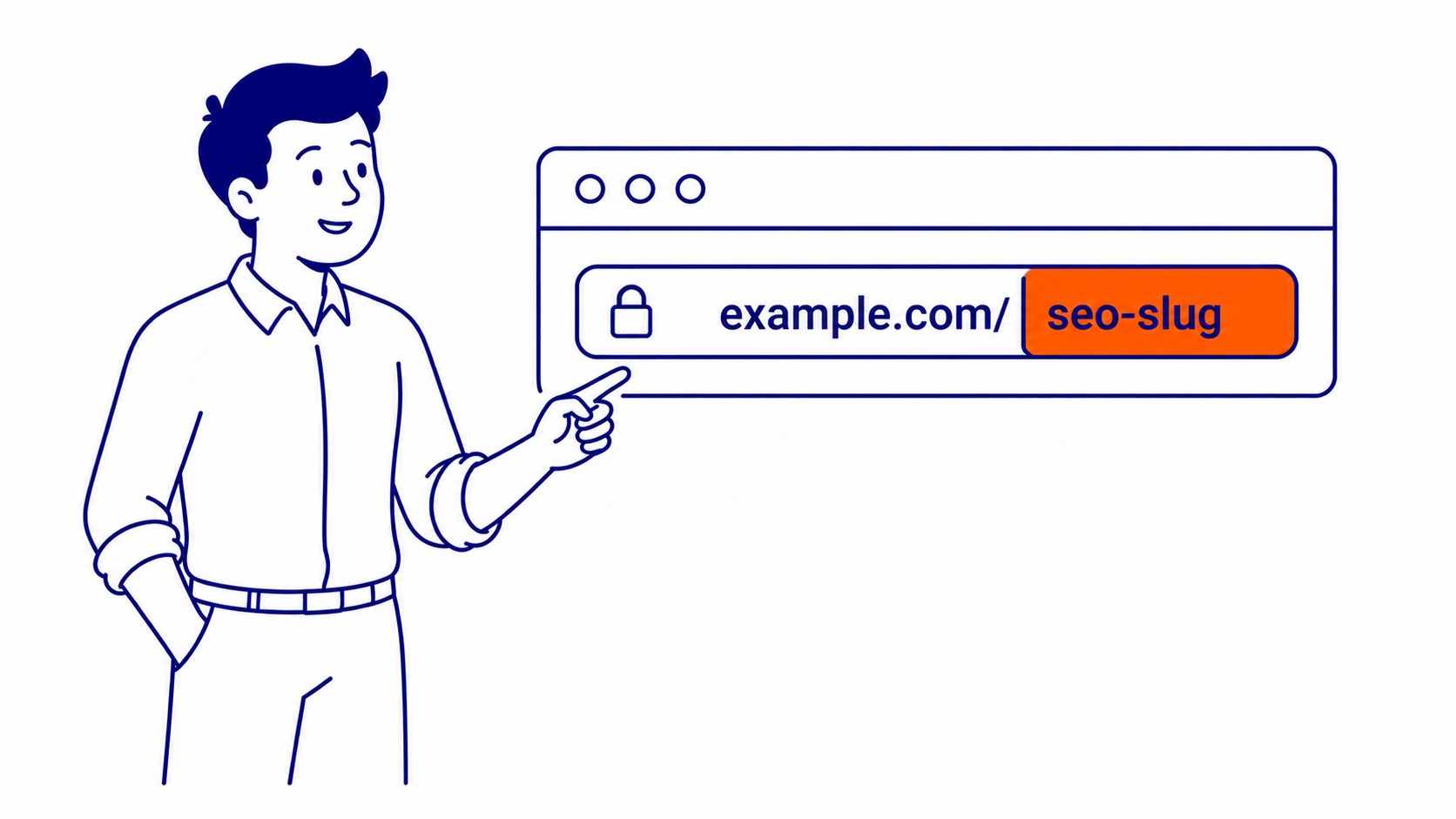
The slug is the last readable segment of a URL. On this page: what-is-an-seo-slug. Lowercase terms separated by hyphens, describing the content in a few words. That is the element search engines and readers both check before anything else loads.
What the URL Slug Actually Does
A full web address has layers. Domain name first. Path after that. The slug closes it out: the specific, readable segment that tells both crawlers and humans what the post covers before they open it.
Consider to-the-top.ca/keyword-research-calgary/ as an example. Google reads two things before a crawler touches the content. Calgary. Then keyword research, the sort of phrase that comes straight out of keyword analysis for SEO. Both signals come entirely from that final segment. Domain confirms the site. Topic, though, comes from the slug.
Readers notice the address bar too, though rarely consciously. A clean slug, like /what-is-an-seo-slug/, registers as credible in the search results. Parameter strings like /?p=4823 tell them nothing. Clicking one feels like a risk. Readable URL slugs reduce that friction before anyone lands on the post. Most of the SEO weight of a URL sits in that last segment, not the domain.
What Makes a Good SEO Slug?
Four rules cover most situations. Not ten. Four.
Slug optimization is one part of the broader on-page work covered in what is on-page SEO.
Keep It Short
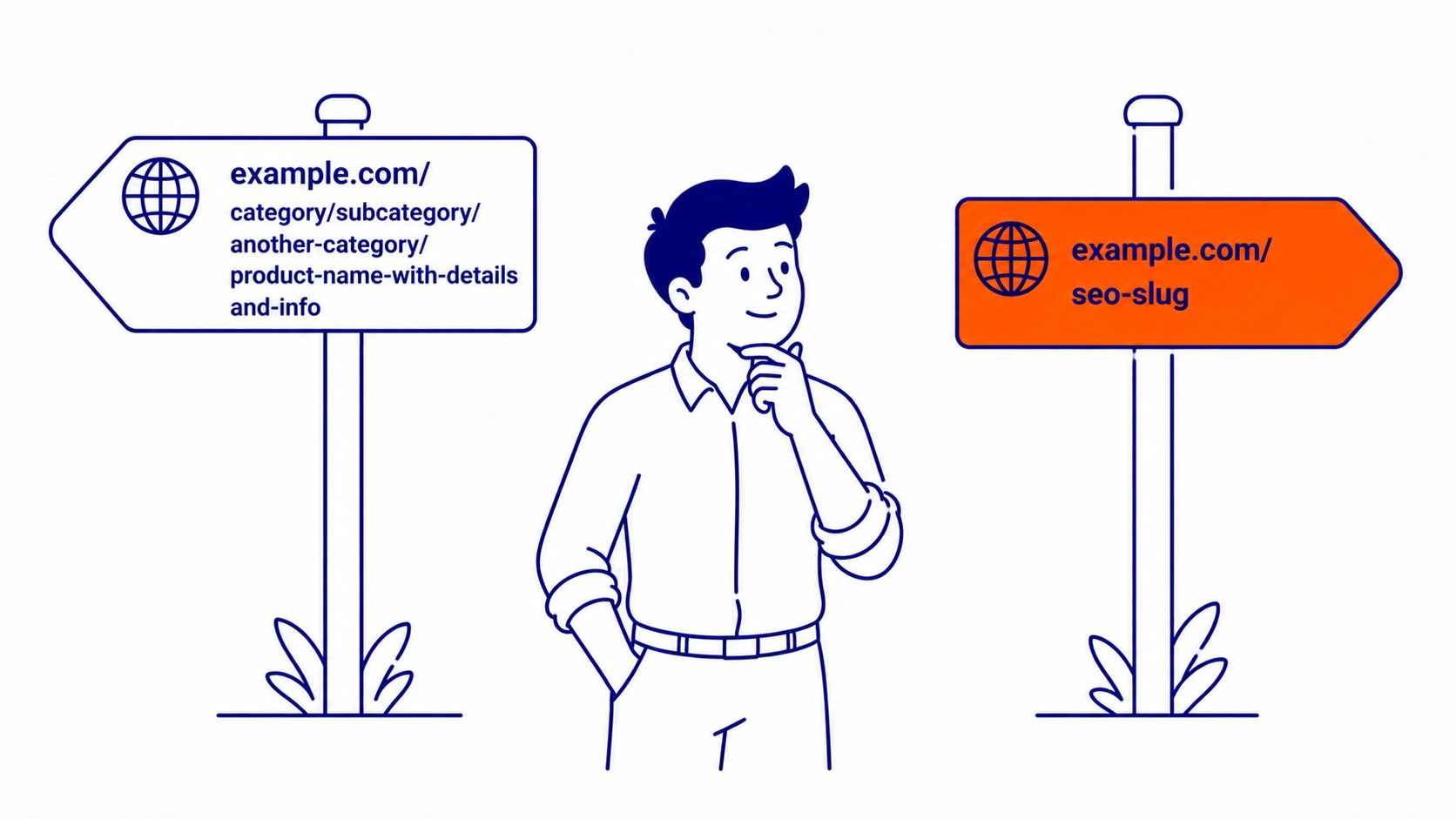
Shorter slugs send cleaner signals to search engines. Ceiling is three to five terms. Under six, always. /keyword-research/ works. /the-complete-beginners-guide-to-keyword-research-for-small-businesses/ is twelve words of noise. Crawlers parse both. Short slugs communicate faster and copy cleaner when shared.
Length also matters at the margins for organic rankings. Worth getting right at publish time rather than correcting after the article has indexed.
Include Your Target Keyword
Target keywords go in the slug. Straight rule, no exceptions. A post built around a query like search engine optimization company should have a slug that reflects that phrase. Solid keyword research done before any page goes live solves this at the source: the target phrase is baked into the address from day one. Miss it and a clear relevance signal gets left out.
Search engines evaluate the slug before crawling the article. Giving up that signal for a generic address is a consistent mistake in site reviews.
Hyphens, Not Underscores
Two distinct terms in seo-slug. One continuous string in seo_slug. Google reads hyphens as word separators. Underscores get different treatment. Settled since 2009. Use them.
Lowercase Letters
Mixed-case addresses create duplicate content problems in some server configurations. About-Us and about-us can resolve as separate URLs on the same server. Two versions of the same post also split link equity and create indexing confusion. All lowercase throughout, no exceptions.
Drop Stop Words
“A,” “the,” “and,” “of,” “in,” “to”: these filler terms rarely add ranking value inside a URL slug. /what-is-an-seo-slug/ carries full meaning without padding. Keep terms that signal the topic. Cut everything else. Four rules, one address, and creating SEO friendly URLs stops being a debate.
Common Slug Mistakes We See in Site Audits
Site audits surface the same problems repeatedly. Some come from CMS defaults the site owner never changed. Others carry over from an older build. All are fixable, though post-launch corrections create extra redirect maintenance.
The relationship between what is an SEO title and the URL slug matters for click-through rate as well as keyword alignment.
Dates in the URL
WordPress ships with a permalink option that bakes the publish date into every address by default. Looks like /2023/04/28/what-is-an-seo-slug/ on every post. That date segment adds nothing useful to rankings. It lengthens the path without contributing a topical signal. Users see 2023 in the link and assume the content is stale, even after recent updates. The date also makes the address longer for no benefit.
Fix: Settings > Permalinks > Post Name. Takes thirty seconds and removes the issue for every future post.
Auto-Generated from Post Titles
Some CMS configurations pull the slug directly from the full title without editing it. A post called “The Complete 2024 Guide to URL Slugs for Website Optimization: Everything You Need to Know” becomes a sixty-character address that is nearly impossible to read in search results. WordPress does this by default.
Edit the slug field before publishing. In most editors this takes ten seconds. Easy to overlook on a tight deadline. Also worth adding to any pre-publish checklist.

Special Characters and Spaces
A space in a URL becomes %20 in the address bar. Apostrophes, ampersands, question marks: same percent-encoding. Some servers throw 404 errors on encoded characters depending on configuration. None of that helps users or search engines. Letters. Numbers. Hyphens. That is the full character set a slug field needs.
Keyword Stuffing in the Slug
Running the same term through a URL three times is not a strategy. Search engines flag that repetition as a spam signal. One clear keyword phrase per URL slug. Anything beyond that starts working against the article rather than for it.
How to Edit SEO Slugs in WordPress
Two places to find the field, depending on which editor is running.
In the Block Editor
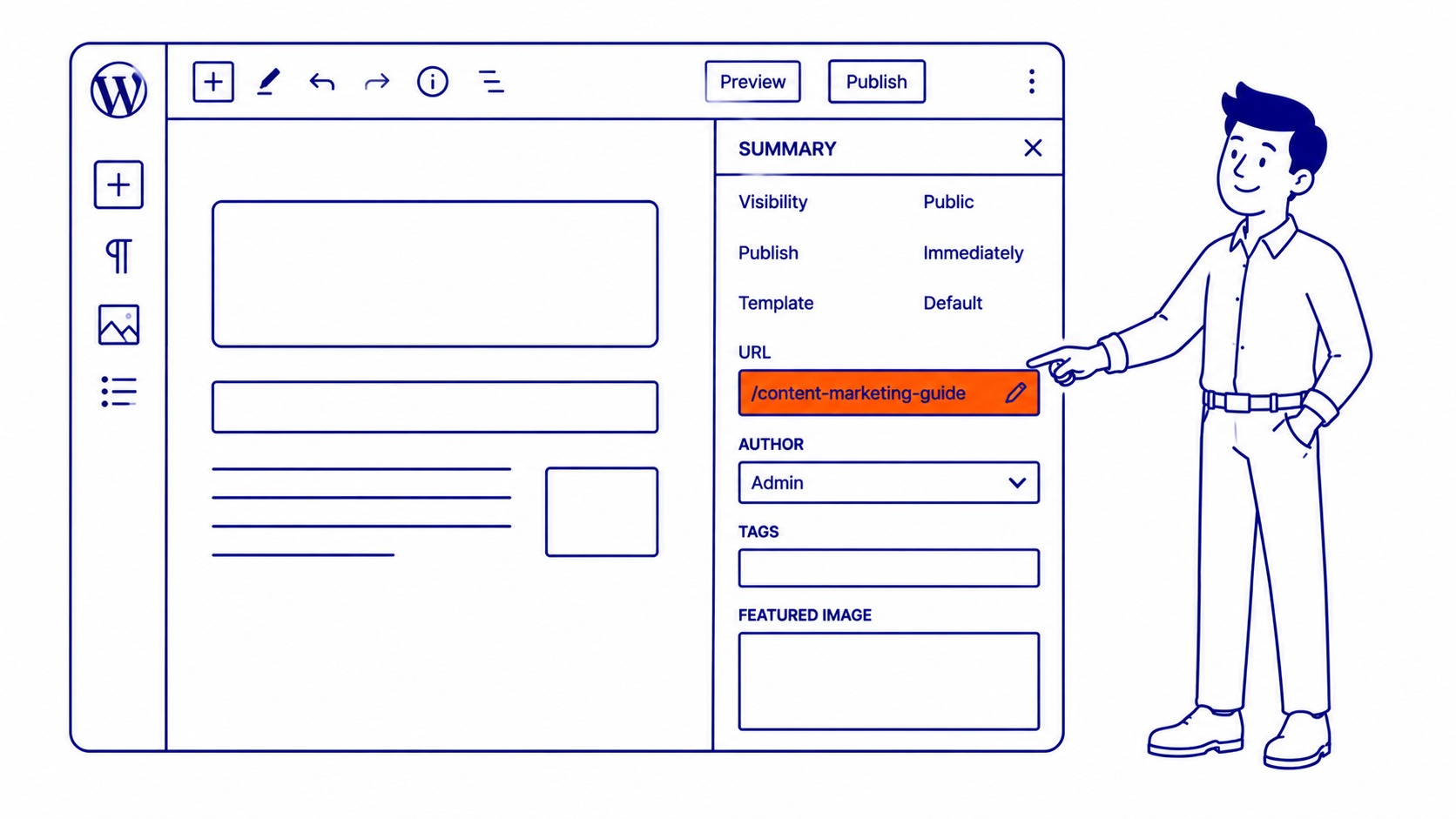
Right-hand sidebar, Summary panel. That is where the slug field lives in Gutenberg. Click anywhere in the document body to load document-level settings on the right. Scroll to the URL line. Click the text to open the field. Type the new slug. Publish or update.
In the Classic Editor
Below the title after the first save: an “Edit” link sits next to the permalink preview. Click it. Type the new slug. Click “OK.” Save. Post already live? Set up a 301 redirect before changing the field.
Using Yoast SEO
Bottom of the edit screen, inside the Yoast metabox. That is where the field lives. The snippet preview shows how the slug reads in search results before publishing. Worth checking there rather than the sidebar: the preview gives context the raw field does not. One gap worth knowing, however: change the slug on a live post and Yoast does not create the redirect for you. That falls on the site owner or developer. Missing it after a redesign is common.
Changing an SEO Slug After Publishing
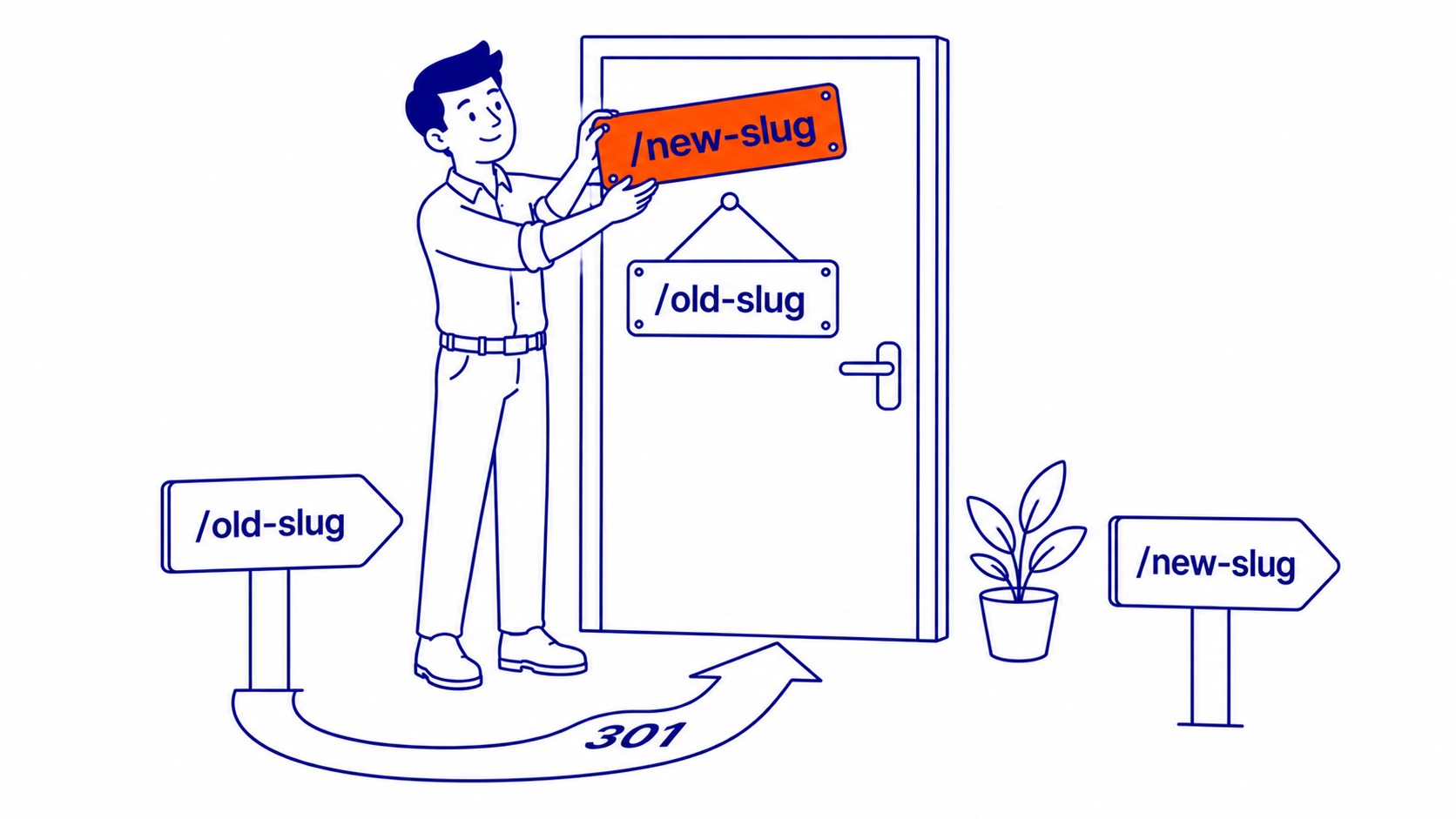
This is the question that comes up once a site is established. The post has rankings, maybe some backlinks. URL slug is poorly targeted or just wrong. Right call to change it. Set the 301 redirect first, however.
Permanent move signal. That is what a 301 sends to search engines. Link equity transfers from the old address to the new one. Skip the redirect and the old URL returns 404 errors. Any organic ranking built on it disappears. Traffic drops and backlinks become dead ends.
Pages live for several years with external links pointing in? Then an SEO site audit comes first, before anything gets touched. Check what links to the old address. Traffic volume next. Then check whether the ranking is stable before making the call. Some slugs are worth fixing even with the disruption. Others are not worth touching.
Getting URL slugs right at the start of a project is simpler. Take the time to look up keywords for website pages before they go live, and the path carries the right phrase from day one. Fixing it later is, however, a separate project with redirect overhead.
Developers and site owners in Port Coquitlam SEO, Port McNeill SEO, and Port Moody SEO clean up URL slugs as part of regular on-page SEO maintenance.
FAQ
What is slug in SEO example?
Take the page for a Google Ads agency Calgary businesses can hire as an example. The URL is to-the-top.ca/google-ads-management/. The slug is google-ads-management. That final segment tells the search engine what the post covers and tells the user what they are about to open, before any content loads. Short, descriptive, keyword-relevant: a clean SEO slug in practice.
Are slugs important for SEO?
Modestly, yes. Not a dominant ranking factor the way content depth or backlinks are. Still, the slug sends a relevance signal search engines read before crawling the post. Matching the target keywords confirms the topic. Vague or auto-generated ones miss that signal entirely. Still worth thirty seconds to get right at publish time.
Is it bad for SEO to change URL slug?
Depends on the redirect. Change the slug, set up a 301 from old URL to new, and the transition is usually clean. Skip it and the old address starts returning 404 errors. Link equity attached to that URL disappears. Rankings typically recover over time, but months. Not days.
Permalink vs. URL slug: what is the difference?
Complete web address: to-the-top.ca/what-is-an-seo-slug/. That is the permalink. Just the final readable segment after the domain is the slug. WordPress uses both terms in its interface. Confusion for site owners is common. One is a component of the other, not a synonym.
Contact Calgary SEO Company To-The-TOP!
Questions about anything in this article, or about your own rankings? Talk to a Calgary SEO specialist directly.
Phone: (403) 308-5949
Address: 1509 14 Ave SW, Calgary, AB T3C 0W4
Hours:
Monday to Friday: 10:00 am – 7:00 pm
Saturday: 12:00 pm – 4:00 pm
Sunday: closed
