
Are 301 Redirects Bad for SEO? What Google Says and When They Do Hurt
No, 301 redirects are not bad for SEO. Google’s own site-move documentation states that “301 and other permanent redirects don’t cause a loss in PageRank”, and a permanent redirect is the method Google recommends whenever a page’s address changes for good. When a 301 does cost rankings, the redirect is rarely the cause. The damage comes from where it points and how it is built: sending old pages to an unrelated page such as the home page, stacking redirects into long chains, or using a temporary redirect for a permanent move. Get those three right and a redirect passes the old URL’s links and signals to the new one, even if rankings move for a few weeks while Google catches up.

What a 301 redirect does
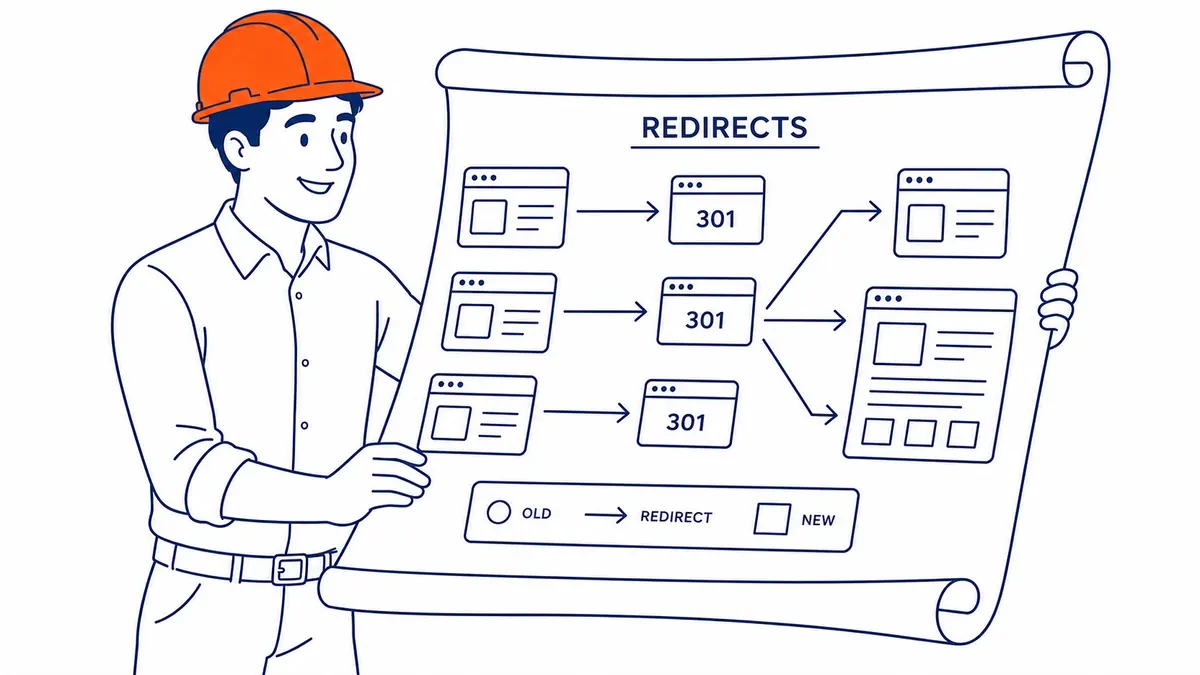
A 301 is the HTTP status code for “moved permanently”. When a browser or Googlebot requests the old URL, the server answers with the new address, and the visitor lands on the new page without noticing the extra step. Google’s documentation on redirects explains what happens next on the search side: with a permanent redirect, Google’s indexing pipeline uses the redirect as a signal that the target should be the canonical URL, so the new address is the one shown in search results. Google still keeps track of the old URL as an alternate name, which is why an old address can occasionally show up in results for a while after a domain change.
That makes a 301 the right tool for the situations most small businesses actually face. You renamed a service page, merged two thin articles into one stronger guide, moved from http to https, switched from Wix or Squarespace to WordPress with a new URL structure, or moved the whole site to a new domain. In each case you want people, search engines and the links pointing at the old address to end up at the new one, and a 301 does that.

Do 301 redirects hurt SEO? What Google says, and what still changes
The old belief that every 301 leaks part of a page’s authority came from earlier Google statements that a redirect lost about as much PageRank as a link does. That changed in 2016, when Google’s Gary Illyes posted that “30x redirects don’t lose PageRank anymore”, as Moz reported at the time, and Google’s site-move guide now says the same thing in plain terms. So the redirect itself is not a penalty, and no rule says a redirected page ranks lower because it was redirected.
There is a sensible caveat, though, and it is where much of the conflicting advice comes from. PageRank is one signal among many. If the new page is a close match for the old one, with the same topic, the same depth and the same purpose, the rankings normally settle on the new URL once Google has recrawled both. If the new page is shorter, covers something different or loads far more slowly, it may rank differently because it is a different page, and the redirect gets the blame. That is a good reason not to change URLs that are working without a clear benefit.
Expect some movement during the change. Google says that with any significant change to a site, rankings can fluctuate while it recrawls and reindexes, and that a medium-sized site can take “a few weeks or more” before Google gradually shows the new URLs instead of the old ones. A short wobble after a move is normal, while a drop that lasts well beyond that is worth checking against the problems below.
When a 301 is the wrong tool, or set up the wrong way
The most common mistake is redirecting many old URLs to one page that does not match them, usually the home page. Google’s site-move guide warns against exactly this, saying it can confuse users and “might be treated as a soft 404 error”. In practice that means the old page’s value is not passed on, because Google decides the destination is not a real replacement. If you consolidated several old pages into one new page that covers all of them, redirecting them there is fine. If a page has no equivalent, a redirect is not the answer.
That is where the 404 comes in. A page you removed on purpose, with nothing to replace it, can return a 404 or 410, and Google says it treats all 4xx codes except 429 the same way: the URL drops out of the index over time. A 404 for a page that should not exist is not a problem in itself, as covered in more detail in the guide on whether 404 errors are bad for SEO. The real loss happens when a page that earned links or traffic simply disappears during a redesign because nobody wrote its redirect.
Chains and loops are the other trap. A chain forms when URL A redirects to B, B to C and C to D, often because a site was redesigned, then re-platformed, then moved again. Google says its crawlers follow up to 10 redirect hops, but it still advises redirecting to the final destination directly and, where that is not possible, keeping a chain to ideally no more than 3 hops and fewer than 5, because each hop adds delay for visitors and not every browser supports long chains. A loop, where A points to B and B points back to A, makes the page unreachable for people and crawlers alike.

301 vs 302: which redirect to use
Google groups redirects by how long you expect them to last. Permanent redirects (301 and 308, plus an instant meta refresh) tell Google to show the new URL in search results. Temporary redirects (302, 303 and 307, plus a delayed meta refresh) tell Google to keep showing the original URL, so the target is not treated as the canonical unless other signals point that way. The longer guide on what a 302 redirect does covers the temporary side in detail.
| Situation | Use | Why |
|---|---|---|
| Page renamed or moved for good, site moved to a new domain, http to https | 301 (or 308) | The new URL should replace the old one in results |
| Several old pages merged into one page covering them all | 301 from each old page to the merged page | The destination is a real replacement |
| Page down for maintenance, seasonal offer parked, short test | 302 or 307 | The original URL should stay in results |
| Page removed with no equivalent | 404 or 410, no redirect | A redirect to an unrelated page may be treated as a soft 404 |
| Server-side redirect not possible on your platform | Instant meta refresh, then JavaScript as a last resort | Google prefers server-side redirects, and JavaScript redirects only work if rendering succeeds |
A practical rule of thumb is simple: if you are not sure whether a change is temporary, it is usually permanent, so use a 301. A 302 left in place for a permanent move tells Google to keep showing the old URL, so the new one can be slow to replace it in results.
How to set up 301 redirects without losing rankings
The mechanics depend on the platform, but the order of work is the same on every site.
- List every URL that matters before anything changes. Crawl the current site and export the URLs that receive search traffic (from Search Console) or have backlinks. Those are the pages that cannot be allowed to break.
- Map each old URL to its closest new equivalent, one to one. Match by topic and purpose, not by convenience. Pages with no equivalent go on a separate list to return a 404 or 410.
- Implement the redirects on the server where you can. On Apache that means rules in the .htaccess file, on Nginx a return 301 rule, and on WordPress a redirect plugin. WordPress already sends a 301 by itself when you change the slug of a published blog post (pages are not covered, so test them), which is why many WordPress sites carry redirects nobody remembers creating. Yoast’s redirect manager is part of Yoast SEO Premium, not the free plugin, so check which version you have before relying on it.
- Update your own links to point at the new URLs. Internal links, menus, your XML sitemap and canonical tags should all use the final address, so your own site never sends visitors or Googlebot through a redirect. Old links you forget about are a common source of broken links later, once someone removes a redirect.
- Test every redirect after launch. Each old URL should return a single 301 straight to a page that returns 200. Fix any chain, loop or redirect to a missing page before Google finds it.
- Leave the redirects in place. Google advises keeping them “for as long as possible, generally at least 1 year”, so it can transfer signals and reassign links from other sites, and suggests users may be best served by keeping them indefinitely.
A Calgary checklist beyond the website
Most redirect guides stop at the website, but a local business has its address in several other places that a redirect does not fix on its own. If you run Google Ads campaigns, Google’s Destination requirements list “redirects from the final URL that take the user to a different domain” under Destination mismatch, so a domain move means updating every ad’s final URL rather than relying on the redirect. Same-domain URL changes are less risky for ads, but updating final URLs still saves a hop on every paid click.
The same goes for your Google Business Profile. Its website link should point to the new address, and so should the links on directory listings such as the Calgary Chamber, Yelp or industry associations, because those citations are part of how people find you. Picture a Calgary renovation company moving from a .com to a .ca domain: the 301s carry the old links across, but the ads, the Business Profile and the listings are separate systems that each need their own update.
Checking the redirects already on your site
Most established sites already carry redirects nobody documented, from old redesigns, plugin changes and slug edits. A crawler such as Screaming Frog lists the redirects, chains and loops it can reach in one pass, and adding old sitemaps and Search Console exports to the crawl catches older URLs nothing links to any more. The site audit tools in Semrush or Ahrefs flag the same issues. In Search Console, the Page indexing report shows redirected URLs under “Page with redirect”. Google describes these as non-canonical URLs that redirect elsewhere and are therefore not indexed, so that status is expected for a URL you redirected on purpose. It only needs attention if a page you want in Google is listed there.
What you are looking for is short: chains to flatten, loops to break, 302s that should be 301s, redirects that land on unrelated pages, and internal links that still point at old URLs. That cleanup is part of the technical SEO that keeps a site easy to crawl, and it matters most in the months after a redesign or a move to a new platform.

Planning a site move or URL change?
The safest redirect plan is written before the new site launches, not after traffic drops. SEO Company To-The-TOP! was founded in Calgary in 2007 and serves businesses across Alberta and British Columbia, with one specialist handling the work from start to finish. If you are planning a redesign, a new domain or a platform change, a website audit before launch is the time to review the URL map and the redirects already on the site. You can also reach To-The-TOP! at (403) 308-5949 to talk the plan through.
Contact Calgary SEO Company To-The-TOP!
Questions about anything in this article, or about your own rankings? Talk to a Calgary SEO specialist directly.
Phone: (403) 308-5949
Address: 1509 14 Ave SW, Calgary, AB T3C 0W4
Hours:
Monday to Friday: 10:00 am – 7:00 pm
Saturday: 12:00 pm – 4:00 pm
Sunday: closed