
What Is Technical SEO? How It Works and Why It Matters
Most SEO problems I diagnose trace back to technical issues the site owner has never noticed. A page that search engines cannot crawl cannot rank, regardless of how well the content is written or how many links point at it. Technical SEO is the work that makes your website readable and rankable by search engines: the infrastructure layer that crawlability, indexation, and performance all depend on, and that every other SEO effort runs on top of.
Calgary SEO work often begins with a technical pass before touching any content, because a crawl block or a page speed failure quietly cancels the gains from everything else. It is the reason good content sometimes ranks poorly, and why a proper audit always starts below the surface of your site. If this layer feels unfamiliar, how to learn SEO builds it up from the basics.

What Technical SEO Actually Covers
Crawlability, indexation, site speed, mobile-first rendering, HTTPS, structured data, internal linking architecture: technical SEO works through every one of these. Each is a signal search engines use to determine whether your pages can be reached, whether they belong in the index, and how they perform for users. None of these signals are visible to a person browsing the site. A page can look polished in a browser and still be largely invisible to search engines if the underlying signals are broken or missing.

The Three Technical SEO Pillars
Crawlability, indexation, and performance are how most technical SEO practitioners frame the work. Crawlability means search engine bots can physically reach your pages. Indexation means those pages are eligible to appear in search results once crawled. Performance means your pages load fast enough on mobile that users stay and search engines score them as high quality. Weakness in any one pillar suppresses rankings even when the other two are solid.
How Technical SEO Differs from On-Page SEO
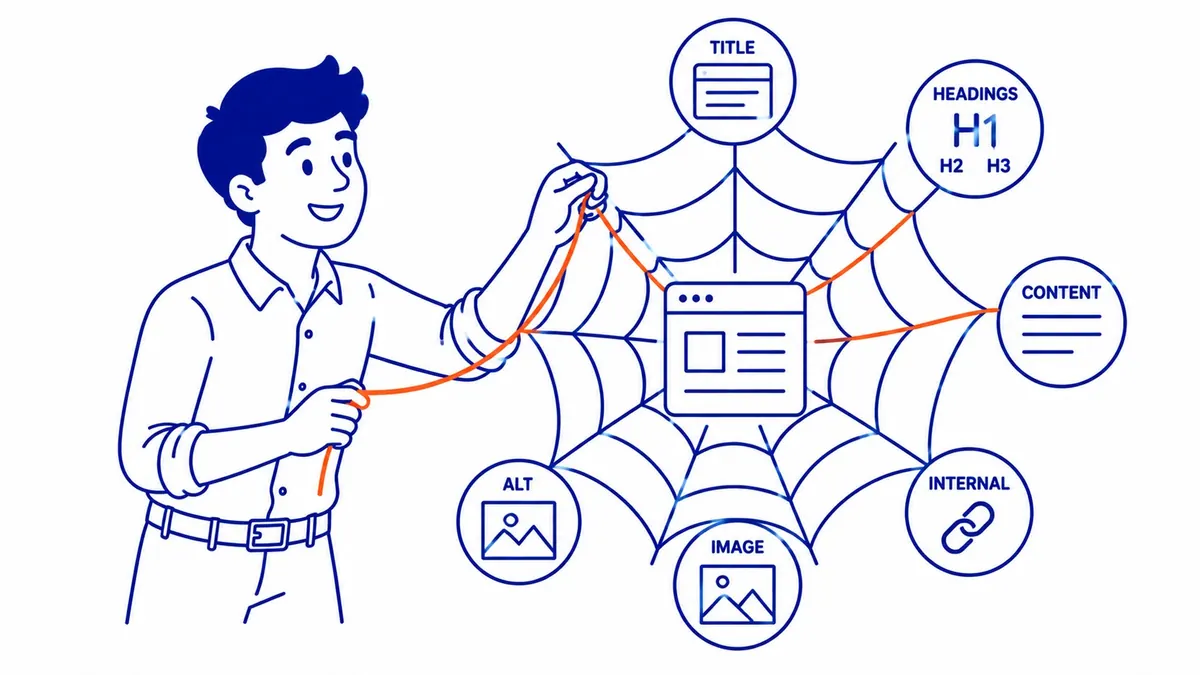
On-page SEO covers the elements on individual pages: title tags, headings, content quality, internal links, image alt text. Technical SEO covers the infrastructure those pages run on. The distinction matters in practice: you can write perfect title tags for a page that search engines cannot crawl, and the title tags accomplish nothing. Technical SEO is the environment. On-page SEO is what you build inside it. Both layers must be functional before off-page link building compounds into meaningful ranking movement. A top technical SEO agency spends most of its hours on that lower layer. A blog on its own subdomain sits in that same infrastructure layer, and the answer on subdomains surprises people.

Crawlability
Search engine bots move through your site following links, reading HTML, and deciding what to index. Crawlability problems block that process before it starts. A page with a crawl block on it is invisible to search engines regardless of what the page contains, regardless of how many external sites link to it, regardless of what your content covers. Several technical factors determine whether your pages are crawlable, and most of them are invisible to the site owner without an audit.
Robots.txt and Crawl Budget
Your robots.txt file instructs search engines which parts of your site they are permitted to access. A misconfigured robots.txt can accidentally block your entire site from being crawled, and it happens more often than it should, usually after a site migration or a theme update that overwrites the file. Crawl budget matters for larger sites: Google allocates a limited number of crawl visits per day, and sites with many low-value or duplicate pages consume that budget on pages that contribute nothing to rankings. Your website pays for that waste with slower discovery of new and updated content.
XML Sitemaps
An XML sitemap is a list of the URLs on your site that you want search engines to find and index. Without one, Google relies entirely on following links to discover your pages. That works adequately for simple sites with strong internal linking. For sites with hundreds of pages, recent content additions, or thin internal link coverage, a sitemap accelerates discovery and reduces the risk that new pages sit unindexed for weeks. Submit your sitemap in Google Search Console and verify regularly that Google is confirming the expected number of indexed pages.
Redirect Chains and Status Codes
Redirect chains, where URL A points to URL B which points to URL C, dilute link equity and slow crawling. Each hop in the chain burns a fraction of the authority the original URL carried. Two redirects in a chain are manageable. Five is a problem search engines notice. HTTP status codes matter throughout: 301s pass authority to the destination, 302s do not, 404s signal dead ends. There is a persistent myth about the first one, which are 301 redirects bad for SEO addresses head on. Any page on your site returning a 4xx error that should be live is a crawlability failure with ranking consequences.
Internal Linking Architecture
Internal links are how search engine bots navigate from page to page on your site. Pages that sit at the end of long click chains, or that receive no internal links at all, are hard for Google to find and evaluate. Architecture decisions, including which pages link to which, with what anchor text, from how prominent a position, determine how crawl budget gets distributed and which pages search engines treat as most authoritative. The difference between internal and external links also matters for authority flow: internal links distribute your site’s own authority, while external backlinks bring authority in from other domains.
Indexation
A page that is crawlable can still be blocked from the search results index. Indexation is a separate decision search engines make after reading your page. Getting indexation signals right means your pages are eligible to appear when users search for what your content covers. Wrong signals here mean none of the on-page or off-page work on that page produces any ranking at all: the page simply does not exist in search results.
Canonical Tags and Duplicate Content
Duplicate content appears when the same or very similar content exists at more than one URL on your site. It happens automatically on most platforms: category pages, tag archives, paginated listings, filtered product views, and HTTP alongside HTTPS versions of the same page. Canonical tags tell search engines which version of a URL is the primary one. Without them, Google decides on its own, and frequently consolidates ranking authority onto the wrong version of your pages. Your content earns authority somewhere; canonical tags control where it accumulates.
Noindex and Nofollow Tags
A noindex meta tag tells search engines not to include a page in search results. Useful on staging pages, admin pages, and thin duplicate pages that serve users but add nothing for search. A nofollow attribute on a link tells bots not to follow that link for discovery or authority purposes. Both are standard tools. Applied to the wrong pages, these tags silently suppress rankings, one of the most common casualties of site migrations. Checking your site for unintended noindex directives is a standard early step in any technical audit.
Google Search Console for Indexation Diagnostics
Google Search Console, the free Google tool every site should have connected, shows directly which pages Google has indexed, which it tried to crawl and could not, and which it has excluded and why. Coverage errors in Google Search Console are the first place to look when a page you expect to rank is missing from search results. No third-party tool is as direct for indexation diagnosis as the data Google itself reports back from its own crawler. Running a weekly check on the Coverage report takes five minutes and catches problems before they compound.
Site Speed and Core Web Vitals
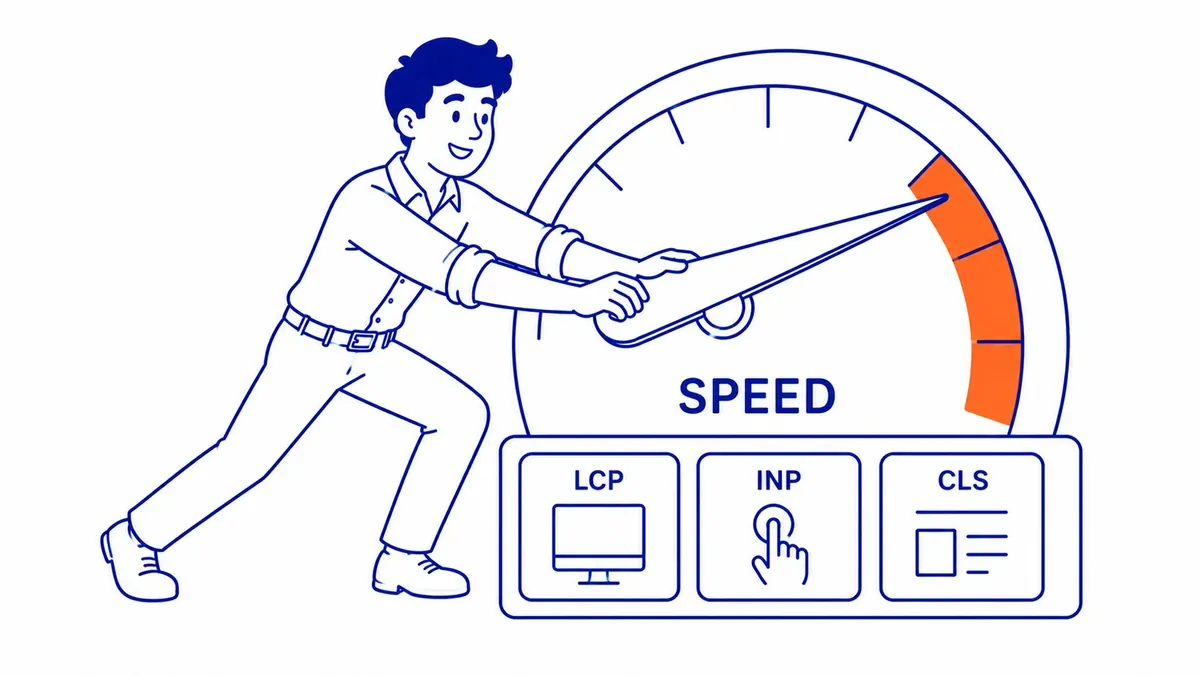
Slow sites lose rankings. Google has been explicit about this since the Core Web Vitals rollout became a ranking factor. Beyond ranking signals, slow pages lose users: each additional second of load time on mobile increases the probability a visitor leaves before your content renders. That abandonment feeds back into search quality signals and accelerates the ranking drop. For your website, speed is not a technical nicety: it is a direct ranking variable measured against real user devices. We quantify exactly that in how important page speed is for SEO.
LCP, CLS, and INP Explained
Core Web Vitals are three specific measurements Google uses as ranking signals. LCP (Largest Contentful Paint) measures how fast the main visible content of a page loads: under 2.5 seconds is the passing threshold. CLS (Cumulative Layout Shift) measures how much the page layout jumps during loading, with images loading late and displacing text as the typical cause. INP (Interaction to Next Paint) measures how fast your pages respond to user input. Each has a pass/fail threshold. All three are reported per URL group in Google Search Console, so you can see exactly which pages on your site are failing which metric.
Images, Scripts, and the Common Speed Killers
Uncompressed hero images, render-blocking JavaScript in the page head, and synchronously loaded external fonts are the three most common speed killers. Each one hands load time to the ceiling. A 200KB hero image compressed to 40KB in WebP format can reduce LCP by a full second. Those images need descriptive alt text too, which how to write alt text for images for SEO walks through. Deferred scripts stop blocking initial render without removing functionality. Both changes are straightforward and show measurable improvements in Google PageSpeed Insights within hours of deploying. For your site, these two fixes alone often move a failing LCP to passing.
Mobile Speed vs Desktop Speed
Google indexes the mobile version of your site, not the desktop version. Mobile-first indexing means that if your mobile pages are slower, thinner in content, or structured differently than your desktop pages, those are the signals search engines use to rank your content across all devices. Testing on an actual phone over a standard mobile connection is the honest benchmark. Office Wi-Fi with a desktop browser understates the problem considerably. Your website’s performance on a mid-range phone at 4G is the environment Google measures.
Mobile-First Indexing and HTTPS
Two site-wide technical factors affect every page simultaneously: whether your site renders correctly under mobile-first indexing, and whether your pages serve over HTTPS. Neither is optional at this point in search history. Both are still misconfigured on a meaningful share of business sites, and both suppress rankings silently until a technical audit surfaces them.
What Mobile-First Indexing Means in Practice
Google stopped supporting desktop-first indexing for new sites in 2019 and completed the migration of older sites by 2024. The Googlebot Smartphone crawler is now the primary bot visiting your site. Content visible only on desktop, hidden in tabs, excluded from mobile HTML, or styled away on smaller screens, may not be indexed at all. For your website, the practical implication is direct: if your mobile and desktop versions differ in content or structure, your SEO work is being evaluated entirely on the mobile version. Search engines see what the mobile crawler sees.
HTTPS and the Security Trust Signal
HTTPS has been a confirmed Google ranking signal since 2014. A site still running on HTTP is at a visible disadvantage against HTTPS competitors with otherwise equal signals. Modern browsers flag HTTP pages as “Not secure” before users even read the content, increasing bounce rates on top of the ranking penalty. An expired or misconfigured SSL certificate creates the same problem. Certificate installation is a one-hour fix that removes the browser warning and the ranking drag. Any SEO site audit that returns HTTP pages should flag this as an immediate action item: it is one of the highest-return technical fixes available.
Structured Data and Schema Markup
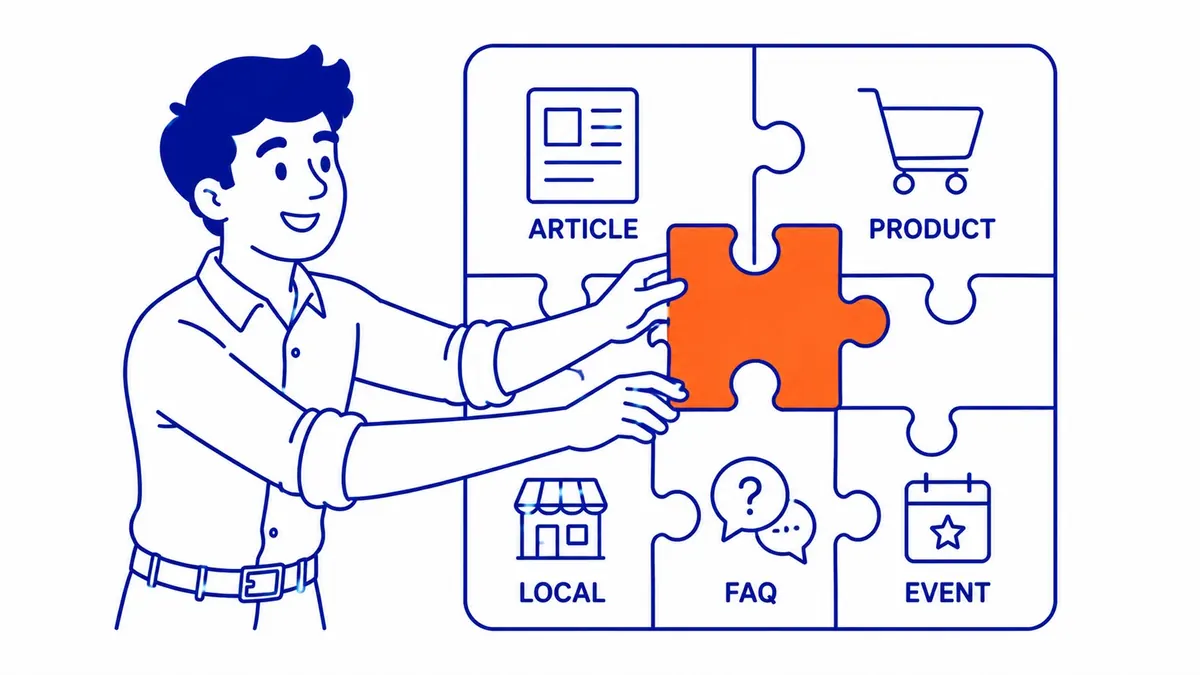
Structured data is code added to your pages that tells search engines explicitly what your content is: an article, a product, a local business, a FAQ, an event. Without it, Google infers content type from HTML structure and text. With it, you provide direct machine-readable labels alongside the human-readable content. The payoff shows up in how your pages appear in search results, not just where they rank.
What Structured Data Does for Search Engines
Search engines already read your HTML. Structured data adds a second layer of explicit labels: Organization, LocalBusiness, Article, Product, HowTo, FAQ schema markup, all on top of the content layer. Google uses this data to understand relationships between entities on the page: that this is a local business, that this address belongs to this phone number, that this article belongs to this author. For your content, structured data increases the precision of how search engines categorise and surface the page across different query types. Schema markup is particularly valuable for local businesses, where Organization and LocalBusiness structured data reinforce the citation signals search engines use for map pack ranking.
Rich Snippets and Search Appearance
Rich snippets are the visual enhancements that appear in search results when Google accepts your structured data: star ratings below the blue link, FAQ accordions, breadcrumb trails, sitelinks, event dates. Rich snippets do not move your ranking position directly. What they do is make your result visually distinct among uniform results. A FAQ accordion below your result adds visible real estate. Star ratings from Review schema pull the eye. Both improve click-through rate from the same ranking position, and results that earn proportionally more clicks over time tend to climb. The rich snippets your pages are eligible for depend on which structured data types are implemented.
Running a Technical SEO Audit
Technical problems are silent by default. A canonical tag pointing at the wrong URL produces no error message. Pages blocked by robots.txt do not show up as missing pages; they simply do not rank. Without an active audit, these issues compound over time: migrations add redirect chains, CMS updates alter robots.txt, new page templates introduce duplicate content. Catching problems early costs far less than diagnosing a traffic drop that has been accumulating for six months.
Where to Start on a Technical Audit
Google Search Console is the starting point. Coverage errors, Core Web Vitals failures, manual actions, page experience scores: Search Console surfaces the issues Google has already found on your site. A first pass through the Coverage and Core Web Vitals reports takes 30 minutes and identifies most high-priority issues. From there, a crawler tool fills in the gaps: orphaned pages, redirect chains, internal link gaps, and noindex errors that Search Console does not surface directly. The two tools together cover the vast majority of technical issues affecting rankings on most business sites.
Free Tools: Google Search Console and PageSpeed Insights
Search Console and PageSpeed Insights cover the most critical diagnostics at no cost. Search Console handles coverage, indexation, Core Web Vitals by URL group, manual actions, and search performance. PageSpeed Insights gives a per-URL breakdown of LCP, CLS, INP, and the specific resources dragging each metric down, alongside recommended fixes prioritised by estimated impact. Combined, these two tools surface the majority of fixable technical issues on most small to mid-size business sites before any paid tool is needed. For your website, starting here before investing in paid crawlers is the sensible sequence.
What a Professional Technical Audit Covers
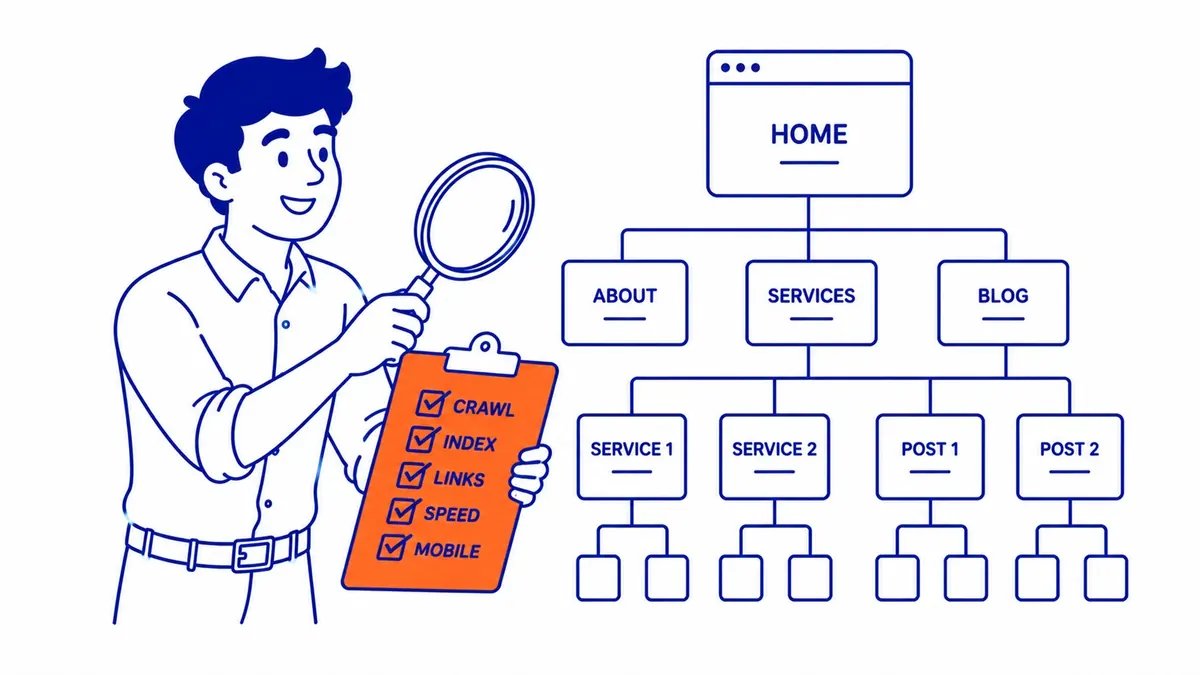
Crawlability checks. Indexation passes. Site speed and Core Web Vitals per URL. Mobile-first rendering. HTTPS and certificate health. Structured data implementation and errors. Internal link architecture and crawl depth. Canonical tags and duplicate content. Redirect chains and 4xx errors. A professional website SEO audit works through all of these, prioritises findings by ranking impact, and delivers a clear action list ordered by what produces the most movement in the shortest time. The how to do an SEO audit guide covers how this process works in practice, including which tools to use at each stage. Spanish-speaking readers can start with an SEO explainer in Spanish and come back to the audit steps after.
Frequently Asked Questions
Technical SEO vs SEO: what is the difference?
SEO is the full discipline: technical foundation, on-page content and structure, and off-page authority signals from links and mentions. Technical SEO is one layer within it: the infrastructure work that makes your site crawlable, indexable, and fast for search engines. Every complete SEO campaign includes technical SEO work, but technical fixes alone are not a complete campaign. Fix the infrastructure first. Then build on it with content that targets real search demand and links that carry authority into your pages. The how to improve your SEO guide covers all three layers together.
What is an example of technical SEO?
A site migrates from HTTP to HTTPS without setting up 301 redirects. Google now sees two versions of every URL, old HTTP and new HTTPS, treats them as separate pages, and splits ranking authority between them. Rankings drop. No content changed, no links were lost, but the signal consolidation is gone. Implementing the redirects and confirming canonical tags point at the HTTPS versions consolidates that authority back. Rankings recover over the following crawl cycle. That migration cleanup is a textbook technical SEO fix, and one of the most common we see during SEO services engagements on recently migrated sites.
What are the 4 types of SEO?
On-page SEO covers the content and HTML elements on individual pages: title tags, headings, content quality, internal links, image alt text. Technical SEO covers site infrastructure: crawlability, indexation, speed, mobile rendering, structured data. Off-page SEO covers external authority signals: backlinks from other domains, brand mentions, and local citation consistency across directories. Local SEO covers the signals specific to map pack and local search results: Google Business Profile completeness, NAP citation accuracy, and proximity signals. Most search engine optimization campaigns involve all four, weighted by what the specific site and competitive landscape requires.
How long does technical SEO take to show results?
Quick fixes like implementing 301 redirects, removing accidental noindex tags, and compressing images can show ranking movement in two to four weeks once search engines recrawl the affected pages. Core Web Vitals improvements update in Google’s field data over rolling 28-day windows. Structural changes like fixing duplicate content patterns or rebuilding internal link architecture take longer: four to eight weeks before the full impact is measurable. Technical SEO pays off faster than link building and slower than Google Ads management, which produces placement the day a campaign goes live. Running both channels in parallel is how most sites see gains at two timescales simultaneously.
Contact Calgary SEO Company To-The-TOP!
Questions about anything in this article, or about your own rankings? Talk to a Calgary SEO specialist directly.
Phone: (403) 308-5949
Address: 1509 14 Ave SW, Calgary, AB T3C 0W4
Hours:
Monday to Friday: 10:00 am – 7:00 pm
Saturday: 12:00 pm – 4:00 pm
Sunday: closed