
What Are AdWords Keywords?
AdWords keywords are the words and phrases you add to a Google Ads campaign so your ad can appear when someone searches for something that matches them. Google’s own glossary puts it this way: keywords are “words or phrases describing your product or service that you choose to help determine when and where your ad can appear.” AdWords was simply the old name. Google renamed the product Google Ads in 2018, so an AdWords keyword and a Google Ads keyword are the same thing, and everything below applies to the platform as it works today.
A keyword does not guarantee that your ad shows, and it is not the text of the ad. It is the signal that makes your ad eligible for a search, after which an auction decides whether it appears and where. How widely a keyword matches depends on its match type, and which searches it is kept away from depends on your negative keywords.
This guide from SEO Company To-The-TOP!, a Calgary company founded in 2007 that provides SEO and Google Ads services, explains what keywords do, how the three match types behave now that Google has changed them, how a keyword differs from the search term a person types, and how to choose keywords that are worth paying for.
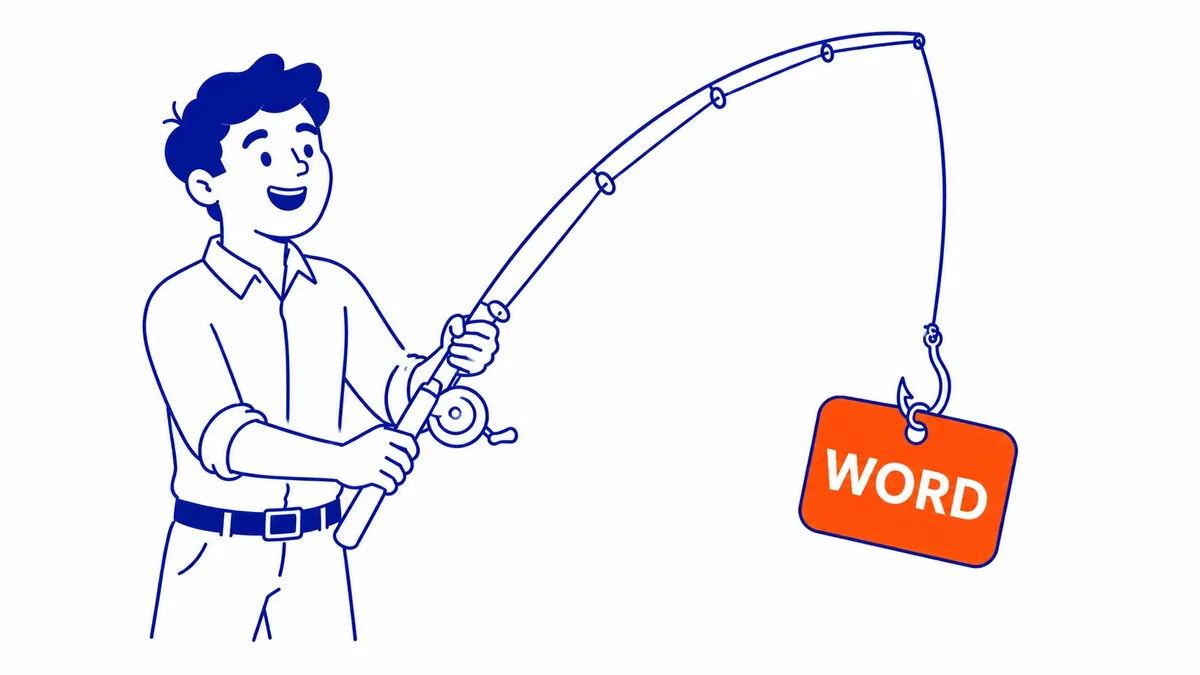
AdWords keywords in plain terms
Think of a keyword as a description of the searches you want to pay for. A Calgary furnace repair company might add “furnace repair”, “furnace not working” and “furnace repair calgary” to an ad group, write an ad about furnace repair and point it at a page about that service. When someone searches for something that matches one of those keywords closely enough, the ad becomes eligible to show. Google’s help page on Search Network keywords gives a simpler example: if you sell frisbees, you can add “buy frisbee” as a keyword, and when people type “buy frisbee” your ad might appear.
On a Search campaign you normally pay only when someone clicks the ad, which is why the choice of keywords matters so much. Every keyword is a decision about which searches deserve your budget. Google’s glossary makes the same point from the other side: a strong keyword list can help your ads perform and help you avoid higher prices, while poor keywords “can ultimately cause you to have higher prices and lower ad position.”
The name causes more confusion than the idea. Google launched AdWords in 2000 and announced on June 27, 2018 that “Google AdWords is becoming Google Ads“, because the product had grown from search ads into YouTube, Maps, apps and websites across the web. Older guides, courses and many business owners still say AdWords, and when they do they mean the same keywords you add in a Google Ads account today.

Keywords and search terms are not the same thing
The single most useful distinction for a new advertiser is between the keyword and the search term. Google defines a search term as “a word or set of words a person enters when searching on Google”, and a keyword as the word or set of words an advertiser adds to an ad group. You choose keywords; your customers type search terms, and the two are rarely identical. A keyword such as “furnace repair” might be matched to searches like “furnace stopped working calgary” or “emergency furnace service”, some of which you want and some of which you do not.
The place where the two meet is the search terms report, found under Insights and reports in your Google Ads account. It lists the actual searches that triggered your ads, which keyword matched each one and how each search performed, and it is where you find new keywords worth adding and wasteful searches worth excluding. Google notes that some search terms without enough query activity are left out of the report for privacy reasons, so the list you see does not include every single search.
How a keyword gets your ad into the auction
Keywords decide which auctions your ad can enter. Once a search matches one of your keywords, Google runs an auction among the eligible advertisers and ranks them by Ad Rank, which Google says is based on six factors: your bid, the quality of your ad and landing page, the Ad Rank thresholds, the competitiveness of the auction, the context of the person’s search, and the expected impact of your ad assets. A higher bid helps, although an ad that is more relevant to the search can still win a better position, which is the main reason a tightly chosen keyword list pays off. If you want the full picture, there is a separate guide on how the Google Ads auction works.
Each keyword with enough search traffic also carries a Quality Score from 1 to 10, built from three components: expected clickthrough rate, ad relevance and landing page experience. Google describes it as a diagnostic tool and states that “Quality Score is not an input in the ad auction.” It is still worth checking, because a keyword rated “Below average” for ad relevance is telling you that the ad does not speak to the searches that keyword brings in, and the live auction rewards the same qualities that Quality Score measures.

The three match types and how they work now
Match types control how closely a search has to relate to your keyword before your ad can be considered for the auction. Google has changed them substantially in recent years, loosening exact match so it covers searches with the same meaning and retiring broad match modifier in 2021, so many older articles describe them the wrong way.
| Match type | How you enter it | What it can match | When it suits |
|---|---|---|---|
| Broad | furnace repair | Searches related to the keyword, which may not contain its words or direct meaning | Accounts using Smart Bidding with conversion tracking in place |
| Phrase | “furnace repair” | Searches that include the meaning of the keyword, often as a more specific form | A middle ground when you want reach without drifting far from the service |
| Exact | [furnace repair] | Searches with the same meaning or the same intent as the keyword | High-value searches you want to control closely, or small budgets |
Broad match is the default. If you type a keyword without quotes or brackets, Google treats it as broad, and Google’s documentation says broad match may also look at the person’s recent searches, the content of your landing page and the other keywords in the ad group to work out intent. Google also states that “it’s critical to use Smart Bidding with broad match”, because bids then reflect the signals in each individual search. On manual bidding, broad match can spend money on searches that are related to your keyword in Google’s eyes and of no use to your business.
Exact match is no longer as exact as the name suggests. Its close variants now include misspellings, plurals, reordered words, synonyms and searches with the “same search intent”, so [furnace repair] could also show for a search such as “repair my furnace”. Google adds that broader match types capture all the queries of narrower ones, so a phrase match keyword already covers what the same keyword would match as exact. Very similar keywords such as “red car” and “car red” are treated as duplicates, with only one bid entering the auction. There is still a reason to keep exact match keywords for your most important searches, because Google prioritises an exact match keyword that is identical to the search over phrase, broad and Performance Max.
Negative keywords: the words that keep your ad off a search
A negative keyword does the opposite job. It stops your ad from showing on searches that contain a term you have excluded. Google’s example is an optometrist who sells eyeglasses and adds “wine glasses” and “drinking glasses” as negatives. A Calgary furnace company that only repairs might exclude “jobs”, “training” or “parts”, depending on what its search terms report shows. The plain guide to negative keywords in Google Ads goes further into building that list.
Negative keywords follow different rules from normal keywords, and this is where many accounts leak money. Google documents that negative keywords “won’t match to close variants or other expansions”, so a negative broad match “flowers” blocks “red flowers” but not “red flower”. If you want to exclude a plural, a singular or a synonym, you have to add it yourself, although Google does handle casing and misspellings automatically. Negative broad match is the default and blocks a search that contains all of its words in any order, negative phrase blocks the words in that order, and negative exact blocks only that search with no extra words.
One local detail is easy to miss. On Google Maps, Google may add “near me” to a person’s search when they are looking at places close to them, so a keyword such as “furnace repair near me” can show for someone who simply typed “furnace repair” in Maps. If you do not want that traffic, adding “near me” as a negative keyword prevents it. Exclusions that apply to every campaign are easiest to manage through a shared negative keyword list rather than one campaign at a time.

AdWords keywords versus SEO keywords
The same word can be a Google Ads keyword and an SEO keyword, but the two work through entirely different systems. A Google Ads keyword is a targeting setting inside your account: you add it and choose a match type, and once the ad is approved and the campaign, budget and billing are all in order, the keyword can bring the ad into relevant auctions straight away. It stops doing so when you pause the campaign or the budget runs out. An SEO keyword is a search you want a page to rank for in the unpaid results, which you earn over months through the page’s content, the site’s technical health and its reputation, and which never costs you per click.
The ranking rules differ as well. Google Search does not let anyone pay for organic position, and its spam policies treat keyword stuffing, which Google describes as “filling a web page with keywords or numbers in an attempt to manipulate rankings”, as a violation. Repeating a keyword in an ad or a landing page does not make a Google Ads keyword stronger either. What helps in both cases is a page that answers the search well. The organic side has its own guide on SEO keywords and how they drive rankings.
Many Calgary businesses use both. Ads can make a business visible for the searches it chooses while the organic rankings build, although a keyword only makes the ad eligible, and whether it appears and in what position still depends on the budget, the targeting and Ad Rank. The search terms report from an ad campaign is also a useful record of the real phrases customers use, which can then feed the SEO plan.
Choosing keywords worth paying for
Google Keyword Planner, inside every Google Ads account, is the usual starting point, and there is a separate walkthrough on using Keyword Planner. You can enter a product, a service or a website and get keyword ideas with estimated monthly searches and the cost to target them, although Google requires you to enter billing information before keyword ideas become available and describes its figures as estimates, noting that real campaign performance depends on your bid, budget, ad quality and location targeting. Treat the volumes as a guide to which phrasing is more common rather than a forecast of clicks.
In a paid campaign, start with the keywords closest to the action you want the campaign to produce. “Furnace repair calgary” or “furnace not working” signals a person with a problem to solve today, while “how does a furnace work” is mostly people who want an explanation. Both may be worth having in SEO content, but the first kind is the natural starting point for ads, and the conversion and cost data in your account will then show which keywords actually pay their way. Group keywords by service so that each ad group’s ad and landing page answer every keyword in it; Google’s own advice is to group keywords into themes “based on your products, services, or other categories”. For the separate question of how many keywords belong in each ad group, there is a guide that goes through the count, the match type and the budget in detail.
Two settings outside the keyword list also shape who sees your ads, and both matter for a Canadian business. The first is location. Location targeting at the campaign level decides where the ad can show, so a Calgary-only campaign does not need “calgary” in every keyword to reach Calgary searchers, although keywords that name the city often signal stronger local intent. Bear in mind that Google’s default location setting reaches people who are in, regularly in or have shown interest in your target area, so someone in Toronto searching for a Calgary service can still see a Calgary-targeted ad. If you only want people who are physically in or regularly in Calgary, change the advanced location options, and keep in mind that Google calls its location targeting a best effort whose accuracy is not guaranteed in every situation.
The second is language, which matters in a bilingual country. From September 2026, Google is removing the campaign-level language setting from Search campaigns, so Search ads will match on the language of the ads themselves, using Google’s understanding of the languages a person knows. Google may also show an English ad to someone who searched in another language when their activity suggests they understand English. If you serve only English or only French speakers, the language your ads and landing pages are written in will do most of that job, so write them for the customers you want and watch the search terms report for searches that slip through.
Frequently asked questions
Do I still need keywords with Performance Max and AI Max?
Yes, for Search campaigns. Google’s documentation says Performance Max respects your keyword targeting through a priority system, in which an exact match keyword identical to the search wins over Performance Max, and phrase and broad keywords that are identical to the search share priority with matching Performance Max search themes. Google counts AI Max with your phrase and broad keywords in that shared tier, so it builds on your keywords rather than replacing them. Keywords remain the clearest way to tell Google which searches matter most to you and which ad and landing page should answer them.
How do I see which searches my keywords matched?
Open your Google Ads account, select Campaigns in the left navigation and go to Search terms under Insights and reports. Turning on the “Keyword” column shows which of your keywords matched each search, and the “Match type” column shows how closely they matched. Reviewing this report regularly is how you find both new keywords and new negatives.
Can a keyword be too specific to work?
It can. Google gives keywords with very little search history a “Low search volume” status, and they stay inactive until searches pick up, so a list padded with long, unusual phrases may add nothing. A short, clear phrase on phrase or exact match usually covers those longer searches anyway through close variants.
If your campaign is spending without bringing in enquiries and nobody can explain why certain searches are showing your ads, the keyword list and the search terms report are the first place to look. To-The-TOP! offers Google Ads management for businesses in Calgary, Edmonton, Vancouver and across Alberta and British Columbia, and you can call (403) 308-5949 to talk it through.
Contact Calgary SEO Company To-The-TOP!
Questions about anything in this article, or about your own rankings? Talk to a Calgary SEO specialist directly.
Phone: (403) 308-5949
Address: 1509 14 Ave SW, Calgary, AB T3C 0W4
Hours:
Monday to Friday: 10:00 am – 7:00 pm
Saturday: 12:00 pm – 4:00 pm
Sunday: closed