
What Is an SEO Plugin? A Calgary SEO Specialist Explains
WordPress users all get the same advice eventually. Install an SEO plugin. The question that usually follows is what exactly it does. WordPress runs millions of websites. What is actually missing from it by default?
Plenty, as it turns out. Search engines need specific code on every page. Title tags. Meta descriptions. XML sitemaps. Schema markup. Canonical URLs. WordPress generates none of that by default, however. An SEO plugin fills the gap, though. No custom code required. All of it managed from a dashboard inside your WordPress admin.
What an SEO Plugin Actually Does
Worth knowing before comparing options.
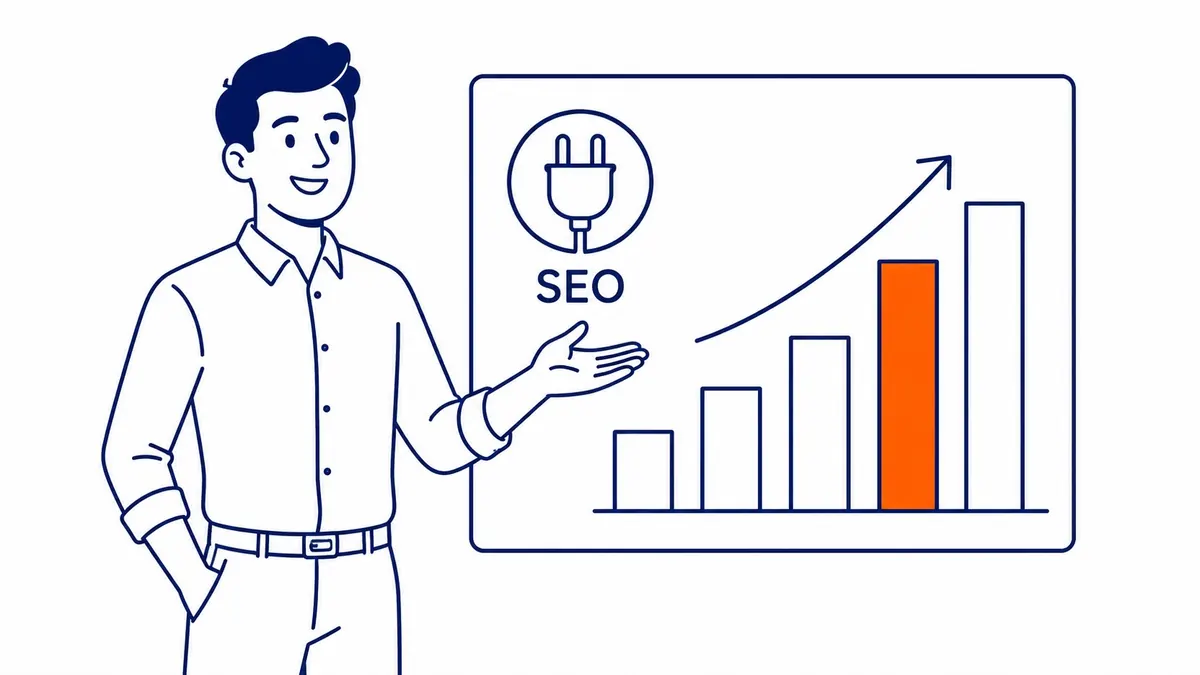
Title tags. Meta descriptions. Canonical tags. Schema markup. XML sitemaps. None of these appear on the visible page. Visitors never see them. Search engines read them constantly. Dashboard controls handle all of it. Nothing to touch in server files or HTML.
Most SEO plugins also include a live scoring tool as you write. Set a focus keyword for a post. The plugin then scans your title tag for it. Opening paragraph is next. Subheadings and image alt text after that. Gaps still get flagged. That feedback loop is genuinely useful for beginners. Most experienced WordPress users stop paying attention to those scores after a few months, though. They still run the plugin. Behind the scenes, sitemaps and meta tags and schema are still being generated correctly.
The plugin does not rank your site, however. It manages what is technically visible to search engines. Whether pages actually rank depends on content quality and keyword selection. Link authority matters just as much. Site speed too. Understanding that distinction still saves a lot of confusion later.
Why WordPress Sites Need an SEO Plugin
Default settings leave real gaps.
WordPress ships without a sitemap. It also adds no schema. Page titles often duplicate the site name across every result, which wastes the title tag. Search engines will still index a WordPress site without a plugin. They still work from incomplete signals. Crawling decisions get made on their own. Even easy wins go unnoticed.
As an SEO company Calgary businesses trust, we give every site we take over the same first check. Is an SEO plugin installed and properly configured? An unconfigured plugin is almost as bad as no plugin at all. The fields are there. Everything is left at default. That typically means meta titles are too long. Descriptions are missing. Google Search Console has never received a sitemap submission.
Setup takes under an hour for a typical site if done properly. Fixing what accumulates over months without one still takes considerably longer. Proper setup early, not correction later. The plugin is item one on the WordPress SEO checklist, not the whole of it.
Core Features Most SEO Plugins Share
All the major ones cover these.

Meta Titles and Meta Descriptions
Title tags appear in browser tabs and also in search results. Google reads them as the first signal about what a page covers. The snippet of text beneath a title in search results is the meta description. Neither is generated cleanly by WordPress defaults.
Your SEO plugin gives you a dedicated field for both on every post and page. Write your title. See a live preview of how it appears in a search result. Adjust if it runs too long. Meta descriptions follow the same pattern. Short. On topic. Unique to each page. The plugin also flags duplicates and missing entries across the site.
Meta descriptions do not directly influence rankings, however. Click-through rates are what they affect. A well-crafted meta description for every page is still worth the time.

XML Sitemaps
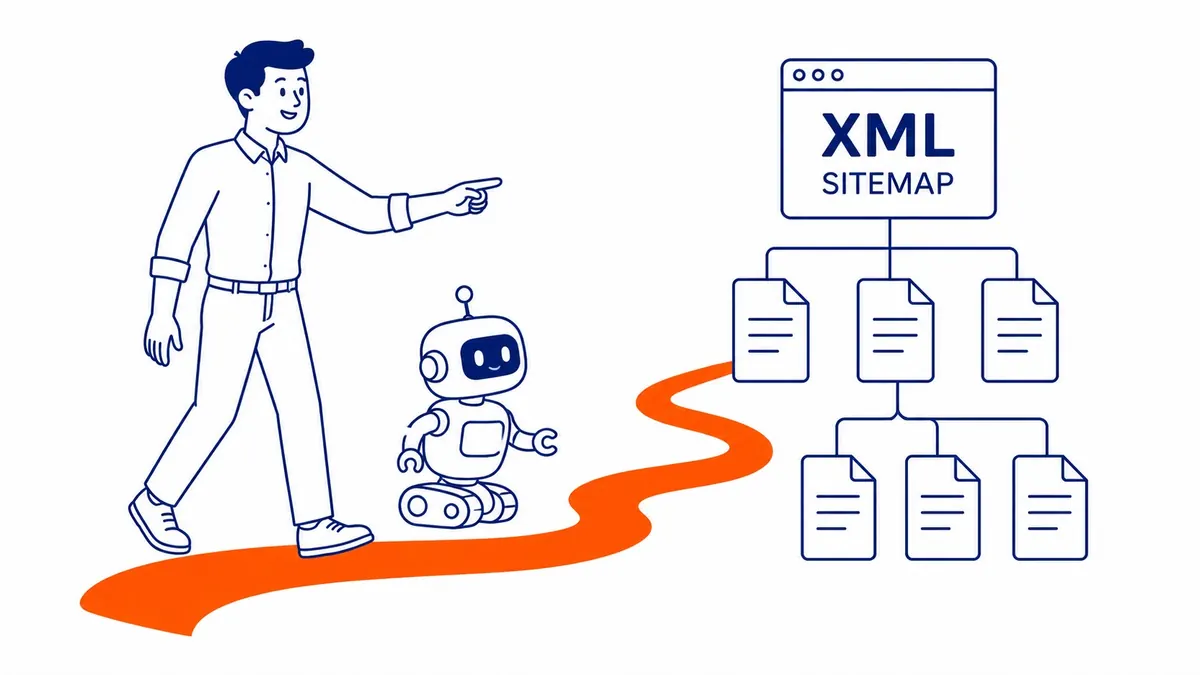
An XML sitemap lists every URL on your site that you want Google to index. Submit it to Google Search Console once. Google revisits automatically whenever you publish. Manual discovery on a site with hundreds of posts takes longer. Some content still gets missed.
XML sitemaps generate and update in the background. Most plugins handle this automatically. New post published. Sitemap updates. Nothing else to do on your end. That is the version of automation that actually matters for SEO. On a new site with ten pages, it still helps. Sites with a sitemap get recrawled faster. That is the real difference.
Schema Markup and Structured Data
This is the feature most users underestimate. Schema markup is code on your pages that signals to Google what category of content each one represents. Not just “here is some text.” Instead, it signals a recipe with a 30-minute cook time. Or a local business at a specific address with specific hours. Google also uses that to generate rich snippets in search results. Star ratings. Cooking times. Event dates. FAQ answers displayed directly on the SERP.
Recipe schema pulls cooking times into the result. FAQ schema puts your questions directly into a Google result without the user having to click. Local business schema connects your site to maps results and knowledge panels. Most SEO plugins also handle schema automatically for common post types. Schema Pro is still the add-on most sites reach for when the core plugin runs short on schema types.

Redirects and Broken Links
Pages get renamed. URLs change during site rebuilds. Old posts get deleted. A URL that disappears without a redirect sends any incoming link to a 404. Visitors following the broken link hit a dead end. The ranking authority those links were passing also disappears.
Redirect management in the plugin handles 301s from the WordPress dashboard. No server config file changes. Developer access not required either. Link authority still transfers from the old URL to the new one through a 301. Internal broken links also drag rankings and user experience down.
Yoast SEO: The Most Widely Installed Option
Twelve million active installs, give or take.
Most WordPress users have been pointed toward Yoast since the early 2010s. Meta tags. XML sitemaps. Breadcrumbs. Schema. Social media previews. A readability analysis that scores your writing as you draft. All of it handled in the free version.

That readability analysis is Yoast’s most misunderstood feature. Sentence length also gets a score. Passive voice too. Transition word density gets scored as well. Those scores are worth glancing at, though. They catch genuinely long sentences and excessive passive constructions. Chasing green dots at the expense of direct writing is a mistake, however. Some of the best content I have seen over 19 years would have scored red in Yoast’s readability panel. The panel is a guide, not a requirement.
Yoast’s premium version adds internal linking suggestions. The redirect manager becomes more capable. Multiple focus keywords per post are also supported. On a site publishing frequently with a large archive, those features save time. Smaller sites publishing a few times a month, however, will find the free version covers everything needed.
One trade-off at scale is query load. Yoast generates more database queries than lighter plugins. On a high-traffic site with slow hosting, page load times take the hit. A caching plugin covers most of it. Still worth flagging if site speed is already tight.
Rank Math: The Feature-Heavy Alternative
Richer free tier than Yoast offers.
The plugin launched in 2019 with a direct pitch. More features in the free version than Yoast offered at the same price point. Schema types. Rank tracking built into the WordPress dashboard. Google Search Console integration that pulls keyword data without leaving the admin. Analytics showing keyword rankings alongside traffic. A setup wizard that walks you through the full configuration step by step.

The free tier does offer more out of the box than Yoast’s. Interface weight is the trade-off. More settings panels, more configuration choices, more options visible on every screen. Users who want full control still find that appealing. Site owners who prefer to set it once and leave it alone sometimes find the options overwhelming at first.
Product schema in Rank Math’s free tier is more thorough than Yoast’s. Category page configuration and breadcrumb control for stores are also stronger. For WordPress stores, that distinction matters more than the general feature comparison.
The SEO Framework: The Quiet Option
Without the upsell. Green dots not included.
The SEO Framework is the plugin I point technical users toward when they ask about lightweight alternatives. Content scoring panels are absent. Upsell banners inside the WordPress dashboard are absent too. Feature release announcements every time you run an update? Absent. Just the core functions, set to sensible defaults. Meta tags, sitemaps, schema, canonical URLs.

The defaults are better than most users expect. Title generation is clean from your page title, with no extra text appended. XML sitemaps also build and update automatically. Schema markup is also added based on post type without requiring any selections. Site owners who find Yoast’s guidance panels unnecessary will still appreciate this approach. The SEO Framework disappears into the background.
Reliability between versions is where The SEO Framework stands out. It does not change default behaviour in ways that require reconfiguration after updates. That matters on client sites where updates happen on a schedule and someone else is managing day-to-day tasks.
The real trade-off is ecosystem depth. Fewer integrations with third-party tools. Less documentation than Yoast. Google Analytics inside the WordPress dashboard is not a feature here. External keyword tool integrations are also limited. If those matter, The SEO Framework is probably not the right fit. For clean, low-overhead SEO management on a standard site, however, it is hard to beat.
AIOSEO: Worth Knowing About
Rebuilt from the ground up.
All in One SEO Pack was among the earliest WordPress SEO plugins. Yoast came several years later. Market share fell during a rough patch in the early 2010s. That rebuild around 2021 changed things. A relaunched version came with a setup wizard and a schema generator. The link assistant surfaces internal linking opportunities across your content. Redirect management was rebuilt from scratch.

AIOSEO’s free version handles the essentials. Meta tags. XML sitemaps. Basic schema. Paid plans unlock WooCommerce SEO features. More schema types become available. The full link assistant is also gated to paid tiers. For blogs and service sites, AIOSEO in the free tier compares well against Yoast and Rank Math.
WooCommerce stores are a different case, though. Product schema is also well supported. Review markup and e-commerce breadcrumb configuration are also handled well. The choice between AIOSEO and Rank Math often comes down to which interface the developer building the site prefers. Both still produce the right technical outputs.
Free vs. Premium: What the Upgrade Actually Adds
Straight take after 19 years.
Meta tags. XML sitemaps. Schema basics. Redirect management. The free versions of all three major plugins cover that foundation without charging. Most WordPress sites still do not need a paid SEO plugin.
Premium plans make sense in specific situations. A large publisher posting daily, where internal linking suggestions that scan the full archive save hours per week. An e-commerce store where product rich snippets are generating measurably more click-through than plain listings. Agencies managing multiple client sites on a single premium version licence are another clear fit. Those are concrete use cases with a clear return.
The question worth asking before upgrading is which specific premium version feature you will actually use in the next 90 days. If the answer is vague, the free version is still the right call. The free version of the best WordPress SEO plugins is genuinely capable enough for most sites. Browser extensions cover a different job, pulling fast SEO data on any page you open.
What an SEO Plugin Cannot Do
The plugin is not the strategy.
This is where most beginners misread the situation. A page scoring all green in Yoast SEO or Rank Math is technically configured correctly. It can still sit on page four of Google and generate no traffic at all. The plugin still does not know whether you chose the right keyword. Ranking strength above the competition is also not something it measures.
A real local search engine optimization company also goes well beyond meta tags and sitemaps. Keyword analysis for SEO. Content planning. Technical audits. Link building. Page speed. User experience signals. All of it still contributes to whether a page ranks. The plugin manages a specific layer of the stack. Worth understanding before expecting more from it. That layer matters, but it is not the whole picture.
Our Calgary SEO services cover the full picture. Keyword selection, content planning, technical audits, monthly position reporting. The plugin is one piece of that, not the whole thing. Plugins do not exist on closed builders at all, the crux of Wix and search visibility. Which plugin you pick matters less than that, though the All in One SEO comparison still comes up.
How to Choose the Right SEO Plugin
Pick one. Configure it properly. Leave it.
Running two SEO plugins simultaneously is still a mistake every WordPress beginner eventually makes. Yoast and Rank Math both managing the same meta tags at the same time produces conflicts. Duplicate title tags. Competing sitemaps. Contradicting canonical instructions. Pick one. Run the setup wizard. Mid-stream plugin migration is messy work.
For a new WordPress site, Yoast SEO’s free version is the place to start. The setup experience is the most accessible. Documentation is also the most thorough. Years of community tutorials also cover every setting. If something breaks, someone has already written the fix.
Technical users who want more configuration without paying should try Rank Math’s free version. More schema options. Analytics and Google Search Console data inside the dashboard. More choices at every level.
Developers and agencies building clean, low-maintenance sites should look at The SEO Framework. Stays out of the way. Reliable between updates. No noise.
WooCommerce stores should compare Rank Math and AIOSEO on product page schema and WooCommerce SEO breadcrumb support before deciding. Both handle e-commerce well. Which one your existing setup supports is still the more useful question.
If the SEO configuration still feels unclear after the plugin is running, a proper technical audit is the next step. Our Calgary website audit goes well past meta tags. Crawl health, page speed, content gaps, backlink signals. All covered, not just whether meta descriptions are filled in.
Running Google Ads alongside your organic search effort also makes keyword research more precise. Ads campaign data surfaces which terms actually convert, not just which ones get clicks. Organic data alone can’t show that. The conversion data from ads fills the gap.

Frequently Asked Questions About SEO Plugins
What is an example of an SEO plugin?
Of all the options, Yoast SEO comes up most. Around 12 million WordPress sites run it, making it the most commonly encountered option. Meta titles. Descriptions. XML sitemaps. Schema markup. Redirects. All of it managed from the WordPress dashboard. Rank Math and AIOSEO come up most in comparisons for users who want more features without paying. The SEO Framework is less discussed in beginner guides but is the go-to for developers who want a clean, lightweight option.
What are plugins in SEO?
SEO plugins are software extensions installed on a CMS platform, most often WordPress. They produce the technical outputs search engines need that the platform does not generate by default. Meta tags. Sitemaps. Structured data. Redirect management. A plugin exposes controls for all of them from a single dashboard. No custom code required. Most settings take effect immediately once saved.
Is SEO dead or evolving in 2026?
Still evolving. AI-generated overview features are changing how results look in Google. They are not changing the underlying signals Google uses to decide which content to surface. Page authority still drives what gets cited. Content depth still matters. Schema markup and technical site health do too. Structured data, which an SEO plugin handles automatically, has become more relevant as Google pulls content into AI overviews. The underlying work has not disappeared, however.
Can I do SEO by myself?
To a degree, yes. Installing a plugin, writing posts built around specific keywords, making sure technical fundamentals are clean. Any WordPress user can do that. The gap between “doing the basics” and “competing in a market with established players” is where it gets harder. Calgary businesses have been building backlinks and authority since the early 2000s. Ranking against that without a real keyword research strategy still takes considerably longer than most guides suggest. Most small business owners still handle the basics themselves and bring in help when rankings stall.
Contact Calgary SEO Company To-The-TOP!
Questions about anything in this article, or about your own rankings? Talk to a Calgary SEO specialist directly.
Phone: (403) 308-5949
Address: 1509 14 Ave SW, Calgary, AB T3C 0W4
Hours:
Monday to Friday: 10:00 am – 7:00 pm
Saturday: 12:00 pm – 4:00 pm
Sunday: closed