
What Is Onsite SEO?
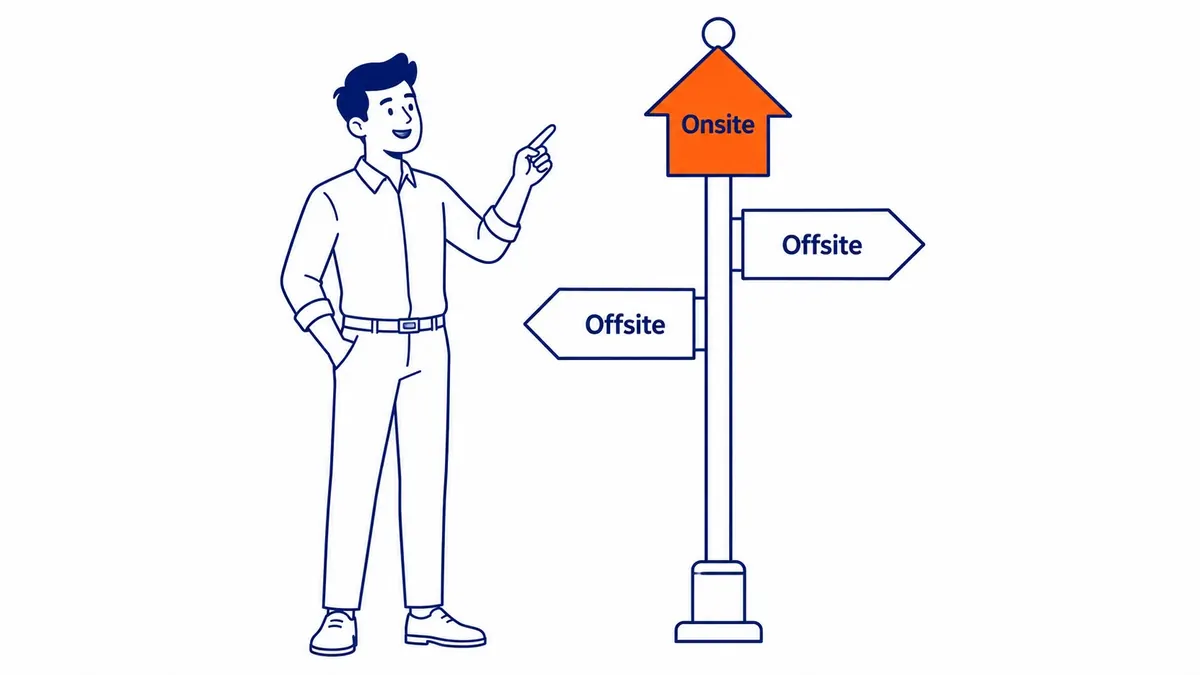
Onsite SEO is everything you do on your own website to help search engines find, understand and rank its pages, and to help visitors get what they came for once they arrive. It covers two kinds of work: page-level work such as titles, headings, content, images and links between pages, and site-wide work such as crawling, indexing, mobile display, speed and security. Offsite SEO is the opposite half, made up of what happens elsewhere on the web, such as links from other sites, mentions and your Google Business Profile. The difference matters because onsite work is the part you control completely, so it is usually where a search optimization project starts.

Onsite, on-page, technical and offsite SEO
The terms overlap, and agencies use them loosely, which is why the same work can appear under three names in three proposals. “Onsite SEO” is an industry term rather than a category Google defines, and Google’s SEO Starter Guide simply walks through the things a site owner can do on their own site. A practical way to keep the terms straight is to treat onsite SEO as the umbrella for everything on your domain, with on-page SEO as the page-by-page part and technical SEO as the site-wide part underneath it.
| Term | What it covers | Who controls it | Where to check it |
|---|---|---|---|
| Onsite SEO | Everything on your own website: the on-page and technical work together | You or your web team | Your site, its code and Google Search Console |
| On-page SEO | One page at a time: title, headings, body content, images, internal links, structured data | Whoever writes and edits the page | The page itself and the URL Inspection tool |
| Technical SEO | The whole site: crawling, indexing, canonical URLs, mobile version, speed, HTTPS, sitemaps | Whoever builds and hosts the site | Search Console’s Page indexing and Core Web Vitals reports |
| Offsite SEO | Outside your website: links from other sites, mentions, reviews, Google Business Profile | Mostly other people, with your influence | Search Console’s Links report and your Business Profile |
Some writers use “onsite” and “on-page” as exact synonyms, and nothing breaks if you do, as long as the site-wide work does not get forgotten. If you want the side-by-side view of the two halves, there is a separate guide on how on-page and off-page SEO compare, and the site-wide side has its own page on technical SEO. The point of the distinction is practical: a page with a perfect title can still fail if Google never indexes it, and a fast, well-built site can still fail if its pages do not answer what people search for.
The elements of onsite SEO
Most lists of onsite factors look alike, so it is more useful to see each element next to what Google actually documents about it, drawing on its pages about title links, snippets, supported meta tags, images, links and structured data. Several popular rules turn out to be habits rather than requirements, and a few things that get little attention matter more than people expect.
| Element | What Google documents | What to do |
|---|---|---|
| Title element | There is no limit on how long a title can be; the title link is truncated in results “as needed, typically to fit the device width”, and Google may build it from other sources such as headings | Give every page a unique, descriptive and concise title, with the main topic early |
| Meta description | Google “primarily uses the content on the page” to write the snippet and may use the meta description when it describes the page better | Write a short, accurate summary for important pages, without treating it as a ranking lever |
| Keywords meta tag | “Google Search doesn’t use the keywords meta tag” | Leave it out |
| Headings | Heading order does not matter for Search, and there is “no magical, ideal amount of headings” | Use headings to help readers scan the page |
| Content length | Length alone “doesn’t matter for ranking purposes” | Write what the reader needs, then stop |
| URL | Keywords in the domain or path have “hardly any effect beyond appearing in breadcrumbs” | Use short, readable URLs, and do not change working ones just to add a keyword |
| Images | Alt text is “the most important attribute” for image metadata and Google uses it with the page content | Describe what each image shows, in plain words |
| Internal links | Google can generally crawl a link only when it is an <a> element with an href |
Link related pages in sentences, with anchor text that says where the link goes |
| Structured data | Google “does not guarantee” a rich result even with correct markup | Add the types that match the page, and expect nothing automatic |
Two of those rows contradict advice that still circulates widely. A title does not have to stay under 60 characters to be valid; a shorter title simply has a better chance of showing in full. In the same way, Google’s Starter Guide says heading order does not matter for Search and that there is no ideal number of headings, so a strict H1, H2, H3 sequence is a reading aid rather than a ranking rule, and readers are the reason to keep it tidy. If you have wondered whether a page with more than one H1 is a problem, the same principle applies: structure the page for people first.
The site-wide elements carry just as much weight. Google’s mobile-first indexing guide says it uses “the mobile version of a site’s content” for indexing and ranking, so anything missing from your phone layout is effectively missing from Google. Its page experience guidance confirms that its ranking systems use Core Web Vitals, while adding that good scores do not guarantee top rankings. Duplicate URLs, such as the same page with and without tracking parameters, are handled with redirects and rel="canonical" tags, which Google’s canonical URL guide describes as strong signals for choosing the URL to show. Good internal linking ties all of it together, because every page you care about needs at least one crawlable link from another page on your site.
What to fix first
The order matters more than the checklist, because some fixes are wasted until others are in place. A practitioner looking at a small business site for the first time would usually work in this sequence:
- Is the page indexed? Use the URL Inspection tool in Search Console. A page that is “Discovered – currently not indexed” or excluded by a
noindextag cannot rank, however good its title is. - Is there one page per search intent? Two pages answering the same question split attention between them. Pick the stronger page, improve it, and point the other at it or give it a different job.
- Do the title and content answer the query? Read the page as a searcher would. The answer to the question in the title should appear near the top, in plain language.
- Can people and Google reach the page? Check that it is linked from related pages and the menu where it belongs, with crawlable links.
- Does it work on a phone and load reasonably fast? Check the Core Web Vitals report and look at the page on an actual phone.
- Would structured data help? Add it where the page type supports it, such as a local business or an article, once the basics above are in place.

That order also explains a common belief that does not hold up well. Many site owners start with speed scores because tools turn them into a single number, but a page that is fast and unindexed earns nothing, and a page that is slightly slow but clearly answers the search can still rank. Speed is worth fixing, and it is rarely the first thing to fix.
Onsite SEO for Calgary service businesses
Local businesses run into one onsite question more than any other: whether to build a page for every city or neighbourhood they serve. A Calgary contractor might want pages for Airdrie, Cochrane, Okotoks and a dozen communities inside the city. That can be a reasonable structure, but Google’s spam policies list “having multiple domain names or pages targeted at specific regions or cities that funnel users to one page” as doorway abuse, so pages that only swap the place name are a risk rather than an asset. An area page earns its place when it has something specific to say about that area, such as the services actually offered there, local permit or access details, or projects completed nearby.
The onsite side of local search also includes the basics that are easy to overlook: the business name, address and phone number written as text on the contact page rather than only inside an image, a clear page for each core service, and a landing page your Google Business Profile can link to that matches what the profile says. Google’s Business Profile help describes local results as based mainly on “relevance, distance, and popularity”, and while the profile itself is offsite, the website it links to is onsite work you control.
| Illustrative review of a Calgary service business site | Finding | Priority |
|---|---|---|
| Furnace repair service page | Not indexed; linked only from the sitemap, not from any page | 1 |
| “Furnace repair Calgary” and “Furnace repair services” pages | Two pages chasing the same search with near-identical text | 2 |
| Twelve community pages | Same text on each with the community name swapped | 3 |
| Home page title | “Home” instead of a description of the business | 4 |
| Contact details | Address shown only inside a footer image | 5 |
| Product photos | No alt text and large uncompressed files | 6 |
This table is an illustration, not a real client, but the sequence is typical: indexing and duplication come before the cosmetic fixes, because nothing else counts until the right page is in Google’s index.

What an onsite SEO analysis should include
If you are comparing onsite SEO services, a useful analysis should leave you with a list of specific pages and specific fixes rather than a score. At a minimum it should cover indexing status for your important pages, duplicate or competing pages, titles and content against the searches each page targets, internal links and orphan pages, mobile display, Core Web Vitals and structured data. It should also say which problems to fix first and why, since a long list in no particular order tends to stall.
Ask any provider how they decide that order, whether the findings are tied to pages that matter to your revenue, and how often the onsite work is reviewed afterwards, since competitors and Google both change over time. Onsite improvements also take time to show up in rankings: Google has to recrawl and reprocess the pages, and in practice results are measured in months rather than weeks. A website audit is the usual starting point, because it puts the onsite problems in priority order before anyone rewrites a page.
The short version
Onsite SEO is the work you do on your own website so that Google can find and understand your pages and people can use them. It includes page-level work such as titles, content, headings, images and internal links, and site-wide work such as indexing, mobile display, speed and canonical URLs. Start with whether your important pages are indexed and whether each one has a clear job, then work down to titles, links, speed and structured data. Offsite work such as earning links builds on that foundation, but it cannot make up for pages Google never indexes.
SEO Company To-The-TOP! has worked on search optimization for businesses in Calgary, Edmonton, Vancouver and across Alberta and British Columbia since 2007, with one expert handling the client work from the first review to the monthly position reports. If you would like a second opinion on what your own site needs first, call (403) 308-5949 to talk it through.
Contact Calgary SEO Company To-The-TOP!
Questions about anything in this article, or about your own rankings? Talk to a Calgary SEO specialist directly.
Phone: (403) 308-5949
Address: 1509 14 Ave SW, Calgary, AB T3C 0W4
Hours:
Monday to Friday: 10:00 am – 7:00 pm
Saturday: 12:00 pm – 4:00 pm
Sunday: closed