
What Is Crawling in SEO?
Had a client frustrated that a new service page sat invisible after six weeks live. Good content. Solid keyword targeting. Still invisible. A noindex tag left over from the staging environment was the culprit. Googlebot had been visiting the page since launch, reading that noindex instruction each time, silently excluding it from indexing. No errors in Search Console. That is what happens when crawling on your site goes wrong without any obvious signal to the owner.
Search engines cannot rank pages they have not found. Pages search engines have not yet seen: crawling is what finds them. Crawlers, also called spiders, follow links across the web. One URL to the next. Each page gets read. Then that information goes back to be stored. Content, structure, and metadata on your website all factor into what gets recorded. Google’s crawler is Googlebot. Bing runs Bingbot. Appearing in search results starts with a visit from one of these bots. No crawl visit, no chance at ranking.
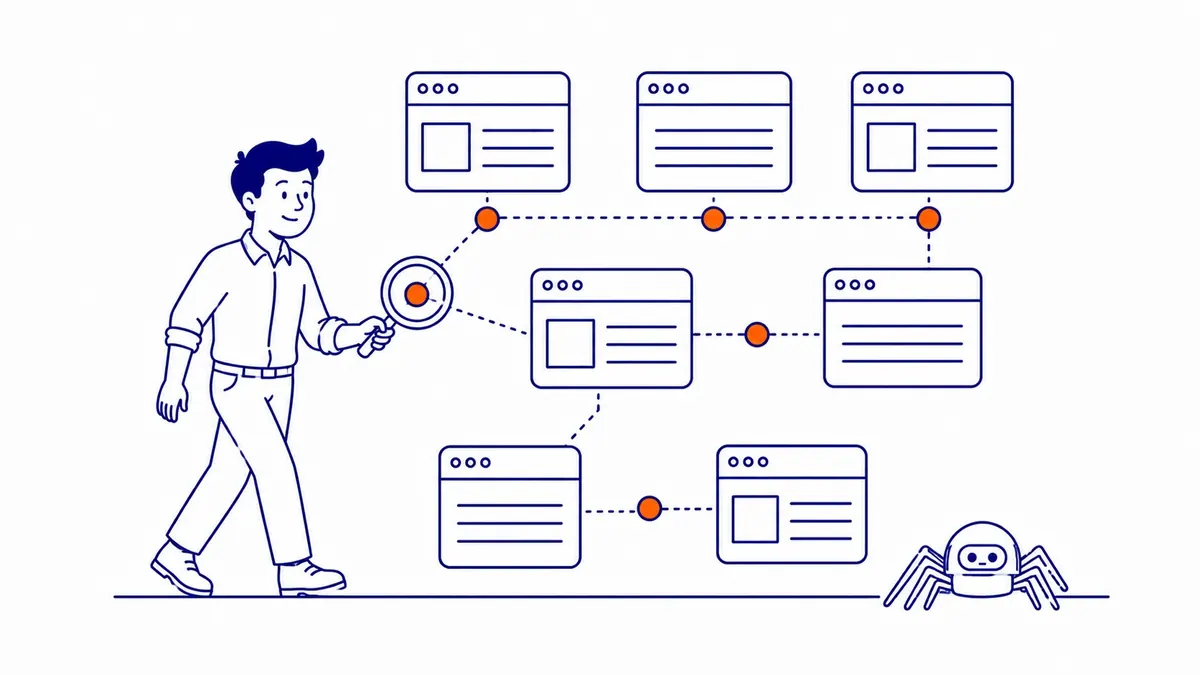
How Search Engines Discover Web Pages
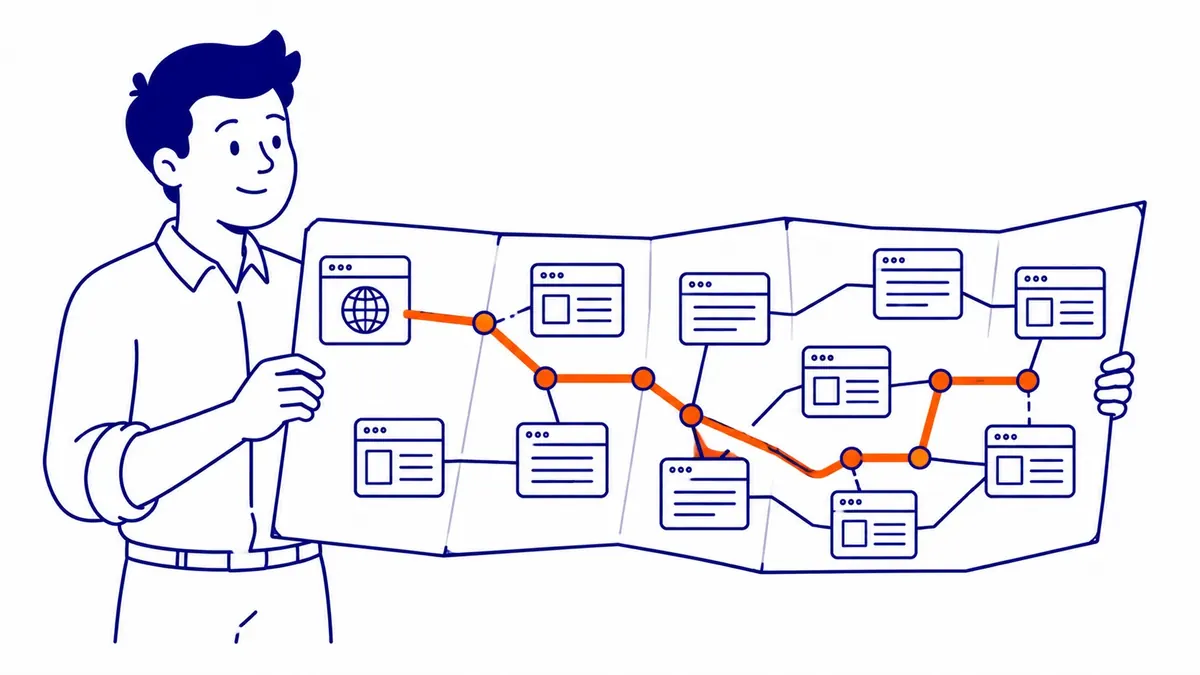
Googlebot starts from a known list of URLs. Every internal link on each page gets followed. Reads the HTML, notes the content, metadata, and outgoing links, and collects information about the page’s structure. Adds new URLs to a queue. Moves on.
Continuous process. Still not a one-time scan. Revisit frequency depends on how often pages change and how much authority your site carries. A homepage on an active site might get crawled daily. An archive page from three years back could go months between visits.
Worth knowing: Googlebot does not read your website the way a visitor does. JavaScript-heavy pages create problems. Rendered content takes longer to process. A page that looks fine in a browser can still have sections Googlebot misses entirely if content loads via client-side scripts. Heavy JavaScript frameworks sometimes create unexpected crawl coverage gaps, even on sites that appear fully functional to users.
Slow server response times also factor in. Each slow response burns through crawl time per URL, meaning fewer pages on your site get visited per crawl cycle. Fresh content waits longer to be discovered.
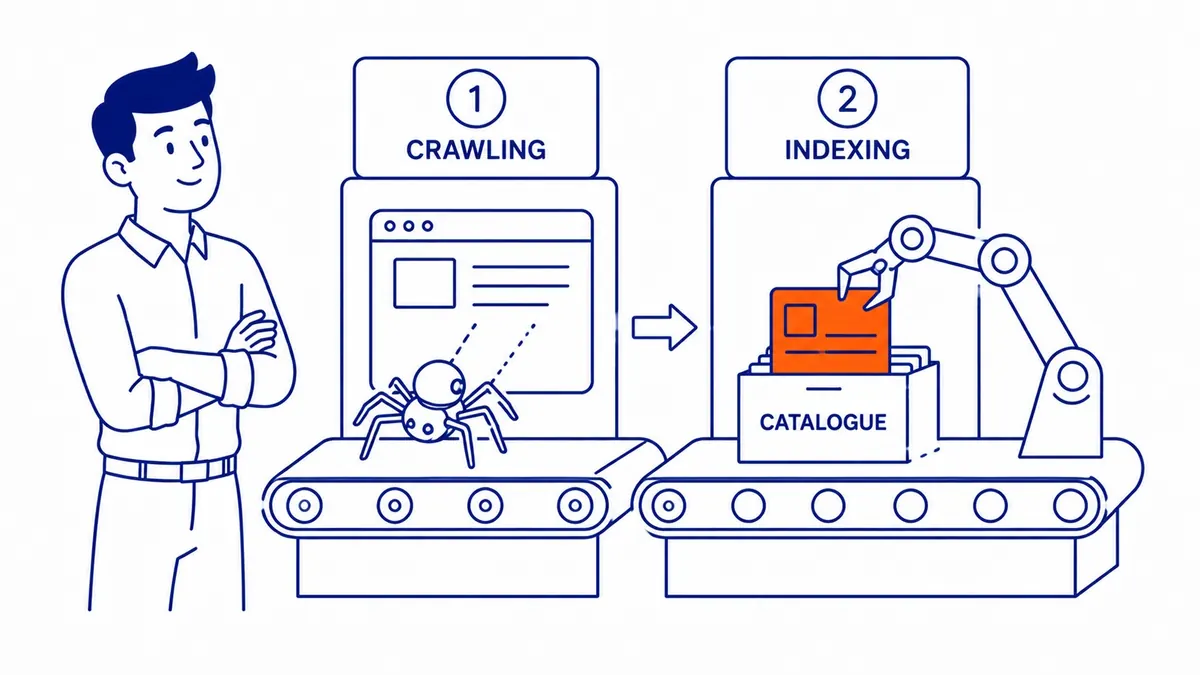
Crawling vs. Indexing: Two Different Steps
These two terms get used interchangeably. Not the same event.
Crawlability is one of the core areas covered in what is technical SEO, alongside indexation, site speed, and structured data.
Crawling is discovery. A search engine bot visits a URL. Reads what is there. Indexing is the decision. Store that page in the search engine’s database and show it in search results, or skip it. Crawled. Not automatically indexed.
Google’s crawler visits a page. Thin content, duplicates, low-quality writing: any of these gets the page excluded. Crawled but not indexed. From a ranking standpoint, invisible. The page exists, but search engines treat it as though it does not.
A reverse problem creates confusion too. Pages already in the index might also not have been re-crawled recently. Google serves cached versions. Update a page. Those changes can take days or weeks to show up in search results. A manual re-crawl request through Google Search Console speeds that up.
That difference matters most when diagnosing a page that is not ranking. Still, crawl or indexing problems cause this more often than content quality does. Diagnosing it properly means treating Google indexing in SEO as its own separate step.
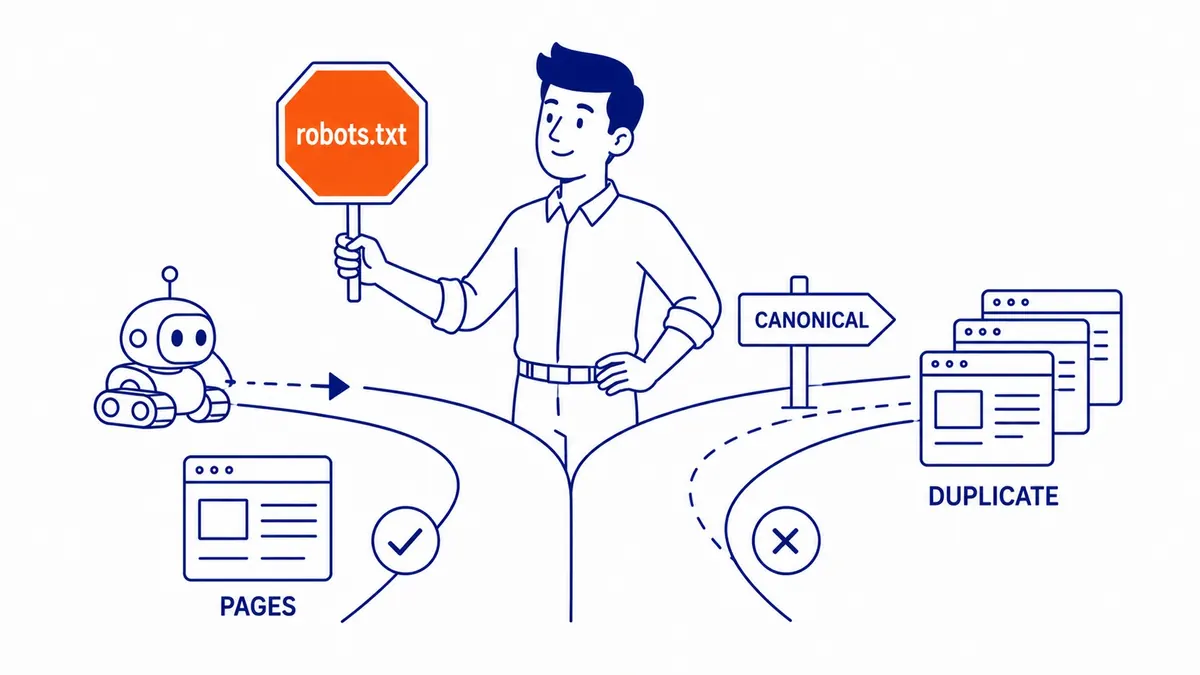
What Controls Crawler Access on Your Site
Robots.txt, meta robots tags, and canonical tags: three tools with direct control over what crawlers can see on your site.
The explainer on what is a sitemap in SEO covers how XML sitemaps guide Googlebot to the pages you most want crawled and indexed.
Root of your domain is where robots.txt lives. Visit some sections. Skip others. That is the robots.txt instruction set for Googlebot. Useful for admin panels, login pages, staging directories. Misconfigure that file to block all crawlers accidentally and your site drops from search results overnight. It happens more than people admit. Often goes undetected until rankings have already fallen.
Page-level control comes from meta robots tags. Noindex: Google does not include that page in results. Nofollow: crawlers skip the outgoing links on that page.
Canonical tags handle a different problem. Near-identical URLs from filtering and sorting: common on e-commerce sites. Which URL is the preferred one for indexing purposes: canonical tags carry that signal to search engines. Rendered pages complicate that signal, and how JavaScript problem in SEO works explains why.
When Crawl Budget Starts to Matter
Crawl budget is the number of pages Googlebot will visit on your site within a given timeframe. For most small business sites, it is not a real constraint. Google will find everything reasonable.
Sites with tens of thousands of URLs start to feel it. Low-value pages, thin category filters, URL parameters generating near-duplicate content: all of that consumes crawl budget that could go toward your important pages. Waste enough of it and newly published content on your site waits longer to be discovered.
Practical fixes are not complicated. Low-value URLs get blocked in robots.txt. Canonical tags consolidate duplicate URLs. An updated XML sitemap through Google Search Console also helps. That sitemap is a direct map to what you want crawled on your website. Better than leaving it to the bot to stumble across by following links.
Crawl Errors That Cost Rankings
Google Search Console shows crawl errors under Coverage. Several patterns show up most often. Worth knowing:
404 errors on linked pages. A broken link wastes a crawl request. It also signals the site is poorly maintained. Fix or redirect.
Redirect chains past two hops. Three or more redirects in a row dilutes link authority and slows crawl efficiency. Flatten them to a single redirect wherever possible.
Server errors, 5xx responses specifically. Googlebot backs off when it hits repeated failures. Pages it cannot consistently reach start dropping from the crawl schedule.
URL parameter duplication. Filtering and sorting options on e-commerce sites generate dozens of near-identical URLs. Each one burns crawl budget. Canonical tags or parameter handling in Google Search Console are the standard fixes.
Making Your Site Easier to Crawl
Clean architecture is the baseline. Pages more than three clicks from your homepage get visited less frequently. Deep pages buried in navigation often get skipped entirely in lighter crawl cycles.
Internal links are the other lever. Every internal link is a crawl signal. A page with strong internal links pointing from high-traffic pages gets visited more often. An orphaned page, one with no internal links pointing to it anywhere on your site, may never be discovered at all. Good SEO services in Calgary treat internal linking as foundational, not optional.
A regular publishing schedule trains crawlers to come back. Active sites get visited by Googlebot far more often than dormant ones. Regular publishing is one of the first habits built into our search engine optimization work, and it belongs in any solid strategy for your website.
Structured data helps too. Schema markup does not directly affect crawl rate, but it helps search engines understand what they find, which aids the indexing step. Organic rankings built through crawling and indexing take longer to develop than paid campaigns run through Google Ads management services, but they do not cost per click once they land.
Site owners in Qualicum Beach SEO, Quesnel SEO, and Raymond SEO watch their crawl stats in Search Console after every major site update.
FAQs About Crawling in SEO
What is crawling in SEO with an example?
Your homepage is where Googlebot typically arrives first. Reads the HTML. Finds a link to your services page, follows it. Then finds a blog post link, follows that too. Each URL gets logged. That chain of discovery is the crawling process. A real example from this office: a service page sat invisible for weeks because a noindex tag from staging was never removed. The crawler visited multiple times. Read the noindex instruction each time. Skipped the indexing step every visit.
Crawling and indexing: how are they different?
Two separate steps. Crawling is search engines reading your web pages. Indexing is Google deciding whether to add a page to the database search results pull from. Not every crawled page makes it into the index. Thin content, near-duplicate pages, and noindex directives all stop the indexing step even after your site gets visited.
What is crawling used for?
Discovery and updates, mainly. Crawlers find pages search engines have not seen before. They also revisit known pages to pick up changes: updated content, new internal links, revised metadata. Revisit frequency depends on how active your site is. Consistent publishing is one of the habits recommended by the kind of SEO company Calgary businesses rely on, since regular updates signal to search engines the site is worth returning to.
What is an SEO crawler?
Two meanings in practice. Googlebot and Bingbot are the real ones. Automated programs search engines run to read the web. The second kind is a third-party audit tool like Screaming Frog or Ahrefs. It mimics crawler behaviour so you can see what search engines see on your website. Running one of these tools is a standard part of producing an SEO audit report for website owners at SEO Company To-The-TOP!
Contact Calgary SEO Company To-The-TOP!
Questions about anything in this article, or about your own rankings? Talk to a Calgary SEO specialist directly.
Phone: (403) 308-5949
Address: 1509 14 Ave SW, Calgary, AB T3C 0W4
Hours:
Monday to Friday: 10:00 am – 7:00 pm
Saturday: 12:00 pm – 4:00 pm
Sunday: closed