
How to Do Keyword Research for YouTube
Three hundred hours of video get uploaded to YouTube every minute. That number has not changed how hard it is to get views. Most videos still get fewer than 500 views total. The ones that climb consistently have something in common: the title matched what people were actually searching.
We have advised on YouTube visibility alongside traditional SEO work since 2007. The same question comes up almost every time a client adds a YouTube channel to their strategy: why does one video pull thousands of views while a nearly identical one sits at 80? Usually the keyword choice is the answer. Not the production quality or the editing. The phrase in the title.
This guide covers how to find those phrases, how to evaluate whether they are worth pursuing, and how to put them to work across your videos.
Why YouTube Keyword Research Changes How Videos Perform
The difference is usually the phrase.
YouTube runs its own search engine. Millions of people type something into the YouTube search bar every hour. What they type tells YouTube exactly what they want to watch next. Keyword research maps those searches before a video gets made.
Two videos on the same topic can land in completely different territory. One pulls 40,000 views in a week. The other gets 350. Often the difference traces back to whether the title matched a real search query or just what the creator guessed people would type.
YouTube also surfaces videos through recommendations and Suggested. Organic search is where keyword research pays off most directly, though. A video matching a genuine search has a clear entry point. Viewers find it. Watch time builds. That activity tells the algorithm to push it further.
There is also a cross-platform effect worth knowing about. Google surfaces YouTube videos in its own web search results. A video optimised for the right keyword can rank on page one of Google alongside blog posts and news articles. One video. Two ranking opportunities. That is a concrete reason to treat YouTube keyword research seriously, not as an afterthought.
Start With What Your Audience Is Already Searching
Autocomplete is free. Most creators skip it.
YouTube Autocomplete as a Research Tool
Open YouTube. Type the first word or two of your topic into the search bar. Stop before hitting enter. The dropdown that appears is not generated randomly. YouTube pulls those suggestions from real search history on the platform. Whatever shows up there, real viewers typed it. Some of those terms get searched millions of times monthly.
Go through it systematically. Type your seed topic, then add a space and a letter. “Guitar lessons a,” then “guitar lessons b.” Go through the full alphabet. Each letter pulls a different batch of suggestions. Some will not fit your channel at all. Others will be exactly what you were looking for and had no idea anyone was searching.
Copy everything useful into a working list. That raw collection of phrases is your starting point, whether you work through it yourself or have your keywords researched by somebody who does this daily. Not a guess at what people search. Actual search data from the platform itself.
Seed Keywords: Where to Start
A seed keyword is the broadest version of your topic. One word, maybe two. It generates branches.
Pick something that captures what your channel covers at a category level, not a specific video topic. Then expand it using YouTube autocomplete, competitor title scanning, and keyword tools. What you are building is a list of specific phrases that real people type when they want your content on a specific subject.
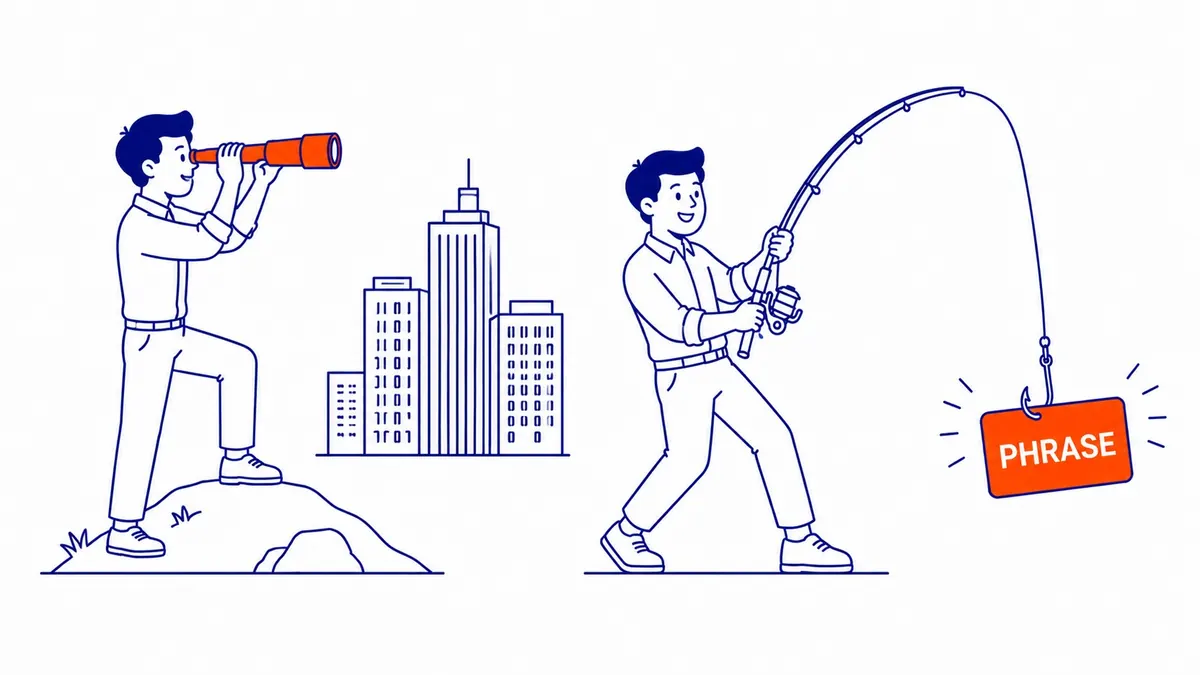
Broad seed terms generate high-volume targets. Long-tail keywords, four or five words and more specific in intent, carry less competition. New channels benefit from targeting the specific ones first. Short-tail terms on popular subjects are usually dominated by channels with years of content behind them. Worth going around that competition rather than straight at it.

How to Read Search Volume and Competition Signals
Volume without context misleads.
Search Volume on YouTube Is Not Like Google
Google’s Keyword Planner surfaces monthly search volume numbers. YouTube does not hand those out directly. Third-party tools estimate them. The estimates vary significantly between tools. Treat them as directional, not precise.
What matters more than raw volume: whether the videos currently ranking for that keyword are getting views. Open YouTube and search the phrase you are considering. Look at the top five results. Check view counts and channel size. A keyword where the top results pull 100,000 views from channels with two million subscribers is a different competitive situation than the same view count from a channel with 6,000.
Your audience can reach your videos even on a phrase with modest search volume, provided the competition is weak. Phrases where the top results have 3,000 views each from channels with small followings are almost certainly easier to rank for than phrases with 500,000-view results from dominant channels in your niche.
Keyword Difficulty on YouTube
Difficulty on YouTube has no single official score. The practical read takes a few minutes of research.
Look at the channels that already rank for your target keyword. Are they all established channels with large subscriber counts? Do their view counts come from years of accumulated watch time? That phrase is competitive. Finding a similar phrase where the existing results look weaker is the smarter move for a newer channel.
Video age is a signal too. A keyword where the top results are all three or four years old shows that YouTube has not seen fresh, well-optimised competition on that phrase recently. Fresh competition with a tighter match to the query can displace that older content. That is a real opening. Worth scanning for when building your keyword list.
YouTube Keyword Research Tools Worth Using
Most creators over-tool this.
Free Tools for YouTube Keyword Research
YouTube autocomplete already covered above. Underused. Costs nothing.
Google Trends has a YouTube-specific data filter. Change the source from “Web Search” to “YouTube Search.” That switch changes the data entirely. A trend that looks flat on Google might be growing fast on YouTube. Useful for seasonal topics or anything where you suspect audience behaviour differs between the two platforms.
vidIQ offers a free browser extension. Once installed, it overlays search volume estimates and a competition score directly onto YouTube search results pages. The data is estimated, not exact. Still a useful directional signal. The free tier handles basic keyword research without a subscription.
TubeBuddy also has a free tier with keyword search capability. Both vidIQ and TubeBuddy surface a keyword strength score on the YouTube results page itself. Different methodologies; similar usefulness for early-stage research.
Google Keyword Planner is built for Google Ads but surfaces related terms that often overlap with YouTube searches. Useful for topics where people search on both platforms. Cooking tutorials, finance questions, local service queries, product comparisons. Link your Google Ads account to access it.
When a Paid Tool Justifies the Cost
vidIQ and TubeBuddy both have paid tiers with deeper data. For a channel publishing consistently each week, the monthly cost is small relative to the hours spent guessing at titles that do not perform.
Ahrefs has a dedicated YouTube keyword tool that integrates with their broader SEO platform. Useful if you already pay for Ahrefs for traditional website SEO. Less compelling as a standalone YouTube-only purchase, given the price point.
For most channels, the free tools plus systematic autocomplete research is enough to build a solid keyword list. Paid tools accelerate the process. They do not replace the judgement call about which keywords actually fit your channel and what your audience is looking for. Platform aside, the idea behind keyword research does not change much.
Competitor Channels: What Their Titles Tell You
Other channels already did the research.
How to Read Competitor Titles for Keyword Signals
Go to three or four channels in your niche. Sort their videos by “Most Popular.” Look at the titles on their ten highest-performing videos.
Those titles are the output of keyword research that already worked. The creator picked a phrase, YouTube rewarded it with views, and the video climbed to the top of the channel’s rankings. That is a reliable signal about how the audience for your topic actually phrases their searches.
Notice the exact words. “How to edit YouTube videos for beginners” is not the same search as “beginner video editing tutorial,” even though both topics are identical. One phrase is more specific to how the audience types. Competitor titles show you the phrasing direction the audience actually uses.
Do not copy titles. Use the pattern. Multiple competitor titles using the same phrasing on high-performing videos is a signal that phrase structure matches how your audience searches. Build your own version around it.
Comments as Keyword Research
Comments on popular videos in your niche surface what viewers wanted to know that the video did not cover. Those gaps are future video topics, and they point toward what viewers wish your content covered.
Scroll through the comments on the top three results for your target keyword. Note the questions. The specific scenarios people mention. Their exact phrasing to describe what they were looking for. Those phrases are close to actual search queries, typed in the language real viewers use in the search bar.
Fifteen minutes of comment reading on two popular videos in your niche can surface keyword ideas that no tool would have suggested. The comments section is consistently underused for this purpose.

Where Keywords Actually Go on YouTube
Title carries most of the weight.
Your Video Title
The title is the most important keyword placement on YouTube. YouTube reads it closely. Viewers read it before clicking. Your primary keyword goes in the title, preferably near the front.
One keyword per video. Not a cluster of phrases crammed into 100 characters. A clean, specific title that matches a real search query outperforms stuffed titles. That kind of genuine match between title and search intent still beats keyword manipulation, even now.
Keep titles under 60 characters where possible. Longer titles get cut off in search results on mobile. The keyword ends up invisible to the viewer at the moment they are deciding whether to click.
Descriptions, Tags, and Hashtags
The description gives YouTube more context about your video. Your primary keyword goes in the first sentence. Follow with two to three paragraphs covering what the video actually discusses. Natural language. Write for the viewer, not for an algorithm; the algorithm has improved enough to notice when a description is just keyword stuffing.
Tags still play a role, though their influence has declined. Use them for related keywords and common variations on your primary phrase. Three to eight specific tags handles the job. A list of fifty does nothing useful.
Hashtags in the description connect your video to hashtag feeds on YouTube. Two or three relevant ones is enough. They appear above the title on mobile and influence whether viewers click.
Timestamps in longer videos serve two purposes. Viewers use them to navigate. YouTube also reads them to understand what each chapter covers, which can surface your video for sub-queries within your main topic. A 15-minute tutorial with clear chapter timestamps can rank for several different searches, not just the main one. Those sub-queries are long-tail searches, and the steps to find long-tail keywords work the same off YouTube. Picking those chapter topics uses the same thinking as how to find niche keywords.

How YouTube SEO Connects to Your Broader Search Presence
YouTube and Google share more than most realise.
When YouTube Videos Rank in Google Search
YouTube is a Google product. Watch time and click-through rate are the primary ranking signals. Engagement feeds both. All three overlap with what Google tracks for web search. A well-optimised video does not just rank inside YouTube. It can also appear in Google’s web search results alongside blog posts and news articles.
For businesses and service providers, that overlap is significant. One video can generate two separate ranking opportunities on two different surfaces. That is a meaningful return on the production effort.
The Calgary SEO work at To-The-TOP! regularly includes a YouTube presence recommendation for clients in competitive markets. Not because video is required for SEO, but because a video ranking for a keyword your site also ranks for doubles your footprint on the search results page. Two results instead of one is a substantial advantage.
Building Topical Authority Across Formats
Google rewards depth. A brand that covers a topic through blog posts and also through YouTube videos sends a signal that the expertise is real.
The same keyword research principles our search engine optimization company uses on traditional websites apply directly to YouTube. Find the specific phrase. Evaluate the competition. Match what the searcher actually wants to find. The platform changes; the logic does not.
For businesses adding our SEO services to their marketing mix, YouTube content that targets the same keywords as the website creates content reinforcement. The video and the page both signal depth on the same subject.
One crossover worth noting: if you run Google Ads management campaigns, YouTube pre-roll ads can be targeted using keyword lists similar to your organic YouTube research. The keyword work you do for organic video also feeds into paid video targeting. A shared keyword list saves research time and keeps both channels pointed at the same audience. Anyone new to the platform side should read YouTube SEO explained first. Video search extends past YouTube, and how to SEO on TikTok follows much the same logic.
Frequently Asked Questions
What is the best keyword research tool for YouTube?
Depends on budget. Free: YouTube autocomplete is the most accurate source because it pulls directly from real platform search data. vidIQ’s browser extension adds search volume estimates and competition scores to YouTube results pages at no cost. For paid tools, TubeBuddy and vidIQ offer deeper keyword data with their subscription tiers. Ahrefs has a YouTube-specific keyword tool for teams already using the platform for broader SEO. Most channels get what they need from autocomplete plus one free tool. The paid option starts to pay off when you are publishing consistently and need to scale the research across a high volume of video topics.
How to get 10,000 views on YouTube?
Keyword targeting and consistency tend to drive this more than production quality. A channel posting on generic topics without keyword research rarely builds momentum. One video per week targeting a specific phrase with low competition in your niche compounds faster than two videos a week on whatever seemed interesting. Channels that reach 10,000 views early almost always have a keyword strategy behind the titles, either intentional or discovered by noticing what their early hits had in common. Worth building the keyword habit before adding more production effort.
What are the 4 types of keywords?
Short-tail. Long-tail. Question-based. LSI, meaning related terms that help the algorithm understand context without repeating your main phrase. On YouTube, long-tail and question-based keywords tend to deliver the most traction for newer channels. Short-tail terms on popular subjects are dominated by established channels with years of authority behind them. LSI terms support your title and description without requiring you to stuff every placement with the same phrase.
Do YouTube tags still matter?
Less than four years ago, but still relevant. Tags help YouTube understand your video’s subject and influence which other videos yours appears alongside in Suggested. Specific tags are more useful than generic ones. Three to eight targeted tags based on your keyword research handles the job. A long list of scattered tags adds no meaningful signal. Your title and description carry significantly more weight than the tag field now.
Contact Calgary SEO Company To-The-TOP!
Questions about anything in this article, or about your own rankings? Talk to a Calgary SEO specialist directly.
Phone: (403) 308-5949
Address: 1509 14 Ave SW, Calgary, AB T3C 0W4
Hours:
Monday to Friday: 10:00 am – 7:00 pm
Saturday: 12:00 pm – 4:00 pm
Sunday: closed