
Which Ecommerce Platform Is Best for SEO? An Honest Calgary Take
Every store owner asks it eventually. Which ecommerce platform is best for SEO, and will switching fix the traffic problem? I have heard the question on first calls since 2007, and the honest answer disappoints people at first. The platform matters less than the sales rep promised, and a lot less than the forum threads claim.
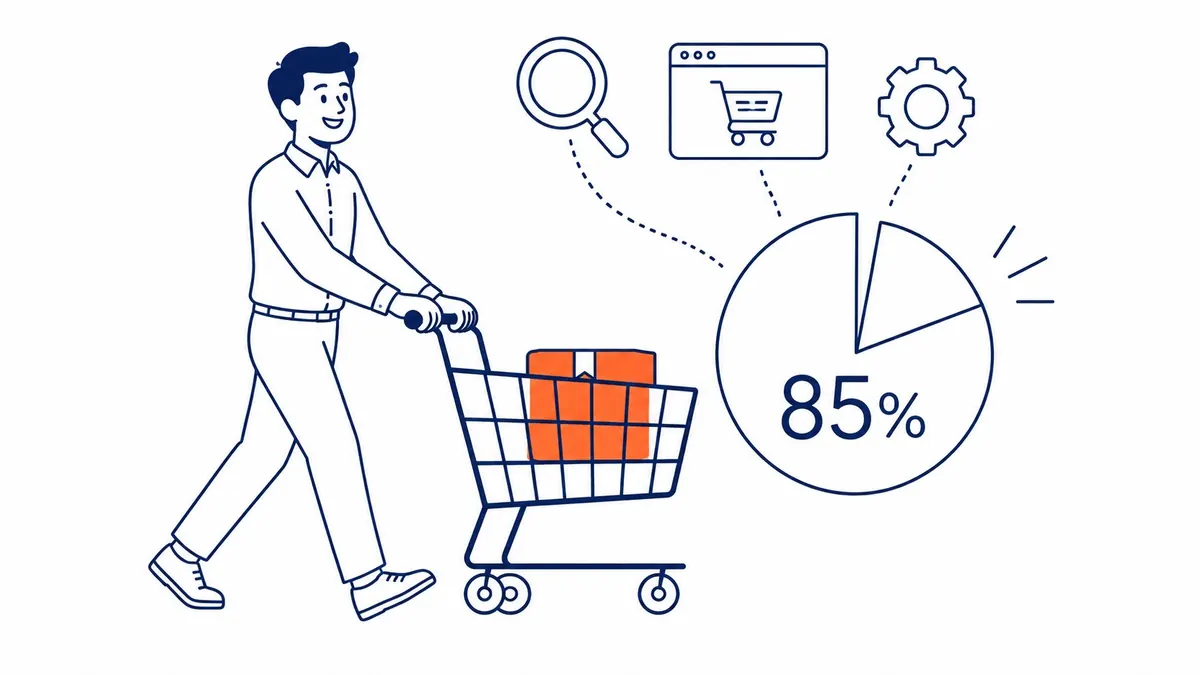
Here is what nineteen years of doing search engine optimization for businesses has taught me. Platform choice is real, but it sits somewhere around ten to fifteen percent of the ecommerce SEO outcome. Everything else is content, search intent, technical hygiene, and links earned over months. To-The-TOP! has watched stores on “weak” platforms outrank stores on “strong” ones, again and again, because the people behind them did the unglamorous work. So before you migrate your whole catalogue chasing a ranking bump, read this.
This is the long version. Shopify, WooCommerce, BigCommerce, Adobe Commerce, Wix, Squarespace, and the smaller players all get a fair hearing below. Strengths, the parts the brochures skip, and who each one actually fits. Then the stuff competitors leave out: faceted navigation traps, migration disasters, AI search, and what changes when your store is Canadian. No guarantees here, just the read of a Calgary SEO specialist who has cleaned up after most of these platforms at one point or another.
Does the platform actually decide your SEO?
Short answer: no, not on its own. The floor and the ceiling are what your platform sets. Where you land between them, that is on you. Let me make it concrete before we touch a single brand name.
Picture the frame of a house. Good framing makes everything easier. Bad framing makes some things harder and a few things impossible. Yet nobody buys a house because the studs were nailed sixteen inches on centre. They buy it for the kitchen, the light, the neighbourhood. Search engines rank your store on roughly the same logic. They want relevant content, fast pages, a clear structure, and signals that other people trust you. Your platform helps or hinders each of those. It does not produce them.

Here is the pattern I see with real clients. A store moves from Shopify to WooCommerce expecting a flood of organic traffic. Three months later the numbers look identical, because the product descriptions are still thin, the category pages still say forty words, and nobody has earned a single backlink. The frame changed. Sadly, the house was still empty. That is the trap, and most platform-comparison articles feed it by implying the tool does the ranking for you.
What the platform genuinely controls is narrower than the hype. URL structure. Page speed out of the box. How easily you add schema. Whether you can publish real blog content. Crawl efficiency on large catalogues. Those things are worth getting right, and a poor choice here can quietly cap your upside. Still, no platform writes a buying guide that earns links, and none of them researches the keywords your customers actually type into Google.
There is a second pattern worth naming, because it is the mirror image. Plenty of businesses convince themselves their platform is fine when it is genuinely holding them back, usually because migrating feels expensive and scary. Both mistakes cost money. The skill is telling them apart, which is most of what an honest audit is for.
So the question shifts. Instead of “which ecommerce platform is best for SEO,” ask “which platform removes the most friction for the SEO work I am actually going to do.” That is a far better question, and it has different answers for a one-person Etsy graduate than for a national retailer with forty thousand SKUs. We will get there. First, the work the platform never touches.
The ecommerce SEO work no platform does for you
This is the eighty-five percent. Whatever store software you run, the heavy lifting of ranking lives outside it, and no checkout system has ever done it for an owner. Worth walking through, because this is where the real results come from.

Keyword research comes first, and almost everybody skips the version that works. Not guessing at terms that sound right, but finding what your customers actually type, with what intent, and how hard each term is to win. A shopper searching “buy waterproof hiking boots” is ready to spend. Someone searching “how to waterproof boots” is not. Map your products and content to that intent and you stop wasting effort on traffic that never converts. This is the groundwork our keyword research process is built around, and it shapes everything downstream.
Content depth is the second piece, and it is where most ecommerce stores lose. Forty-word product descriptions copied from the manufacturer rank nowhere, because a thousand other stores have the identical text. Original product copy. Real category-page content. Buying guides that answer the questions shoppers actually ask, the kind we work through on our SEO blog. That is what separates a store that ranks from one that just exists. The page that helps a shopper decide is the page search engines reward. Your platform hosts that content. It will never write it.
Links are the third leg, and the slowest to build. Other sites linking to yours remain one of the strongest ranking signals there is, and they are earned, not bought from anyone reputable. A useful guide, a genuinely good product, press coverage, supplier relationships, all of it produces links over time. Real website promotion is slow work like that, and no platform generates a single link for you. It is the patient, unglamorous part of search engine optimization that compounds quietly for the businesses willing to keep at it.
Reviews and ratings round it out, and they pull double duty. Product reviews feed the schema that earns star ratings in the results, and a healthy Google Business Profile rating lifts local visibility for stores with a physical location. Aim for genuine reviews above a four-star average and keep them coming. Customers trust them, and search engines read them as a freshness and trust signal. Every platform supports reviews in some form. None of them earns you a good one.
Internal linking ties the whole site together, and it is the cheapest win on this list. Linking related products, pointing category pages at your best guides, and giving every important page a path from your navigation spreads authority and helps crawlers understand structure. It costs nothing but attention. Most stores never do it deliberately, which is exactly why doing it deliberately pays. The platform provides the links. You decide where they point.
That is the work. None of it depends on which logo is on your dashboard, which is the whole point of this article. Get the platform out of the way, then do this. With that framing set, here is the checklist that separates a capable platform from a limiting one. Read the checklist with ecommerce SEO the right way already in mind. If you would rather hire it out, the questions for an ecommerce SEO agency are much the same.
What makes an ecommerce platform SEO-friendly
Start with the controls, not the brand. Shaping the signals search engines read, without the platform fighting you at every turn, is what earns the label. Strip away the marketing and the real list is short.

Editable URLs. Custom title tags and meta descriptions on every page. Clean, crawlable HTML. Fast loading without a pile of plugins. Mobile rendering that does not break. Automatic XML sitemaps. Access to robots.txt and canonical tags. Built-in blogging or content pages. SSL as standard. That is the checklist that matters, and most modern platforms tick most of it.
The differences hide in the details. Can you remove a forced folder from the URL, or are you stuck with /products/ in every path? Adding JSON-LD schema markup without hiring a developer should be possible too, and on some platforms it simply is not. When a customer filters a category by colour and size, does the platform spawn ten thousand near-duplicate URLs, or does it handle parameters cleanly? Those answers separate a platform you grow into from one you grow out of.
Meta tags deserve a closer look, because owners underestimate them. Your title tag and meta description are the advertisement search engines show before anyone clicks. A platform that lets you write custom meta tags per page, rather than auto-generating the same template across a thousand product pages, hands you control over click-through rate. Auto-generated metadata almost never matches the keywords shoppers actually search, which is exactly why customizable fields matter so much.
Speed deserves its own line. Core Web Vitals are a confirmed ranking input, and ecommerce pages are heavy by nature. Big images. Review widgets. Tracking scripts. A platform that ships a fast theme and a real content delivery network gives you a head start. One that depends on six speed plugins to scrape a passing score will fight you forever. We measure this on every store audit before recommending anything to anyone.
Mobile is no longer optional, and it has not been for years. Google indexes the mobile version of your store first. So themes that render cleanly on a phone protect two things at once: your rankings, and the user experience that keeps shoppers from bouncing. Templates that adapt to any device are table stakes now, not a bonus. A store that looks broken on mobile loses the sale and the ranking in the same tap.
Then there is content, the lever most stores ignore. Search engines reward depth, and ecommerce sites are chronically thin on it. A platform with a genuine blogging engine, a flexible page builder, and room for buying guides hands you the tool to fix that. Meanwhile, a storefront that treats content as an afterthought leaves you optimizing forty-word category pages forever. WordPress earned its SEO reputation right here, not through some secret ranking sauce nobody else has.
One more, and it is the one owners forget. Exportability. Can you get your data out cleanly if you ever leave? A platform that locks your URLs, your redirects, and your content into a proprietary format raises the cost of every future decision. I have watched that lock-in keep stores on the wrong tool for years. Worth checking before you commit, not after the catalogue is built. Platform settled, ecommerce keyword research decides what each page actually targets. Ask ecommerce SEO agencies how many migrations they have actually run.
Shopify SEO: popular, fast, and a little boxed in
Shopify is the default for a reason. Fast. Hosted. Secure. Genuinely easy to run without a developer on call. For most small and mid-sized stores that combination wins, and I rarely talk anyone out of it without a specific reason. The CDN is solid, SSL is automatic, and the themes render well on mobile.

Real strengths sit underneath the popularity. Pages load quickly because Shopify controls the hosting and serves assets globally. Editing titles and meta tags is painless in the backend. Because the app store is enormous, adding structured data, redirects, or image compression takes minutes rather than a developer ticket. For a founder who would rather sell than tinker, that head start is worth a lot.
Now the parts the sales page skips. Shopify forces a folder structure you cannot remove. Product URLs carry /products/, collection pages carry /collections/, and no amount of configuration strips them out. It rarely sinks a store on its own, but it does prevent the clean, keyword-first URLs that other platforms allow. You work around it by putting the important keyword right after the forced slug.
Duplicate content is the bigger headache. Shopify lets the same product live under multiple collection paths, and variant handling can spawn near-identical pages. Left alone, that duplicate content splits your ranking signals and confuses crawlers. The fix is canonical tags pointed at the preferred URL, plus some discipline about how products map to collections. Doable, but it is work, and most stores never do it until an audit flags it.
App reliance is the quiet tax. Every app you bolt on for SEO, reviews, upsells, or pop-ups injects code into your store. Stack enough of them and the fast platform you bought starts crawling. I have audited Shopify stores running thirty apps that wondered why their Core Web Vitals tanked. The answer was sitting in the theme, loading scripts on every page. Fewer apps, faster store. That trade-off never goes away on Shopify.
Who fits it? Startups that need to launch this month. Stores up to a few thousand products. Owners who value time over total control. If that describes your business, Shopify will not hold your SEO back in any way that disciplined content and a light app footprint cannot overcome. The ceiling is high enough for most businesses that will ever read this article.
WooCommerce SEO: full control, full responsibility
WooCommerce is WordPress with a shopping cart bolted on. That single fact explains both why SEO people love it and why it frustrates the unprepared. With it you get total control of every signal search engines read. In exchange, you inherit the job of keeping it all running.

Control is the headline. URLs bend to your will, with no forced folders anywhere. Title tags, meta descriptions, canonical rules, schema, redirects, all of it sits in your hands. Yoast SEO and Rank Math turn that control into something a non-developer can actually use. WordPress sits underneath, so content is a first-class citizen here, never a bolt-on. Buying guides, comparison posts, pillar pages, all native.
That content advantage is badly underrated. The stores that win ecommerce SEO usually win on content depth, and WooCommerce hands you the best content engine in the business. I have seen small WooCommerce shops in niche categories outrank far bigger competitors purely because they published genuinely useful articles and the platform never got in the way. The same WordPress strength that powers most of the blogs you read powers their product education too.
Here comes the responsibility. WooCommerce is self-hosted, so performance lives or dies on your hosting choice. Cheap shared hosting will make even a clean store slow, and slow loses rankings. You also own updates, security patches, and plugin compatibility. Skip those and things break. The learning curve is steeper than Shopify, full stop. Nobody launches a polished WooCommerce store in an afternoon, whatever the tutorials promise.
Plugin bloat is the WooCommerce version of Shopify’s app tax. WordPress will happily let you install forty plugins, and your speed score will pay for every one. Restraint is the discipline that matters here. Pick a good SEO plugin, a caching plugin, a security plugin, and resist the rest. When we audit a slow WooCommerce store, the cause is almost always plugins fighting each other in the background.
Who fits it? Content-driven brands. Owners comfortable with WordPress, or willing to pay someone who is. Businesses where blogging and search visibility drive revenue, like fashion, supplements, hobbies, anything with a passionate audience that reads before it buys. If you want maximum control and you respect that control as a job, WooCommerce has the highest SEO ceiling on this list. That ceiling just comes with homework attached.
BigCommerce SEO: the balanced middle ground
BigCommerce splits the difference, and does it well. Hosted like Shopify, so the server headaches stay off your plate. More SEO control out of the box, though, with cleaner URLs and built-in tools that Shopify makes you bolt on. Caught between simplicity and flexibility? This one deserves a longer look than it usually gets.

The URL story alone wins people over. BigCommerce does not force a /products/ folder on you, so you can build the clean, keyword-led paths that Shopify withholds. Canonical tags, automatic sitemaps, and robots.txt access all come native. You lean on the platform instead of a stack of apps, which keeps the page weight down and the speed up. Reviewers consistently rate its built-in SEO higher than Shopify’s, and the audits I have run back that up.
Zero transaction fees is a quieter advantage that touches SEO indirectly. Money you are not handing the platform on every sale is money you can put into content, links, or a proper audit. Across a year that adds up to real budget. Larger catalogues get handled gracefully too. Headless builds are supported for teams that want a custom front end, which future-proofs the technical side.
Honest trade-offs balance the picture. The app marketplace is smaller than Shopify’s, so a few niche integrations simply will not exist. Its backend feels less polished, and beginners take longer to find their footing. Custom schema beyond the basics, and tight control of faceted navigation, can still need a developer. Fewer themes ship out of the box, so design takes more effort. None of these are dealbreakers. They are the reason BigCommerce sits in the middle rather than at the top of the “easy” pile.
Who fits it? Businesses that have outgrown the simplest tools but are not ready for enterprise complexity. Growing catalogues. Teams that want SEO control without running their own servers. When small businesses ask me to name the best ecommerce platform for steady growth without a developer on staff, BigCommerce is usually the one I point them toward. Shopify too boxed in, WooCommerce too much maintenance, this is the sensible middle.
Adobe Commerce (Magento) SEO: enterprise scale and its price
Adobe Commerce, still called Magento by most of us, is the heavy machinery. Built for enterprise catalogues, multi-store operations, and teams with developers on payroll. The SEO capability is enormous. So is the cost of wielding it.

What it gives you is near-total control. Every URL, every meta field, every canonical rule, configurable down to the SKU. Faceted navigation can be managed properly, which on a forty-thousand-product catalogue is not a luxury but a survival skill. Multi-store and multi-language setups with hreflang are native, so global retailers get clean international signals. Custom schema for complex product attributes is fully supported. For the largest businesses, nothing else on this list matches the precision.
That power feeds AI search too, oddly enough. Clean international entity signals and rich structured data are exactly what AI systems lean on when they cite sources. A well-run Magento store hands those engines tidy, unambiguous data about its product pages. That is an advantage most owners never think about until their category disappears from an AI Overview and they wonder where the traffic went.
Now the bill. Magento needs developers, full stop. It is resource-hungry, so hosting is enterprise-grade and priced accordingly. The community edition is free to download, but Adobe Commerce licensing runs into tens of thousands a year, and that is before the team you need to operate it. Its learning curve is a cliff, not a slope. Updates and security patches are constant. None of this is a flaw exactly. It is simply the reality of industrial software built for a different scale of business.
Who fits it? Large retailers with big catalogues, multiple stores, or serious international ambitions, and the budget for a development team. If that is not you, and for most businesses reading a blog post it is not, the answer is almost certainly no. I have watched mid-sized stores buy Magento on a consultant’s advice and drown in complexity they never needed. Right tool, wrong size of company. Match the platform to the operation, not the ego. Size mismatch does the same damage in the ecommerce SEO agency question.
Wix and Squarespace SEO: where website builders top out
Wix and Squarespace get lumped together, and for good reason. Website builders that grew ecommerce features, both of them, both beginner-friendly. And both have closed the SEO gap dramatically over the last few years. The old advice that they are hopeless for search is simply out of date now.

Wix has come the furthest. Its SEO Wiz tool walks beginners through the basics, it integrates with Google Analytics and Search Console, and it added a Semrush connection for keyword guidance. Some reviewers now rate it the best ecommerce platform for SEO among the builders, mostly on ease of use. For a small store with a few dozen products and an owner who is not technical, Wix will rank perfectly well. The structured data still needs manual attention, but the foundation is solid.
Squarespace plays a similar game with cleaner design DNA. Its templates are genuinely attractive, server response times are fast, and it offers a keyword analytics panel that shows what is already driving traffic. Sitemaps generate automatically and image alt text is editable. For brands that care about looking polished and sell a focused catalogue, it holds up far better than its reputation suggests.
The ceilings are real, though. Neither builder gives you server-level access, so deep technical SEO is off the table. Structured data control is limited, schema markup beyond the basics is awkward to add, robots.txt access is restricted on Squarespace, and Core Web Vitals can lag the hosted ecommerce specialists. Scalability is the hard wall. Both platforms get clumsy past a few hundred products, and a catalogue in the thousands will expose every limitation at once.
Mobile editing is one area where Wix actually leads, which surprises people. You can tune the phone layout independently, which helps the mobile experience that Google indexes first. Squarespace counters with raw server speed. Either way, both render well on a phone, so the mobile basics are covered even if the advanced controls are not.
Who fits these builders? Hobby stores. Micro-brands. Anyone validating an idea before committing to something bigger. They make excellent starting points, and a small store will not feel boxed in. Just go in knowing that serious growth usually means a migration later, and plan the URLs so that move hurts less when it comes. Before that migration, it helps to know how SEO features on the major builders actually compare.
The niche platforms: Square, Ecwid, Shift4Shop, and the rest
The big six are not the whole map. A handful of smaller platforms fit specific situations, and for the right owner one of them beats every name above. Worth a quick honest tour, since the comparison articles either ignore them or pad a list to hit sixteen entries.

Square Online suits the business that already runs Square in a physical shop. The point of sale and the online store share inventory, checkout is clean, and there is a free tier. SEO is basic but functional. Custom metadata, sitemaps, the essentials. Indexing can be slow and there are no real SEO apps, so it is not a platform you push hard on search. For a café or boutique adding online sales beside the till, it is plenty.
Ecwid is the bolt-on. It drops a store into an existing site, which is its entire point. If you already run a content-rich website that ranks well and you just want to sell from it, Ecwid keeps your SEO equity where it lives, on your own domain. The catch is that its native SEO power is thin, and complex catalogues outgrow it fast.
Shift4Shop is the underrated one. Stronger built-in SEO than its profile suggests, with customisable URLs, canonical control, and structured data included. A genuinely free plan exists if you use Shift4 payment processing, though the interface feels dated and that free tier is United States only, which matters for my Canadian readers.
Beyond those, a few more deserve a passing mention, because owners do ask about them. BigCartel is built for artists and tiny catalogues, lightweight and simple, with no real schema support. GoDaddy’s store leans on local SEO and directory integration, fine for a neighbourhood business, weak for anything that needs to scale. Kajabi serves course creators and memberships, content-first, with no product schema worth mentioning. Each one is a scalpel, not a Swiss Army knife. Choose them on purpose, for the single thing they do well, and never as a default.
Site speed, Core Web Vitals, and why hosting beats the brand name
Speed is where platform debates get real. Core Web Vitals are a ranking factor, and ecommerce pages are the heaviest on the web. Big product photos. Review widgets. Cart scripts. Tracking pixels. All of it loads on the pages you most want to rank, and all of it costs milliseconds.

Here is the number that focuses people. Every extra second of load time drops conversion, measurably. Studies put a one-second delay at roughly a seven percent hit. That is revenue walking out, not just rankings. A slow store loses the sale and the search position in the same motion. So speed is never only an SEO concern. It is a business one, every time.
Hosted platforms hold a structural advantage here. Shopify and BigCommerce control the servers and ship a global CDN, so their baseline speed is good before you touch anything. That alone is a genuine reason to pick a hosted tool if you have no appetite for performance tuning. Self-hosted WooCommerce and Magento can be faster still, but only on quality hosting with caching configured properly. On cheap shared hosting they crawl, and the platform gets blamed for the host’s sins.
This is the part owners get backwards. They obsess over which brand name ranks faster and ignore the hosting underneath it. A premium-hosted WooCommerce store with a CDN will beat a Shopify store buried under thirty apps every time. What is on the box matters less than the engineering behind your specific setup. We measure real-world field data on every SEO audit, because lab scores lie and the host is usually the real story.
Mobile speed is the version that counts most, and the one stores test least. Your customers are on phones, often on patchy connections, and Google scores the mobile experience first. A page that flies on office fibre can stall on a mid-range Android over cellular data. The user experience your shoppers actually get is the one search engines reward, so test there. Practically: compress every image before it uploads, keep the app or plugin count lean, use a CDN without exception, and pick hosting built for ecommerce if you self-host. Then check the result on a real phone, not your desktop.
Schema, structured data, and showing up in AI search
Search is changing under our feet. Schema markup used to be a nice-to-have that earned you star ratings in the results. Now it is the language AI systems read to decide whether your product belongs in an answer at all. Structured data went from optional polish to core infrastructure, fast.

Start with the basics, because they still pay. Rich snippets, the ones showing price, availability, and review stars right in the results, are fed by product schema. Those listings earn more clicks, plainly. Review and FAQ markup do the same on their respective pages. Most platforms generate baseline product markup automatically now, and the better ones let you extend it with custom JSON-LD. That extension is where the control gap between platforms shows up yet again.
Then there is the new layer. AI Overviews, ChatGPT, Perplexity, and the rest pull answers straight from the web, and they lean hard on clean, structured, entity-rich data. A store that publishes unambiguous information across its product pages, with clear categories and proper schema, gives those engines something solid to cite. Meanwhile a messy store with duplicate pages and thin markup gives them noise instead. Guess which one gets surfaced when a shopper asks an AI for a recommendation.
Platforms differ sharply here. WooCommerce and Magento let you control schema down to the attribute, which is why they read as the most AI-ready on this list. BigCommerce does well with developer help. Shopify generates decent baseline markup, though its duplicate-content tendencies muddy the entity signals unless you tidy them first. Wix and Squarespace sit at the back, with limited structured data control and weaker entity clarity. That pattern matches the SEO ranking almost exactly, which is no accident.
My honest take for a store owner today. Do not panic about AI search, and do not let anyone sell you a magic package for it. Visibility to AI comes from the same work that has always earned visibility on Google. Clean structure. Real content. Accurate schema. Genuine authority. Get those right on whatever platform you run, and the AI question mostly answers itself. The fundamentals did not change at all. Only the stakes went up.
One practical shift is worth flagging, though. As more searches end without a click, because the AI answered right on the results page, the value of being the cited source rises. Fewer raw visits from a given query, maybe. The visits you do get, though, arrive warmer and further down the buying path. Deep, trustworthy, well-structured content gets rewarded for that. Thin catalogue pages get punished even harder than before. The direction of travel favours the same businesses that were already doing the work. If anything, it widens the gap between stores that treat content seriously and stores that treat it as filler.
Faceted navigation and the duplicate-content trap
This is the section nobody writes, and it sinks more ecommerce stores than platform choice ever will. Those product filters are the culprit, the ones that let a shopper narrow a category by colour, size, price, and brand. Helpful for customers. Quietly catastrophic for SEO when left unmanaged.

Here is the mechanism. Every filter combination can generate its own URL. Red shoes, size ten, under a hundred dollars, sorted by price. Multiply the options and a single category can spawn tens of thousands of parameter URLs, each a near-duplicate of the last. Search engines crawl every one of them. Crawl budget burns on junk. Your ranking signals split across a thousand versions of the same page. The category you actually wanted to rank drowns in its own variations.
I have seen this take down stores that did everything else right. Good products, decent content, healthy links, and rankings that would not move because the crawler was spending its time on filter combinations instead of the pages that mattered. Its owner had no idea, because nothing looked broken on the surface. The whole store just quietly underperformed for years, which is the worst kind of problem. No alarm ever goes off.
The fix is technical but well understood. Canonical tags pointing filtered URLs back to the core category. Robots rules or parameter handling to keep low-value combinations out of the index. A clear decision about which faceted pages deserve to rank, like a genuinely searched “red running shoes,” and which are pure noise. Unmanaged duplicate content is the quiet killer here, and this is exactly the kind of issue a proper SEO audit surfaces. It stays invisible without one.
Platform matters here, finally and concretely. Magento gives you fine control over faceted navigation, which is half the reason enterprises tolerate its complexity. BigCommerce and WooCommerce handle it with some configuration. Shopify needs canonical discipline and sometimes app help. Wix and Squarespace barely let you touch it, which is fine because their catalogues are small. The larger your catalogue, the more this single issue should weigh on your platform decision. It is the real ecommerce SEO killer hiding behind the friendlier conversations about URLs and apps.
Migrating platforms without torching your rankings
So you have decided to switch. Maybe Wix topped out, maybe Shopify boxed you in, maybe you inherited a mess. Migration is sometimes the right call. It is also where I have watched more rankings die than anywhere else, so go in with both eyes open.

Let me tell you how it goes wrong, because the story is always the same. A store rebuilds on a new platform and launches with pride. What it forgot: every old URL just changed. Fresh paths get generated, the old ones return 404 errors, and months of accumulated ranking equity evaporates overnight. Traffic falls off a cliff in week one. Its owner panics. Then comes the frantic call to someone like us, after the damage instead of before it.
That damage is preventable, every bit of it. The single most important step is a complete URL map. Every old URL, redirected with a 301 to its exact new equivalent. Not the homepage, not a generic category, the specific matching page. Skip that mapping and you hand search engines a broken site and ask them to start over from zero. Most traffic crashes after a migration trace straight back to lazy or missing redirects.
The rest of the checklist matters too. Preserve your title tags and meta descriptions, or at least migrate them deliberately. Keep your schema intact on the new build. Rebuild internal links so they point at live pages, not old dead ones. Crawl the new site before launch to catch broken paths early. Then submit a fresh sitemap and watch Search Console daily through the first month. Recovery from even a clean migration takes one to two months as engines recrawl and re-trust the new structure. A messy one can take far longer, if it recovers at all.
My blunt advice. Do not migrate to chase a ranking bump, because the platform was probably never your real problem. Migrate when the current tool genuinely blocks where the business is going, and then treat the move as a serious technical project with a redirect plan at its centre. If that sounds like a lot of work, it is, and that is exactly why a careful SEO audit before you move is the cheapest insurance you will ever buy.
Platform choice for a Canadian store
Most platform comparisons are written for an American audience, and a few details actually change north of the border. If you sell from Calgary, Vancouver, or anywhere in between, a handful of things deserve a Canadian lens that the global articles skip entirely.
Start with the domain. A .ca domain sends a small but genuine local signal to search engines, and it builds trust with Canadian shoppers who prefer to buy at home. Most platforms support a custom .ca domain without fuss, so this is rarely a constraint. It is just worth doing deliberately rather than defaulting to .com because the setup wizard suggested it.
Payments and currency matter more than owners expect. A platform that handles Canadian dollars cleanly, supports Interac and the gateways your customers recognise, and calculates GST, PST, and HST correctly removes friction that quietly costs sales. Shopify and the larger players manage Canadian tax well. Some of the smaller United States-first tools, Shift4Shop’s free tier among them, simply will not serve a Canadian store properly. Check before you build, not after.
Then there is local search, which is bigger than ecommerce owners assume. Plenty of Canadian businesses run a physical location alongside the website, and that combination is a real advantage. A Calgary store that ranks in the local pack and the organic results captures shoppers twice. That means a Google Business Profile kept current, consistent name, address, and phone number across directories, and location signals woven into the site. None of that is platform-specific, but a platform with clean local SEO support makes it easier. This is the kind of groundwork our Calgary SEO work starts with on every local client.
Shipping realities round it out. Canadian shipping is its own puzzle, with distance, carriers, and cross-border duties all in play. Pull in real-time Canada Post and courier rates, then show them honestly at checkout, and cart abandonment drops. That abandonment drags down the engagement signals search engines watch. So the SEO connection is indirect but real. Shoppers who stay longer and bounce less tell the algorithm your store is worth ranking higher.
A recommendation by business type
Enough nuance. People want a straight answer, so here is mine, sorted by the kind of business you actually run rather than by which platform paid for the best review. Match yourself to the closest description and start there.
Just launching, small catalogue, not technical? Shopify or Wix. Pick Shopify if you expect to grow and want the bigger app marketplace behind you, Wix if you want the cheapest, simplest path to a working store this week. Both rank fine at this size, and neither will hold you back until you are much larger.
Content is your growth engine? WooCommerce, without much hesitation. If your business lives on blogging, guides, and earning organic traffic in a niche where shoppers research before they buy, the WordPress content engine is the strongest tool here. Pay for good hosting, respect the maintenance, and the ceiling is the highest on the list.
Growing fast, catalogue expanding, want control without servers? BigCommerce. It is the platform I recommend most for businesses that have outgrown simple tools but sit nowhere near enterprise scale. Clean URLs, strong built-in SEO, zero transaction fees, room to grow. For many growing stores it is honestly the best ecommerce platform on the whole list.
Enterprise, huge catalogue, multiple stores or countries, real budget? Adobe Commerce. Only if you have the developers and the money to run it, and only if the scale genuinely demands it. For everyone else it is overkill that becomes a liability.
Already selling in person, adding online? Square Online if you run Square, or Ecwid bolted onto a site that already ranks. Omnichannel where the physical and digital share inventory beats forcing a separate platform on a business that does not need one. Choose for the operation in front of you, not the one a comparison chart imagines you have.
A word on switching costs, because the chart never shows them. Every recommendation above assumes you are starting fresh. If you already run a store on a capable platform, the calculation changes entirely. The cost of migrating, in redirects, lost equity, and recovery time, usually outweighs the marginal SEO gain of a “better” platform. So the honest recommendation for an existing store is often the dullest one: stay where you are and do the work. Switch only when the platform is a genuine wall, not merely an imperfect fit. Most are imperfect. Few are walls.
What we tell Calgary store owners before they pick
Here is the conversation we actually have. A business owner calls, convinced the platform is the problem, ready to spend a month migrating. More often than not, we talk them out of it, because the real problem is sitting in plain sight on the pages they already own.
The first thing we look at is content, not the platform. Thin product descriptions. Category pages with no copy. Zero blog content answering the questions customers ask before buying. Fix those and rankings move on almost any platform. Skip them and the best tool on earth will not save you. That is where real keyword research earns its keep, because it tells you what your customers actually type, and most stores are guessing.
Next comes the technical baseline, and it rarely requires a migration to fix. Slow pages from oversized images and too many apps. Duplicate URLs from unmanaged filters. Missing redirects from an old rebuild. Broken internal linking. These are the issues a proper SEO audit surfaces, and most of them get solved on the platform you already run. To-The-TOP! has rescued more stores by cleaning up the existing build than by moving them anywhere new.
Then we are honest about time, because somebody has to be. Ecommerce SEO takes months, not weeks. Three to six months before meaningful movement is the realistic range, longer in competitive categories, and anyone promising faster is selling you something. We do not guarantee rankings, because nobody honest can. What we promise is the right work in the right order, with ongoing SEO support and a report every month so you see exactly what moved. Our portfolio of ranked keywords is public for a reason.
And when a migration genuinely is the answer, we say so, then plan it properly with the redirect map at the centre. Sometimes the platform really is the wall. Most of the time it is not. Telling the difference is the discipline, and it is most of what nineteen years buys you. If you run an online store and you are not sure which situation you are in, that is exactly the question worth asking before you change anything. For stores that also run paid campaigns, the same logic applies to Google Ads management, where structure and patience beat quick fixes just as reliably.
Common ecommerce SEO mistakes I see across every platform
These show up everywhere. Shopify, WooCommerce, Magento, it does not matter, the same handful of mistakes drag stores down regardless of the logo on the login screen. Recognising them is half the fix.
Thin and duplicate content tops the list. Manufacturer descriptions pasted verbatim across hundreds of product pages give search engines nothing original to rank. Every competitor selling the same item has the same words. The store that rewrites its product copy, even briefly, in its own voice pulls ahead of the dozen that did not. It is tedious work on a large catalogue. Yet it is also one of the highest-return things a store can do.
Ignoring search intent is the next one, and it is subtler. Owners chase high-volume keywords without asking what the searcher actually wants. Optimizing a product page for an informational query, or a blog post for a buying query, mismatches the page to the person and the rankings never come. Match the page type to the intent behind the term, every time. That single habit fixes more stalled campaigns than any technical tweak.
Duplicate or missing title tags are everywhere, and they are unforced errors. Two hundred products all sharing the template “Product Name – Store Name” waste the single most valuable piece of metadata you control. Each page deserves a unique title built around the term it targets. The same goes for meta descriptions. Auto-generated is better than blank, but written-on-purpose beats both.
Neglected images quietly cost stores a whole channel. Ecommerce lives on photos, yet most stores upload them uncompressed and unnamed, with no alt text. That bloats page speed, skips the accessibility signal, and forfeits image search entirely. Compress every photo, name the file something descriptive, and write real alt text. Google Images sends real buyers, and most stores hand that traffic to whoever bothered.
Forgetting the people who already arrived is the last one, and the saddest. Stores pour everything into attracting new visitors, then ignore the analytics telling them where those visitors leave. The data in Search Console and Analytics shows which pages underperform, which queries nearly rank, and where shoppers abandon the cart. Reading it costs nothing. Acting on it is most of what a good monthly SEO process actually does. A platform gathers the data. Someone still has to look, and then decide what to change. That loop, watching what the numbers say and adjusting the next month, is where steady stores pull ahead of busy ones. The tool never closes the loop for you. A person does. That loop is the case for ecommerce SEO in one line. That loop is the argument for ecommerce SEO, more than any platform feature list.
Frequently asked questions
Which ecommerce platform is best for SEO?
No single winner, honestly. WooCommerce offers the highest ceiling for content-driven stores, Shopify wins on ease, BigCommerce balances both, and Magento suits enterprises. A better question is which platform removes friction for the SEO work you will actually do. For most small and mid-sized Canadian businesses, that lands on Shopify or BigCommerce.
Is Shopify good for SEO?
Yes, with caveats. Shopify is fast, secure, and easy, and it ranks perfectly well for most stores. Its limits are forced URL folders, duplicate-content tendencies from variants and collections, and speed loss from app overload. Manage those with canonical tags and a lean app footprint, and Shopify holds its own against anything on this list.
Is WooCommerce better than Shopify for SEO?
That depends on your appetite for control. WooCommerce gives you more of it, with no forced URLs, full schema access, and the best content engine going. It also hands you the maintenance, hosting, and learning curve. Shopify trades some control for simplicity and speed out of the box. Content-driven brands lean WooCommerce. Owners who value time lean Shopify.
Does switching ecommerce platforms hurt my rankings?
It can, badly, if you skip the redirects. The damage comes from old URLs returning 404 errors after a rebuild, which evaporates ranking equity overnight. A complete 301 redirect map from every old URL to its exact new equivalent prevents most of it. Even a clean migration takes one to two months to recover, so never switch without a plan.
How long does ecommerce SEO take to work?
Months, not weeks. Three to six months before meaningful movement is the honest range, and competitive categories take longer still. Anyone promising rankings in thirty days is selling hope. SEO compounds slowly, then steadily, which is exactly why it beats paid traffic on cost over time. Patience is part of the strategy, not a flaw in it.
Do I need an SEO specialist if my platform has built-in SEO tools?
Built-in tools handle the mechanics, not the strategy. They generate sitemaps and let you edit meta tags. What they do not do is research your keywords, write your content, earn your links, or catch the duplicate-content trap quietly draining your rankings. The platform is the toolbox. A specialist decides what to build with it. For most growing stores, that judgment is the difference between ranking and waiting.
Can I do ecommerce SEO myself?
Yes, up to a point, and plenty of owners do. The mechanics are learnable: keyword research, writing real product copy, compressing images, editing meta tags. Where DIY tends to stall is the technical depth and the time. Faceted-navigation traps, canonical strategy, and a clean migration plan reward experience, and the monthly discipline of reading the data and acting on it is the part busy owners drop first. Start it yourself, then bring in help when the store grows past what your week allows.
Does my ecommerce platform affect Core Web Vitals?
It sets the starting point, not the finish line. Hosted platforms like Shopify and BigCommerce ship a fast baseline with a built-in CDN. Self-hosted WooCommerce and Magento can be faster, but only on good hosting with caching done right. After that, your own choices decide the score: image sizes, app and plugin count, theme weight. The platform gives you a floor. What you load on top of it determines where you actually land.
Contact Calgary SEO Company To-The-TOP!
Questions about anything in this article, or about your own rankings? Talk to a Calgary SEO specialist directly.
Phone: (403) 308-5949
Address: 1509 14 Ave SW, Calgary, AB T3C 0W4
Hours:
Monday to Friday: 10:00 am – 7:00 pm
Saturday: 12:00 pm – 4:00 pm
Sunday: closed